What Is a Virtual Classroom?
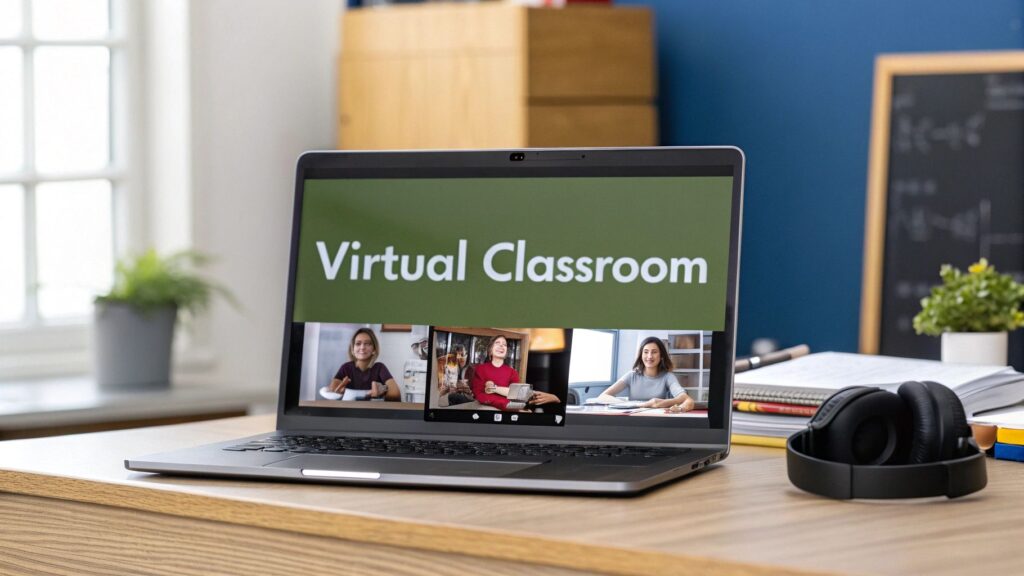
When someone says “virtual classroom,” it’s easy to picture something super technical, but the idea is actually pretty simple. It’s a dedicated online space where instructors and students meet up in real time for a live, shared learning experience.
Think of it as a traditional classroom that’s ditched its physical walls, making it accessible from anywhere you can get an internet connection.
So What Is a Virtual Classroom Really?
A virtual classroom is more than just another video call. It’s an online environment built from the ground up for teaching and learning. The software behind it tries to copy the main functions of a physical classroom, things like lectures, group discussions, and collaborative projects, but in a digital format.
This is about creating a truly interactive space where people can connect, ask questions, and learn together. The real goal is to build an engaging community that just happens to exist entirely online.
The growth in this space has been explosive. The global virtual classroom market was valued at around USD 13.55 billion in 2024 and is projected to hit an incredible USD 56.27 billion by 2033. You can dig into the full research on this impressive growth at Archive Market Research.
Breaking Down the Core Idea
So, how does it all fit together? I find it helps to think of a virtual classroom as a digital mirror of its real-world counterpart.
- The Instructor: Instead of standing at the front of a room, the instructor leads the session using their webcam and microphone.
- The Students: Participants join from their own devices, showing up on screen and interacting through chat, audio, and video.
- The Whiteboard: A traditional chalkboard gets a major upgrade with an interactive digital whiteboard. This allows for real-time drawing, brainstorming, and notes that everyone can see and contribute to.
- Group Work: Breakout rooms act like small virtual tables where students can collaborate on projects, just like they would in person.
This concept map really clarifies how all the pieces connect to create a single, cohesive learning environment.
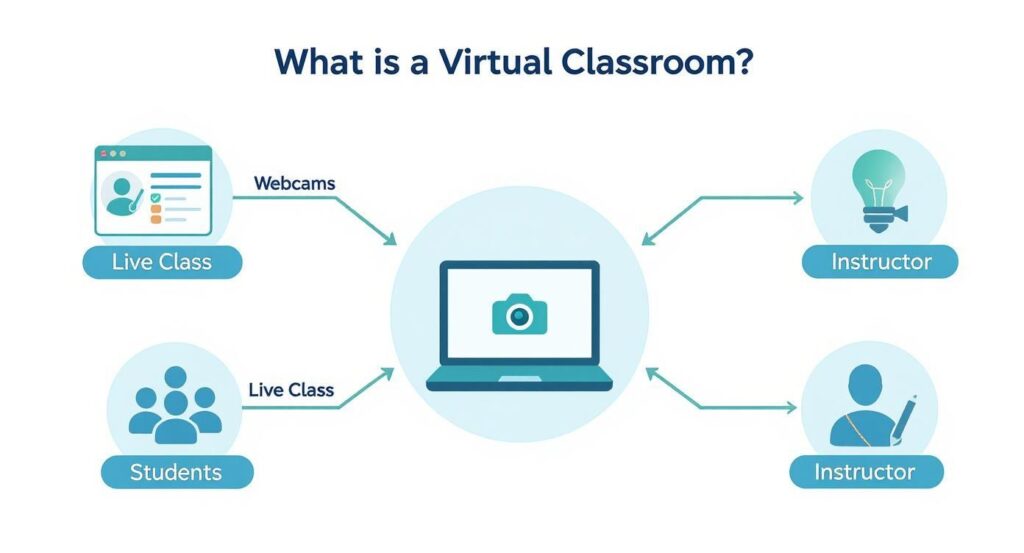
As you can see, the technology is the hub that connects the instructor, the students, and the live class into one seamless experience. It’s all about using these digital tools to foster genuine human connection and make learning stick.
Virtual vs. Traditional Classrooms at a Glance
To really understand the shift, it’s useful to see a direct comparison. This table breaks down the key differences between the old-school physical classroom and a modern virtual one.
| Feature | Traditional Classroom | Virtual Classroom |
|---|---|---|
| Location | Fixed physical building, requires travel | Anywhere with an internet connection |
| Accessibility | Limited by geography and physical mobility | Globally accessible, supports diverse needs |
| Tools | Chalkboard, textbooks, physical handouts | Interactive whiteboards, screen sharing, digital resources |
| Interaction | Primarily face-to-face and verbal | Multi-channel: chat, polls, breakout rooms, video, audio |
| Content Delivery | Instructor-led lectures, printed materials | Live sessions, recorded lectures, interactive modules |
| Collaboration | In-person group work at physical tables | Digital breakout rooms for real-time collaboration |
| Flexibility | Rigid schedule, fixed class times | More flexible scheduling, often recorded for later viewing |
While the methods are different, the goal remains the same: to create an environment where meaningful learning can happen. The virtual classroom just uses a different set of tools to get there.
Key Features of a Modern Virtual classroom
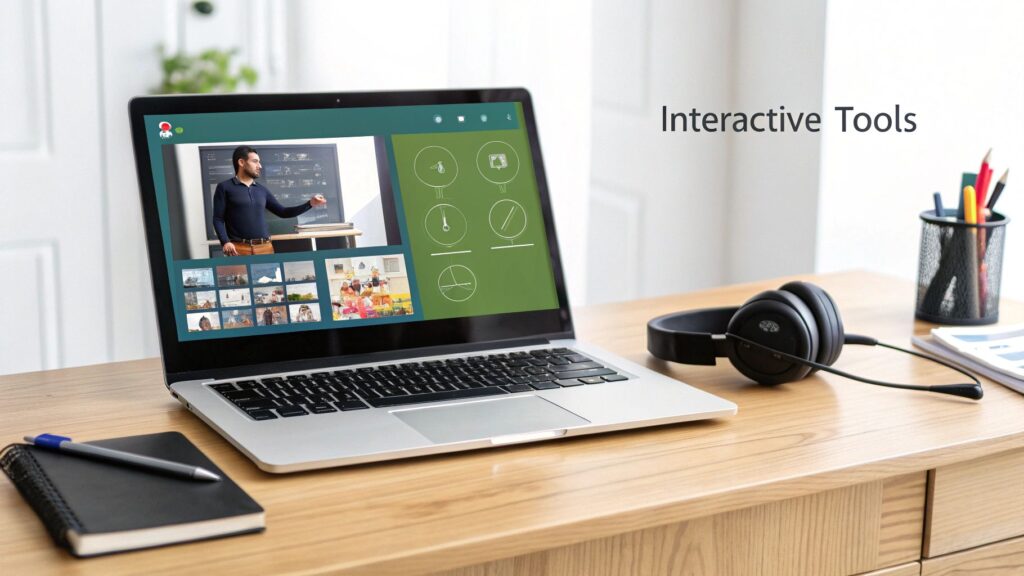
Let’s be clear, not all online learning platforms are built the same. A true virtual classroom is a whole lot more than just a glorified video call. It’s a purpose-built environment, loaded with specific tools designed to make learning stick.
Once you peek under the hood, you’ll see what separates a simple streaming tool from a genuine learning space. The foundation of it all is live video and audio. This is non-negotiable. It’s what creates that face-to-face connection between the instructor and the learners, making the whole session feel like a shared, human experience.
But that’s just the starting point. From there, you get tools made for active participation. Think of an interactive whiteboard. It’s a digital canvas where an instructor can sketch out ideas, write notes, or solve problems in real-time. Even better, students can often jump in and contribute, too. It’s the digital version of everyone gathering around a chalkboard to work something out together.
Tools for Engagement and Collaboration
To keep learners from zoning out, modern platforms are packed with features that pull people in and prevent passive screen-watching. These are the tools that really get the engagement engine running.
- Screen Sharing: This lets an instructor share their screen to walk through a software demo, click through a presentation, or review a document with the entire class watching.
- Live Chat and Q&A: A dedicated chat box is a game-changer. Students can pop in questions as they think of them without interrupting the flow, giving even the quietest person a voice.
- Polling and Quizzes: These are perfect for a quick pulse check. An instructor can launch a poll to see if a concept is landing and get instant feedback from everyone at once.
The most effective virtual classrooms are the ones that make participation feel effortless. When learners can easily interact with the content and each other, they stay plugged in and remember a whole lot more.
Fostering Deeper Learning
Beyond whole-group activities, the best platforms understand the power of small-group collaboration. This is where breakout rooms shine. With a click, an instructor can split the class into smaller groups, sending them into their own private virtual spaces to hash out a topic or collaborate on a task. This encourages peer-to-peer learning and guarantees everyone gets a chance to speak up.
Many of these tools are part of a bigger ecosystem called a Learning Management System (LMS). If you’re weighing your options, getting a handle on the differences between systems is crucial. For instance, our guide comparing Canvas vs. Google Classroom breaks down what different platforms bring to the table.
Finally, a truly modern virtual classroom has to be inclusive. This means baking in digital accessibility solutions like live captioning and screen reader compatibility from the ground up. It ensures that every single learner, regardless of ability, can fully participate. When all these features come together, they create a rich, supportive, and incredibly effective learning environment.
What Are the Real Benefits of a Virtual Classroom?
The move to online learning is gaining momentum, and it’s about more than flashy technology. It’s about the tangible, real-world advantages a virtual classroom brings to the table for both learners and the organizations training them. I’ve seen firsthand how these benefits can completely reshape the approach to education and development.
Flexibility is probably the most obvious win. The old model demanded everyone be in the same room at the same time, which was a logistical nightmare for most. Virtual classrooms completely shatter those barriers. Suddenly, learning can actually fit around a work schedule, family life, or scattered time zones.
Making Learning More Accessible and Affordable
One of the biggest victories here is making top-tier education available to more people. A virtual classroom can connect a student in a small town with a world-class instructor and a diverse group of peers they’d never meet otherwise. This global connection adds a richness to the learning experience that a local classroom just can’t match.
This isn’t a small change. It’s having a massive impact. The spread of education technology has been a game-changer. For instance, the number of countries offering at least ten years of formal education shot up by over 303% between 2007 and 2017, reaching 173 nations. That incredible growth is fueled in part by tools like virtual classrooms. You can dig deeper into these findings on technology and learning to see the bigger picture.
And then there’s the cost. The savings are significant. Organizations get to slash major expenses like:
- Travel Costs: No more flying instructors or employees to a central hub.
- Venue Rentals: The need for physical classroom space just disappears.
- Printed Materials: Every resource can be shared and saved digitally.
Those savings can then be poured back into creating even better learning content or expanding training opportunities.
Boosting Skills and Engagement
In a world where almost every job involves some level of digital interaction, a virtual classroom doubles as a practical training ground. Participants are not just absorbing course material. They’re getting comfortable with the exact digital tools they’ll be using in a modern workplace. It’s a two-for-one deal.
The real power of a virtual classroom is its ability to centralize everything. All your materials, discussions, and progress reports live in one organized, secure hub, which simplifies life for everyone involved.
This centralized setup makes the administrative side of learning so much easier. Tasks that used to be a huge headache, like tracking attendance, grading quizzes, or pulling progress reports, can be automated. This frees up instructors to do what they do best: teach, mentor, and actually engage with their students. It’s simply a smarter, more efficient way to manage the entire learning journey.
How Virtual Classrooms Work in the Real World
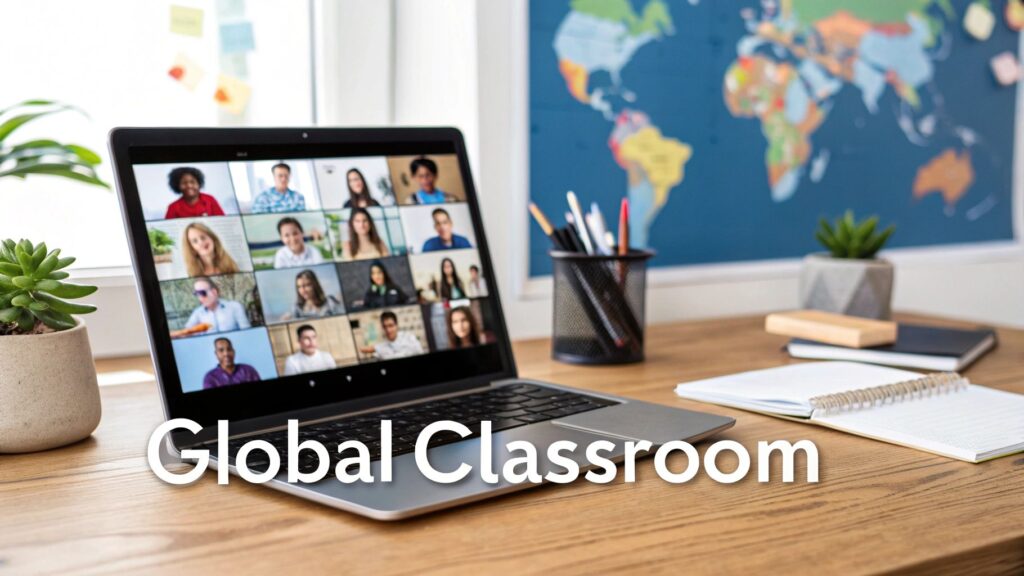
It’s one thing to list features and benefits. It’s another to see how a virtual classroom actually holds up in the wild. Let’s move past the abstract ideas and look at a few concrete examples that show just how versatile this technology really is.
Picture a large university wanting to offer its popular history lectures to students studying abroad. A professor can live-stream their lecture directly from the campus hall using a virtual classroom platform.
Students from different continents tune in, watching the presentation as it happens. But they aren’t just passive viewers. They use a Q&A feature to ask questions, which the professor can address on the spot. It creates a shared, immediate experience that connects learners across thousands of miles.
From Corporate Training to Global Tutoring
Now, let’s shift gears to the business world. Imagine a global tech company with offices in North America, Europe, and Asia that needs to roll out mandatory cybersecurity training for all 5,000 employees. Flying everyone to a central location would be a logistical nightmare and a massive financial drain.
Instead, they turn to a virtual classroom. The company’s training department schedules sessions for different time zones, letting employees join a live, interactive workshop from their local office or even from home. Trainers use breakout rooms for small group exercises where people can hash out case studies and solve problems together. This move doesn’t just save a ton of money. It guarantees consistent training for everyone.
This kind of large-scale training is often coordinated through a central platform. If you’re curious how all the moving parts fit together, our guide to the modern course management system is a great place to start.
Personalizing the Learning Journey
The power of a virtual classroom isn’t just for massive organizations. Think about a freelance language tutor based in Spain. Her students are scattered across the globe, from Japan to Brazil.
She uses a virtual classroom to hold one-on-one and small group conversation classes. The interactive whiteboard becomes a space for practicing verb conjugations, and she uses screen sharing to review articles in the target language right alongside her students.
The real magic happens when technology fades into the background. For this tutor, the platform is the bridge that allows for genuine human connection and personalized language practice, no matter the distance.
In each of these stories, the virtual classroom serves a different purpose, but the core result is the same. It demolishes geographical barriers to build effective, engaging, and collaborative learning environments that are tailored to very specific needs.
How to Choose the Right Virtual Classroom Platform

Ready to jump into a virtual classroom for yourself or your team? The number of options out there can feel pretty overwhelming, but I can help you sort through them. Picking the right platform is about finding the one that actually fits what you need to do.
The very first thing I always look at is ease of use. If the software is clunky or confusing, it just gets in the way of learning. A good platform should feel natural for both the instructor and the students, letting everyone focus on the lesson, not on wrestling with the technology.
Aligning Features with Your Goals
Next up, let’s talk features. You need tools that genuinely support your teaching style, not just a long list of things you’ll never use.
Are you planning on lots of group discussions? Then excellent breakout rooms are non-negotiable. Will you be doing a lot of visual explanations on the fly? An interactive whiteboard is essential.
Make a short list of the core activities you’ll be running in your classroom. Then, hold that list up against the features of each platform you’re considering. This simple step can save you a world of frustration down the road.
A platform can have a hundred features, but if it doesn’t do the three or four things you need it to do really well, it’s the wrong choice. Simplicity and function always win.
The recent global shift to remote work and learning really pushed these platforms to evolve at lightning speed. The COVID-19 pandemic acted as a massive catalyst, accelerating the move to virtual classrooms as schools and companies scrambled for flexible solutions.
Thinking About Support and Growth
Finally, think about the long game. What happens when something inevitably goes wrong right before a session? Look into the technical support offered. Is it available 24/7? Is it responsive? A quick search for user reviews can often tell you the real story.
Also, consider scalability. Your needs might be small today, but what about in a year? Choose a platform that can grow with you, whether that means handling more students or adding more advanced features later on.
When you’re weighing your options, checking out a comprehensive webinar platform comparison can make the decision-making process a lot easier. And if you’re on a tight budget, don’t worry. There are plenty of great tools that won’t break the bank. Take a look at our guide on some excellent free virtual classroom platforms for educators to get started.
Overcoming Common Virtual Learning Challenges

Let’s be real, no technology is a silver bullet. Virtual classrooms come with their own unique set of hurdles, but with a bit of foresight, every single one of them is manageable. In my experience, the biggest challenge by a long shot is keeping learners plugged in when they aren’t physically in the room with you. It’s just so easy for their attention to drift.
Then there’s the classic headache: the dreaded tech glitch. A spotty Wi-Fi connection or a mic that suddenly decides to quit can completely derail an otherwise great session. But don’t sweat it. By anticipating these issues and having a plan, you can build a virtual learning experience that feels smooth and effective for everyone involved.
Keeping Learners Engaged and Focused
Engagement in a virtual classroom isn’t something that just happens. You have to intentionally design it. The secret is to shift the dynamic from passive listening to active participation. Instead of long, drawn-out lectures, I always recommend breaking things up into smaller, more interactive chunks.
Here are a few simple but incredibly effective tactics I rely on:
- Ask questions constantly. Use the chat function, run quick polls, or even just call on people by name. This keeps everyone on their toes and transforms the session from a broadcast into a genuine two-way conversation.
- Lean on breakout rooms. Small group discussions are absolute gold for boosting participation. They give the quieter folks in the group a low-pressure environment to share their thoughts and ideas.
- Make it hands-on. Get people to use the interactive whiteboard for a brainstorming session or have them share their screens to walk through an example.
The goal is to make your learners participants, not just an audience. When you give them something to do every few minutes, their focus naturally stays right where you want it.
Managing Technical Hiccups Gracefully
Technical problems are a matter of when, not if. A student’s internet will drop, or the platform might have a momentary hiccup. Having a simple, clear backup plan is your best defense against chaos.
For instance, I always tell instructors to set up a secondary communication channel, like a class chat group on a separate app. If the main platform goes down, you can instantly shoot a message to everyone letting them know the plan.
It’s also a great idea to encourage learners to do a quick tech check before class. Something as simple as testing their microphone and camera a few minutes beforehand can prevent a surprising number of disruptions once the session is underway.
Frequently Asked Questions
Alright, we’ve covered a lot of ground, but you might still have a few questions buzzing around. Let’s tackle some of the most common ones I hear. The goal here is to give you clear, straightforward answers to round out your understanding.
Is a Virtual Classroom Just a Zoom Meeting?
Not quite, though it’s an easy comparison to make. While you can definitely host a class on a platform like Zoom, a dedicated virtual classroom is a tool built specifically for education. It has a whole different set of features baked in that you won’t find in standard meeting software.
Think of it this way: a video conferencing tool is like a general-purpose hammer, great for lots of things. A virtual classroom is more like a specialized toolkit designed just for teaching, with things like integrated quizzes, persistent content libraries, and interactive whiteboards already built-in.
What Kind of Internet Speed Do I Need?
Great question. The honest answer is that stability is usually more important than pure speed. A stable connection is what prevents those frustrating freezes and audio drops that can derail a live session.
As a general rule, a download speed of 5-10 Mbps and an upload speed of 1-3 Mbps is a solid starting point for a smooth experience. If you’re the instructor and plan on sharing high-definition video, you’ll want a faster upload speed. It’s always smart to check the specific requirements of whatever platform you decide to use.
A quick tech check before class is always a good move. A simple speed test and making sure your mic and camera are working can save you from a lot of headaches later on.
How Do You Keep Students From Getting Distracted?
Keeping students focused is the name of the game, and the best way to do it is to make the class so interactive they don’t have time to wander off.
Here are a few tactics that work wonders:
- Use the engagement tools early and often: Launch quick polls, ask questions in the chat, and run short quizzes to keep everyone actively involved.
- Break up long lectures: Nobody wants to listen to someone drone on for an hour. Chop up your content with short activities or discussions. It keeps the energy up.
- Lean on breakout rooms: Splitting students into small groups for discussions is a fantastic way to boost both engagement and accountability.
It really comes down to shifting the dynamic from passive listening to active participation. When students are involved in the lesson, they’re far less likely to get sidetracked by whatever else is happening on their screen.