A Guide to SAM Instructional Design

Have you ever felt boxed in by a rigid, step-by-step course design process? If you’ve wished for more flexibility and a faster way to see if your ideas are working, then you’re in the right place.
The Successive Approximation Model, or SAM, is all about building learning experiences in quick, iterative cycles. It swaps out the old, linear project plan for a more dynamic process of prototyping, getting feedback, and refining as you go.
What Is SAM Instructional design?
Let’s ditch the idea that course creation is like building a skyscraper from a fixed blueprint. Instead, I like to think of it like sculpting with clay. With SAM, you start with a rough shape, a basic prototype of your course, and immediately put it in front of people. You watch how they interact with it, listen to their feedback, and then you go back and reshape it.
This process is fundamentally different from older, waterfall-style methods. It’s built for speed, collaboration, and real-world results. You’re not waiting until the very end of a six-month project to find out if you’ve built something learners actually need. You’re finding that out in the first week.
A Modern Answer to Traditional Models
SAM isn’t just another acronym to add to your toolkit. It’s a direct response to the frustrations many of us have felt with traditional frameworks. It pushes for action over endless analysis, helping you build real momentum from day one.
The core idea is simple but powerful: It’s far better to build and test a small, functional piece of your course quickly than to spend months planning a “perfect” course that might completely miss the mark.
This philosophy changes the entire feel of a project. You’re constantly making tangible progress that you can see, share, and test.
For anyone who has sat through countless planning meetings wondering when they’ll actually start building something, this cyclical approach is a breath of fresh air. It keeps the creative energy high and ensures the final product is genuinely shaped by the learners themselves.
Where Did SAM Come From?
The Successive Approximation Model was introduced in 2012 by Dr. Michael Allen of Allen Interactions, and it marked a pretty big shift in instructional design. SAM was developed as a practical alternative to the ADDIE model, a framework that has been a staple since the 1970s.
While ADDIE has its place, its rigid, sequential nature can be slow and cumbersome for modern projects. SAM streamlined the workflow into three repeatable phases: evaluate, design, and develop. We’ll dig into those phases in just a bit.
Of course, SAM is just one of several frameworks out there. To get a better sense of where it fits in the broader landscape, it’s worth taking a look at other instructional design models for e-learning.
My goal here is to give you a clear, practical understanding of how you can use SAM to build better courses, faster. It’s a genuine game-changer for anyone looking to create more engaging learning experiences without getting stuck in the mud.
Unpacking the Three Core Phases of SAM
So, what’s the secret sauce that makes the SAM model work? It’s all about its three core phases, which are designed to keep your project in a constant, productive loop. This isn’t a rigid, step-by-step checklist you have to follow in perfect order. It’s a framework for starting small, testing ideas fast, and always making things better.
Think about how a great new app gets built. The developers don’t vanish for a year, build the entire thing in secret, and then cross their fingers hoping people like it. No, they start with a core idea, build a simple version (a prototype), get it into the hands of a few real users, and then use that feedback to improve it, cycle after cycle. That’s the exact mindset behind SAM.
This visual perfectly captures the shift from a linear model like ADDIE to SAM’s more dynamic, cyclical approach.
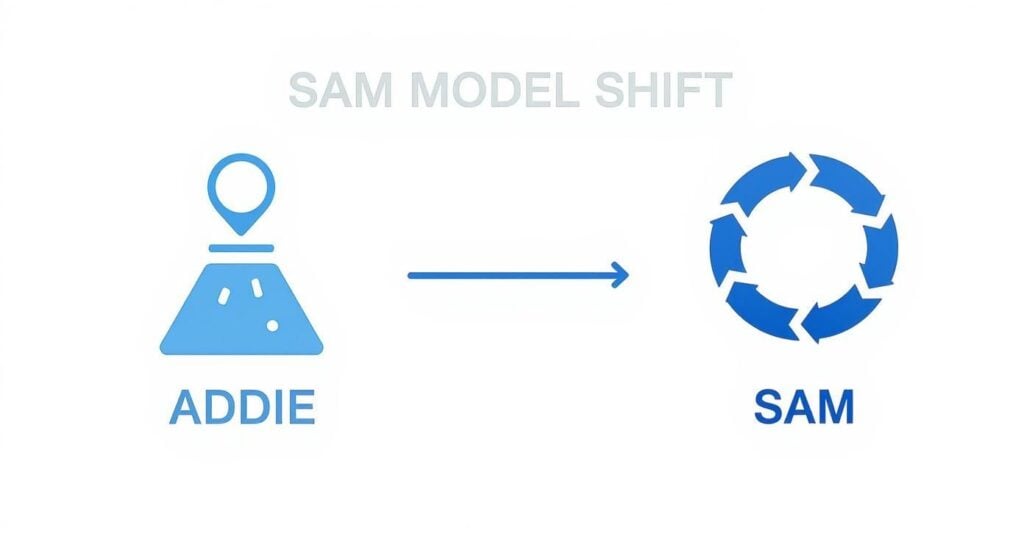
The big takeaway here is the move from a straight line to a circle. That simple change visually represents SAM’s obsession with repeated loops of feedback and refinement.
Phase 1 The Preparation Phase
Everything kicks off with the Preparation Phase. This is all about quickly gathering background info and brainstorming initial ideas. It’s designed to be fast and collaborative, specifically to avoid the dreaded “analysis paralysis” where teams spend months planning before a single thing gets created.
The centerpiece of this phase is a high-energy brainstorming meeting called the Savvy Start. The goal isn’t to walk out with a perfect, detailed blueprint. It’s to get all the key people (stakeholders, subject matter experts, and designers) in the same room to hash out a workable starting point. Fast.
During the Savvy Start, you’ll tackle:
- The Big Idea: What’s the core performance problem we’re actually trying to solve here?
- The Audience: Who is this for, and what do they truly need to succeed?
- Initial Concepts: What are some potential designs or activities we could build?
You leave this meeting not with a massive design document, but with a handful of rough ideas and a shared vision for where the project is headed.
Phase 2 The Iterative Design Phase
Now we’re at the heart of the SAM model: the Iterative Design Phase. This is where the real magic happens. You take those rough concepts from the Savvy Start and start cycling through a loop of designing, prototyping, and reviewing. It’s all about making and testing, over and over again.
This is where you prove the concept actually works. You’re not building the final, polished course yet. You’re just building small, functional pieces to see what clicks with learners and gets a nod from stakeholders.
The core loop in this phase is simple: design a small piece of the learning experience, prototype it quickly (even with just sketches on a whiteboard or a simple storyboard), and then review it with real users to get instant feedback.
This cycle repeats as many times as you need. Each loop gets you closer to a design that you know is effective and engaging. For instance, you might prototype one interactive scenario, get feedback on it, tweak it, and test it again before you even think about building out the rest of the module.
Phase 3 The Iterative Development Phase
Once you’ve got a solid, user-tested prototype from the design phase, you move into the Iterative Development Phase. This is where you build the fully functional, final version of the course. But even at this stage, the iterative mindset doesn’t stop.
You don’t just take the approved prototype and disappear for three months to build the final thing. Instead, you develop the course in stages, constantly implementing, evaluating, and refining as you go.
The steps in this final loop look something like this:
- Develop: Build the first complete version of the course based on your final prototype.
- Implement: Roll it out, maybe just to a small pilot group of learners to start.
- Evaluate: Gather data and feedback on how it’s actually working. Is it meeting the learning objectives? Are learners engaged or getting stuck?
- Refine: Based on that real-world evaluation, you make the necessary tweaks before the full-scale launch.
This final set of cycles ensures your end product is a high-quality, effective learning experience that has been tested and proven in the wild, not just a polished version of an idea.
SAM vs ADDIE: A Practical Comparison

If you’ve been in the instructional design world for any length of time, you’ve probably heard the names SAM and ADDIE thrown around. For many of us, ADDIE was our first introduction to building a course. It was the industry standard for decades, and it’s deeply ingrained in how we think about the development process.
But understanding the difference between these two models is crucial. You want to pick the right tool for the job you’re facing right now.
Think of ADDIE as a waterfall. It’s a linear, sequential process where you have to complete one phase entirely before the next one can begin. You Analyze, then Design, then Develop, and so on. It’s predictable and structured, which is great. But trying to make a change late in the game is like trying to make water flow uphill.
SAM, on the other hand, is like a series of small, energetic whirlpools. It’s cyclical, messy, and designed for constant motion. Instead of a single, long development path, you’re working in quick, repeatable loops of prototyping, testing, and refining.
The Core Philosophies
The biggest difference comes down to their fundamental approach to a project. ADDIE is built on getting everything right upfront. The Analysis and Design phases are massive because the goal is to create a perfect blueprint before a single line of code is written or a single slide is built. This can feel very safe for stakeholders who want to see a full plan before committing resources.
In contrast, SAM operates on the assumption that you can’t possibly know everything at the start. It embraces the idea that the best solutions emerge through the process of actually building, testing, and getting feedback from real people. It prioritizes action and tangible prototypes over exhaustive documentation.
The goal of SAM isn’t to create a perfect plan. The goal is to create a working prototype, fast, and then make it better through collaboration and real-world testing.
This philosophical difference completely changes your day-to-day workflow. With ADDIE, you could spend weeks in meetings just talking about the course. With SAM, you could have a rough, clickable prototype ready for review in just a few days.
Comparing SAM and ADDIE Models at a Glance
Seeing the models side-by-side really clarifies where each one shines. This table breaks down the practical differences you’ll experience when working with each framework.
| Aspect | SAM (Successive Approximation Model) | ADDIE Model |
|---|---|---|
| Process Flow | Cyclical and iterative. Phases repeat in small, rapid loops. | Linear and sequential. One phase must finish before the next begins. |
| Feedback | Gathered early and often, starting with the very first prototype. | Typically collected late in the process, often after development is complete. |
| Flexibility | Highly flexible. Changes are expected and easy to implement in each cycle. | Rigid. Changes after the design phase are costly and difficult to make. |
| Risk | Low. Issues are identified and fixed early, preventing major downstream problems. | High. Design flaws discovered late can derail the entire project schedule and budget. |
| Best For | Complex projects with unclear solutions or rapidly changing content. | Simple, stable projects where requirements are well-defined from the start. |
The key takeaway is that the “right” model depends entirely on the nature of your project and the environment you’re working in.
I remember a project early in my career building annual compliance training. The content was stable, the requirements were crystal clear, which was a perfect scenario for ADDIE. It worked flawlessly.
A few years later, I was on a team building a course for a brand-new software product. The software itself was still in development, and features were changing weekly. We tried using ADDIE, and it was a complete disaster. We spent two months writing a design document that was obsolete before we even finished it.
That project was crying out for SAM. We could have built small prototypes of key workflows, gotten feedback as the software evolved, and ended up with a relevant, useful course instead of a relic. For a deeper look at the traditional approach, you can learn more about how the ADDIE model for training works in different contexts.
Ultimately, choosing the right model is about matching your approach to the reality of your project, not about loyalty to a particular framework.
How To Implement SAM in Your Next Project
Alright, we’ve covered the theory. Now, let’s get our hands dirty and talk about how you actually put the SAM model into action on your next project. This is your practical roadmap to getting started.
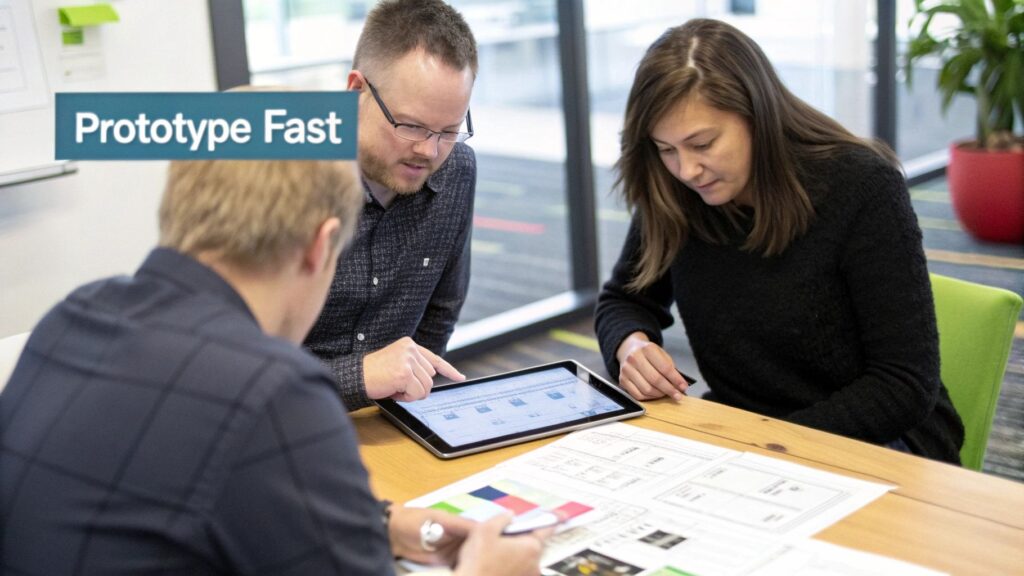
The key is to truly embrace the “start messy” mindset. The process is all about taking quick, decisive action instead of getting bogged down in endless planning meetings that go nowhere.
Kick Things Off With a Savvy Start
Every SAM project begins with a high-energy brainstorming session called a Savvy Start. This isn’t your typical project kickoff where someone drones on with a 50-slide PowerPoint deck. It’s an interactive, collaborative workshop designed to generate ideas and establish a starting point, fast.
Your main goal here is to get all the essential people (stakeholders, subject matter experts, and key team members) in one room to hash out the core of the project.
You should aim to walk out of that meeting with:
- A clear understanding of the performance problem you’re actually trying to solve.
- A rough sketch of who the learners are and what they need to succeed.
- A handful of initial design concepts you can start prototyping immediately.
This meeting sets the energetic, action-oriented tone for the entire project. It’s all about building momentum from day one.
Build Your First Low-Fidelity Prototype
With your initial ideas from the Savvy Start in hand, it’s time to create your first prototype. And I can’t stress this enough: it does not need to be perfect. The goal is simply to make something tangible as quickly as humanly possible.
Think simple and fast. A low-fidelity prototype could be:
- A simple storyboard sketched out on a whiteboard.
- A series of basic wireframes clicked together in a simple tool.
- Even just a few drawings on paper that walk through a key interaction.
The whole point of this first prototype is to create a talking point. It’s a physical thing you can put in front of someone to get a real reaction, which is far more valuable than asking them to imagine a concept from a document.
Once you have this rough draft, you’re ready to start the most important part of the SAM process: gathering feedback. For some great pointers on what works (and what doesn’t) in course creation, check out our guide on instructional design best practices.
Manage the Feedback Loop Effectively
Now that you have your prototype, get it in front of people. Don’t wait. The sooner you get feedback, the sooner you can make improvements that actually matter.
Start by showing it to a small group of stakeholders and a few representative learners. Ask open-ended questions like, “What was your first impression?” or “Where did you feel confused?” The goal is to understand their experience, not to defend your design choices.
As the feedback rolls in, you’ll need to prioritize. Not every suggestion is created equal. Focus on the comments that directly impact the core learning objectives. This is where SAM truly shines, helping you put your effort into creating engaging and impactful online training programs that genuinely work.
Transition to Full Development
After a few cycles of prototyping and reviewing, you’ll arrive at a design that everyone feels confident about. This is your green light to move into the Iterative Development Phase. At this stage, you’re no longer working with sketches and wireframes. You’re building the real thing.
To give you an idea of the pacing, here’s a simplified timeline for a small, four-week SAM project.
| Week | Key Activities | Goal |
|---|---|---|
| Week 1 | Savvy Start Meeting, Low-Fidelity Prototype #1, First Round of Feedback | Establish a solid direction and validate the core concept. |
| Week 2 | Create Prototype #2 (more refined), Second Round of User Feedback | Refine the user experience and key interactions. |
| Week 3 | Begin Full Development, Build First Module, Implement Feedback | Develop the final course content and functionality. |
| Week 4 | Finalize Development, Pilot Testing with a Small Group, Final Tweaks | Prepare for a successful launch. |
This timeline is just an example, of course, but it shows how quickly you can move from a rough idea to a tested, ready-to-launch course using the SAM instructional design framework.
Common SAM Pitfalls and How to Avoid Them
The SAM model is a fantastic framework for instructional design, but like any powerful tool, it’s not foolproof. I’ve seen teams get tripped up by a few common traps, and knowing what to watch for can be the difference between a smooth, creative process and a project that just spins its wheels.
Let’s walk through a few of the biggest hurdles I see teams face and, more importantly, how to clear them with confidence.
Taming the Beast of Scope Creep
One of the biggest challenges with an iterative model like SAM is something we all know and dread: scope creep. Because you’re constantly prototyping and getting feedback, it’s incredibly tempting to keep adding new ideas into every single cycle.
A stakeholder sees an early prototype and says, “This is great! What if we also added…?” And while that energy is awesome, it can quickly pull your project miles away from its original learning objectives if you’re not careful. You have to find that delicate balance between being flexible and staying focused.
The best defense is a strong offense. This starts with a crystal-clear understanding of your project’s primary goal right from the Savvy Start. Before you kick off each design cycle, just take a moment to revisit those core learning objectives. It’s a simple check-in that keeps everyone rowing in the same direction.
When a new idea pops up, don’t just shut it down. Instead, ask the team: “Does this new feature directly support our main goal, or is it a ‘nice-to-have’ we can park for a future version?”
This approach does a few key things:
- It acknowledges good ideas without letting them derail the project.
- It keeps the team focused on solving the initial problem.
- It creates a “parking lot” of ideas for later, which makes stakeholders feel heard and valued.
This helps channel the team’s creativity so you can actually deliver a finished product on time.
Managing Stakeholder Expectations
Another common hurdle is navigating stakeholder expectations, especially if they’re used to more traditional, linear project models. They often expect to see a nearly polished product, not a rough sketch on a whiteboard or a clunky, low-fidelity wireframe.
If you show them an early, messy prototype without setting the right context, it can cause some serious, and totally unnecessary, alarm. They might think the project is way behind schedule or that the final quality will be poor.
The key is to over-communicate the “why” behind your process. You have to get them excited about the iterative journey, not just the final destination.
Before you ever show them that first prototype, explain that what they’re about to see is intentionally rough. Frame it as a conversation starter designed to get their invaluable feedback early on, back when changes are cheap and easy to make. This simple bit of framing can turn a potentially nervous stakeholder into your project’s biggest champion.
Avoiding the Savvy Start Stall-Out
Finally, there’s a real risk of getting stuck right at the very beginning. The Savvy Start is supposed to be a quick, high-energy launchpad for your project. But I’ve seen teams treat it like an exhaustive, multi-day analysis session, which completely defeats its purpose.
The goal here is to generate just enough of a plan to start building something tangible. If you find your Savvy Start dragging on for more than a day or two, that’s a big red flag.
To keep things moving, keep that initial brainstorming session tightly focused. Set a clear time limit and make sure you leave the room with actionable next steps, not a perfect, 50-page blueprint. Remember, the SAM instructional design process is all about making progress, not achieving perfection at every single step.
Why SAM Improves Learning Outcomes

At the end of the day, any instructional design model is just a tool. The real question is whether the course we build actually helps someone learn something new or do their job better. This is where the SAM instructional design model truly shines. The process helps you build the right course, one that genuinely works, instead of just building it faster.
The secret sauce is the constant feedback loop baked right into the process. When you put a simple prototype in front of real learners and stakeholders early on, you stop guessing what they need and start knowing.
This approach lets you spot design flaws and confusing concepts in the first week, not six months down the road after you’ve already sunk a ton of time and money into the project. It’s a huge shift from hoping you got it right to ensuring you get it right.
Building a Truly Learner-Centric Experience
Traditional models can sometimes produce courses that make perfect sense to the designer and subject matter expert but completely miss the mark with the actual audience. SAM flips this dynamic on its head by turning learners into active partners in the creation process.
When learners get their hands on early versions of the training, their feedback directly shapes the final product. This continuous input ensures the course is intuitive, relevant, and speaks their language.
The result is a course that solves the real-world problems learners are facing, rather than just presenting information. This learner-centric approach is the cornerstone of effective training.
It’s an incredible feeling when you see a learner’s feedback from an early prototype directly influence a feature in the final course. You know you’re building something for them, not just at them. This collaborative spirit is what makes the process so powerful and rewarding.
The Impact on Engagement and Satisfaction
When learners feel heard, their engagement and satisfaction skyrocket. This isn’t just a hunch. It’s backed by real results. Organizations using agile approaches like SAM consistently see better outcomes than those sticking to older, more rigid methods.
For instance, one comparative study found that agile instructional design projects have a success rate of more than 58.5%. Even better, these projects see a 20% bump in customer satisfaction rates. You can dig into more of these insights in the full Whatfix research on instructional design models.
These numbers just confirm what many of us have seen firsthand. By building and refining content in quick, iterative cycles, you also ensure the material stays current. In fast-moving industries where information gets stale in months, this ability to adapt is crucial for creating training that delivers lasting value. You end up with a better product and happier, more competent learners.
Common Questions About Making SAM Work
As we wrap up, a few questions are probably bubbling up about how the SAM model plays out in the real world. Let’s tackle some of the most common ones I hear from designers who are new to this way of working.
My goal here is to clear up any lingering confusion and give you the confidence to give SAM a shot on your next project. It’s a seriously practical framework once you get into the rhythm of it.
How Long Should an Iteration Cycle Be?
This is a great question, and the honest answer is that it depends on the project. But a solid rule of thumb for a typical cycle in the Iterative Design phase is somewhere between one and three weeks.
The most important thing is to keep the cycle short enough to build and maintain momentum. You want to get a working prototype in front of real people, gather their gut reactions, and make improvements fast. If a cycle drags on for a month or more, you lose that quick, iterative energy that makes SAM so powerful in the first place.
Is SAM a Good Fit for Large, Complex Projects?
Absolutely. In fact, SAM is often a perfect fit for big, hairy projects because it forces you to break them down into manageable chunks. Instead of trying to boil the ocean and plan a massive project all at once, you can slice the work into smaller, focused modules.
From there, you just apply the SAM process to each module, one by one. This approach gives you a few major wins:
- It makes the whole project feel way less overwhelming for everyone involved.
- It slashes project risk by letting you test and validate each part of the course as you build it.
- You can start delivering value sooner, launching finished modules while others are still in the pipeline.
Think of it like building a house. You wouldn’t try to build all the walls, plumbing, and electrical at the same time. You build it one room at a time, making sure each one is solid before moving to the next. You still end up with a complete house, but the process is far more organized and flexible.
Can I Use SAM If I’m a Solo Designer?
Yes, you can, and you should! The core principles of rapid prototyping, getting early feedback, and making constant improvements are incredibly valuable whether you’re a team of one or twenty. You don’t need a huge crew to make it work.
For a solo designer, the key is discipline. You have to be the one who proactively schedules reviews and hunts down stakeholders and learners to get their eyes on your prototypes.
You’ll definitely be wearing more hats, like designer, project manager, and developer, but the agile mindset behind SAM helps you stay focused on what actually matters: creating a learning experience that works. It’s your best defense against spending months working in a silo, only to find out your brilliant design completely missed the mark. It keeps you connected to your audience every step of the way.