The 10 Learning Management System Types
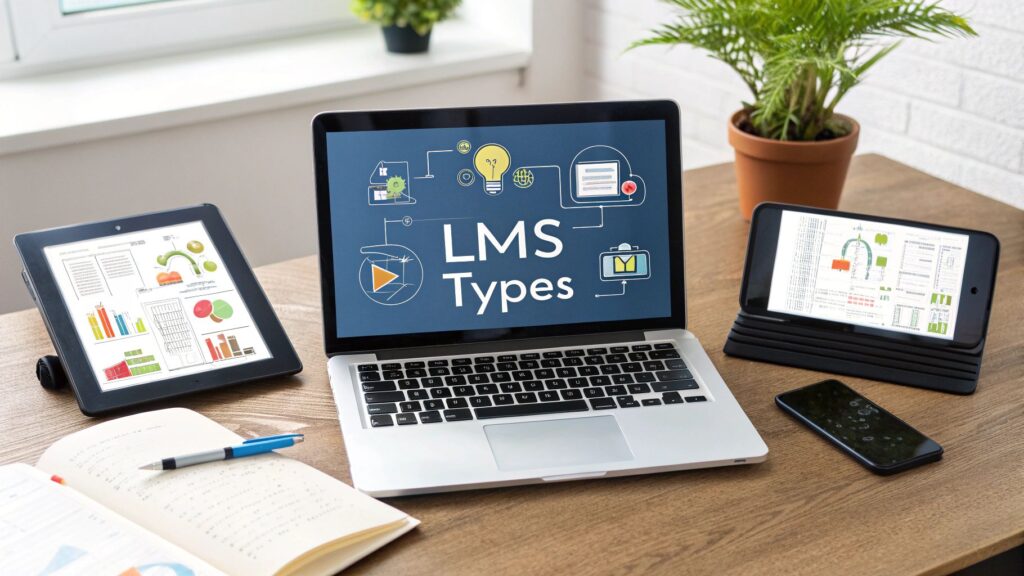
If you’re diving into the world of online courses or corporate training, you’ve probably heard the term ‘LMS’ thrown around a lot. It stands for Learning Management System, and honestly, picking the right one can feel like a massive, confusing task. There are so many options out there, each with its own specific quirks and strengths.
Making the right choice is about finding a system that truly fits how your learners actually learn and how your business operates. The platform you choose is the foundation of your entire educational experience. Beyond just the platform, it’s essential to consider the entire ecosystem of learning, including effective online course creation tools that will work alongside your chosen system. A mismatched LMS can lead to frustrated students, administrative nightmares, and stalled growth for your program.
I’ve spent a ton of time navigating this landscape myself, and I want to save you the headache. Think of this guide as your personal roadmap to understanding the different learning management system types available today. We’re going to break down the main categories so you can see what makes each one tick, from super-flexible open-source platforms to the slick, AI-powered ones that feel like they’re from the future.
My goal here is to give you the clarity you need to pick a system that won’t just work, but will actively help your learning program thrive. We’ll explore the pros, cons, and ideal use cases for each type, giving you the practical insights needed to make a confident decision. Let’s get into it.
1. Cloud-Based SaaS LMS
Cloud-Based SaaS (Software as a Service) LMS platforms are the most common type of learning management system you’ll find today. Instead of installing software on your own servers, you access the entire system through a web browser. The vendor hosts everything on their cloud infrastructure, handling all the technical heavy lifting like maintenance, updates, and security.
Think of it like Netflix for e-learning. You pay a subscription fee, typically per user per month, and get immediate access to a powerful, ready-to-go platform. This model removes the significant upfront cost and technical expertise required for self-hosted solutions.
Key Features and Use Cases
These platforms are incredibly versatile. Companies like Cornerstone OnDemand and Docebo leverage this model to serve massive corporate clients with complex compliance training needs, while also being accessible enough for smaller course creators.
A cloud-based SaaS LMS is ideal if you need:
- Rapid Deployment: You can get up and running in days, not months.
- Scalability: Easily add or remove users as your organization grows or your course enrollment fluctuates.
- Automatic Updates: You always have the latest features and security patches without any manual effort.
- Accessibility: Learners and administrators can access the platform from anywhere with an internet connection.
Implementation and Selection Tips
Choosing the right SaaS LMS involves more than just comparing feature lists. You’re entering a long-term partnership with a vendor, so doing your homework is key.
Start by evaluating the total cost of ownership over a three to five-year period, not just the initial subscription fee. Ask potential vendors about their uptime guarantees and negotiate the Service Level Agreement (SLA) to protect your interests. Also, thoroughly test the mobile experience, as many learners will access content on their phones.
Pro Tip: Plan for integrations from day one. Your LMS needs to communicate with other business-critical systems like your HR software (HRIS), customer relationship management (CRM), or e-commerce platform. Check for pre-built integrations and robust API documentation.
For a deeper dive into the selection process, explore our guide on how to choose the right LMS for your needs. This approach ensures your chosen platform fits seamlessly into your existing tech ecosystem and supports your long-term goals.
2. Self-Hosted Open-Source LMS
A Self-Hosted Open-Source LMS is the polar opposite of the cloud-based SaaS model. With this type of learning management system, you download the software, often for free, and install it on your own servers. This approach gives you complete control over the entire platform, from the source code to the server infrastructure. You handle all maintenance, security, and updates yourself.
Think of it as building your own house instead of renting an apartment. You have total freedom to customize every detail, but you’re also responsible for all the upkeep and repairs. This model eliminates recurring subscription fees but requires a significant upfront investment in technical expertise and infrastructure.
Key Features and Use Cases
These platforms are famous for their flexibility. Universities and large institutions often use Moodle or Open edX to create highly customized learning environments that SaaS platforms can’t replicate. The open-source nature means a global community of developers contributes to its features, creating a robust and adaptable system.
A self-hosted open-source LMS is ideal if you need:
- Total Customization: Modify the source code to build unique features and integrations.
- Complete Data Control: Keep all your learner data on your private servers, which is crucial for data privacy and compliance.
- No Per-User Fees: Scale to hundreds of thousands of users without your software costs increasing.
- Long-Term Cost Savings: Avoid monthly subscription fees, although you must budget for hosting and technical staff.
Implementation and Selection Tips
Choosing an open-source LMS is a major technical commitment. Your success depends heavily on the expertise of your IT team or the partners you hire to manage the system.
Start by auditing your in-house technical capabilities. Do you have system administrators experienced in server management, security hardening, and database administration? If not, factor in the cost of hiring dedicated staff or a specialized hosting provider. Make sure you have a clear plan for regular backups and a disaster recovery protocol in place before you go live.
Pro Tip: Don’t go it alone. The power of open-source lies in its community. Actively participate in forums for platforms like Moodle or Open edX. You can find solutions to common problems, discover new plugins, and even contribute your own improvements back to the community.
For a deeper dive into the world’s most popular open-source platform, you can explore the official Moodle documentation and community resources at moodle.org. This engagement will help you maximize your investment and build a more stable, secure platform.
3. Mobile-First LMS
A Mobile-First LMS is designed from the ground up to provide a seamless learning experience on smartphones and tablets. Instead of shrinking a desktop interface to fit a small screen, this approach prioritizes the mobile user experience. It ensures content is accessible, engaging, and easy to navigate on the go. This is a critical distinction among learning management system types for reaching learners wherever they are.
This design philosophy accounts for the realities of modern learning, where users expect to complete training modules during a commute or look up information on the job site. It often includes features like offline synchronization, allowing learners to download content and complete courses even without a stable internet connection.

Key Features and Use Cases
These platforms are essential for organizations with deskless workers, field sales teams, or learners who primarily access content outside of a traditional office setting. Platforms like Absorb LMS and Lessonly by Seismic excel at delivering microlearning and just-in-time training directly to employees’ personal devices.
A mobile-first LMS is ideal if you need:
- Offline Access: Learners can download courses and sync their progress once they reconnect to the internet.
- Just-in-Time Learning: Provide instant access to job aids, checklists, and performance support materials in the field.
- Increased Engagement: Push notifications and gamification features work particularly well on mobile devices.
- BYOD (Bring Your Own Device) Support: Empower learners to use their own smartphones, reducing hardware costs and increasing adoption.
Implementation and Selection Tips
When choosing a mobile-first LMS, go beyond checking if a vendor has a mobile app. The quality of the app is what matters. Download the app and test its user interface yourself. Can you easily navigate with one thumb? Does it load quickly on a cellular connection?
Pay close attention to how content creation works. A true mobile-first system will encourage you to create content specifically for small screens, such as vertical videos and interactive, touch-friendly modules. Confirm that the platform’s authoring tools support these formats natively.
Pro Tip: Prioritize progressive offline functionality. This means learners can download a single lesson or a whole course, and the app intelligently syncs only the necessary data. This saves device storage and mobile data, removing a common barrier to mobile learning adoption.
4. Enterprise LMS
An Enterprise LMS is a large-scale learning platform built to handle the complex needs of massive organizations. These systems are designed for companies with thousands of employees, often spread across different departments, countries, and regulatory environments. They focus on unifying corporate training, ensuring compliance, and integrating deeply with other core business systems.
Think of an Enterprise LMS as the central nervous system for an organization’s talent development strategy. It helps manage certifications, track mandatory compliance training, and connect learning outcomes directly to performance management and succession planning. It’s a comprehensive solution for managing the entire employee learning lifecycle at a global scale.
Key Features and Use Cases
These platforms are the heavyweights among the different learning management system types, built for power and control. Companies like SAP SuccessFactors Learning and Workday Learning are often integrated directly into broader Human Capital Management (HCM) suites, providing a seamless experience for HR and L&D teams.
An Enterprise LMS is the right choice if you need:
- Robust Compliance and Certification Management: Automate tracking for mandatory training and manage complex recertification cycles.
- Advanced Reporting and Analytics: Generate detailed reports on learning activities to demonstrate ROI and inform talent strategy.
- Deep Integration Capabilities: Connect seamlessly with enterprise systems like ERP, HCM, and CRM platforms.
- Global Scalability: Support multiple languages, currencies, and localized content for a global workforce.
Implementation and Selection Tips
Deploying an Enterprise LMS is a major strategic project, not a simple software rollout. Success hinges on meticulous planning and strong internal support, so I recommend allocating a realistic timeline of 6-12 months for the full implementation process.
Define your governance structure and data standards before you start. Who owns the content? How will user data be managed? Answering these questions early prevents major headaches later. Also, invest heavily in a change management program to drive user adoption. You can have the best system in the world, but it’s useless if no one uses it.
Pro Tip: Your Service Level Agreement (SLA) is critical. Go beyond standard uptime guarantees. Negotiate terms that include a dedicated account manager and specific response times for high-priority support issues. For large-scale rollouts, consider a phased approach, launching the LMS department by department to manage the transition smoothly.
5. Microlearning-Focused LMS
A Microlearning-Focused LMS is a platform designed to deliver content in small, highly targeted bursts. Instead of hour-long courses, learners engage with bite-sized modules, usually lasting between two and ten minutes. This approach is built for the modern professional. It delivers just-in-time knowledge exactly when it’s needed, right at the point of work.
These systems often prioritize mobile-first design, gamification, and social features to drive engagement and retention. They are more about reinforcing specific skills and providing quick answers to immediate problems than they are about comprehensive, deep-dive education.
Key Features and Use Cases
Platforms like Axonify and Qstream have championed this model in corporate training to boost sales team performance and reinforce safety protocols. The core idea is to fit learning into the natural flow of work. Think of a retail employee getting a two-minute video on a new product right before their shift starts.
A microlearning-focused LMS is an excellent choice if you need to:
- Provide Performance Support: Deliver quick how-to guides or checklists that employees can access on the job.
- Reinforce Key Concepts: Use spaced repetition and quizzes to fight the “forgetting curve” after a major training event.
- Train a Busy, Mobile Workforce: Engage learners who don’t have time for traditional courses and primarily use their phones.
- Improve Knowledge Retention: Focus on one learning objective per module, making information easier to digest and remember.
Implementation and Selection Tips
When choosing this type of learning management system, your content strategy is paramount. You can’t just chop up existing long-form courses. Each micro-lesson must be designed from the ground up with a single, clear learning objective.
Evaluate platforms on their ability to create learning pathways that connect individual micro-units into a cohesive whole. This prevents the experience from feeling disjointed. Also, assess the strength of their analytics. You need to see which topics are resonating and where knowledge gaps still exist.
Pro Tip: Balance gamification carefully. While points and leaderboards can boost engagement, they can also trivialize serious or compliance-related content if overused. The goal is to motivate, not distract from the core learning objective.
For more on building effective bite-sized content, check out our guide on microlearning best practices. This will help you create a content strategy that makes the most of your new platform.
6. Social and Collaborative LMS
A Social and Collaborative LMS moves beyond the traditional top-down model of learning. Instead of just delivering content from an instructor to a learner, these platforms focus on peer-to-peer interaction, community engagement, and knowledge sharing. They integrate social media-like features directly into the learning experience to foster a vibrant community.
Think of it as transforming your learning environment into a dynamic hub for discussion and shared discovery. These systems are built on the idea that we often learn best from each other through conversation, debate, and collaborative problem-solving. It’s learning that happens in the flow of work and community life.
Key Features and Use Cases
These platforms are designed to build collective intelligence. For example, a company might use a platform like Microsoft’s Yammer or a Slack instance with learning integrations to create topic-specific channels where employees can ask questions and get real-time answers from subject matter experts.
A social and collaborative LMS is ideal if you want to:
- Foster a Learning Community: Build a space where learners connect, share insights, and support one another.
- Capture Tacit Knowledge: Document and share the unwritten expertise that exists within your organization.
- Increase Engagement: Use social dynamics and user-generated content to make learning more interactive and relevant.
- Support Continuous Learning: Encourage ongoing conversations and knowledge sharing that extends beyond formal courses.
Implementation and Selection Tips
Successfully launching a social LMS requires a deliberate strategy to cultivate engagement. You cannot just turn on the features and expect a community to form on its own. It’s about building a culture of sharing.
Start by establishing clear community guidelines and moderation policies to ensure a safe and productive environment. Appoint community managers or moderators who can guide conversations and encourage participation. You should also strategically integrate these social elements with structured learning paths so they complement, rather than distract from, formal training objectives.
Pro Tip: Don’t let your collaborative space become a ghost town. Seed conversations with interesting questions, designate subject matter experts to answer queries, and use gamification elements like badges or leaderboards to incentivize contributions and recognize top performers.
7. xAPI/Learning Record Store (LRS) LMS
An xAPI LMS represents a modern shift in how we track learning. Instead of being confined to activities within the learning management system, these platforms use the Experience API (xAPI) to capture a wide range of learning experiences from virtually anywhere. All this data is collected and stored in a Learning Record Store (LRS), which can either be part of the LMS or a separate system.
This approach acknowledges that learning happens everywhere. It can happen on a mobile app, in a simulator, during a real-world task, or through informal social interactions. The system uses simple “I did this” statements (like “Jane completed a safety simulation”) to create a comprehensive record of a learner’s entire educational journey, both formal and informal.
Key Features and Use Cases
This type of learning management system is less about delivering courses and more about understanding the full learning ecosystem. Companies like Watershed and platforms like Learning Locker provide the LRS technology that powers this data-driven approach.
An xAPI/LRS system is ideal if you need to:
- Track Informal Learning: Capture data from real-world performance, mentoring sessions, or collaborative tools.
- Enable Comprehensive Analytics: Gain deep insights into how different activities correlate with performance outcomes.
- Unify Disconnected Systems: Pull learning data from multiple sources (apps, VR, other platforms) into one central repository.
- Support Learner Data Portability: Allow learners to take their learning records with them throughout their careers.
Implementation and Selection Tips
Adopting an xAPI-centric model is a strategic decision that goes beyond technology. It requires a fundamental shift toward a data-first culture for learning and development.
Before you start, establish clear data governance and privacy frameworks to handle sensitive learner information responsibly. Work with your team to define what activities you want to track and design your xAPI statements accordingly. This planning phase is crucial for collecting meaningful, actionable data rather than just noise.
Pro Tip: Start small with a high-impact use case. For example, track how a new sales simulation tool impacts actual sales performance. Proving the value with a pilot project will build momentum and secure buy-in for broader implementation. Also, make sure any tool vendors you work with are fully conformant with the xAPI standard.
To better understand the technology driving this, you can learn more about how xAPI compares to older standards like SCORM. This will clarify why this approach is so powerful for modern learning analytics.
8. Adaptive and AI-Powered LMS
Adaptive and AI-Powered LMS platforms represent the cutting edge of e-learning technology. These systems use artificial intelligence and machine learning to create a truly personalized learning journey for each user. Instead of a one-size-fits-all curriculum, the platform analyzes learner performance, behavior, and knowledge gaps in real-time to adjust the content and difficulty level accordingly.
This intelligent approach, popularized by pioneers like Knewton and ALEKS, acts as a digital tutor. It recommends relevant resources, predicts potential struggles, and crafts unique learning paths to ensure mastery of the material. This is a significant evolution in the world of learning management system types.
Key Features and Use Cases
These platforms are game-changers for skill development and academic learning where proficiency is critical. Companies leveraging IBM Watson-powered solutions or platforms like Squirrel AI Learning can deliver highly effective training at scale, reducing the time to competency.
An adaptive, AI-powered LMS is ideal if you need:
- Personalized Learning Paths: The system automatically builds a custom curriculum for each learner based on their performance.
- Predictive Analytics: Identify at-risk learners before they fall behind and offer targeted interventions.
- Intelligent Content Curation: Recommend the most relevant articles, videos, or modules to close specific knowledge gaps.
- Enhanced Efficiency: Learners spend time only on what they need to learn, skipping concepts they have already mastered.
Implementation and Selection Tips
Adopting an AI-powered LMS requires a strategic approach focused on data and ethics. Start by defining clear learning objectives that the AI can work towards. Your content must be modular and tagged effectively for the algorithms to assemble personalized paths correctly.
For platforms focusing on intelligent content delivery, exploring the best AI video summarizer for education tools can significantly enhance learning experiences by condensing lengthy lectures and videos into digestible summaries. This makes content more accessible and allows the AI to recommend bite-sized, relevant video clips.
Pro Tip: Establish strong AI governance from the start. Regularly audit the algorithms for bias to ensure fairness and equity in learning opportunities. Always maintain a human-in-the-loop, allowing instructors to override AI recommendations when their professional judgment calls for it.
9. Compliance and Regulated Industry LMS
Compliance and Regulated Industry LMS platforms are highly specialized systems built to meet the stringent training and documentation requirements of sectors like healthcare, finance, aviation, and pharmaceuticals. These industries operate under strict governmental and agency oversight (HIPAA, SOX, FAA, GxP), where failure to prove employee competency and track training can lead to severe penalties.
This type of learning management system goes beyond standard course delivery. It acts as a system of record, creating indisputable audit trails for every training activity, assessment, and certification. It automates the complex processes of assigning, tracking, and reporting on mandatory training, making sure the organization remains compliant at all times.
Key Features and Use Cases
These platforms are designed for risk mitigation and regulatory adherence. For example, a hospital might use Oracle Learning Cloud for healthcare to manage HIPAA training and track clinical certifications, while a bank could use SAP SuccessFactors Learning to document SOX compliance training for its financial officers.
A Compliance and Regulated Industry LMS is essential if you need to:
- Automate Compliance Tracking: Automatically assign and re-assign recurring certifications and policy updates.
- Generate Audit-Ready Reports: Produce detailed, tamper-proof reports for regulators with just a few clicks.
- Implement Digital Signatures: Capture legally binding electronic signatures to verify course completion and policy acknowledgment.
- Manage Complex Competencies: Link training directly to job roles, skills, and regulatory frameworks to ensure a qualified workforce.
Implementation and Selection Tips
Choosing an LMS for a regulated environment requires a different level of scrutiny. Your legal and compliance teams must be central to the selection process from the very beginning. Their expertise is crucial for validating a vendor’s ability to meet specific regulatory requirements.
Start by mapping out your organization’s specific compliance needs and competency frameworks. During vendor demos, challenge them to show you exactly how their system would generate an audit-ready report for a specific regulation you must follow. Scrutinize their security protocols, data residency policies, and their own certifications, like SOC 2 or ISO 27001.
Pro Tip: Plan for change. Regulations are constantly evolving. Your chosen LMS must be flexible enough to adapt. Ask potential vendors how their platform handles regulatory updates and how they support clients in updating their training content and compliance rules accordingly. Document every decision in the selection process with a clear compliance rationale to create your own audit trail.
10. Virtual Instructor-Led Training (vILT) / Synchronous LMS
A Virtual Instructor-Led Training (vILT) or Synchronous LMS is built to replicate the live classroom experience in a digital environment. Unlike self-paced asynchronous systems, this type of learning management system focuses on real-time interaction between instructors and learners through integrated video conferencing, virtual whiteboards, and live chat.
This approach brings the human element to the forefront of online learning. It allows for immediate feedback, dynamic group discussions, and the kind of spontaneous teaching moments that are often lost in pre-recorded content. The LMS acts as a central hub for scheduling, launching, and managing these live virtual sessions.

Key Features and Use Cases
These platforms became essential during the massive shift to remote work and education. Tools like Adobe Connect and Blackboard Collaborate are specifically designed as learning environments, while platforms like Zoom and Cisco Webex have become popular choices when integrated with a broader LMS.
A synchronous LMS is the perfect fit if you need to:
- Facilitate Complex Topics: Ideal for subjects that require real-time Q&A, debate, and expert guidance.
- Boost Engagement: Live sessions create a sense of community and accountability, encouraging active participation.
- Conduct Corporate Training: Perfect for skills-based workshops, software demonstrations, and leadership development where interaction is key.
- Offer Blended Learning: Combine live virtual classes with self-paced assignments for a more flexible and effective learning journey.
Implementation and Selection Tips
Successfully implementing a vILT strategy is all about mastering the art of virtual facilitation. The technology is just one piece of the puzzle. Your instructors need to be trained to engage an online audience, which is a very different skill from commanding a physical room.
When evaluating platforms, look for features that specifically enhance live learning, such as breakout rooms for small group activities, polling, and interactive whiteboards. Test the platform’s stability and bandwidth requirements to ensure a smooth experience for all participants, regardless of their internet connection.
Pro Tip: Keep live sessions concise and focused. Aim for 60-90 minutes maximum to maintain learner attention. Always record the session and make it available on-demand within the LMS. This provides a valuable resource for those who missed the live event or want to review the material later.
Top 10 LMS Types Comparison
| LMS Type | Implementation complexity | Resource requirements | Ideal use cases | Key advantages |
|---|---|---|---|---|
| Cloud-Based SaaS LMS | Low — vendor-managed, fast deployment | Minimal IT, subscription budget, reliable internet | SMEs, remote teams, quick deployments | Low upfront cost; vendor maintenance; scalability |
| Self-Hosted Open-Source LMS | Medium–High — install, configure, customize | Skilled sysadmins, hosting, maintenance effort | Institutions needing data control & bespoke features | Data ownership; no vendor lock-in; extensibility |
| Mobile-First LMS | Medium — mobile UX and offline sync work | Mobile developers, device testing, storage for offline | Field workers, BYOD programs, on-the-go learners | Offline access; mobile-optimized UX; push engagement |
| Enterprise LMS | Very High — complex integration and governance | Large budget, project teams, change management | Large multinationals, global operations, regulated orgs | Scalability; security; deep HR/ERP integrations |
| Microlearning-Focused LMS | Low–Medium — content design emphasis | Content creators, authoring tools, analytics | Just-in-time training, sales enablement, busy professionals | Fast content production; high engagement; spaced repetition |
| Social & Collaborative LMS | Medium — community features and moderation | Community managers, moderation tools, integrations | Communities of practice, knowledge-heavy orgs | Collective knowledge; reduced formal training load |
| xAPI / LRS LMS | High — data architecture and cross-platform tracking | Data engineers, LRS, analytics platforms, governance | Organizations tracking informal/experiential learning | Learning portability; rich analytics; future-proofing |
| Adaptive & AI-Powered LMS | Very High — ML models, personalization pipelines | Data scientists, large datasets, compute resources | Large learner populations needing personalization | Personalization at scale; predictive interventions |
| Compliance & Regulated LMS | High — strict workflows, audit controls | Compliance experts, secure infra, audit/reporting tools | Healthcare, finance, pharma, aviation, regulated sectors | Comprehensive audit trails; regulatory compliance |
| Virtual Instructor-Led (vILT) / Synchronous LMS | Medium — real-time tools and scheduling | Video/conferencing platforms, trained instructors, bandwidth | Complex skills training, certifications, live workshops | Immediate feedback; rich engagement; session recordings |
Making the Right Choice for You
Whew, we’ve journeyed through the entire landscape of learning management system types. From the easy-to-use Cloud-Based SaaS platforms to the highly specialized Compliance and AI-Powered systems, it’s clear there is no single ‘best’ option. The perfect LMS is the one that fits your unique goals, your audience, and your resources like a glove.
The most important takeaway is this: your choice of platform is a strategic decision, not just a technical one. The right system can transform your educational content from a simple repository of information into a dynamic, engaging, and effective learning environment. It’s the engine that powers your entire training program or online course business.
From Information Overload to Actionable Insights
Feeling a bit overwhelmed by the options? That’s completely normal. The key is to shift your focus from the features of each platform to the needs of your learners. Instead of getting dazzled by a long list of functionalities, start with a clear understanding of what you want to achieve.
Think about the journey you’ve been on reading this article. We didn’t just list different systems. We explored the why behind each one:
- Who is this for? A global corporation has vastly different needs than a solo course creator. An Enterprise LMS offers scalability and complex integrations, while a simple SaaS platform prioritizes ease of use and speed to market.
- What is the learning experience? A Mobile-First LMS is designed for on-the-go access, perfect for field teams. A Social and Collaborative LMS, on the other hand, is built to foster community and peer-to-peer interaction.
- How much control do you need? A Self-Hosted Open-Source LMS gives you ultimate customization and control over your data, but it requires technical expertise. A Cloud-Based SaaS model handles all the backend work for you, letting you focus solely on content.
Understanding these core differences is the first step toward making a confident decision. The goal isn’t to find a platform with the most features, but one with the right features that directly support your educational strategy.
Your Action Plan for Choosing the Right LMS
So, where do you go from here? Don’t just close this tab and hope for the best. It’s time to take action. Here’s a simple, practical roadmap to guide your next steps.
- Define Your Core Needs: Grab a piece of paper or open a new document. Write down your top 3-5 “must-have” requirements. Be specific. Is it seamless mobile access? Is it robust reporting for compliance? Is it the ability to foster a vibrant community? This is your non-negotiable list.
- Shortlist Your Top Contenders: Based on your must-haves, revisit the learning management system types we’ve discussed. Identify the 2-3 categories that align most closely with your goals. If you need ultimate flexibility, look at Open-Source. If you need to track complex learning activities, explore xAPI systems.
- Request Demos and Start Free Trials: This is the most critical step. You would never buy a car without a test drive, and the same principle applies here. Sign up for free trials from a few vendors within your chosen categories. Actually use the platform. Upload a sample lesson, create a quiz, and invite a colleague to test it from a learner’s perspective.
- Ask the Right Questions: When you’re on a demo call or talking to a sales rep, come prepared. Ask about their customer support, their onboarding process, and their product roadmap. Find out how they handle data migration if you’re moving from another system.
Key Insight: The best LMS for you is the one that feels intuitive to you and creates the smoothest experience for your learners. Don’t just rely on feature lists, trust your hands-on experience during the trial period.
Ultimately, mastering the different learning management system types empowers you to be a more effective educator, trainer, or entrepreneur. It allows you to build a learning ecosystem that not only delivers content but also inspires growth, fosters connection, and drives real results. Take your time, do your research, and choose the platform that will help you and your audience thrive. You’ve got this.