A Guide to Remote Workforce Training LMS in 2026
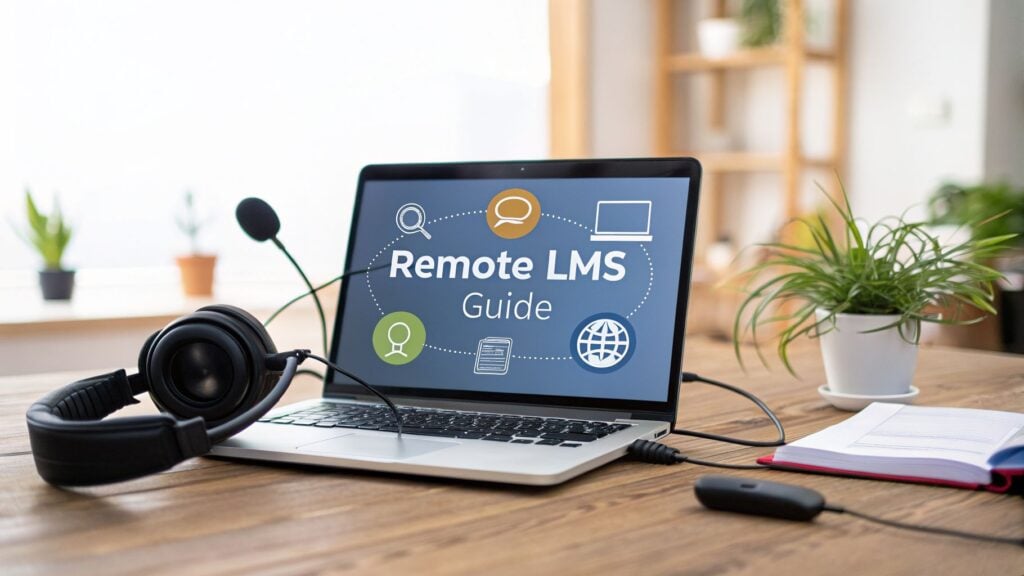
Let’s be honest. When you’re managing a remote team, you can’t just pull everyone into a conference room for a quick training session. That old school approach is dead. This is where a Remote Workforce Training LMS becomes more than just another piece of software. It becomes your company’s digital campus, built from the ground up for a team that works from anywhere, at any time.
What Exactly Is a Remote Workforce Training LMS?
Think of it as the central nervous system for your team’s professional growth. It’s a single, organized hub for everything from onboarding new hires across different time zones to upskilling your most seasoned veterans. It’s all accessible from any device, whether they’re at a home office, a coffee shop, or on the road.
Without a dedicated platform, remote training quickly turns into a chaotic mess of shared drives, endless email threads, and forgotten Zoom links. It’s inconsistent and frustrating. A purpose built LMS changes that.
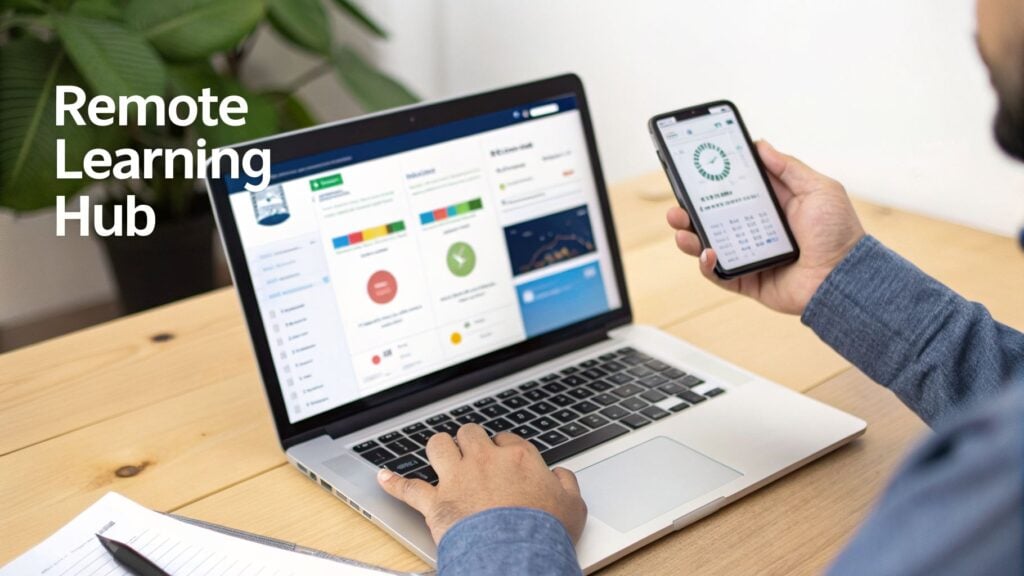
It’s like having a personal trainer for your team’s career development. The system delivers the right “workout,” or learning module, at just the right moment, ensuring everyone has the skills they need to crush their goals, regardless of their location.
A Central Hub for Growth
A true remote training platform is designed to tackle the unique headaches that come with a distributed workforce. It’s about creating an entire learning ecosystem that solves real problems.
- Combating Isolation: The best platforms bake in social features that help people connect, collaborate, and learn together. This fights that “out of sight, out of mind” feeling that can kill team morale.
- One Source of Truth: It keeps everything, videos, guides, quizzes, schedules, in one easy to find place. No more digging through old emails or Slack channels for a training link.
- Frictionless Tech: A solid LMS is intuitive and reliable. It’s built to just work, reducing the tech related excuses and frustrations that often derail remote initiatives.
This ensures your training is consistent and effective for everyone, not just for the folks who happen to be near a physical office. While there are many different types of learning management systems, a remote first one is engineered for the realities of how we work today.
A Remote Workforce Training LMS isn’t just a tool for delivering courses. It’s a strategic asset that keeps your entire team skilled, connected, and moving in the same direction, no matter where they log in from.
To really see the difference, let’s break down how a dedicated remote LMS stacks up against the cobbled together tools many companies try to make do with. Once you see it side by side, it’s clear why a purpose built system is a game changer for any company serious about investing in its people.
Remote LMS vs Traditional Tools at a Glance
This table shows you at a glance why using tools like Google Drive or Zoom for training just doesn’t cut it. They are great for what they do, but they aren’t learning platforms.
| Feature | Remote Workforce Training LMS | File Sharing (e.g., Google Drive) | Video Conferencing (e.g., Zoom) |
|---|---|---|---|
| Tracking Progress | Automatically tracks completions, scores, and learning paths. | No built-in tracking. You can only see who opened a file. | Only tracks attendance for live sessions, not learning. |
| Interactive Content | Supports quizzes, simulations, and interactive assignments. | Only stores static files like PDFs and videos. | Limited to polls and chat during a live call. |
| Structured Learning | Organizes content into structured courses and learning paths. | Relies on a folder structure that can get messy quickly. | One-off events with no clear path or sequence. |
| Automated Admin | Manages user enrollment, sends reminders, and generates reports. | Fully manual. Requires sending links and reminders yourself. | Requires manual scheduling and invitations for every session. |
As you can see, trying to replicate the functions of an LMS with other tools creates a ton of manual work and leaves you blind to whether anyone is actually learning anything. A dedicated system automates the tedious parts so you can focus on creating great training, not on administrative busywork.
Key Features Your Remote Training Platform Needs
When you’re shopping for a Remote Workforce Training LMS, it’s easy to get lost in a sea of features. I want to help you cut through the noise and focus on the non-negotiables, the features that actually make a difference for a team that isn’t sharing an office.
Let’s be clear. A great remote LMS has to be more than just a digital filing cabinet for courses. It needs to be an active, engaging platform that helps your people grow, no matter where they’re logging in from.
Mobile Access and Asynchronous Learning
Your team isn’t chained to their desks, so their training shouldn’t be either. Mobile accessibility is an absolute must have. It means an employee can knock out a quick training module on their tablet during a commute or review a key process on their phone just before a client call.
This flexibility is what makes learning feel convenient, not like another chore squeezed into an already packed day. Hand in hand with mobile access is asynchronous learning, which is just a fancy way of saying “self paced.” Team members can access content whenever it works for them, a lifesaver for teams spread across different time zones. It also respects that people learn at different speeds. Some will blaze through content while others need more time to let complex topics sink in.
The goal is to make learning fit into the workday, not disrupt it. When training is accessible on any device at any time, you remove the biggest barrier to participation for a busy remote team.
This approach simply acknowledges that modern work happens in bursts and pockets of time. Your training strategy needs to reflect that reality.
Support for Blended Learning
While self paced learning is the foundation of remote training, you don’t want to lose the human element entirely. That’s why any top tier remote LMS must also support synchronous learning, which is real time, live sessions. This is often called a blended approach.
Your platform should have a built in virtual classroom or, at the very least, integrate seamlessly with tools like Zoom. This allows you to run valuable, connection building events like:
- Live Q&A Sessions: Give learners a chance to interact directly with instructors and get their specific questions answered.
- Group Workshops: Facilitate collaborative activities and role playing exercises that build practical skills and camaraderie.
- Company Wide Announcements: Host live town halls for important updates, creating a sense of shared experience that remote teams often miss.
This blend gives you the best of both worlds: the efficiency of on demand courses combined with the energy and connection of live interaction.
Powerful Analytics and Reporting
Let’s be honest: if you can’t measure it, you can’t improve it. Strong analytics and reporting are the engine of a successful training program. You need to see far beyond simple completion rates to understand what’s really going on.
A good LMS will give you actionable data on:
- Learner Progress: Track how individuals and teams are moving through their assigned learning paths.
- Assessment Scores: See who has truly mastered the material and who might need a little extra support.
- Engagement Metrics: Understand which courses are a hit and which content might need a refresh to be more engaging.
This data is gold. It helps you prove the value of your training initiatives to leadership and tells you exactly where to invest your resources for the biggest impact. The industry has leaned heavily into this, with distance learning now dominating the LMS market and capturing over 40% of revenue share. This growth is fueled by features like mobile learning and deep analytics, which have become essential for upskilling remote teams. You can dive deeper into these trends in the full market research from Grand View Research.
Integrations and Automation
Finally, your LMS shouldn’t be an island. It needs to talk to the other tools your team uses every single day. Look for a platform with robust integration capabilities. For example, integrating with Slack can push automated notifications when a new course is assigned. Integrating with your HRIS can streamline user management and new hire onboarding.
Automation is the other piece of this puzzle and a massive time saver. Your LMS should handle the administrative busywork, like sending reminders for overdue training or automatically enrolling new hires into their onboarding curriculum. These features free you up to focus on what actually matters, creating high quality learning experiences that help your people and your business thrive.
How to Choose the Right Remote LMS Vendor
Picking a new remote LMS vendor is a big commitment. It’s less like buying a piece of software and more like adding a new business partner to your team. So, let’s make sure you get it right.
The process is about so much more than just ticking boxes on a long feature list. I’ll walk you through a practical selection process that cuts through the noise and focuses on what truly matters for your remote team.
It all starts with defining what you actually need. Are you trying to streamline new hire onboarding, supercharge your sales team’s skills, or just nail down compliance training? Your primary goal is the lens through which you should view every potential vendor.
Define Your Core Needs First
Before you even think about watching a demo, you need to get crystal clear on the problem you’re trying to solve. An LMS that’s perfect for a creative agency might be a terrible fit for a team of engineers. Think about your team’s specific workflows and pain points.
A great way to do this is to map out your ideal training journey:
- Learner’s First Impression: What should a new employee see and do in their first hour on the platform? Is it intuitive or confusing?
- Admin’s Daily Tasks: How much time will your training manager spend assigning courses, pulling reports, and managing users? The simpler, the better.
- Critical Content Types: Will you rely heavily on video, interactive simulations, or live virtual classrooms? Make sure the vendor excels where you need it most.
If the platform is clunky for either the learner or the admin, people just won’t use it. User experience is everything.
Evaluate Support, Scalability, and Cost
Once you have your core needs defined, you can start evaluating vendors on the things that ensure a healthy long term partnership. One of the most critical is customer support. When something inevitably goes wrong, how quickly and effectively can you get help? Look for vendors that offer multiple support channels and have a reputation for being responsive.
Next, think about scalability. Your company might have 50 employees today, but what about in two years? Your remote workforce training LMS should be able to grow with you without requiring a painful migration to a new system. Ask vendors directly about their ability to handle user growth and surges in content.
Don’t get distracted by a flashy interface. The true test of an LMS vendor lies in their customer support, their ability to scale with your business, and a transparent pricing model that doesn’t surprise you with hidden fees.
Finally, you need to understand the real cost. Most vendors use a per user, per month model, but the details can be tricky. Be on the lookout for hidden costs like implementation fees, charges for extra storage, or premium support tiers. A vendor who is upfront and transparent about their pricing is a good sign.
Essential Questions to Ask During a Demo
Going into a demo unprepared is like going grocery shopping while you’re starving. You’ll end up with a lot of stuff you don’t actually need. The market for these platforms is massive, with over 404,500 companies using an LMS and 37% planning to replace their current system soon. You need to be ready to cut through the sales pitch.
To help you choose the right one from the start, check out our guide on the best learning management system options.
Here’s a checklist of questions to bring with you to every demo:
- Can you show me what the platform looks like from a learner’s perspective?
- How long does your typical implementation take for a company our size?
- What does your support process look like for an urgent issue?
- Can you walk me through the process of creating a simple learning path?
- What integrations do you have with tools we already use, like our HR system or Slack?
The rise of remote work has made these systems non-negotiable. In fact, between 89-93% of companies worldwide have deployed an LMS to manage their teams, with a huge portion managed internally to maintain control. You can explore more about these powerful eLearning statistics on iSpring.
Asking the right questions ensures you select a partner that truly understands the needs of a modern, distributed workforce.
A Step-by-Step Guide for a Smooth LMS Launch

So you’ve picked your new remote workforce training LMS. That’s a massive step, but what comes next can feel a little intimidating. Let’s walk through the implementation process together, turning what seems like a mountain into a series of manageable hills.
A smooth launch is all about thoughtful planning. The goal is to build momentum and get your team excited, not to overwhelm them with a sudden, chaotic rollout. We can break this down into a few key phases, starting with putting your internal project team together.
Kicking Off the Project and Setting Goals
The very first thing I always recommend is assembling your launch team. This shouldn’t be a siloed HR or L&D project. For this to truly succeed, you need a mix of people from across the company.
Your team should ideally include:
- A Project Lead: This is the person who owns the launch. They keep everyone on track and serve as the main point of contact for your LMS vendor.
- An IT Representative: They’ll handle the technical heavy lifting, like data migration, and make sure the new LMS plays nice with your existing systems.
- Content Champions: These are your subject matter experts from different departments. Think sales, customer support, or engineering. They will be invaluable for gathering and creating relevant training materials.
- A Pilot Group: A small, eager group of end users who will test drive everything before you roll it out to the whole company.
Once your team is in place, your first big task is to set clear, measurable goals and a realistic timeline. Are you aiming to have all new hires fully onboarded through the LMS by Q3? Or maybe you want to see a 15% improvement in product knowledge scores within six months. Whatever your goals are, write them down.
Configuring Your System and Content Strategy
With your goals locked in, it’s time to get into the technical setup and content planning. The technical piece, like data migration, involves moving user profiles and any existing training records into the new system. Your IT rep and the LMS vendor’s support team will be your best friends during this phase.
While that’s happening, your content champions can get to work on the learning materials themselves. This is where you decide what actually goes into your new remote workforce training LMS. You’ll generally have three buckets of content to sort through.
- Migrate Existing Content: These are the “good enough for now” materials you already have, like PDFs, slide decks, and old training videos.
- Archive Old Content: Some materials are just plain outdated or irrelevant. Be ruthless. Get rid of anything that doesn’t serve your current goals.
- Create New Content: This is your chance to shine. Build new, engaging courses designed specifically for a remote audience. Think short, interactive modules, not hour long webinar recordings.
Organizing all this content into logical learning paths is what makes it all work. A learning path guides an employee through a series of courses in a specific order, creating a structured and coherent development journey instead of a random library of files.
This visual shows a simplified version of the selection process you just went through, which sets the stage for the launch we’re talking about now.
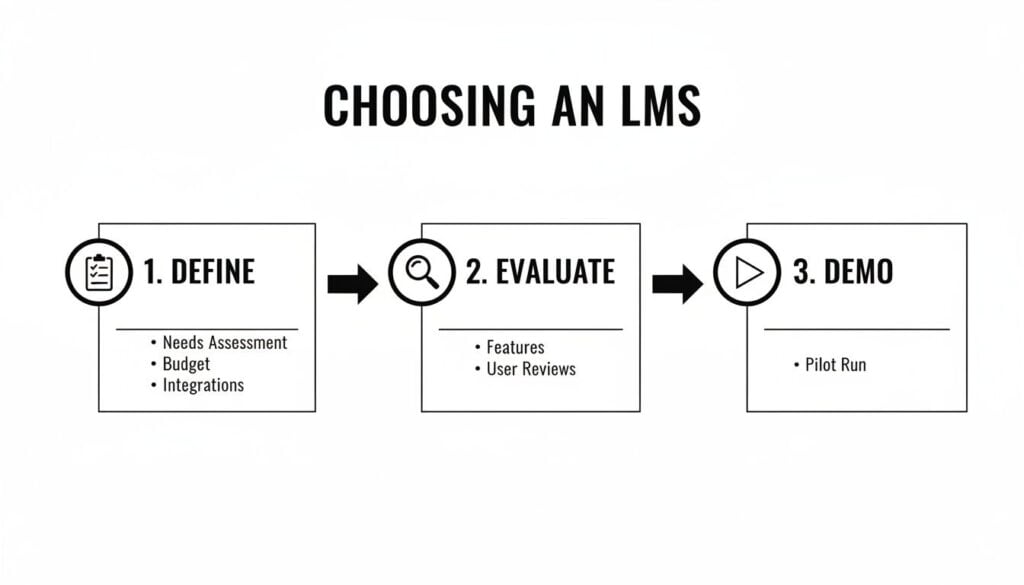
This process of defining needs, evaluating options, and demoing platforms ensures you start your launch with a system that’s already a fantastic fit for your team and goals.
Running a Pilot Program Before a Full Launch
Finally, before you open the floodgates to the entire company, you absolutely need to run a pilot program. This is probably the single most important step for a smooth launch, and it’s one that far too many companies skip in their excitement.
A pilot program is your safety net. It allows a small group of users to test the platform, find bugs, and give you honest feedback in a low-stakes environment. It’s your chance to fix things before they become company-wide problems.
Your pilot group should test everything. Ask them to log in, complete a course, take a quiz, and even try to access materials on their phones. Their feedback is pure gold. They’ll be the ones to tell you if the navigation is confusing, if a video won’t load, or if an assessment question is poorly worded.
After collecting that feedback and making the necessary adjustments, you’ll be ready for the full launch with genuine confidence. This phased approach transforms a potentially stressful event into a controlled, celebrated, and successful rollout.
Designing Engaging Training for a Remote Audience
Creating training for a remote team is a completely different ballgame. You’re no longer just competing for your team’s attention in a quiet conference room. You’re up against an endless stream of emails, Slack pings, and all the distractions that come with working from home.
The secret is to shift your entire mindset. You can’t just record a one hour webinar, upload it, and expect people to stay locked in. For a remote team, training must be intentional, interactive, and, most importantly, respectful of their time and focus. I want to share some of the practices I’ve found that genuinely work.
Embrace Microlearning and Flexibility
The single biggest lever you can pull is to fully embrace microlearning. This is all about breaking down big, intimidating topics into small, digestible chunks. Instead of a long course on “Advanced Sales Techniques,” you might create a series of five minute videos, each focused on a single skill like “Handling Price Objections” or “Crafting a Compelling Follow Up Email.”
This approach gives your team the power to fit learning into the nooks and crannies of their day. A remote workforce training LMS is the perfect tool for organizing these bite sized modules into logical, easy to follow learning paths.
The other huge piece of the puzzle is finding the right mix of self paced work and live, human interaction. A study found that this blended learning approach boosts retention by 27%, making it a killer strategy for remote teams who crave both flexibility and connection.
The goal is to make training feel like a valuable resource, not a mandatory chore. By offering flexible, bite-sized content, you empower your team to learn on their own terms, which dramatically increases engagement.
Make Assessments and Feedback Meaningful
Let’s be honest: nobody enjoys a boring multiple choice quiz. While they have a place for quick knowledge checks, your assessment strategy needs to get more creative if you want to keep a remote audience hooked.
Think about how you can test skills in a more practical, real world way.
- Project Based Tasks: Instead of a quiz on your project management software, have learners create a sample project plan inside the tool itself.
- Role Playing Scenarios: Use your authoring tool’s dialogue simulations to let sales or support staff practice tough conversations in a safe, low stakes environment.
- Peer Reviews: Ask employees to submit a short video of themselves practicing a new skill, then have their peers provide constructive feedback. This is a fantastic way to build community, too.
When you’re creating videos for training or assessments, don’t forget about accessibility. Making your content easy for everyone to consume is critical. For instance, knowing how to add subtitles to YouTube videos can make a huge difference in engagement and comprehension for your entire remote audience.
A Quick Checklist for Remote Training Design
Here’s a quick reference table to keep these best practices top of mind as you build out your remote learning programs.
| Best Practice | Why It Matters for Remote Teams | Quick Example |
|---|---|---|
| Keep it short | Fights digital fatigue and fits into busy, interruption-prone schedules. | A 4-minute video on a single software feature instead of a 45-minute webinar. |
| Balance Sync/Async | Offers flexibility (async) while preventing isolation (sync). | Self-paced modules followed by a live Q&A session with an expert. |
| Use real-world scenarios | Connects learning directly to job performance, making it feel relevant. | A role-playing simulation for handling a difficult customer call. |
| Incorporate peer feedback | Builds community and a sense of shared learning journey. | A discussion forum where team members share and critique their sales pitches. |
| Make it mobile-first | Allows learning to happen anywhere, not just at a desk. | Designing interactive elements with large, thumb-friendly buttons. |
Following these guidelines helps ensure your training doesn’t just get completed, but that the knowledge actually sticks and gets applied on the job.
Add a Dose of Fun with Gamification
Finally, never underestimate the power of a little friendly competition. Gamification is simply the process of adding game like elements to your training to boost motivation and make the whole experience more enjoyable.
This doesn’t have to be a massive undertaking. Many modern LMS platforms have built in gamification features that are surprisingly easy to switch on. You can use them to:
- Award badges for completing courses or entire learning paths.
- Use points and leaderboards to spark some fun competition between teams.
- Create learning streaks to encourage daily or weekly check ins with the platform.
These simple mechanics tap into our natural desire for achievement, progress, and recognition. When done right, gamification can transform a standard training program into a dynamic and highly motivating experience for your entire remote workforce.
Measuring the ROI of Your Training Program
So, you’ve picked a platform, designed incredible content, and finally launched your remote workforce training. That’s a huge win. But now comes the question that keeps L&D leaders up at night: “Is it actually working?”
It’s time to move beyond tracking who finished a course and dig into the real world impact, the return on investment (ROI). Figuring this out is how you prove your program’s value to leadership and make a rock solid case for future budgets. Let’s break down a straightforward way to measure what really matters.
Introducing the Kirkpatrick Model
One of the most trusted frameworks for this is the Kirkpatrick Model. It might sound a bit academic, but it’s just a simple, four level way of looking at your training’s effectiveness, from initial reactions all the way to bottom line business results. I find it incredibly helpful for organizing my thoughts around what to measure and why.
The model works like a set of building blocks:
- Level 1: Reaction: How did learners feel about the training?
- Level 2: Learning: Did they actually learn what you intended?
- Level 3: Behavior: Are they applying what they learned on the job?
- Level 4: Results: Did their new behavior lead to tangible business outcomes?
By looking at your program through these four lenses, you get a complete picture of its impact, not just a snapshot.
Metrics to Track at Each Level
Let’s get practical. What can you actually measure at each of these four levels? Your remote workforce training LMS should be a huge help in gathering most of this data.
- For Level 1 (Reaction): This is all about satisfaction. Use your LMS to automatically send out post course surveys asking for quick feedback on the content, instructor, and overall experience. Simple star ratings or short comment boxes are perfect.
- For Level 2 (Learning): Here, you’re checking for knowledge retention. This is where your quizzes and assessments come into play. A great tactic is to use pre and post training tests to measure the “knowledge lift” for each employee, the real, quantifiable gain in what they know.
- For Level 3 (Behavior): This one’s a bit trickier but absolutely crucial. It’s about observation and feedback. This could involve managers using performance review checklists, conducting 360 degree feedback surveys, or simply observing if employees are using new skills in their day to day work.
- For Level 4 (Results): This is the holy grail. Here, you’re connecting training directly to business Key Performance Indicators (KPIs). Think improvements in sales numbers, faster customer support resolution times, or a measurable drop in employee turnover rates.
Proving the ROI of training is about drawing a clear, undeniable line from a learning module to a measurable improvement in how the business runs. It goes far beyond showing that people liked a course or passed a test.
Calculating Your Training ROI
Once you have data on your results, you can start to calculate a basic ROI. The formula is simpler than it sounds. And the investment makes sense when you look at the market. The global LMS market is projected to soar from $14.43 billion to $40.95 billion by 2029, a clear sign that companies are seeing real financial returns from effective training. You can discover more insights about these key employee training statistics on LevelUpLMS.com.
To figure out your own ROI, you just need two things: the net benefit of your training and the total cost.
For example, if a sales training program cost you $10,000 but led to a $50,000 increase in profit, your net benefit is $40,000. Connecting these dots is what turns your training program from a “cost center” into an undeniable business asset. For a deeper dive, you might be interested in our guide on how to properly calculate the ROI on training.
Got Questions About Remote Training LMS?
These are the questions I hear all the time from leaders trying to get their arms around this topic. Let’s tackle them head on, based on what I’ve seen work (and not work) out in the real world.
How Much Is This Going to Cost Us?
This is always question number one, and the honest to goodness answer is: it’s all over the map.
Most vendors work on a “per user, per month” model. That fee can be anything from a few bucks per person to over $20. The final number really boils down to how many people you’re training, what features are absolute must haves for you, and how much hand holding you need from their support team.
You might also find some platforms that offer a flat annual fee, which can definitely make life easier for your finance department when it’s budgeting season. My best advice? Get detailed, written quotes from at least three vendors that seem to check your most important boxes.
When you’re comparing quotes, please don’t just fixate on the monthly fee. A platform that costs a bit more might save your team dozens of admin hours every month. That’s where you’ll find the real ROI.
And be on the lookout for hidden costs. Ask directly about fees for implementation, extra data storage, or premium support. A vendor who’s upfront and transparent about their pricing from the get go is usually a good sign you’ve found a solid partner.
Can We Use Our Existing Training Stuff, Like PowerPoints and PDFs?
Absolutely. In fact, if an LMS can’t do this, you should run in the other direction. This is a core function for any decent remote workforce training LMS.
Every modern platform is built to be a central library for all your content. You can, and should, be able to upload all your current materials, including things like:
- PowerPoint presentations
- PDF guides and manuals
- Word documents
- Existing video files (like MP4s)
But here’s where I always challenge my clients: don’t just stop there. Instead of just dumping a 60 slide PowerPoint into the system, think about how you can make it truly effective for a remote team. Could you break it up into a quick microlearning course with a few two minute videos and a quick knowledge check? A small tweak like that can make the content infinitely more engaging and easier for a busy employee to actually absorb.
How Long Does It Take to Get a New LMS Up and Running?
This is another one of those “it depends” answers, but I can give you some realistic goalposts. The implementation timeline is tied directly to how complex your needs are and the size of your company.
For a small team with straightforward needs, you could be live in just a few weeks. No problem. But for a large enterprise with thousands of employees, a messy data migration from an old system, and custom integrations with other software? That process could take anywhere from three to six months.
The best way to manage this is with a phased rollout. As we talked about earlier, starting with a pilot group is a game changer. It lets you work out all the kinks and score some early wins before you open the floodgates. This approach makes the launch feel controlled and successful, not chaotic and overwhelming for everyone involved.