Your Guide to Learning Management System Enterprise Solutions
So, what exactly is an enterprise LMS?
If you’ve ever worked in a small business, you might think of a learning management system (LMS) as a simple place to upload a few training videos. It gets the job done, kind of like a dependable family sedan. But when you’re talking about a company with thousands of employees spread across the globe, that sedan won’t cut it. You need something more.
You need an entire public transit system, a platform designed to move a whole city. That’s an enterprise learning management system.
What Is a Learning Management System Enterprise?
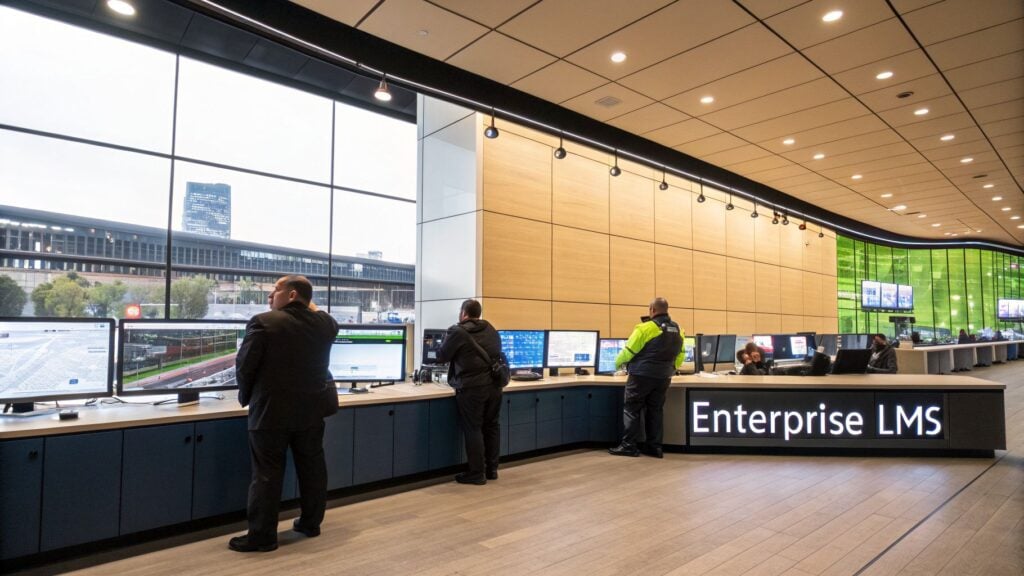
An enterprise LMS is a powerful software platform engineered for the complex, large-scale training needs of a major organization. It’s built from the ground up to handle the demands of thousands, or even tens of thousands, of employees, customers, and partners simultaneously.
Think of it as the mission control for all corporate learning and development.
We’re not just talking about a digital library for training content. This is a strategic engine designed for a 15,000-person global workforce, not a 50-person startup. It helps deliver talent development, ensure company-wide compliance, and hit major business goals at scale.
More Than Just a Training Tool
A true enterprise LMS is designed to manage multiple, completely distinct learning programs all at the same time. This could mean running:
- Employee Onboarding: Getting new hires productive and aligned with company culture, no matter which office they’re in.
- Compliance Training: Automatically assigning, tracking, and reporting on mandatory training for industry regulations, which can save a company from massive fines.
- Customer Education: Teaching your customers how to master your product, which slashes support tickets and boosts product adoption.
- Partner Enablement: Equipping your sales channels and partners with the knowledge they need to represent your brand and sell effectively.
Ultimately, this kind of platform becomes a core part of the business strategy. It aligns directly with the best practices for knowledge management by centralizing information and making organizational learning a seamless, continuous process.
An enterprise LMS becomes the single source of truth for learning, allowing organizations to manage everything from internal employee development to external customer certification programs from one central hub.
The demand for these systems is exploding. Market analysis shows the global corporate LMS market was valued at $15.02 billion in 2025 and is projected to hit an incredible $42.09 billion by 2030.
Large enterprises are the ones driving this growth, accounting for about 62.36% of the market share in 2025. This isn’t just a trend. It’s a fundamental shift in how big companies operate.
This massive growth shows just how critical these platforms have become. They are the backbone of a modern company’s talent and customer success strategy. In the next sections, we’ll dive into what really sets them apart from smaller systems and the core features you absolutely need to look for.
Alright, so you’ve heard the term “enterprise LMS,” but what does it really mean? It’s easy to think it’s just a bigger, more expensive version of a standard learning platform, but that’s like saying a Formula 1 car is just a faster go-kart.
They might both have four wheels and an engine, but they’re engineered for completely different worlds, different pressures, and fundamentally different goals. The differences run deep, touching everything from the user experience to the core architecture of the system.
Let’s pull back the curtain and look at what truly separates a robust enterprise solution from its small-business counterpart.
Scalability and Performance: From Hundreds to Hundreds of Thousands
A standard LMS might feel zippy and responsive when you have 100 employees. But what happens when your company acquires a new firm and suddenly needs to onboard 5,000 people? Or you decide to launch a certification program for 20,000 global partners?
This is where most small-business systems hit a wall and hit it hard. You start seeing sluggish load times, system crashes during peak usage, and a tidal wave of support tickets from frustrated users. The technology simply can’t keep up.
An enterprise LMS is built from the ground up to anticipate this kind of growth. It’s designed to handle massive, simultaneous user loads across different time zones without even breaking a sweat.
- Small Business LMS: Perfect for hundreds, maybe a few thousand users. Performance can start to degrade quickly as you scale.
- Enterprise LMS: Engineered to seamlessly support tens or even hundreds of thousands of concurrent users, providing a consistent experience for everyone.
Think of it this way: a small business LMS is a local road, while an enterprise LMS is a multi-lane superhighway built for rush hour traffic.
Audience and Administration: Beyond the Employee
Most standard learning platforms are built with a single, straightforward audience in mind: your internal team. An enterprise system, on the other hand, is designed to be a central command center for training multiple, distinct audiences, all from one place.
This is a complete game-changer for complex organizations that need to educate more than just their employees.
One of the most powerful features of an enterprise platform is its ability to create separate, branded learning portals for different audiences. This is often called “multi-tenancy,” and it allows you to serve employees, customers, and partners from the same system, while giving each group a unique and tailored experience.
For example, a global software company can use its single enterprise LMS to deliver:
- Onboarding courses for new hires, complete with internal company branding and culture content.
- Product certification programs for external channel partners, with partner-specific logos and messaging.
- Paid masterclasses for customers, fully integrated with an e-commerce storefront.
This level of segmentation and administrative control just isn’t on the menu with a typical LMS, which usually offers a much simpler, one-size-fits-all structure.
To get a clearer picture, let’s compare these two types of platforms side-by-side. The differences become obvious when you see them laid out.
Enterprise LMS vs. Small Business LMS Comparison
This table breaks down the core distinctions that matter most when you’re deciding what kind of learning platform your organization truly needs.
| Feature | Small Business LMS | Enterprise LMS |
|---|---|---|
| User Capacity | Hundreds to a few thousand users | Tens of thousands to millions of users |
| Audience Support | Primarily internal employees | Multiple audiences (employees, customers, partners) |
| Administration | Simple, single-portal management | Complex, multi-tenant administration |
| Integrations | Basic connections (e.g., Mailchimp) | Deep, two-way API integrations (HRIS, CRM, BI) |
| Security | Standard security protocols | Advanced security, SSO, and compliance audits |
| Reporting | Pre-built, standard reports | Custom, advanced analytics and BI tool connections |
| Support | Email/ticket-based support | Dedicated account manager, SLAs, 24/7 support |
As you can see, the choice is not just about the number of users. It’s about the complexity of your organization, the diversity of your learners, and the depth of integration required to make training a core part of your business operations.
Integrations and Security: The Central Nervous System
A small business LMS might have a handful of nice-to-have integrations, like a connection to Google Drive or Mailchimp. An enterprise LMS has to function as the central nervous system for your entire learning and development ecosystem.
This means it must connect seamlessly with the other critical software that runs your business, creating a smooth, automated flow of data. An enterprise platform offers deep, two-way integrations with systems like:
- HRIS (e.g., Workday): To automatically enroll new hires in onboarding paths and sync employee data.
- CRM (e.g., Salesforce): To track the impact of customer training on retention and link sales team certifications to performance.
- BI Tools (e.g., Tableau): To pull raw learning data and create powerful, custom dashboards that demonstrate the business impact and ROI of your programs.
And then there’s security. For a large enterprise, this is a non-negotiable, board-level concern. Enterprise platforms are built with a fortress-like approach to security, offering advanced protocols, granular role-based permissions, and critical features like Single Sign-On (SSO). This ensures sensitive company data stays protected and helps you meet strict industry regulations like GDPR, HIPAA, or SOC 2 compliance.
The Core Features of a True Enterprise LMS
When we talk about what makes a learning management system enterprise grade, it’s about more than just handling more users. It’s a completely different beast. Think of it like the difference between a family sedan and an 18-wheeler. Both are vehicles, but one is built for commuting while the other is engineered for complex, heavy-duty logistics.
So, let’s get into the non-negotiables. These are the capabilities that separate a simple training tool from a strategic asset that can actually move the needle for a large organization.
Unmatched Scalability and Cloud Deployment
The absolute baseline requirement for any enterprise LMS is its ability to scale without breaking a sweat. It has to handle thousands of users logging in simultaneously from all corners of the globe, without the system slowing to a crawl or crashing completely.
Imagine a critical product launch where you need to train 10,000 global partners in a single week. Or a mandatory compliance update that must reach every single employee across the company, right now. This is where scalability proves its worth.
This level of performance is almost exclusively found in cloud-based systems. Cloud deployment isn’t just a trend. It’s taken over the enterprise LMS world, holding a massive 88.24% market share as of 2025. This move allows companies to ditch expensive on-premise hardware and embrace flexible systems built for modern, distributed workforces.
Single Sign-On and Advanced Security
For any large company, security isn’t just a feature. It’s a board-level concern. A true enterprise LMS has to come with ironclad security protocols to protect sensitive employee data, intellectual property, and company information. The centerpiece of this is Single Sign-On (SSO).
SSO lets your people log in to the LMS using the same credentials they already use for everything else, like their Microsoft 365 or Google Workspace account.
- For users: It’s a massive win. No more forgotten passwords or another login to remember.
- For IT: It’s a security game-changer. Access is centralized, making it simple to de-provision employees who leave the company and saving the helpdesk from an avalanche of password reset tickets.
Beyond SSO, you should be looking for platforms that offer detailed audit trails, granular role-based access controls, and verifiable compliance with standards like SOC 2 and GDPR.
Deep Integrations with Business Systems
An enterprise LMS can’t be a lonely island. It must be the connected hub of your company’s entire learning and development ecosystem, communicating seamlessly with your other core business platforms. This is where deep, two-way API integrations come into play.
Think of integrations as data bridges. They let information flow automatically between your most critical systems, which eliminates tedious manual work and unlocks powerful new insights about your business.
A solid learning management system enterprise platform should integrate with:
- HRIS (like Workday): This automatically enrolls new hires in their onboarding programs and syncs training progress directly to their employee profile. No more spreadsheets.
- CRM (like Salesforce): This lets you finally connect sales training completion with actual performance data. You can see which training is actually helping your team close more deals and drive revenue.
- BI Tools (like Tableau): This allows you to pull raw learning data into your main business intelligence dashboards for custom, high-level reporting that leadership can actually understand and act on.
These connections transform your LMS from a simple content library into a rich source of strategic business intelligence.
Multi-Tenancy for Diverse Audiences
Most large companies don’t just train their internal employees. They have a whole ecosystem of people to educate, including customers, channel partners, and resellers. A feature called multi-tenancy is what makes this manageable from a single platform.
It lets you create separate, fully-branded learning environments, or “tenants,” for each distinct audience. Your internal employee portal can have your company branding and specific internal courses. At the same time, a customer-facing academy can have a completely different look, feel, course catalog, and user structure.
This is the key to delivering tailored, relevant learning experiences at scale without the nightmare of purchasing and managing half a dozen different systems.
How to Choose the Right Enterprise LMS Vendor

Choosing a vendor for your enterprise LMS is a huge deal. It’s a decision with high stakes and long-term consequences, making it easy to feel a bit overwhelmed. But with the right approach, you can find a true strategic partner, not just another software supplier.
Think of it like hiring a key executive. You wouldn’t hire someone just because they have a great-looking resume. You’d want to understand their experience, see how they solve real problems, and talk to people who’ve worked with them before. The exact same logic applies here.
Let’s walk through a practical roadmap for finding the right vendor without getting lost in all the noise.
Start With Your Needs, Not Their Demos
Before you even think about watching a single vendor demo, you need to look inward. What does your organization actually need? Jumping into presentations without a clear list of your own requirements is a recipe for disaster. You’ll get swayed by flashy features you might never use, and you’ll lose control of the conversation.
Create a small, cross-functional team with people from IT, HR, and the business units that will actually be using the system. Get everyone in a room and map out your must-haves versus your nice-to-haves.
Your list of needs should answer questions like:
- Who are we training? (Employees, customers, partners, or all three?)
- What critical systems must this LMS integrate with? (e.g., Salesforce, Workday, our homegrown CRM?)
- What specific compliance or security standards do we have to meet? (e.g., SOC 2, HIPAA?)
- What does success look like a year from now? (e.g., reduced onboarding time, higher customer retention?)
Having these answers gives you a scorecard to measure every vendor against. Now, you’re in the driver’s seat.
Create an RFP That Gets Real Answers
Once you have your needs defined, the next step is to create a Request for Proposal, or RFP. This is a formal document you send to potential vendors outlining your project and asking them to explain how their platform meets your very specific requirements.
Don’t just ask, “Do you have feature X?” Instead, frame your questions around your problems.
A well-crafted RFP forces vendors to move beyond their canned sales pitch. It makes them demonstrate how their solution solves your specific business challenges, giving you a much clearer picture of what it would be like to actually work with them.
Instead of asking, “Do you have reporting tools?” ask something like, “Show us how we can build a report that tracks the impact of our sales training on quota attainment for our enterprise sales team.” This forces a much more specific and useful answer.
Look Beyond the Polished Presentation
Every vendor demo is designed to look perfect. Your job is to poke holes in it and see what’s really underneath. During the presentation, ask them to show you, not just tell you.
- If they claim their system is easy to use, ask them to build a simple learning path live during the demo.
- If they boast about their analytics, give them a real-world reporting scenario and ask them to create the dashboard right there.
Always, always ask to speak with real client references, preferably from companies similar to yours in size and industry. A vendor’s willingness to connect you with happy customers is a huge sign of confidence. For an even deeper look, our guide on how to choose the perfect LMS offers more great tips for your evaluation process.
Finally, dig into their pricing. You’ll see different models, from per-user fees to active-user pricing. Make sure you understand the total cost of ownership, which includes one-time implementation fees, support packages, and any extra charges for things like storage or integrations. Finding a great partner starts with full transparency.
Your Enterprise LMS Implementation and Migration Plan
So you’ve picked your new enterprise learning platform. That’s a huge milestone, but let’s be honest, the real work starts now. Moving to a new system, whether it’s your first or you’re migrating from an old one, can feel like trying to orchestrate a cross-country move. It’s a massive undertaking, but with the right plan, it’s far from impossible.
A clear roadmap is what separates a smooth, successful launch from a chaotic one filled with last-minute scrambles and frustrated stakeholders. It turns a mountain of a project into a series of small, manageable hills. Let’s walk through what that looks like, phase by phase.
Phase 1: Pre-Launch Planning
This is where you lay the foundation for everything that follows. I’ve seen more LMS projects go off the rails because this phase was rushed than for any other reason. A little extra diligence here will save you from major headaches down the line.
First, get your project team together. This is not just an IT task. Your team needs to be a cross-functional group of people from HR, L&D, and, most importantly, a few key business units who will actually be using the system every day. Their buy-in and real-world insights are gold.
Next, you need to define what success actually looks like in concrete, measurable terms. Six months after you go live, how will you know this was all worth it?
- Will it be reducing new hire onboarding time by 20%?
- Will it be hitting a 95% completion rate for mandatory compliance training?
- Will it be boosting partner certifications by 30%?
These aren’t just fluffy goals. They are the metrics that will guide your decisions and justify the investment you’ve just made.
A well-defined implementation plan is the single most important factor in a successful LMS launch. It transforms a potentially chaotic process into a predictable, step-by-step journey, ensuring everyone stays aligned from kickoff to go-live.
Phase 2: Technical Setup and Data Migration
Alright, time to roll up your sleeves and get into the technical nitty-gritty. This is often the most time-consuming part of the process, especially if you’re pulling data from a legacy system.
The big beast here is data migration. This is where you move all of your user profiles, course libraries, and historical training records into their new home. Don’t just “lift and shift” everything. This is a golden opportunity to do some spring cleaning.
- Scrub your data: Seriously, get rid of those ten-year-old courses and user profiles for employees who left ages ago. A clean start is a good start.
- Check compatibility: Make sure your old course files (like SCORM packages) will play nice with the new system. You don’t want to discover a major incompatibility after the fact.
- Run a test migration: Always, always move a small, representative batch of data first. This is your canary in the coal mine. It will alert you to any potential issues before you commit to moving everything.
Once your data is prepped, you’ll move on to configuring the system itself. This means applying your company branding, setting up all the different user roles and permissions, and connecting your new LMS to your other essential business tools. For organizations with more intricate tech ecosystems, you can learn more about connecting your LMS with student information systems in our detailed guide on LMS and SIS integration.
Phase 3: Content Loading and Go-Live Strategy
With the technical plumbing in place, it’s time to furnish the house. This phase is all about loading your content and getting the user experience dialed in before you open the doors.
Whatever you do, don’t attempt a “big bang” launch where you flip the switch for everyone at once. That’s a recipe for disaster. A phased rollout is always safer and smarter.
- Run a Pilot Program: Start with a small, friendly group of users, a single department or a specific project team works well. Let them kick the tires, find the bugs, and give you unfiltered feedback. This pilot is your final quality check before the main event, allowing you to fix confusing navigation or broken links before they impact the entire organization.
- Create a Communication Plan: Get people excited! A single email on launch day won’t cut it. Build anticipation with a series of communications that explain what’s coming, why it’s an improvement, and what’s in it for them.
- Develop User Training: Never assume people will just “figure it out.” They won’t. Create simple quick-start guides, short tutorial videos, and maybe even host a few live Q&A sessions to show people how to navigate the new platform and find what they need.
Measuring Success with LMS KPIs and ROI
You’ve done the hard work. You’ve selected, implemented, and launched a shiny new enterprise LMS. Now comes the inevitable question from leadership: “What are we getting for our money?”
It’s a fair question. And if your only answer is “course completion rates are up,” you’re in for a tough conversation. Showing people finished a course doesn’t prove a thing about business impact. To prove your LMS is a profit center, not a cost center, you need to speak the language of business: data, KPIs, and ROI.
Key Performance Indicators That Actually Matter
Simple completion rates are a vanity metric. They feel good, but they don’t tell the real story. To get a true sense of performance, you have to connect learning activities to tangible business outcomes with the right Key Performance Indicators (KPIs).
Here are a few KPIs that will actually get your leadership team to sit up and listen:
- Learner Engagement Scores: This isn’t about logins. It’s about participation. Are learners joining discussions? Interacting with course content? Contributing to social learning channels? High engagement is the first strong signal that your content is actually hitting the mark.
- Time-to-Competency: How fast does a new hire become a productive, contributing member of the team? A well-designed onboarding program on your LMS should slash this time, which has a direct and measurable impact on productivity.
- Skill and Certification Attainment: Are your people actually getting better at their jobs? Tracking how many employees pass skill assessments or earn new certifications provides concrete proof that you’re building a more capable workforce.
- Employee Retention Rates: People want to grow. Research shows 94% of employees would stick with a company longer if it invested in their development. By tracking retention in departments with strong training adoption, you can draw a direct line between your LMS and reduced employee churn.
A well-planned implementation is the foundation for tracking these metrics effectively from day one.
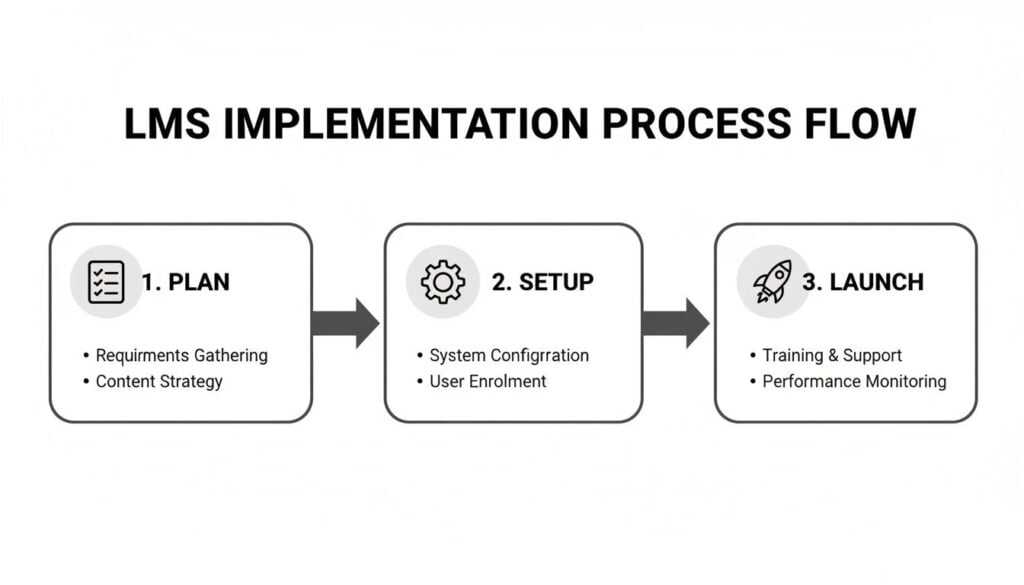
This process, broken down into the Plan, Setup, and Launch stages, ensures that your measurement strategy isn’t an afterthought. It’s baked in from the beginning.
Calculating the Return on Investment
While KPIs tell a great story, executives ultimately speak the language of money. This is where calculating the Return on Investment (ROI) becomes your most powerful tool. It might sound intimidating, but it’s simpler than you think.
ROI is about one thing: comparing the financial gains from your training programs against what you spent to make them happen. It’s the final proof that learning is a business driver.
The basic formula is straightforward:
(Net Program Benefits – Program Costs) / Program Costs x 100 = ROI
Let’s walk through a real-world example. Imagine a large retail company uses its enterprise LMS to completely reinvent new hire onboarding.
- Cost: The new LMS subscription and content creation cost them $100,000 for the first year.
- Benefit: They managed to cut the onboarding process by 40%, getting new associates on the sales floor weeks earlier. This resulted in an estimated $250,000 in additional sales from a more productive workforce.
Plugging that into the formula:
($250,000 – $100,000) / $100,000 x 100 = 150% ROI
That’s a number that ends conversations and secures budgets. It demonstrates, in black and white, that your training initiatives are generating real, positive financial returns. To dig deeper into this, check out our guide on how to calculate the ROI on your training programs.
Frequently Asked Questions About Enterprise LMS
I’ve been in countless meetings where leaders are considering the jump to a serious learning platform. The same questions always come up, so let’s tackle them head-on. Hopefully, this clears the air and helps you figure out what an enterprise learning management system can really do for you.
How Long Does It Typically Take to Implement an Enterprise LMS?
This is the classic “it depends” question, but I can give you some real-world timelines. If you’re running a pretty straightforward operation and can use an out-of-the-box cloud system with minimal tweaks, you could be up and running in 3 to 6 months.
But for a large, complex organization, it’s a different story. If you’re migrating a mountain of data from an older system, building custom connections to your HRIS or CRM, and need deep brand customization, you’re realistically looking at 6 to 18 months. The journey usually involves picking the right vendor, the technical heavy lifting, rigorous user testing, and then a carefully planned rollout.
Can an Enterprise LMS Be Used for External Training?
Absolutely. In fact, this is where these platforms truly shine. It’s often called “extended enterprise” training, and it’s a massive opportunity.
Many top-tier systems have a feature called multi-tenancy. Think of it like being able to build completely separate, branded learning academies for different groups, all from one central dashboard. You could run a product certification program for your channel partners in one portal and a customer onboarding course in another, each with its own look and feel.
The biggest mistake I see is companies focusing too much on flashy features instead of their core business needs and future growth. It’s so easy to get wowed by a demo and then realize six months later that the system can’t handle your specific compliance rules or scale with your team.
What Is the Biggest Mistake Companies Make When Choosing an LMS?
The most common trap is getting distracted by shiny objects. A slick user interface or a laundry list of features looks impressive in a sales demo, but it means nothing if it doesn’t solve a real business problem for you.
You can avoid this expensive mistake by doing a thorough needs analysis before you even start looking at vendors. Get crystal clear on what you need to achieve first, whether it’s improving compliance, speeding up onboarding, or selling more courses. Then, find the tool that helps you do that.
How Is an Enterprise LMS Priced?
Pricing models can feel all over the map, but a few common structures have emerged. Most vendors will charge a monthly or annual subscription based on your total number of registered users. Another popular model is based on “active users,” where you only pay for the people who actually log in during a given month or year.
The key is to ask about all the potential costs right from the start. Dig into the one-time implementation fees, the cost of ongoing support packages, and any extra charges for things like data storage or building custom integrations. This is the only way to figure out the true total cost of ownership and avoid any nasty surprises down the road.