The 7 Best Learning Management System Options for 2026
Hey there, Jason here from LearnStream. I get it, picking the right Learning Management System, or LMS, feels like a huge decision. There are so many options out there, and they all seem to promise the world. It can get overwhelming fast, right?
But here’s the good news: finding the best learning management system for you doesn’t have to be a headache. It’s really about matching your specific goals with the right set of tools. Are you focused on selling courses, training an internal team, or building a full-fledged online school? The answer changes which platform makes the most sense.
If you are just starting your research, it’s helpful to first gain a clear understanding of What Is A Learning Management System Explained. This will give you a solid foundation before we explore the specific options.
In this guide, I’m going to walk you through 7 of the top LMS platforms and directories available today. For each one, we will dive into a complete breakdown, including screenshots and direct links, so you know exactly what to expect.
We’ll look at what makes each one stand out, who it’s truly built for, and the practical details like key features and pricing structures. My goal is to give you a clear, no-fluff roadmap to help you feel confident in your choice. Let’s dive in and find the perfect fit for your project.
1. Instructure Canvas
Instructure Canvas is a powerhouse in the world of learning management systems, especially within the K-12 and higher education sectors. If you’re looking for an enterprise-grade platform known for its stability and deep feature set, Canvas should be at the top of your list. It’s built to handle large-scale deployments for entire school districts or universities, which speaks volumes about its reliability.
When you land on their website, you can immediately request a demo or start a free trial to see the platform in action. This is the best way to get a feel for its user interface and powerful administrative tools before making a commitment.
Why Canvas Stands Out
What really makes Canvas a contender for the best learning management system is its focus on the instructor’s workflow. Tools like SpeedGrader are genuinely game-changing, allowing educators to view, annotate, and grade student submissions all in one place without constant downloading and re-uploading. The Gradebook is equally robust, offering flexible ways to manage and calculate student performance.
Another massive advantage is its integration ecosystem. With over 1,000 LTI (Learning Tools Interoperability) and partner integrations, Canvas plays nicely with the other edtech tools you’re likely already using. From student information systems (SIS) to plagiarism checkers and interactive content tools, you can build a truly connected learning environment. This open API approach saves a lot of headaches during implementation.
Key Insight: Canvas’s strength isn’t just in its features but in its ecosystem. The vast community and extensive integration library mean you’re rarely starting from scratch when trying to solve a problem or connect a tool.
Features, Pricing, and Use Cases
Here’s a quick breakdown of what Canvas offers:
| Feature Category | Key Offerings | Best For |
|---|---|---|
| Instructor Tools | SpeedGrader, Gradebook, Quizzes, Analytics | Educators who need efficient, powerful grading and assessment tools. |
| Integrations | 1,000+ LTI apps, Open APIs | Institutions with an existing tech stack that needs to sync seamlessly. |
| Reliability | Enterprise-scale infrastructure, published uptime | Large districts, universities, and corporations needing a dependable system. |
| Add-ons | Canvas Studio (video), Catalog (course marketplace) | Organizations wanting to expand into rich media or public course offerings. |
Pricing: Canvas uses a quote-based pricing model, so you won’t find a public price list. You’ll need to contact their sales team for a custom quote based on your institution’s size and needs. This is standard for enterprise software, but it can be a hurdle for smaller organizations.
Pros & Cons:
- Pro: Strong adoption across US education means a huge user community and tons of free resources and tutorials.
- Pro: The broad integration ecosystem makes it highly adaptable to your specific tech needs.
- Con: The quote-based pricing isn’t transparent for those on a tight budget.
- Con: It can be overly complex for a solo course creator or a very small team that doesn’t need its enterprise-level power.
If you’re still weighing your options, understanding the core components of an LMS can help clarify what you truly need. For a deeper dive, check out this guide on how to choose an LMS to build a solid decision framework.
Visit Instructure Canvas to request a demo.
2. MoodleCloud
MoodleCloud offers a brilliant shortcut into the world of Moodle, one of the most widely used open-source learning platforms globally. If you’ve heard great things about Moodle’s flexibility but feel intimidated by the idea of self-hosting and server management, MoodleCloud is your solution. It’s the official managed hosting service from Moodle HQ, designed to get you up and running quickly with minimal technical overhead.
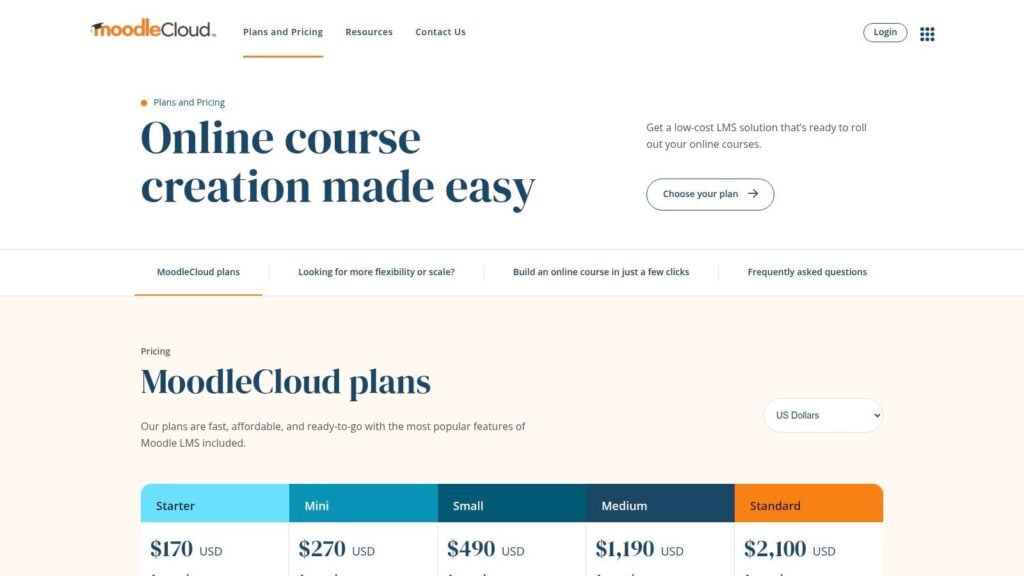
When you visit their site, the tiered pricing plans are laid out clearly, and you can jump right into a 28-day free trial. This is a fantastic, no-risk way to explore the core Moodle experience and see if it fits your teaching style before spending a dime.
Why MoodleCloud Stands Out
What makes MoodleCloud a top contender for the best learning management system is its perfect balance of power and simplicity. You get the robust, feature-rich core of Moodle including powerful quizzes, forums, and assignment tools. You can get all that without the typical headaches of installation, maintenance, and security. All the server-side work and platform upgrades are handled for you by the Moodle team.
The transparent, user-based pricing is another major advantage, especially for smaller organizations or individual educators. Unlike enterprise systems with vague, quote-based models, MoodleCloud lets you see exactly what you’ll pay based on your number of users. This straightforward approach removes a significant barrier to entry for those on a clear budget.
Key Insight: MoodleCloud is your on-ramp to the Moodle ecosystem. It gives you the core functionality and community support of the world’s most popular open-source LMS, but with the convenience and reliability of a fully managed, cloud-hosted service.
Features, Pricing, and Use Cases
Here’s a quick breakdown of what MoodleCloud offers:
| Feature Category | Key Offerings | Best For |
|---|---|---|
| Ease of Use | Fast setup, Managed hosting & upgrades | Educators and small businesses who want Moodle’s power without the IT burden. |
| Core Moodle Tools | Quizzes, Forums, Assignments, H5P | Instructors building engaging, activity-based courses. |
| Pricing Model | Transparent, tiered plans based on users | Budget-conscious buyers who need predictable, scalable costs. |
| Customization | Custom domain (higher plans), branding options | Organizations wanting to create a branded learning environment. |
Pricing: MoodleCloud offers several transparently priced tiers, starting from a low-cost plan for up to 50 users and scaling up. You can find all the plans directly on their website, with options to pay in multiple currencies. They also provide a 28-day free trial, which is plenty of time to build a test course.
Pros & Cons:
- Pro: Very affordable entry point and a generous free trial make it easy to get started.
- Pro: You gain access to the massive open-source Moodle community for resources, forums, and shared knowledge.
- Con: Standard plans restrict the installation of third-party plugins, limiting custom functionality.
- Con: User and storage caps on each plan mean you need to monitor your growth and upgrade accordingly.
For those who want Moodle’s powerful course-building tools in a simple, set-it-and-forget-it package, MoodleCloud is an excellent choice. It simplifies the technical side of things so you can focus on what really matters: creating great learning experiences.
Visit MoodleCloud to start your free trial.
3. TalentLMS
TalentLMS is a major player for small to mid-sized businesses that need a powerful yet approachable learning platform. If you’re looking for an LMS that prioritizes ease of use and transparent pricing without sacrificing core functionality, TalentLMS is a fantastic starting point. It’s designed to get you up and running quickly, which is a huge plus for teams without a dedicated IT department.
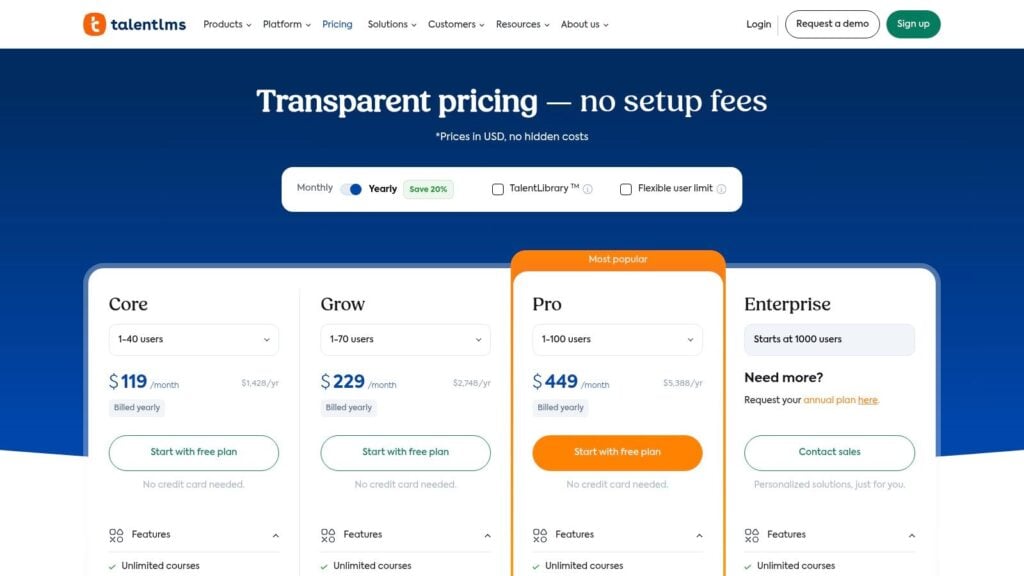
When you visit their website, the value proposition is immediately clear. You can sign up for a permanently free plan for up to 5 users, which is perfect for testing the waters. This lets you build out a course and get a real feel for the user experience before you ever have to think about payment.
Why TalentLMS Stands Out
What makes TalentLMS a strong contender for the best learning management system is its combination of simplicity and scalability. It’s incredibly easy for an administrator to build courses, add users, and pull reports. The interface is clean and intuitive, so learners can navigate their training without a steep learning curve. This focus on user experience minimizes support tickets and maximizes engagement.
Another key advantage is its flexible pricing structure. Unlike enterprise systems that lock you into a single, often confusing, pricing model, TalentLMS offers standard active user plans as well as a “Flex” plan. This allows you to purchase training credits for infrequent users, which is ideal for businesses with fluctuating training needs or for selling courses to external customers. It’s a smart model that adapts to your business.
Key Insight: TalentLMS’s strength lies in its low barrier to entry. The free plan and transparent pricing remove the typical risks associated with adopting a new LMS, making it perfect for SMBs validating a training program before scaling.
Features, Pricing, and Use Cases
Here’s a quick breakdown of what TalentLMS offers:
| Feature Category | Key Offerings | Best For |
|---|---|---|
| Ease of Use | Intuitive course builder, simple user management | Teams without dedicated IT staff who need to launch training fast. |
| Flexibility | Standard & ‘Flex’ plans, API access | Businesses with variable training needs or those selling courses. |
| Content Support | SCORM/xAPI compliant, TalentLibrary (add-on), AI creator | Organizations using standard authoring tools or wanting pre-made content. |
| Enterprise Tools | SSO, custom reports, custom domain/SSL | Growing companies that need to integrate the LMS into their tech stack. |
Pricing: TalentLMS offers transparent, tiered pricing starting with a free plan. Paid plans begin at $69/month (billed annually) for up to 40 active users and scale up from there. The Pro and Enterprise plans unlock more advanced features like single sign-on (SSO) and custom reporting.
Pros & Cons:
- Pro: Very clear pricing and a free-forever plan make it easy to start with no setup fees.
- Pro: It scales well, supporting a company’s journey from a small team to a larger enterprise.
- Con: Advanced customization and in-depth analytics are reserved for the higher-tier plans.
- Con: User caps on the starter plans may require you to upgrade sooner than expected if your team grows quickly.
Understanding the different models of learning platforms is helpful when making a choice. You can explore the various types of learning management systems to see where TalentLMS fits in the broader landscape.
Visit TalentLMS to start your free plan.
4. Docebo
Docebo is a powerful, AI-driven learning platform designed for the modern enterprise. If your goal is to deliver sophisticated employee training, extend learning to customers and partners, or automate administrative tasks at scale, Docebo is a name you need to know. It’s built for complex learning ecosystems and regulated industries that demand robust features and security.
When you visit their website, it’s clear they cater to corporate and enterprise clients. You can explore their various product suites, from employee training to customer education, and book a demo to see how their AI-powered tools work in a live environment. This is the best first step to understanding its comprehensive capabilities.
Why Docebo Stands Out
Docebo’s position as a potential best learning management system comes from its forward-thinking approach, particularly its heavy investment in AI and automation. The platform aims to reduce the manual work of learning administration, using AI to automate tasks like course enrollment, content tagging, and delivering personalized learning paths. This allows L&D teams to focus on strategy instead of repetitive admin work.
Another major differentiator is its strength in “extended enterprise” learning. Docebo makes it easy to create and manage distinct learning environments for different audiences, like employees, customers, and channel partners, all from a single platform. Combined with its built-in e-commerce tools, this makes it an excellent choice for companies that treat learning as a revenue center or a key part of their customer success strategy.
Key Insight: Docebo’s AI-first philosophy isn’t just a buzzword. It’s woven into the core of the platform to automate administrative burdens and create genuinely personalized learning experiences at a scale that’s difficult to achieve manually.
Features, Pricing, and Use Cases
Here’s a quick breakdown of what Docebo offers:
| Feature Category | Key Offerings | Best For |
|---|---|---|
| AI & Automation | AI-powered content creation, auto-tagging, virtual coaching | Large organizations looking to scale learning programs efficiently. |
| Extended Enterprise | Multi-audience portals, E-commerce, white-labeling | Businesses that train customers, partners, or sell courses. |
| Integrations | 400+ pre-built integrations, APIs | Companies that need to connect their LMS with tools like Salesforce, HRIS, and content libraries. |
| Compliance | FedRAMP Moderate authorization, advanced security | Government agencies and regulated industries needing a secure, compliant platform. |
Pricing: Docebo uses a quote-based model centered on the number of “active users” per month or year. This flexibility is great for organizations with fluctuating user numbers, but you will need to connect with their sales team for a custom price. They don’t publish a public price list.
Pros & Cons:
- Pro: Flexible active-user pricing models can be more cost-effective than per-user-per-year plans.
- Pro: Strong enterprise features and compliance options (like FedRAMP) make it suitable for large, regulated organizations.
- Con: The quote-based pricing model lacks transparency for smaller teams or those with rigid budgets.
- Con: Its complexity and extensive feature set might be overkill for small businesses or solo creators.
For those managing complex training needs across different groups, understanding how to structure your content is key. Resources on designing learning paths can help you make the most of a powerful platform like this.
Visit Docebo to book a demo.
5. LearnDash
LearnDash is a unique and powerful option for anyone already invested in the WordPress ecosystem. It operates primarily as a WordPress plugin, transforming your existing site into a full-featured learning management system. This is a go-to choice for entrepreneurs, membership site owners, and training businesses who want complete control and ownership over their learning platform.
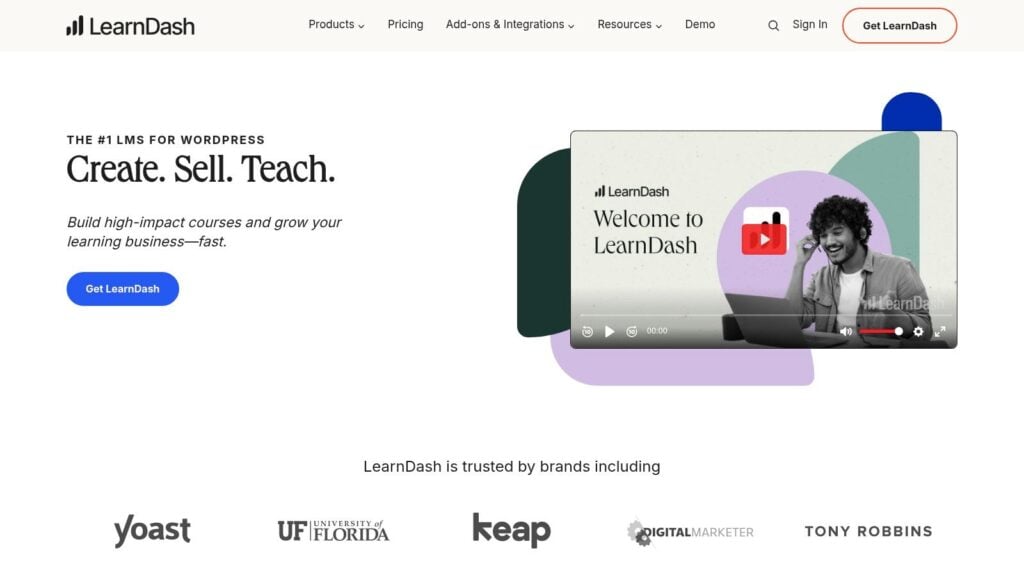
When you visit their website, you’ll see two main paths: the plugin for your self-hosted WordPress site or their new fully-hosted “LearnDash Cloud” option. The cloud version bundles the LMS, hosting, and templates, making it a great way to launch quickly without worrying about the technical backend.
Why LearnDash Stands Out
What makes LearnDash a serious contender for the best learning management system is its seamless integration with WordPress. If you already run a blog, e-commerce store, or community on WordPress, LearnDash lets you add a learning component without migrating to a separate platform. Its drag-and-drop course builder is intuitive, and it comes with advanced features like drip-feed content, sophisticated quizzing, and assignment management.
The real power comes from its extensibility. Since it’s a WordPress plugin, you can leverage thousands of other plugins to add nearly any functionality you can imagine. Want to connect it to a specific CRM, e-commerce gateway, or forum software? There’s almost certainly a plugin for that. This makes it one of the most customizable and flexible solutions available.
Key Insight: LearnDash’s strength is its deep integration with the WordPress ecosystem. It empowers you to build a completely custom learning platform on a foundation you already know and own, giving you unparalleled control and flexibility.
Features, Pricing, and Use Cases
Here’s a quick breakdown of what LearnDash offers:
| Feature Category | Key Offerings | Best For |
|---|---|---|
| Course Creation | Drag-and-drop builder, Advanced quizzing, Drip-feed content | Course creators who want granular control over the learning path and assessments. |
| Monetization | Built-in payments, Subscriptions, Memberships, Bundles | Entrepreneurs and businesses who need flexible ways to sell their courses directly. |
| Ecosystem | Works with most WordPress themes & plugins | Users who want to integrate their LMS with an existing WordPress tech stack. |
| Deployment | WordPress Plugin (self-hosted), LearnDash Cloud (hosted) | Users who want a choice between full control (plugin) and ease of use (cloud). |
Pricing: LearnDash offers a very predictable pricing model for its plugin, with annual licenses starting at $199 per year for one site. Their LearnDash Cloud plans start at around $29 per month, which includes the hosting and the plugin itself. This transparency is a huge plus for those on a clear budget.
Pros & Cons:
- Pro: Predictable and affordable pricing, especially for the self-hosted plugin.
- Pro: Ultimate flexibility and ownership when used within your own WordPress installation.
- Con: The self-hosted version requires you to manage WordPress, including updates, security, and performance.
- Con: Achieving advanced functionality often requires installing and configuring additional third-party plugins.
If you are trying to decide between an all-in-one platform and a more integrated solution like this, you might find it useful to compare the two approaches. For a detailed breakdown, you can explore this comparison of Systeme.io vs LearnDash to see which model fits your needs.
Visit LearnDash to see their plans.
6. G2 — Learning Management Systems category
Our sixth entry isn’t a single LMS but rather an indispensable research tool for anyone serious about making an informed decision. G2 is a massive software marketplace that provides up-to-date LMS rankings, verified user reviews, and powerful comparison tools. If you want to cut through the marketing noise and see what actual users are saying, G2 is where you should spend some time before you start booking demos.
When you land on their Learning Management Systems category page, you’re immediately presented with grids, lists, and filters that let you slice and dice the market. You can quickly see who the leaders are, compare platforms side by side, and read detailed reviews that cover both the good and the bad.
Why G2 Stands Out
What makes G2 a critical resource for finding the best learning management system is its reliance on verified user feedback. Vendor websites will always highlight their strengths, but G2 is where you’ll find real-world insights into a platform’s usability, customer support quality, and implementation challenges. The platform’s “Grid” visualization is a fantastic way to see which products are highly rated by users and have a significant market presence.
Another major benefit is the ability to filter the results to match your specific needs. You can narrow down the list by company size (small business vs. enterprise), industry (education vs. corporate), and specific features you require. This filtering capability saves you from wasting hours evaluating platforms that are a poor fit for your use case from the start.
Key Insight: G2 helps you validate vendor claims. Before you commit to a demo, you can use the platform’s user reviews to build a list of pointed, specific questions about potential weaknesses or implementation hurdles.
Features, Pricing, and Use Cases
Here’s a quick breakdown of how to use G2 effectively:
| Feature Category | Key Offerings | Best For |
|---|---|---|
| User Reviews | Verified reviews, satisfaction metrics, pros & cons | Buyers who want unbiased, real-world feedback on a platform’s strengths and weaknesses. |
| Comparison Tools | Side-by-side comparisons, The “Grid” visualization | Decision-makers needing to quickly shortlist 2-3 top contenders based on features and user ratings. |
| Advanced Filters | Filter by market segment, company size, and features | Organizations looking for an LMS that specifically serves their niche (e.g., corporate training for a mid-sized company). |
| Vendor Lists | Constantly updated rankings and vendor profiles | Anyone wanting a comprehensive, current overview of the entire LMS market landscape. |
Pricing: Using G2 for research is completely free for buyers. You can browse reviews, compare products, and access all their reports without any cost. Note that any pricing information listed for the vendors themselves might be an estimate, so you should always confirm directly with the software company.
Pros & Cons:
- Pro: Provides up-to-date user sentiment and covers a massive range of LMS vendors, from major players to niche solutions.
- Pro: Extremely helpful for creating a shortlist and validating a vendor’s marketing claims before you engage with sales.
- Con: Vendor marketing efforts and incentives can sometimes influence the volume of reviews.
- Con: Pricing information on the site can be incomplete or estimated, so always confirm costs directly with the vendor.
If you’re in the research phase, starting here can give you the confidence to move forward with a well-vetted list of options.
Visit the G2 Learning Management System category to start your research.
7. Capterra — LMS software directory
Capterra isn’t an LMS itself, but it’s a powerful software directory that acts as an indispensable starting point in your search. Think of it as a massive, organized library for LMS platforms, designed to help you discover and compare options you might never have found otherwise. It’s an essential resource for anyone feeling overwhelmed by the sheer number of choices on the market.
When you land on their LMS software page, you’re greeted with an extensive list that you can immediately begin to filter. This is the best way to cut through the noise and narrow down the contenders based on your specific requirements before you even start looking at individual websites.
Why Capterra Stands Out
What makes Capterra a critical tool in finding the best learning management system is its robust filtering and comparison engine. Instead of visiting dozens of vendor websites, you can use Capterra’s tools to filter by features, deployment type (cloud vs. on-premise), pricing model, and user ratings. This saves an incredible amount of time during the initial research phase.
Another huge benefit is the wealth of user reviews and buyer guides. Reading firsthand experiences from real users can provide insights into a platform’s usability, customer support, and hidden costs that you won’t find in a marketing brochure. Their side-by-side comparison feature is also incredibly useful for visually stacking up your top three or four choices to see how they differ on key functionalities.
Key Insight: Capterra’s value is empowering you to make a better decision. It transforms a chaotic search into a structured evaluation process, ensuring you consider a wider range of solutions.
Features, Pricing, and Use Cases
Here’s a quick breakdown of how Capterra helps your search:
| Feature Category | Key Offerings | Best For |
|---|---|---|
| Discovery Tools | Robust filtering, feature checklists, category shortlists | Buyers who are in the initial research phase and need to see what’s available. |
| Comparison Tools | Side-by-side product comparisons, user reviews & ratings | Decision-makers who have a shortlist and need to compare specific features. |
| Vendor Coverage | Extensive directory of mainstream and niche LMS vendors | Organizations with unique needs that may not be met by the biggest players. |
| Buyer Resources | Guides, articles, and reports on software selection | Teams that need a structured framework for choosing the right LMS. |
Pricing: Using Capterra is completely free for buyers. The site operates on a lead-generation model, meaning vendors pay to be listed and promoted. Be aware that when you request information or a demo through the platform, your contact details will likely be shared with vendors, so expect some follow-up emails and calls.
Pros & Cons:
- Pro: The wide coverage of vendors across all segments gives you a comprehensive market overview.
- Pro: Clear feature checklists and authentic user reviews help you make an informed decision.
- Con: The lead-generation model means you should be prepared for vendor outreach after making an inquiry.
- Con: Visibility can sometimes favor vendors with larger marketing budgets, so be sure to look beyond the top-listed options.
If you want to create a solid foundation for your search, Capterra is the place to build your initial list of candidates. It provides the data and context needed to move forward confidently.
Visit Capterra’s LMS Directory to start your search.
Best LMS: Top 7 Comparison
| Product | Implementation complexity | Expected outcomes | Ideal use cases | Key advantages |
|---|---|---|---|---|
| Instructure Canvas | Medium–High, enterprise deployment and integrations | Reliable enterprise LMS with instructor workflows and analytics | K–12 and higher‑education institutions, large campuses | Deep instructor tools, large integration ecosystem, enterprise reliability |
| MoodleCloud | Low, managed hosting with quick setup | Fast Moodle deployment with hosted upgrades and scale by plan | Small schools, trainers, organizations wanting low‑maintenance Moodle | Managed upgrades, transparent tiered pricing, access to Moodle ecosystem |
| TalentLMS | Low–Medium, simple onboarding, advanced features on higher tiers | Rapid onboarding and scalable SMB training portals | Small and mid‑market teams validating or scaling training | Clear pricing, free plan, easy setup, scalable tiers |
| Docebo | High, enterprise configuration, automation, FedRAMP options | Advanced automation, skills management, analytics, extended‑enterprise | Large enterprises, regulated industries, complex learning programs | AI admin automation, broad integrations, regulated‑industry support |
| LearnDash | Low–Medium, WordPress plugin (self‑host) or hosted option | Ownership of stack, flexible monetization, fast course launches | Creators, membership sites, businesses wanting control of platform | WordPress compatibility, predictable licensing, native monetization |
| G2 — Learning Management Systems category | Low, web research and comparison tools | Shortlisted vendors with user reviews and comparative metrics | Buyers researching and validating LMS choices before demos | Verified reviews, side‑by‑side grids, up‑to‑date user sentiment |
| Capterra — LMS software directory | Low, discovery and filtering on a directory site | Broad vendor discovery and feature alignment | Initial vendor discovery and feature‑based shortlisting | Robust filtering and buyer resources, wide vendor coverage |
Making Your Final Choice
Whew, that was a lot of information, I know. Navigating the world of learning management systems can feel like a massive undertaking. I hope this deep dive has given you a much clearer picture of the landscape and a few front-runners for your own needs.
We’ve explored everything from the robust academic power of Instructure Canvas to the open-source flexibility of MoodleCloud. We also covered the corporate training efficiency of TalentLMS and Docebo, and the entrepreneurial focus of LearnDash.
The key takeaway is simple: there isn’t one single “best learning management system” that works for everyone. The best platform is entirely subjective and depends on your unique situation. A global enterprise with complex compliance training needs will find its perfect match in a system like Docebo, which excels at scale. Meanwhile, a solo creator building their first online course on a WordPress site will likely find LearnDash to be a much better, more integrated solution.
Your perfect LMS is the one that aligns with your specific goals, supports your learners effectively, and doesn’t strain your budget or technical resources.
A Practical Framework for Your Decision
So, what’s next? It’s time to move from research to action. Instead of getting stuck in “analysis paralysis,” I recommend a structured approach to finalize your choice.
- Revisit Your Core Needs: Grab a piece of paper or open a new document. Write down your top five “must-have” features. Is it an intuitive course builder? Advanced reporting? Specific integrations like Salesforce or Zoom? Be ruthless and honest. This list is your non-negotiable checklist.
- Shortlist Your Top 3 Contenders: Based on our reviews and your must-have list, narrow down your options to two or three platforms. For example, if you need a user-friendly corporate training tool, your shortlist might be TalentLMS and Docebo. If you’re in higher education, it might be Canvas and MoodleCloud.
- Dive into User Reviews: Now, put those third-party review sites we covered to work. Head over to G2 and Capterra and look up your shortlisted platforms. Don’t just look at the overall score. Filter reviews by company size and industry to see what people in situations similar to yours are saying. This is where you’ll find the unvarnished truth about customer support, hidden fees, and day-to-day usability.
- Get Hands-On with Demos and Trials: This is the most crucial step. You would never buy a car without a test drive, and you shouldn’t choose an LMS without trying it. Sign up for every free trial available. If a trial isn’t offered, schedule a personalized demo.
Pro Tip: During your trial, don’t just click around. Try to perform real-world tasks. Upload a video, create a quiz, enroll a test user, and pull a report. This hands-on experience will tell you more than any sales page ever could.
Final Thoughts Before You Commit
Choosing your learning management system is a foundational decision for your educational or training program. It’s the digital home where your content will live and your learners will grow. By focusing on your specific audience, content style, and business goals, you can move forward with confidence.
Don’t rush the process, but don’t get stuck either. Follow the steps, trust your hands-on experience, and pick the platform that feels right for you and your learners. You are building a space for connection and knowledge, and the right LMS will feel less like a piece of software and more like a partner in your success. Good luck