10 Powerful Microlearning Examples for Employee Training in 2026
Hey there, Jason Webber from LearnStream here. Let’s talk about a common headache for anyone in training and development. You pour a ton of time and resources into creating employee training programs, only to find that most of the information is forgotten a week later. Sound familiar? I’ve seen it happen more times than I can count.
The good news is, there’s a much better way to make learning stick. It’s called microlearning. It’s all about delivering training in small, focused, and genuinely engaging chunks. Think less like a stuffy, hour-long lecture and more like a quick, helpful video or a fun Duolingo-style quiz. This approach meets your team where they are, whether that’s on their phones during a coffee break or right at their desk when they need a quick answer to a problem.
The reason it works so well is that it fits perfectly into the modern workflow. Instead of pulling people away from their jobs for hours, it gives them the exact information they need, right when they need it. This method respects their time and improves knowledge retention significantly.
In this guide, I’m going to walk you through 10 specific, real-world microlearning examples for employee training that you can put into action immediately. We won’t just list them. We’ll break down exactly what makes each one effective, explore different formats like video and interactive simulations, and show you how to implement them. My goal is to give you a clear playbook for creating training that delivers real, measurable results for your team’s performance. No more wasted effort, just effective learning that sticks.
1. Mobile-First Video Modules (30-60 seconds)
Short-form video is one of the most effective microlearning examples for employee training because it meets your team where they are: on their phones. These 30 to 60-second clips deliver single, focused learning objectives without requiring a huge time commitment. Think of them as the video equivalent of a quick tip or a helpful FAQ answer, perfect for just-in-time support. This format is ideal for breaking down complex topics into digestible pieces, whether it’s for onboarding, product training, or quick skill refreshers.

Inspired by the success of platforms like TikTok and Instagram Reels, this approach uses vertical video and fast-paced editing to hold attention. Companies like Grammarly use it for quick grammar tips, while Salesforce might create a short video showing how to use a single new feature. It works because it respects the employee’s time and delivers immediate value.
How to Implement This Example
To make these videos work for you, start by identifying high-impact, low-effort topics. What are the top five questions your sales team gets? What’s one simple task new hires always struggle with? These are your first video scripts.
- Format: Short-form vertical video (9:16 aspect ratio).
- Ideal Duration: 30-60 seconds.
- Learning Objective: Answer one specific question or demonstrate one single task. For example, “How to add a new contact in the CRM.”
- Delivery Channels: LMS mobile app, company chat platforms (like Slack or Teams), or a dedicated internal video portal.
Key Insight: The power of this format is its singularity of focus. Each video should solve one problem, and one problem only. This makes the content easy to find, watch, and apply immediately.
If you have existing training webinars or longer videos, you don’t need to start from scratch. To implement these effectively, learn how to repurpose long-form video into short clips, creating engaging content perfectly suited for quick consumption on mobile devices. This is a great way to build a library of microlearning assets quickly.
Keep on-screen text minimal and use clear, spoken instructions to make the content accessible. Finally, track completion rates and add a quick poll or a single-question quiz after the video to measure comprehension and engagement.
2. Interactive Quizzes and Knowledge Checks
Interactive quizzes are powerful microlearning examples for employee training because they actively engage the learner’s brain. Instead of passively consuming information, employees must recall and apply what they’ve learned, which strengthens memory retention.
These short assessments use formats like multiple-choice, drag-and-drop, or scenario-based questions to provide immediate feedback. They turn learning into a more dynamic, two-way street. This is perfect for reinforcing key concepts after a video module or as a standalone refresher.
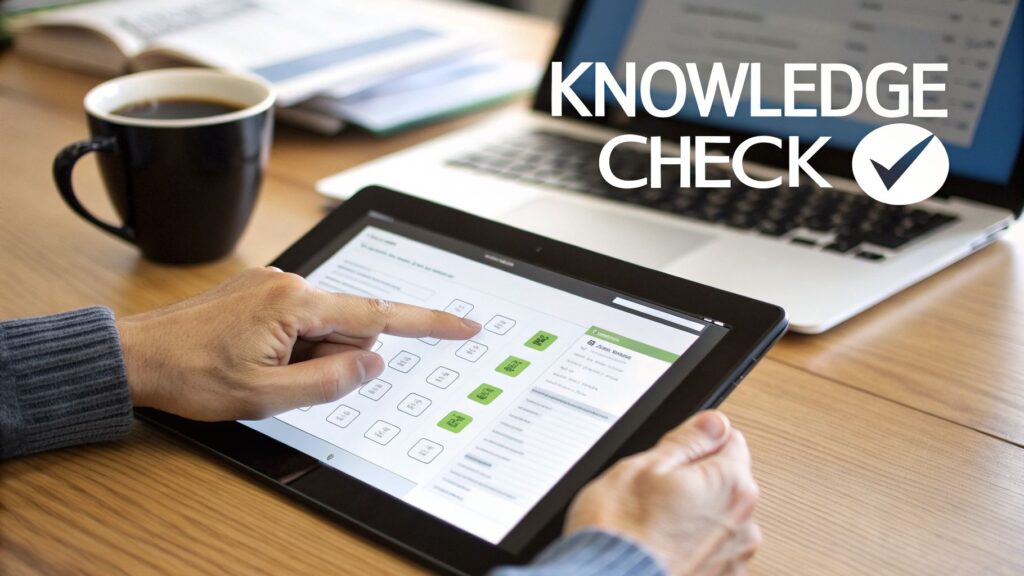
Popularized by platforms like Kahoot! and Quizlet, this method often incorporates gamification elements such as points, leaderboards, and badges to boost motivation. For instance, Slack uses quick knowledge checks during its onboarding to confirm new hires understand internal communication policies. The real magic happens when quizzes move beyond simple fact-checking to simulate real-world job challenges, making the learning directly applicable.
How to Implement This Example
To get started, focus on creating quizzes that solve a purpose, not just test memorization. Identify critical knowledge points where mistakes are common or costly. Are your support agents forgetting a key step in the return process? A scenario-based quiz can fix that.
- Format: Multiple-choice, true/false, drag-and-drop, or short scenario-based questions.
- Ideal Duration: 1-5 minutes (3-5 questions).
- Learning Objective: Reinforce a single learning point or validate understanding of a specific process. For example, “Confirm the three security protocols for accessing customer data.”
- Delivery Channels: Embedded in an LMS, sent via a link in a company chat, or at the end of a training video.
Key Insight: The value of a micro-quiz isn’t just the score. It’s the immediate feedback loop. Telling an employee why their answer was right or wrong is where the real learning sticks.
You can supercharge these assessments by learning how to make your online course quizzes interactive and engaging, which helps keep motivation high. Use the data from quiz results to find knowledge gaps across your team. This points you toward which topics need more training resources. Consider implementing spaced repetition, where you re-send a quiz days or weeks later to fight the forgetting curve and ensure long-term retention.
3. Infographics and Visual Learning Assets
Infographics are powerful microlearning examples for employee training because they turn complex information into memorable, single-page visuals. These assets combine images, charts, icons, and minimal text to communicate key concepts quickly.
By presenting information visually, you tap into a core learning principle. Our brains process images 60,000 times faster than text, leading to better and quicker recall. This format is perfect for breaking down processes, summarizing data, or explaining conceptual frameworks.
Companies like HubSpot have popularized infographics to explain their inbound marketing methodology, making a dense topic feel simple and actionable. Similarly, organizations use them for everything from security awareness reminders to illustrating new health and safety procedures. An infographic serves as a persistent job aid, something an employee can download, print, or save for quick reference right when they need it. It’s performance support in its most accessible form.
How to Implement This Example
To create effective infographics, focus on one core idea and use strong visual design to guide the learner’s eye. Start with a clear objective, like explaining the three main benefits of a new product feature or outlining the five steps for submitting an expense report.
- Format: Single-page digital graphic (PNG or PDF).
- Ideal Duration: 1-2 minutes of consumption time.
- Learning Objective: Summarize one process, concept, or data set. For example, “The 4 Steps of Our Customer Service Escalation Process.”
- Delivery Channels: Email newsletters, company intranet, learning portals, or pinned in relevant Slack/Teams channels. They can also be printed as posters for physical workspaces.
Key Insight: The true strength of an infographic is its ability to be a “cheat sheet.” It simplifies a topic to its essential parts, creating a reliable resource that employees can return to repeatedly. This reinforces the learning without needing to re-watch a video or re-read a manual.
To get started quickly, you can use templates from tools like Canva and establish brand-aligned color schemes for consistency. For data-heavy infographics, always cite your sources to build credibility.
To make the content even more impactful, consider pairing the infographic with a short audio or video clip explaining the visual. This dual-format approach caters to different learning preferences and improves accessibility for your team. Finally, test the readability on a mobile screen to make sure it’s effective for employees on the go.
4. Microlearning Podcasts and Audio Lessons
Audio content is a powerful microlearning example for employee training that allows your team to learn while they are on the go. These 5 to 15-minute podcast episodes or audio modules let employees learn during commutes, workouts, or other hands-free activities. This format is great for auditory learners, helps reduce screen time, and supports accessibility for visually impaired employees. Think of it as a professional development talk radio show, designed specifically for your company’s needs.
This approach fits naturally into existing habits, as many people already listen to podcasts. Companies like Google use this format with their ‘Growing Your Tech Skills’ podcast series for internal development. Microsoft produces the ‘AI Show’ to keep technical employees updated. It’s effective because it provides deep insights in a convenient, passive-consumption format that respects an employee’s schedule.
How to Implement This Example
To launch your own microlearning podcast, start by identifying subject matter experts within your company who can share valuable knowledge. Interviewing them adds credibility and a personal touch to the training, making it more engaging than a simple narration.
- Format: Short-form audio episodes.
- Ideal Duration: 5-15 minutes.
- Learning Objective: Explain a single complex concept or share insights on a specific topic. For example, “A 10-minute guide to our new performance review process.”
- Delivery Channels: Internal podcast feed, LMS mobile app, or shared directly in company channels like Slack or Teams.
Key Insight: The value of audio microlearning is its screen-free convenience. It allows learning to happen in moments that were previously unproductive, like driving or exercising. This makes professional development feel less like a chore.
To get the most out of your audio content, it’s important to build it for retention. To maximize the effectiveness of audio microlearning, it’s crucial to understand how to truly benefit from learning from podcasts and boost retention. Create transcripts and timestamps to make key information searchable later. Releasing episodes on a regular schedule helps build a consistent listening habit among your employees, turning training into something they anticipate.
5. Job Aids and Performance Support Tools
Job aids are quick-reference resources that guide employees at the exact moment of need. Unlike training that focuses on remembering information, these performance support tools provide direct, on-the-spot instructions to complete a task.
Think of them as a “cheat sheet” that reduces mistakes and cognitive load. This makes them excellent microlearning examples for employee training focused on practical application. They are perfect for complex procedures, troubleshooting steps, or critical decision-making processes where accuracy is vital.
This approach is about supporting performance, not just building knowledge. Great examples include the troubleshooting decision trees used by Apple Support or the competitive objection-handling guides that give sales teams the right answers during a tough call. They work because they are integrated directly into the workflow, providing immediate assistance and preventing costly errors.
How to Implement This Example
To create effective job aids, you first need to identify the moments where employees get stuck or make frequent mistakes. A job task analysis can pinpoint these critical performance points, giving you a clear target for your first tool.
- Format: Digital or printable checklists, flowcharts, decision trees, or quick-reference guides.
- Ideal Duration: Instant access, readable in under 60 seconds.
- Learning Objective: Guide a user through one specific process or decision. For example, “Follow these 5 steps to process a customer return” or “Use this flowchart to troubleshoot a network connection error.”
- Delivery Channels: Integrated into software interfaces, pinned in a team chat, linked in a knowledge base, or available on a company intranet.
Key Insight: The value of a job aid comes from its context. It must be easily accessible in the environment where the task is performed. If a technician needs it in the field, it must be on their mobile device, not on a desktop back at the office.
To get started, review support tickets or conduct interviews with managers to find common problems. Design your job aid with simple language and strong visual cues, like color-coding, so it can be understood quickly, even under pressure. Before rolling it out, test the tool with actual employees in their work environment to ensure it’s clear and helpful. Keep it updated based on user feedback to maintain its relevance and accuracy.
6. Scenario-Based Learning Simulations
Scenario-based learning simulations are interactive experiences that drop employees into realistic work situations. Instead of just reading about what to do, team members make decisions and see the immediate consequences in a safe, controlled environment.
This is one of the most powerful microlearning examples for employee training because it bridges the gap between knowing something and actually being able to do it under pressure. It’s perfect for practicing high-stakes skills like handling a difficult customer, making a tough leadership call, or responding to a safety incident.
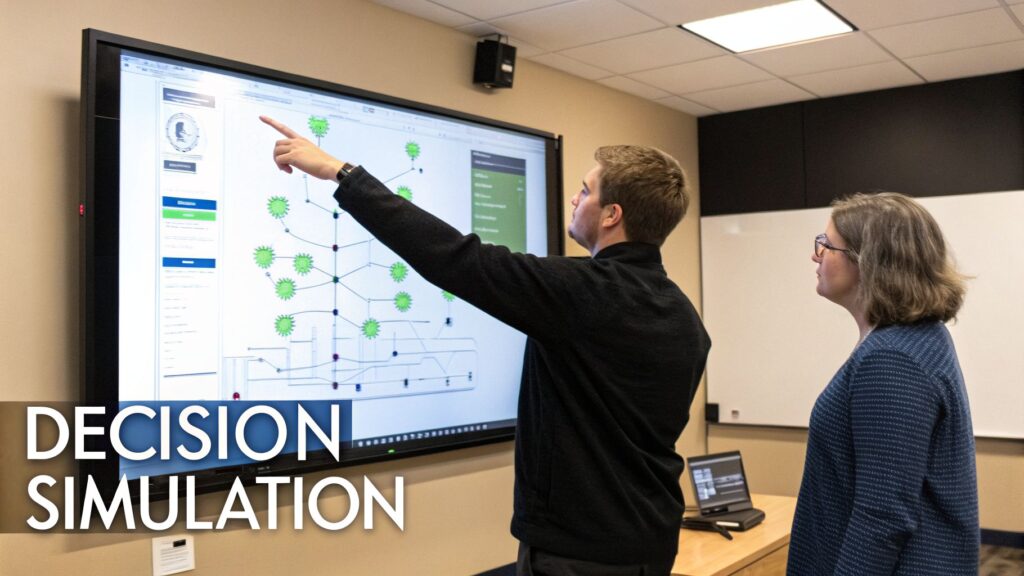
This method moves learning from passive to active. Companies like Starbucks use it to train baristas on customer service recovery, while Deloitte creates complex business simulations to sharpen the decision-making skills of its future leaders. The goal is to build muscle memory for critical thinking, so when the real situation occurs, the employee feels prepared and confident.

How to Implement This Example
To create effective simulations, start by identifying real-world challenges your team faces. Talk to top performers and managers to source authentic scenarios where the “right” answer isn’t always obvious.
- Format: Interactive branching scenario (like a “choose your own adventure” story) with text, images, or short video clips.
- Ideal Duration: 3-7 minutes per scenario.
- Learning Objective: Apply a specific skill in a realistic context. For example, “De-escalate a conversation with an angry customer using the L.A.S.T. method.”
- Delivery Channels: LMS, dedicated simulation platforms (like Cognition or Skillsoft), or integrated into a blended learning program.
Key Insight: The feedback is everything. The feedback should explain consequences, such as “You chose X, which led to Y. Here’s why that happened. Let’s try another path.” This non-judgmental approach encourages exploration and true learning.
The best scenarios have realistic consequences that show the ripple effects of a decision. Make sure to allow employees multiple attempts, as repetition is key to mastery. You can also calibrate the difficulty, starting with simpler choices and progressing to more complex, nuanced situations. Pairing these micro-simulations with a live debrief session with a manager or trainer can deepen the learning and connect it back to team goals.
7. Spaced Repetition and Flashcard Systems
This evidence-based learning technique fights the “forgetting curve” by showing employees information at increasing intervals. It uses algorithmically-timed repetition, like after 2 days, then 7 days, then 14 days, to move knowledge from short-term to long-term memory.
Digital flashcard systems present information in a simple question-and-answer format, forcing active recall. This method is perfect for critical information that requires long-term retention, like compliance rules, product specifications, or company procedures.
This approach is rooted in the “spacing effect” research by Hermann Ebbinghaus. Its power is clear in popular apps like Duolingo, which uses spaced repetition to help users remember vocabulary. In a corporate setting, it’s an effective way to train employees on complex regulatory terminology or essential safety protocols. This ensures the information sticks long after the initial training session is over.
How to Implement This Example
To get started, identify foundational knowledge your team must retain. This could be key product features for the sales team or safety acronyms for field technicians. These become the content for your digital flashcard decks.
- Format: Digital flashcards with a single question and answer.
- Ideal Duration: 1-5 minutes per session, repeated over several days and weeks.
- Learning Objective: Memorize one specific fact, term, or procedural step. For example, “What is the first step in the customer refund process?”
- Delivery Channels: LMS with built-in flashcard tools, dedicated apps like Anki or Quizlet, or integrated into chat platforms like Slack with a bot.
Key Insight: The effectiveness of this microlearning example for employee training lies in its automated, adaptive schedule. The system does the hard work of figuring out when to show the information again for maximum retention.
To implement this, it’s important to understand the core principles. You can read more about a spaced repetition strategy to see how to structure your content effectively. Keep each card focused on a single concept to avoid overwhelming the learner. Phrase questions to encourage active recall (e.g., “What is…”) instead of just presenting a definition. Finally, track analytics to see which concepts the team struggles with, allowing you to provide targeted support where it’s needed most.
8. Interactive Branching Stories and Case Studies
Interactive branching stories turn passive learning into an active experience where employees make decisions that shape a narrative. This microlearning example for employee training places learners inside realistic business scenarios, forcing them to think critically and see the direct consequences of their choices.
Unlike a static case study, this format creates a personalized journey. It’s perfect for developing complex skills like strategic thinking, leadership, and conflict resolution. It’s learning by doing, but in a safe, simulated environment.
This approach is inspired by choice-based storytelling in video games and interactive media. For instance, LinkedIn Learning uses branching scenarios in its “Strategic Thinking” courses, and many tech companies now use similar narrative formats for diversity and inclusion training. It works because it engages learners emotionally and intellectually, making the lessons far more memorable than a simple list of dos and don’ts.
How to Implement This Example
To create effective branching stories, start with real-world problems your employees face. Use actual internal case studies (anonymized, of course) as the foundation for your narrative to ensure authenticity and relevance.
- Format: Interactive, choice-based digital module.
- Ideal Duration: 5-15 minutes per playthrough, with multiple paths to explore.
- Learning Objective: Develop decision-making skills in a specific context. For example, “Successfully navigate a difficult client conversation by choosing the correct de-escalation tactics.”
- Delivery Channels: Authoring tools like Articulate Storyline or Twine, integrated into an LMS or delivered as a standalone web link.
Key Insight: The true value here is in the consequences. Choices should lead to realistic, sometimes subtle, outcomes. A “wrong” choice shouldn’t just end the scenario but lead to a different set of challenges, teaching resilience and problem-solving.
Building these scenarios doesn’t have to be overly complex. To get started, you can learn how to design branching scenarios in courses to map out your decision trees and narrative paths effectively. Base your characters on relatable employee personas and collect data on the choices learners make. This data can reveal common skill gaps or decision-making patterns across your organization, providing valuable insights for future training.
9. Live Virtual Microlearning Sessions and Webinars
Real-time virtual sessions bring the human element back into digital training without demanding a huge time commitment. These are short, 15 to 30-minute interactive webinars where an instructor teaches a focused topic to remote employees.
The live format allows for immediate interaction through Q&A, polls, and breakout discussions. This blends the engagement of in-person training with the convenience of remote access. This is one of the most effective microlearning examples for employee training when you need to foster connection and real-time feedback.
This approach has been popularized by the corporate adoption of platforms like Zoom and has become a staple for companies like Atlassian and Microsoft for their internal training programs. For example, a company might run a 25-minute “Learning Lunch” on a new software feature or a quick workshop on handling a specific customer objection. It works because it provides a scheduled, community-based learning moment that respects the employee’s calendar.
How to Implement This Example
To launch your own live micro-sessions, identify topics that benefit from discussion and direct expert access. Think about complex compliance updates, new sales strategies, or a walkthrough of a confusing internal process. These are perfect candidates for a live, interactive format.
- Format: Live video conference call with interactive elements.
- Ideal Duration: 20-30 minutes (20 minutes of content, 10 minutes for Q&A and discussion).
- Learning Objective: Explain one specific concept or process that benefits from real-time clarification. For example, “How our new expense reporting policy affects travel requests.”
- Delivery Channels: Video conferencing tools like Zoom, Microsoft Teams, or Google Meet.
Key Insight: The magic of this format is the live interaction. Plan for it. Instead of a one-way lecture, design the session to be a two-way conversation. Start with a poll to gauge existing knowledge and build psychological safety.
A great way to start is by sending a short agenda and any pre-reading material 24 hours in advance. During the session, keep slides minimal and use a mix of instructor-led presentation and group discussion. Having a co-facilitator manage the chat and Q&A can keep the session flowing smoothly. Always record the session (with permission) and share the recording and a transcript afterward. This not only helps those who couldn’t attend but also creates another on-demand microlearning asset for your library.
10. Microlearning Content Drip Campaigns via Email
An email drip campaign is a powerful and familiar way to deliver microlearning. Instead of one massive training dump, you send a scheduled series of bite-sized lessons directly to an employee’s inbox.
Each email focuses on a single concept, delivered at strategic intervals, to reinforce learning and prevent information overload. This is one of the most direct microlearning examples for employee training because it uses a channel your team already checks multiple times a day. It’s perfect for spaced repetition and keeping key skills top of mind.
This approach capitalizes on existing communication habits. Companies like HubSpot pioneered this for marketing with their educational email series. Duolingo uses it to achieve remarkable engagement, with some weekly reinforcement campaigns seeing open rates over 90%. In a corporate setting, companies like Slack and Stripe use similar day-by-day email sequences to guide new hires through their first week, making onboarding feel manageable and less overwhelming.
How to Implement This Example
To launch an effective email drip campaign, identify a core topic and break it down into a logical sequence of small lessons. Think about an onboarding process or a new software rollout. What does someone need to know on Day 1, Day 3, and Day 7?
- Format: A series of automated, templated emails. Each email should be a short 2-3 minute read.
- Ideal Duration: A sequence of 5-10 emails sent over 2-4 weeks. Limit frequency to 1-2 emails per week to avoid inbox fatigue.
- Learning Objective: Reinforce one key concept or introduce the next small step in a process. For example, “Week 1, Email 2: How to set your status and notifications in the new project management tool.”
- Delivery Channels: Email marketing platforms (like Mailchimp or ConvertKit) or an LMS with email automation features.
Key Insight: The subject line is your most important asset. Avoid generic labels like “Training Email #3.” Instead, write a subject line that sparks curiosity or highlights a direct benefit, such as “A 2-minute trick to find any file” or “The one setting everyone misses.”
When building your emails, use a consistent visual template so employees immediately recognize it as part of their learning series. Keep the body text concise, just two or three paragraphs, and always include a single, clear call-to-action (CTA). You can A/B test different send times and subject lines to see what gets the best engagement. Finally, segment your email lists by role, department, or current skill level to ensure the content is always relevant to the recipient.
10 Microlearning Examples: Quick Comparison
| Format | Implementation complexity | Expected outcomes | Ideal use cases | Key advantages |
|---|---|---|---|---|
| Mobile-First Video Modules (30–60s) | Low–Medium (simple shoots, editing) | High completion, quick concept delivery, awareness | Onboarding, product updates, compliance, refreshers | Mobile-optimized, low cost, just-in-time learning |
| Interactive Quizzes and Knowledge Checks | Low–Medium (authoring + branching logic) | Increased retention via active recall; diagnostic data | Knowledge assessment, compliance verification, certification | Immediate feedback, scalable grading, gap identification |
| Infographics and Visual Learning Assets | Low–Medium (design skill required) | Fast comprehension, high visual retention | Process explanation, concept intro, data presentation, policy | Highly shareable, quick consumption, cost-effective templates |
| Microlearning Podcasts and Audio Lessons | Medium (scripting, recording, editing) | Good engagement during commutes; auditory retention | Leadership development, industry trends, soft skills, career growth | Hands-free consumption, accessible, low screen time |
| Job Aids and Performance Support Tools | Medium–High (analysis + integration) | Immediate performance improvement; fewer errors | Customer service, complex procedures, troubleshooting, compliance | Just-in-time support, quickly updatable, reduces cognitive load |
| Scenario-Based Learning Simulations | High (complex authoring & testing) | Strong behavior change, decision-making, transfer to job | Leadership, customer service, safety training, sales, compliance | Immersive practice, safe high-risk rehearsal, rich analytics |
| Spaced Repetition and Flashcard Systems | Low (content) / Medium (adaptive integration) | Improved long-term retention; efficient memorization | Terminology, compliance, certifications, language learning | Research-backed spacing, short sessions, adaptive practice |
| Interactive Branching Stories & Case Studies | High (narrative + branching complexity) | Enhanced critical thinking and decision-making; memorable learning | Decision-making, leadership, change management, complex problems | Narrative engagement, personalized paths, transferable skills |
| Live Virtual Microlearning Sessions & Webinars | Low–Medium (facilitation + scheduling) | Real-time clarification, community building, immediate feedback | New product launches, expert Q&A, team alignment, onboarding | Human connection, adaptable delivery, recordings for reuse |
| Microlearning Content Drip Campaigns via Email | Low (setup) / Medium (personalization) | Regular reinforcement, spaced repetition via inbox, scalable reach | Onboarding sequences, compliance reinforcement, behavior change | Extremely low cost, high deliverability, easy personalization |
Your Next Step: Start Small, Win Big
Alright, we’ve journeyed through a wide array of powerful microlearning examples for employee training. From snappy mobile videos that grab attention to intricate branching scenarios that build critical thinking, you now have a full playbook of ideas to make your training more effective and engaging.
We explored quick-hit formats like infographics and audio lessons, perfect for delivering information on the go. We also looked at more involved, yet still bite-sized, methods like interactive simulations and spaced repetition systems that are incredible for skill mastery and long-term retention.
The big idea here isn’t to feel overwhelmed by the ten different examples we covered. The goal is to feel empowered. You don’t need a massive budget or a huge team to start making a real difference.
From Ideas to Action: Your First Microlearning Project
The most common trap is analysis paralysis. You see all these options and don’t know where to begin. So, let’s make it simple. My challenge to you is to pick just one of these ideas.
Seriously, just one.
Think about the biggest pain point in your current training.
- Is your new hire onboarding a long, boring document dump? Maybe you can convert a key policy section into an interactive quiz.
- Do your salespeople constantly ask the same questions about product features? A series of 60-second “how-to” videos or a quick-reference job aid could solve that.
- Is compliance training met with universal groans? An email drip campaign that breaks down the essentials over a week might be far more digestible than a two-hour webinar.
Key Strategy: The principle of microlearning applies to its implementation, too. Start with a small, manageable project. This allows you to test the waters, gather immediate feedback, and score a quick win. These small victories build momentum and create buy-in for future, more ambitious projects.
Why This Matters More Than Ever
Moving toward a microlearning model is about respecting your employees’ time and attention. People are busy, and their cognitive load is already high. By delivering learning in focused, accessible bursts, you meet them where they are. You make it easy for them to learn, apply, and remember critical information right when they need it most.
This approach directly impacts the bottom line. Better-trained employees are more confident, more productive, and make fewer mistakes. When sales teams can quickly recall product specs from a micro-simulation or new hires feel supported through a spaced-repetition onboarding campaign, the business benefits are tangible.
You’re not just creating “training content”. You are building a more agile, knowledgeable, and resilient workforce. Each one of these microlearning examples for employee training is a tool to help you achieve that.
So, what’s your first step?
Choose your target. Is it a 30-second video? A simple infographic? A five-question knowledge check?
Pick one, build it, and launch it. Don’t aim for perfection on your first try. Aim for completion. Get it into the hands of your learners and see what happens. The feedback you receive will be the most valuable guide for your next step. You have the blueprint, you have the ideas. Now is the time to start building. You’ve got this.