7 Paid Media Examples To Inspire Your Next Course Launch
Feeling stuck staring at a blank ad campaign setup? I get it, it happens to all of us. You know you need to run paid ads to get your course, webinar, or membership in front of new people, but figuring out what to create is often the hardest part. You’re left wondering what successful ads even look like for your specific industry.
This is where seeing real-world paid media examples becomes a game-changer. Instead of guessing what works, you can see exactly what top creators and brands are doing to drive sign-ups and sales. It helps you get inspiration and uncover the strategies behind the ads that actually convert.
I’ve put together this list to solve that exact problem. We’re going to dive into the best places online to find high-performing ad creative, copy, and targeting ideas. This isn’t just a list of links. For each platform, I’ll provide a deep analysis, breaking down specific campaigns from educators and membership sites. We’ll look at the ad copy, the creative choices, and the likely strategy behind them. It’s important to understand the distinctions, such as Paid Ads Vs Boosted Posts, to optimize your paid media efforts.
Think of this as your personal swipe file, packed with actionable takeaways you can apply directly to your own campaigns. My goal is to give you the clarity and confidence to stop guessing and start launching ads that get results. Let’s explore what’s working right now.
1. Meta Ad Library (Facebook and Instagram)
Before you ever spend a dollar on paid media, your first stop should be the Meta Ad Library. Think of it as a massive, public archive where you can see nearly every ad currently running on Facebook and Instagram. It’s an incredible tool for competitive research, especially for course creators and membership owners looking for real-world paid media examples.
Instead of guessing what messaging, offers, or creative formats work, you can see exactly what your direct competitors or favorite brands are doing. This is your chance to peek behind the curtain.
Why It’s a Go-To Resource
The Ad Library is awesome because it’s completely free and requires no special access. You don’t even need a Facebook account to use it. You can simply search for any advertiser by their Page name and instantly see all the active campaigns they’re running.
This direct access gives you a real-time snapshot of the market. You can validate your ideas for ad copy, see what kinds of images or videos are being used in your niche, and analyze the calls-to-action that lead to webinars, free downloads, or course checkout pages.
Key Takeaway: Use the Ad Library to de-risk your own ad creation process. By analyzing what successful brands are already doing, you can gather inspiration and avoid making costly mistakes with your initial campaign setup.
How to Use It Effectively
Getting the most out of the Ad Library is simple. Here’s a practical approach:
- Search for Competitors: Start by searching for 3-5 direct competitors who sell similar courses or memberships. Pay attention to how long their ads have been running. Ads active for several weeks or months are often the most successful ones.
- Analyze the “Hook”: Look at the first line of their ad copy. What pain point, desire, or question are they leading with? This is the hook designed to stop the scroll.
- Study the Creative: Are they using static images, short videos, or user-generated content? Note the style, colors, and overall vibe.
- Click the CTA: Click the call-to-action button (e.g., “Learn More” or “Sign Up”) to see their landing page. This shows you their entire funnel, from ad to offer.
By looking at these elements, you can piece together successful strategies and get fresh digital advertising campaign ideas without spending anything.
Pros & Cons:
| Pros | Cons |
|---|---|
| Free and Public: No paywall or account needed. | Incomplete Picture: Not all ad types or placements are shown. |
| Real-Time Data: See ads that are live in the market right now. | No Performance Metrics: You can’t see budget, clicks, or ROI. |
| Creative Inspiration: A fast way to benchmark ad copy, visuals, and offers against peers. | Interface Changes: The layout and access points can sometimes move. |
The Meta Ad Library is more than a tool. It’s your first strategic step in building a successful paid media plan.
Website: https://www.facebook.com/ads/library
2. Google Ads Transparency Center
While Meta covers Facebook and Instagram, your audience spends a huge amount of time on Google’s properties, too. The Google Ads Transparency Center is your window into what competitors are doing across Search, YouTube, Display, and more. It’s an essential stop for finding paid media examples beyond social media.
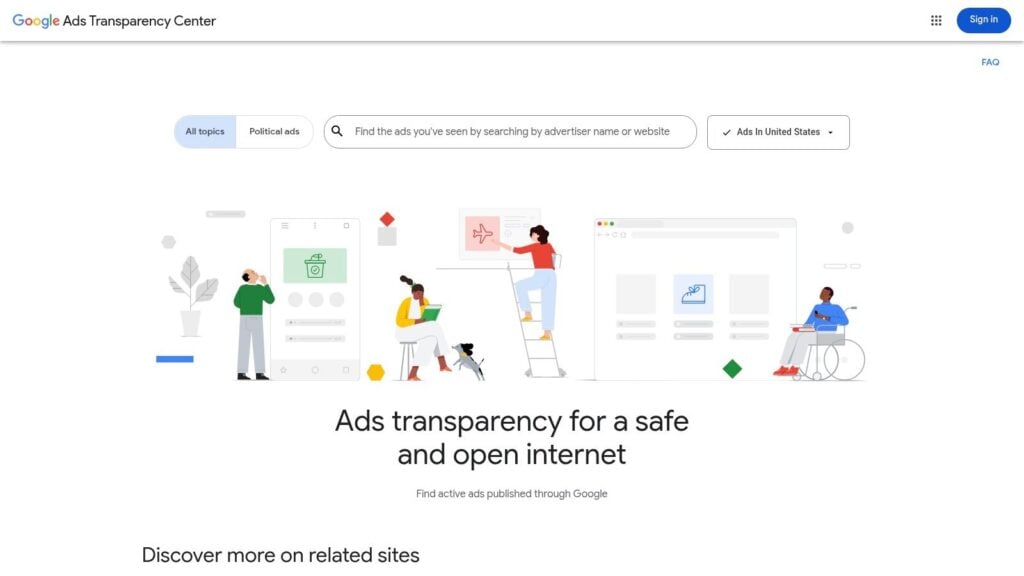
Similar to Meta’s library, this is Google’s official hub for viewing ads run by any advertiser. For course creators, it’s a goldmine for researching how other brands structure their search ad copy, what their YouTube video ads look like, and what kind of display banners they use to attract students. This is your chance to see their entire Google ecosystem strategy.
Why It’s a Go-To Resource
The Google Ads Transparency Center offers a consolidated view that you can’t get anywhere else. It’s completely free and gives you a single place to see an advertiser’s presence across multiple, very different platforms. Seeing how a brand’s message is adapted from a text-based search ad to a visual YouTube pre-roll ad is incredibly insightful.
This access helps you validate your messaging and offers before you spend money. You can see the exact headlines and descriptions that are being used to attract clicks for courses like yours, giving you a powerful starting point. Beyond browsing the Meta Ad Library, gaining a deeper understanding of specific formats like Facebook Video Ads can complement what you learn here about Google’s video strategies on YouTube.
Key Takeaway: Use the Google Ads Transparency Center to understand how your competitors communicate on intent-based platforms. Analyze their search and YouTube ads to see how they capture user attention when someone is actively looking for a solution.
How to Use It Effectively
Diving into Google’s ad world is straightforward. Here’s how to approach it:
- Search by Brand or Website: Enter the name or URL of a competitor you admire. This will pull up all the ads they have run across Google’s network.
- Filter by Format: Check out their YouTube ads to get ideas for your own video scripts. Then, look at their Search ads to analyze the keywords and calls-to-action they use in their headlines.
- Study the Messaging: Notice how the ad copy changes between platforms. Search ads are often direct and solution-focused, while YouTube ads might be more story-driven to hook the viewer.
- Check Landing Page Alignment: See where their ads lead. A good ad-to-landing-page experience is critical for conversions, and this tool lets you study that flow for inspiration on how to market an online course effectively.
This process gives you a blueprint for structuring your own Google Ads campaigns, from keyword ideas to video creative concepts.
Pros & Cons:
| Pros | Cons |
|---|---|
| Consolidated View: See ads across Search, YouTube, Display, and more. | Limited Filtering: Fewer sorting options than Meta’s library. |
| Free to Use: No account or payment is required for access. | Basic Landing Page View: You see the URL but not a direct preview. |
| Compliance & Inspiration: Great for checking ad claims and seeing landing pages. | No Keyword Search: You can’t search for ads by specific keywords. |
The Google Ads Transparency Center is a must-use tool for rounding out your competitive research and building a well-informed paid media strategy.
Website: https://adstransparency.google.com
3. TikTok Creative Center – Top Ads
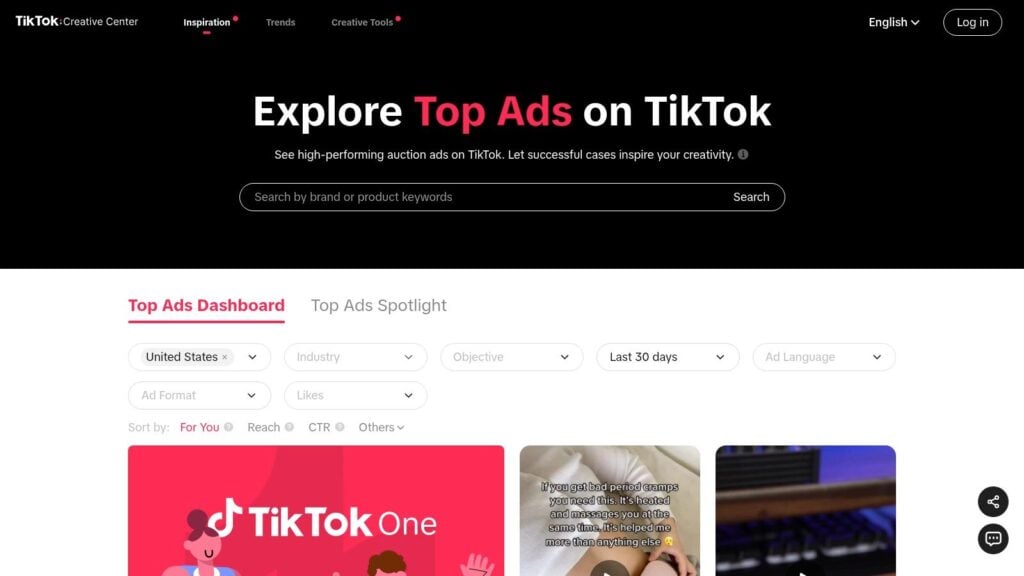
If you’re planning to run ads on TikTok, the Creative Center is your non-negotiable starting point. It’s an official dashboard from TikTok that showcases the highest-performing ads on the platform, giving you a direct look into what works for short-form video. For course creators, this is an amazing source of paid media examples specific to a fast-paced, trend-driven environment.
Instead of trying to adapt your Facebook or YouTube ads for TikTok, you can study what’s already succeeding. You get to see the hooks, pacing, captions, and sounds that capture attention and drive action in this unique ecosystem.
Why It’s a Go-To Resource
The TikTok Creative Center is so valuable because it’s a free, curated collection of winning ads. It isn’t just a library of everything. It specifically highlights “Top Ads,” which means you’re learning from the best of the best. You can filter by industry, region, and campaign objective to find relevant examples for your course or membership.
This curated approach helps you quickly spot patterns. You can identify trending audio, popular editing styles, and effective on-screen text overlays that are common among successful ads. It removes the guesswork and gives you a playbook based on actual performance.
Key Takeaway: Use the Creative Center to understand the native language of TikTok. Analyze how top advertisers grab attention in the first three seconds and structure their call-to-action to feel authentic to the platform.
How to Use It Effectively
Getting actionable ideas from the Creative Center is straightforward. Here’s how to do it:
- Filter for Your Niche: Use the filters to narrow down ads by “Industry” (like “Education”) and “Campaign Objective” (like “Conversions”). This shows you ads with goals similar to yours.
- Study the First 3 Seconds: Watch the beginning of the top 5-10 ads you find. What is the immediate hook? Is it a surprising statement, a relatable problem, or a question?
- Analyze the Audio and Text: Note the music or sound being used. Is it a trending track or an original voiceover? Pay close attention to how they use on-screen text to reinforce their message, as many users watch with the sound off.
- Review the Landing Page: Click through on the ad’s CTA to see where it leads. The journey from a fast-paced video to a landing page is critical. This is a great way to get ideas for how to split test your course sales page for traffic coming from TikTok.
By breaking down these components, you can gather a ton of creative ideas and build a TikTok ad that feels native and effective from day one.
Pros & Cons:
| Pros | Cons |
|---|---|
| Platform-Native Examples: Direct inspiration from top-performing ads. | Ads Rotate Out: Limited historical data as ads are frequently refreshed. |
| Trend-Spotting Tool: Great for finding popular sounds, hooks, and formats. | Broken Links: Examples and links can sometimes become unavailable. |
| Free with Advanced Filters: Search by industry, objective, and region. | No Performance Metrics: You see the ad but not its budget or conversion rate. |
The TikTok Creative Center is your shortcut to making ads that resonate with the TikTok audience, helping you fit in while you stand out.
Website: https://ads.tiktok.com/business/creativecenter/inspiration/topads/
4. LinkedIn Ad Library
While Meta’s library covers the B2C world, the LinkedIn Ad Library is your essential research hub for B2B advertising. For course creators selling to professionals, corporate trainers, or anyone with a high-ticket program, this tool shows you the paid media examples your audience sees in their professional feed.
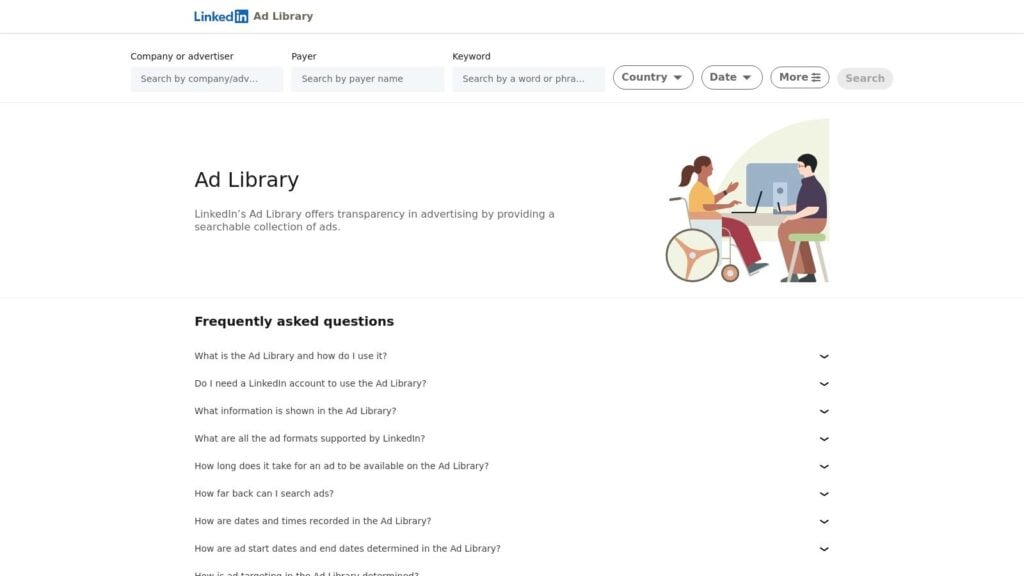
This is where you go to understand how to speak to a business-minded audience. You can analyze the messaging, creative formats, and lead generation tactics used to promote professional development courses, software training, and executive coaching.
Why It’s a Go-To Resource
The LinkedIn Ad Library is powerful because it offers a direct view into the B2B marketing world, which operates differently from consumer-focused platforms. It’s free and public, allowing you to search any company page and see their active Sponsored Content. No login is needed to start browsing.
This gives you a clear look at what competitors are offering to attract high-value leads. You can study the value propositions in their ad copy, see how they frame their lead magnets like whitepapers or webinars, and understand the tone that resonates with a professional audience.
Key Takeaway: Use the LinkedIn Ad Library to benchmark your B2B messaging and offers. By seeing what successful brands in your niche are promoting, you can tailor your own campaigns to meet professional expectations and stand out.
How to Use It Effectively
You can get a lot of value from the Ad Library with a simple, focused approach.
- Search for B2B Competitors: Identify 3-5 companies or course creators who target a similar professional audience. This could include LMS vendors, corporate training providers, or individual experts.
- Analyze the Offer: What are they promoting? Look for ads that lead to a gated resource like a report, a webinar registration page, or a demo request. This is a common B2B lead generation strategy.
- Study the Copy and Format: Pay attention to the language. B2B copy often focuses on ROI, efficiency, and career growth. Note if they are using single images, videos, or carousel ads to showcase their content.
- Examine the CTA: What action are they asking for? Common CTAs include “Download,” “Register,” and “Request a Demo.” Click through to see their landing page and understand their conversion funnel.
This process helps you understand the entire B2B customer journey, from the initial ad to the final conversion point, giving you a solid foundation for your own campaigns.
Pros & Cons:
| Pros | Cons |
|---|---|
| Strong B2B Relevance: Ideal for high-consideration and professional offers. | Limited Ad Formats: Doesn’t show all ad types, like some Thought Leader Ads. |
| Benchmark Professional Copy: Great for analyzing value props and B2B angles. | Less Creative Variety: Not as broad for consumer or social-style inspiration. |
| Free and Accessible: No account or payment is required to search for ads. | No Performance Data: You cannot see metrics like budget, reach, or clicks. |
The LinkedIn Ad Library is a must-use tool for anyone creating courses or memberships for a professional market.
Website: https://www.linkedin.com/ad-library/home
5. YouTube Ads Leaderboard (Think with Google)
If you’re planning to use video for your paid media, the YouTube Ads Leaderboard is an essential stop. Curated by Google, this resource showcases the most popular and effective YouTube ads from around the world. It’s a goldmine for course creators who want to understand what makes a video ad compelling, especially for longer formats that mirror webinars or detailed product showcases.
This isn’t a raw database like other ad libraries. Instead, it’s a curated gallery of high-performing paid media examples, often with commentary explaining why they worked. It’s your lookbook for video storytelling, creative hooks, and brand building.
Why It’s a Go-To Resource
The Leaderboard stands out because it focuses on quality and narrative, not just quantity. It’s completely free and part of the larger Think with Google ecosystem, a hub for marketing insights. Instead of just showing you an ad, it presents award-winning creative that has captured audience attention.
For digital educators, this provides a masterclass in video craft. You can see how major brands grab attention in the first five seconds, build a story, and create an emotional connection that leads to action. This is perfect for getting inspiration for a course launch video, a webinar promotion, or a membership drive campaign.
Key Takeaway: Use the YouTube Ads Leaderboard to study the art of video storytelling. Analyze how top-tier ads are structured to hold viewer attention, which can directly inform how you script and produce your own video content.
How to Use It Effectively
Getting the most out of the Leaderboard is about looking for patterns and principles. Here’s a simple way to approach it:
- Filter by Region and Time: Look at the leaderboards for your target market (e.g., United States, Canada) to see what resonates locally. You can also look at yearly roundups to spot broader trends.
- Analyze the First 5 Seconds: Every ad on YouTube has to fight the “Skip Ad” button. Watch the opening of several top ads. What question, visual, or sound do they use to make you want to keep watching?
- Study Pacing and Narrative Arc: How do these ads tell a story? Notice the pacing. When do they introduce the problem? When do they reveal the solution or brand? This is key for structuring your own course or webinar ads.
- Look for Emotional Hooks: The best ads create a feeling. Note whether they use humor, inspiration, curiosity, or empathy to connect with the viewer. Think about how you can evoke a similar feeling for your audience.
By breaking down these A-list ads, you can gather techniques to make your own video campaigns much more effective and engaging.
Pros & Cons:
| Pros | Cons |
|---|---|
| High-Quality Inspiration: A curated list of the best video ad creative. | Not Exhaustive: You can’t search for any competitor you want. |
| Free with Context: Includes commentary and insights on why ads perform. | No Performance Metrics: Lacks data on spend, targeting, or CPL. |
| Elevates Video Strategy: Helps you think about narrative, not just ads. | Big Brand Focus: Examples are often from huge companies with big budgets. |
The YouTube Ads Leaderboard is your creative director, helping you move beyond basic ads to create video content that truly connects.
Website: https://www.thinkwithgoogle.com/intl/en-emea/marketing-strategies/video/youtube-ads-leaderboard/
6. Amazon Ads – DSP Creative Gallery
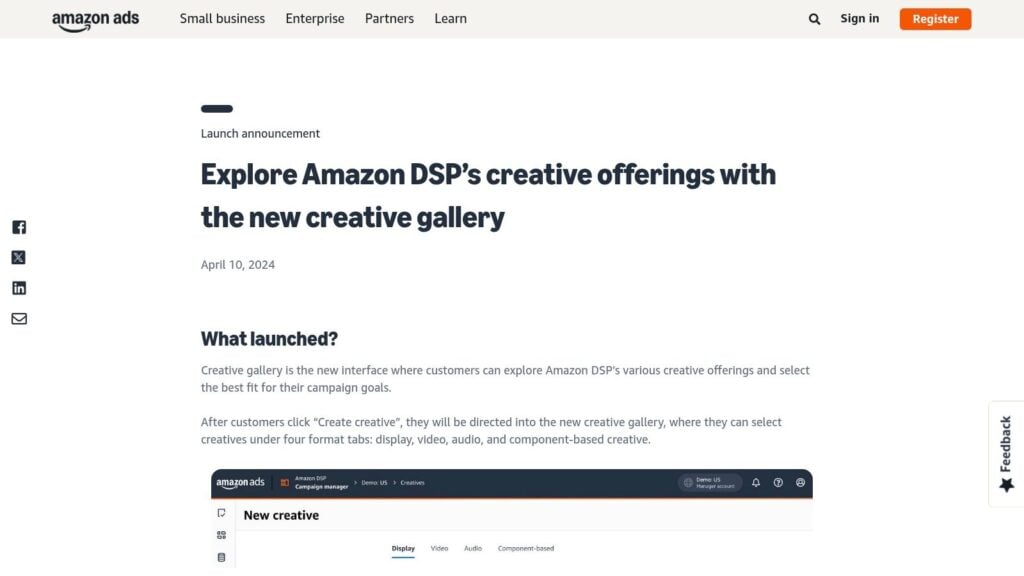
While many course creators and membership owners focus on social media, the world of programmatic display advertising offers huge potential. The Amazon Ads DSP (Demand-Side Platform) Creative Gallery is a fantastic starting point for understanding how top-tier eCommerce and service brands approach display ads. It’s a showcase of ad formats and templates, perfect for getting paid media examples from a different angle.
This resource is less about spying on competitors live and more about understanding the technical and creative building blocks of successful display campaigns. For anyone considering expanding beyond social, this is your creative spec sheet.
Why It’s a Go-To Resource
The Amazon DSP Creative Gallery stands out because it focuses on the “how” of creative production. It’s a free, public-facing resource that demystifies the often complex world of display ad specs. It provides clear walkthroughs of different creative types, from static banners to responsive eCommerce ads and video formats.
This is incredibly helpful for briefing a designer or understanding what’s possible within Amazon’s massive ad network, which extends far beyond Amazon.com. You can see how to structure ads that are built for conversion, complete with guidance on inputs, use cases, and production-ready specifications.
Key Takeaway: Use the Creative Gallery to prepare for expansion into display advertising. By understanding the formats and specs ahead of time, you can create compliant and effective ad assets from day one, saving time and avoiding costly revisions.
How to Use It Effectively
Even if you aren’t selling a physical product, the principles here are gold. Here’s a practical way to use the gallery:
- Explore Ad Formats: Browse the different creative offerings, like Responsive eCommerce Creative (REC) and custom-built display ads. Notice how they combine imagery, headlines, logos, and calls-to-action.
- Study the Specs: Click into a format that interests you and review the linked ad specs. This tells your designer exactly what dimensions, file sizes, and elements are needed. This precision is key in programmatic advertising.
- Adapt for Your Offer: Imagine your course or membership in place of a physical product. How would you use a “shopping” template to showcase different modules of your course? Or use a video ad to feature a student testimonial?
- Brief Your Team: Use the templates and spec sheets as a direct reference when working with a graphic designer or ad agency. It removes all guesswork and ensures your creative is ready for launch.
This gallery gives you a professional framework for thinking about ad creative, moving you from simple social posts to more structured, high-performance display units.
Pros & Cons:
| Pros | Cons |
|---|---|
| Clear, Production-Ready Specs: A perfect reference for creating compliant ads. | Format-Focused: More of a template library than a live competitor gallery. |
| Excellent for Briefing: Makes it easy to communicate needs to designers. | No Live Ad Examples: Doesn’t show what specific advertisers are running now. |
| Free and Accessible: No account or login required to view the gallery. | Amazon-Centric: Primarily tailored for Amazon’s platform and network. |
The Amazon DSP Creative Gallery is your technical guide to mastering a new and powerful channel for paid media.
Website: https://advertising.amazon.com/resources/whats-new/amazon-dsp-creative-offerings
7. Spotify Ads – Creative Lab Inspiration
As an online educator or membership owner, you might not immediately think of audio ads. But with millions listening to podcasts and music daily, Spotify offers a direct line to your audience’s ears. The Spotify Ads Creative Lab is your guide to understanding this unique medium, providing a hub of inspiration, case studies, and practical guidance for crafting effective audio campaigns.
This isn’t just a library of ads. It’s a playbook for storytelling with sound. For course creators, this is an amazing place to find paid media examples that show you how to turn a passive listener into an engaged student. It helps you think beyond the visual and master the art of the audio hook.
Why It’s a Go-To Resource
The Creative Lab Inspiration hub is special because it focuses on the how and why of audio advertising, not just the what. It’s a free resource built by Spotify’s internal creative teams to help advertisers succeed on their platform. You get access to real campaign concepts and playbooks that break down the strategy behind effective sound-first messaging.
This is perfect for anyone new to audio. It demystifies the process of writing ad scripts, choosing voice-over talent, and using sound effects to create an immersive experience. You can learn how to adapt your course’s value proposition into a compelling 30-second spot that captures attention without a single visual.
Key Takeaway: Use the Creative Lab to learn the principles of audio storytelling. By studying their examples and playbooks, you can create audio ads that resonate with listeners and feel native to the Spotify experience, making your message more impactful.
How to Use It Effectively
Getting started with Spotify’s creative hub is about soaking up the strategy. Here’s a simple way to approach it:
- Explore the Case Studies: Look for campaigns from brands in the education or self-improvement space. If you can’t find a direct competitor, look at brands that sell a transformation or a new skill.
- Analyze Audio Ad Scripts: Read the guidance on writing for audio. Notice the emphasis on a clear, singular message and a strong call-to-action. Think about how you would describe your course’s main benefit in just one or two sentences.
- Listen to the Examples: Pay attention to the tone of voice, the background music, and any sound effects. Does it create urgency, curiosity, or a sense of calm? Think about the mood you want to create for your own brand.
- Study Multi-Format Storytelling: The lab also shows how audio ads can work with companion display ads. This will give you ideas for creating a cohesive campaign that reaches users both when they are actively looking at their screen and when they are just listening.
By absorbing these insights, you can confidently script and produce your first audio ad campaign to promote your webinar, free resource, or online course.
Pros & Cons:
| Pros | Cons |
|---|---|
| Strong Guidance: Excellent for writing and producing effective audio spots. | Inspiration, Not a Library: It’s a curated hub, not a searchable database of all ads. |
| Audio-First Focus: Helps you adapt messages for a sound-centric channel. | Limited Scope: Not a replacement for a live ad repository like Meta’s. |
| Free to Access: No cost to learn from Spotify’s internal experts. | Conceptual Focus: Many examples are concepts or best-practice demos. |
The Creative Lab is your entry point into the powerful world of audio advertising, helping you connect with your audience in a deeply personal way.
Website: https://ads.spotify.com/en-US/creative-lab/creative-inspiration/
7-Platform Paid Media Comparison
| Tool | Implementation complexity | Expected outcomes | Ideal use cases | Key advantages |
|---|---|---|---|---|
| Meta Ad Library (Facebook and Instagram) | Low — web search and filters | Quick visibility into live social ads and messaging | Validate hooks, creatives, CTAs for course/membership offers | Fast benchmarking and verification of active paid social |
| Google Ads Transparency Center | Low–Moderate — brand searches, limited filters | Consolidated view of Google-surface ads (search, YouTube, display) | Research search/video/display structure and compliance checks | Cross-surface consolidation and landing-page alignment ideas |
| TikTok Creative Center – Top Ads | Low — filter and browse short-form examples | Rapid pattern-spotting for hooks, pacing, captions, music | Short-form promo ideation for course lead magnets | Platform-native best performers and trend insights |
| LinkedIn Ad Library | Low — public browse of company ads | Examples of professional messaging, formats, lead-gen CTAs | B2B course creators, LMS vendors, high-consideration offers | Strong relevance for B2B formats and copy benchmarking |
| YouTube Ads Leaderboard (Think with Google) | Low — curated lists and commentary | High-quality examples of storytelling, hooks, pacing | Webinars, launches, long-form video ad development | Curated best-practice video examples to educate stakeholders |
| Amazon Ads – DSP Creative Gallery | Low–Moderate — templates and spec walkthroughs | Production-ready creative specs and template guidance | eCommerce brands using DSP; briefing designers for display/video | Clear, production-ready specs and format guidance |
| Spotify Ads – Creative Lab Inspiration | Low — inspiration and playbooks | Audio-first ad concepts, scripts, and multi-format ideas | Audio ads for courses, podcasts, and multi-format campaigns | Strong audio playbooks and guidance for sound-first messaging |
So, What’s Your Next Move?
We’ve just walked through a ton of incredible resources and real-world paid media examples. From the detailed targeting insights you can pull from the Meta Ad Library to the trend-spotting power of the TikTok Creative Center, my goal was to show you what’s working right now for other educators and membership owners.
It’s one thing to see these examples, but it’s another thing entirely to turn that inspiration into your own successful campaign. The true value comes from deconstructing them to understand the strategy behind the creative. You can spot the patterns in messaging that resonate with your specific audience, whether you’re promoting a high-ticket course, a low-cost webinar, or an all-access community pass.
My hope is that you’re leaving this article with more than just a list of links. You should feel equipped to go on your own “ad-chaeological” digs, uncovering the gems that will inform your next launch.
From Inspiration to Action: Your Next Steps
So, where do you go from here? Looking at all these platforms and examples can feel a bit overwhelming. Let’s break it down into a simple, actionable plan.
Define Your Immediate Goal: Before you dive into any tool, get crystal clear on what you need to achieve. Are you trying to fill seats for an upcoming webinar? Is your main goal to grow your email list with a new lead magnet? Or are you focused on driving direct sales for a flagship course? Your objective will determine which ad examples are most relevant to you. A webinar registration ad looks very different from a membership “final call” ad.
Pick Your Starting Tool: You don’t need to master all seven tools at once. Choose one to start with based on where your audience spends their time and what your goal is.
- For quick, direct competitor research: Start with the Meta Ad Library (Facebook & Instagram). It’s perfect for seeing how your direct competitors are positioning their courses and memberships.
- For understanding high-intent search behavior: The Google Ads Transparency Center is your best bet. This is where you see how people capture demand from prospects actively looking for a solution like yours.
- For tapping into viral trends and authentic creative: Dive into the TikTok Creative Center. It’s a goldmine if you want to connect with a younger audience or adopt a more user-generated content (UGC) style in your ads.
Start Your “Swipe File”: A swipe file is just a collection of ads and marketing materials you love. As you browse these ad libraries, don’t just look. Start saving screenshots. Create a folder on your computer or a board on Pinterest. For each ad you save, jot down a few notes:
- What caught your eye?
- What’s the main hook in the headline or first line of copy?
- What is the call to action?
- Who do you think they are targeting with this ad?
This practice will train your marketing brain to spot effective strategies, making it much easier to brainstorm your own angles.
A Final Thought
The most successful paid media campaigns are not born from a single stroke of genius. They are the result of consistent observation, testing, and a willingness to learn from what others are already doing successfully. The paid media examples we’ve explored are your blueprint. They are proof of what’s possible when you combine a deep understanding of your audience with a clear, compelling offer.
Now, it’s your turn. Pick a tool, set a timer for 30 minutes, and start exploring. Find an ad you admire, break it down, and ask yourself, “How can I adapt this winning idea for my own audience?” That’s your next move. Good luck.