7 Competency Based Training Examples in E-Learning
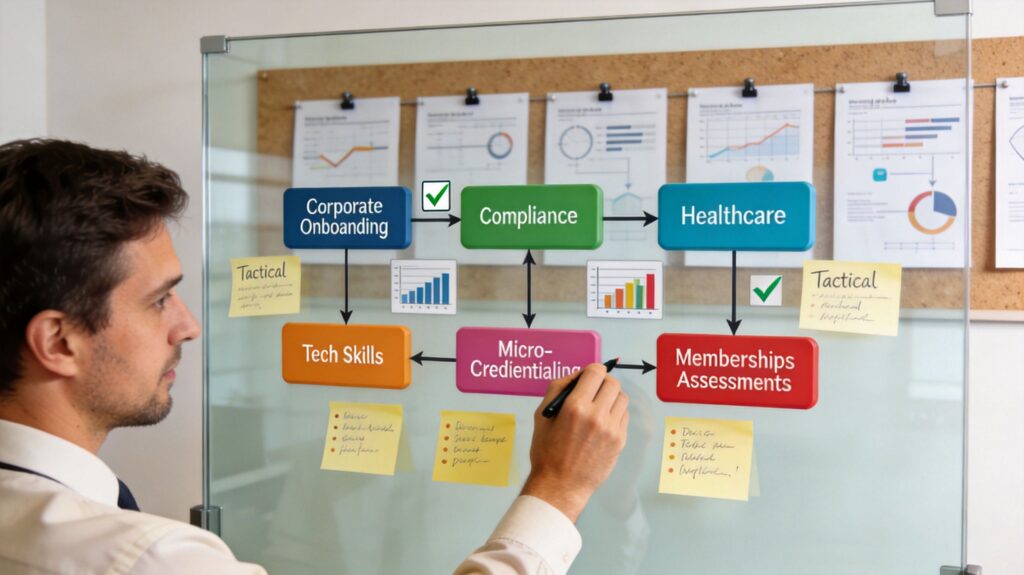
Remember that last online course you “completed”? You clicked through the videos, passed the quiz, downloaded the certificate, and moved on. A week later, if someone asked you to apply what you learned, there’s a decent chance you’d need to rewatch half the lessons.
That gap is where a lot of e-learning falls apart.
Competency-based training is built for a different outcome. It asks learners to show they can perform a skill, solve a problem, or make the right call in context. Progress depends on evidence of mastery, not on whether someone sat through every lesson in a fixed order.
That shift matters more than it sounds. In a 2024 peer-reviewed study on online statistics courses, learners in a competency-based learning model showed strong knowledge gains and reported enhanced confidence, better educational enhancement, and a better fit for their skill levels in the PMC study on competency-based learning in online statistics courses. That’s the kind of result course creators care about because confidence and fit often decide whether learners keep going.
If you run courses, memberships, certifications, or team training, this is one of the most useful design lenses you can adopt. It also works well when you leverage Domino for community growth, because communities get stronger when members can see and share what they’ve learned.
1. Skill-Based Micro-Credentials and Digital Badges
Badges work best when they certify one usable skill, not a vague chunk of content.
A lot of creators make the mistake of turning completion certificates into “badges” and calling it innovation. Learners notice the difference immediately. If the badge doesn’t stand for a real capability, it won’t carry weight inside a company, on LinkedIn, or inside your own membership.

Think of a strong badge like a driver’s road test. Nobody cares that you sat through the safety lecture if you can’t merge, park, and react under pressure. Good micro-credentials signal the same kind of narrow, visible capability.
What this looks like in practice
Platforms like Coursera, LinkedIn Learning, and Google Career Certificates have trained learners to expect stackable proof of skill. The winning pattern is simple. A badge represents one concrete competency, and several badges roll up into a broader pathway.
For a course creator, that might look like this:
- One badge, one capability: “Can build a customer onboarding email sequence” is stronger than “Understands email marketing.”
- Assessment before award: Require a deliverable, simulation, walkthrough, or review. Don’t issue badges for video completion alone.
- Stackable structure: Let learners combine badges into a larger certification or member milestone.
If you’re sorting out how badges compare with older certification models, this breakdown of micro-credentials vs traditional certifications is worth reading.
Practical rule: If you can’t describe the badge as a hiring-ready or task-ready skill in one sentence, it’s too broad.
What works and what usually fails
What works is a short path between effort and proof. I’ve seen badge systems keep momentum high when each badge covers a tightly scoped skill and leads to the next challenge.
What fails is badge inflation. If learners earn five shiny icons before they’ve produced anything tangible, the system starts to feel like a game with no stakes.
A better setup is to define each badge with three parts:
- Competency statement: The learner can perform a specific task to a defined standard.
- Evidence type: Project, recorded demo, scored scenario, or instructor-reviewed submission.
- Next-step relevance: Where this badge fits in a larger path.
This is one of the simplest competency based training examples in e-learning because it plugs into memberships easily. Members can earn proof in small steps, share milestones publicly, and see a real path forward.
2. Scenario-Based Learning Simulations
Scenario work is where competency design starts to feel real.
If you teach anything involving judgment, communication, safety, service, or leadership, a multiple-choice quiz usually won’t tell you much. A learner can recognize the right answer and still freeze in the moment when context gets messy.
Medical education gets this. Corporate compliance teams get this. Driver training gets this. The learner has to make decisions inside a realistic situation, then deal with consequences.
Here’s a useful example of why realism matters in high-stakes environments. If you’re building training for healthcare or technical practice, this piece on accuracy in medical XR simulations shows how fidelity and assessment quality affect whether a simulation is useful.
How to build scenarios without overbuilding them
Most first-time scenario designers go too wide. They create a huge branching tree with endless paths and burn weeks on edge cases that barely matter.
Start smaller. Pick one competency and build around three to five moments where a learner must decide, respond, or prioritize. That’s usually enough to expose whether they understand the standard.
A customer support example is easy to picture:
- A customer opens angry
- The rep must choose how to acknowledge the issue
- New information appears midway
- The learner has to decide whether to escalate, reassure, or investigate
- The scenario ends with a performance rubric, not just a right-or-wrong score
If you want to build this style well, LearnStream’s guide to designing branching scenarios in courses is a practical starting point.
Here’s an example format many creators use to prototype these interactions:

The trade-off nobody mentions enough
Scenarios are powerful, but they’re expensive in design attention.
You need believable prompts, meaningful consequences, and clear scoring criteria. If the branches feel fake, learners click around looking for the “good” answer instead of thinking like practitioners.
A scenario should test judgment under pressure, not the learner’s ability to guess what the course author prefers.
The best scenario-based competency models score behavior against a rubric. Did the learner identify risk? Did they communicate clearly? Did they gather missing information before acting? Those criteria are far more useful than a generic pass screen.
3. Competency-Based Progress Tracking with Learning Analytics
A sales rep finishes nearly every lesson, passes the quizzes, and still freezes on a live pricing call. That is the gap progress tracking needs to expose.
Completion data answers one question. Did the learner move through the course? Competency analytics answers the harder one. Can the learner perform the job task to the expected standard? That difference matters because managers do not coach “Module 4 completion.” They coach weak discovery calls, inconsistent documentation, or poor handoff quality.
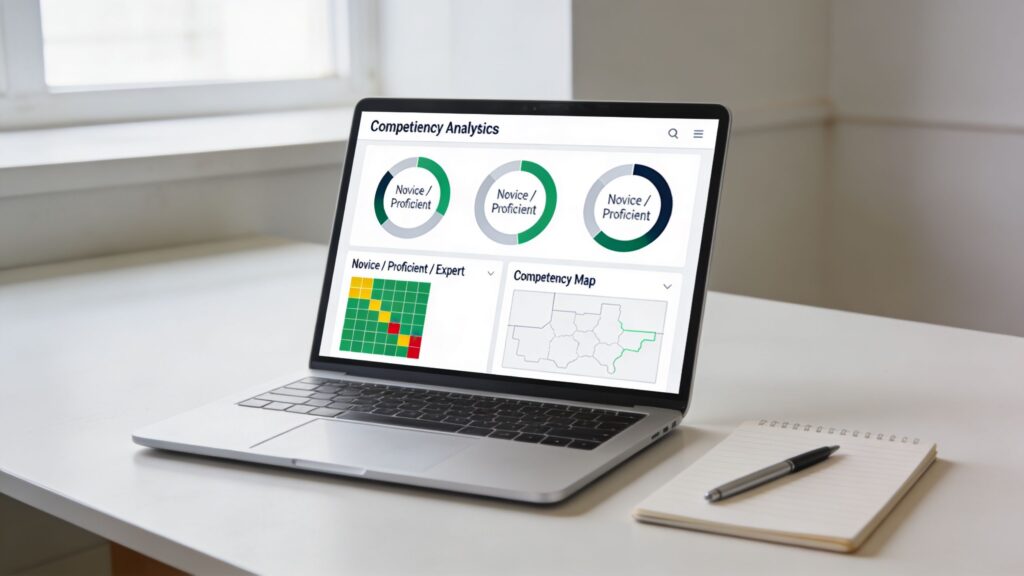
A useful competency dashboard maps evidence to specific capabilities. A learner might show strong product knowledge, uneven objection handling, and low confidence in pricing conversations. That gives the instructor a coaching target and gives the learner a fairer picture than one blended course score.
What to track
Start with the competency definition, then decide what evidence would convince you that the learner can repeat the behavior in context. That design order prevents a common mistake: building a dashboard first and inventing meaning for the charts later.
Useful signals usually include:
- Pre-assessment results: Establish the starting point for each competency
- Scenario performance: Shows judgment under realistic constraints
- Project rubric scores: Captures applied skill and quality of output
- Retry patterns: Shows whether feedback leads to better decisions
- Time between attempts: Helps separate deliberate practice from rapid guessing
The strategic question is not “What can the LMS report?” It is “What evidence is credible enough to count toward mastery?”
For course creators, this is the part that turns an example into a repeatable system. Define the competency in plain language. Set the mastery threshold. Attach each activity to one or more competencies. Decide how much each piece of evidence should count. Then make the next step visible when a learner falls short.
What works better than a generic learner dashboard
Heat maps, milestone bars, and skill matrices work well because a manager can scan them in seconds. But visual polish does not fix weak measurement. If “proficient” only means the learner watched the lesson and scored well on recall questions, the dashboard gives false confidence.
A better setup uses status labels tied to observable evidence:
- Developing: Can identify the concept but misses key steps in practice
- Proficient: Performs the task correctly in standard conditions
- Ready: Performs consistently across variations, with fewer prompts or corrections
That structure also improves ROI tracking. Training teams often measure enrollments, completions, and satisfaction because those numbers are easy to collect. Research reviewed by the National Center for Education Statistics points to the same broader challenge in education measurement: programs often struggle to connect learning experiences to durable outcomes over time, which makes retention and performance impact harder to judge (NCES overview of measuring educational outcomes).
Design note: If your dashboard cannot answer “what should this learner practice next,” it is a report, not a coaching tool.
Here is the trade-off. Fine-grained tracking gives better decisions, but it takes more design discipline. Someone has to define the competencies clearly, align assessments to them, and keep the scoring rules consistent across authors and cohorts. The payoff is worth it. Learners stop treating the course like a playlist and start treating it like skill practice with visible standards.
4. Competency-Based Project Assessments and Capstone Projects
A learner finishes every module, passes every quiz, and still cannot produce usable work on the job. That gap shows up fast when the assessment shifts from recall to output.
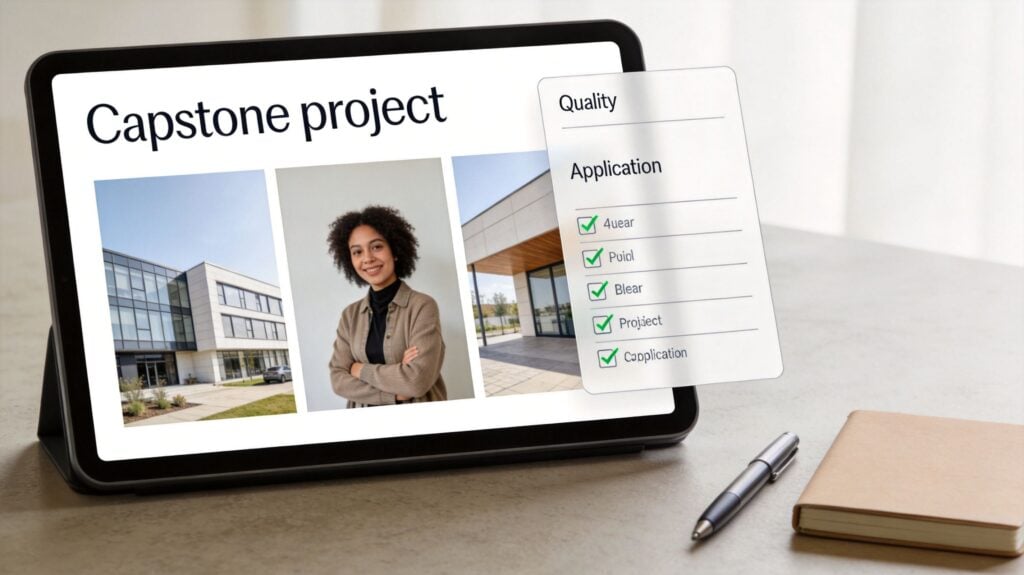
Projects and capstones work well for competencies that require creating, diagnosing, planning, analyzing, or presenting. They ask learners to combine skills under real constraints, which is much closer to workplace performance than a bank of multiple-choice questions. In practice, the project is the proof.
Build the assessment path before you build the capstone
Course teams often start with an ambitious final project, then realize too late that learners were never given a fair ramp into it. The result is predictable. Weak submissions, inconsistent scoring, and a lot of frustration that gets blamed on motivation.
A better sequence builds evidence in layers:
- Single-skill project: one competency, one clear deliverable
- Integrated project: two or three related competencies in one task
- Capstone project: a broader problem with trade-offs, stakeholder needs, and revision cycles
For a marketing program, that might mean drafting one email first, then building a short nurture sequence, then presenting a campaign plan with audience logic, timing, and measurement choices. For an IT support program, it could mean resolving one ticket, then triaging a queue, then completing a capstone based on a messy incident report with incomplete information.
That progression does two jobs at once. It gives learners practice, and it gives the course team checkpoints to see where performance breaks down.
Define the competency before writing the prompt
Strong projects start with a competency statement that is narrow enough to score and broad enough to matter. “Understands project management” is too vague to assess. “Creates a project plan that sequences tasks, assigns owners, identifies risks, and justifies timeline decisions” gives reviewers something concrete to look for.
I usually pressure-test competency definitions with one question: could two reviewers look at the same submission and reasonably agree on what success looks like? If the answer is no, the issue is not the learner. The definition is still soft.
A practical blueprint looks like this:
- Competency: What the learner must be able to do
- Observable evidence: What the learner submits or performs
- Conditions: What constraints or context apply
- Quality standard: What separates acceptable work from strong work
That framework makes project design faster, especially if you plan to scale review across multiple instructors or cohorts.
Rubrics carry the weight
The prompt gets attention because it feels creative. The rubric determines whether the assessment is useful.
Keep the criteria tied directly to the competency, not to every feature of the deliverable. A long rubric can look thorough and still produce noisy scoring. Reviewers start improvising. Learners start guessing what counts.
The strongest project rubrics usually score a small set of factors:
- Accuracy: Does the work address the problem correctly?
- Decision-making: Are choices justified with sound reasoning?
- Execution: Is the output usable in a real setting?
- Transfer: Can the learner apply the approach to a variation of the task?
If you need a technology setup to support staged projects, reviews, and branching practice before the capstone, tools in this adaptive learning software guide can help course teams compare what different platforms support.
Use realistic constraints, not artificial difficulty
A good capstone feels like work. It does not feel like a trick.
That means adding the kinds of constraints professionals face. Limited time. Competing priorities. Incomplete information. A stakeholder with a conflicting goal. Those constraints reveal judgment, which is usually what competency-based programs are trying to assess.
Artificial difficulty does the opposite. Requiring a 20-slide presentation when a one-page decision memo would be the practical output does not improve rigor. It just adds production overhead.
Reuse what already works
Teams do not need to rebuild an entire course to add project-based assessment. In fact, they should not.
Obsidian Learning describes a corporate onboarding project for a Fortune 5 company that converted an existing instructor-led program into a digital, competency-based experience by reusing substantial source material and redesigning around performance tasks in this Obsidian Learning case study on converting onboarding into competency-based digital training. That is the right lesson for course creators. Start with the competencies, identify where existing content already supports them, and create new assets only where evidence is missing.
Projects reward that discipline. You are not trying to produce more content. You are trying to collect better proof.
5. Adaptive Learning Paths Using Competency Intelligence
Adaptive learning is useful when learners arrive with uneven skill profiles.
That’s common in memberships, cohort programs, and internal training. One learner needs remediation, another needs challenge, and a third only needs practice in one narrow area. If you force all three through the same path, somebody gets bored, somebody gets overwhelmed, and somebody wastes time.
Adaptive paths solve that by routing learners based on evidence. In practice, that often means a pre-assessment, short checks during learning, and different next steps depending on performance.
Keep the adaptation simple enough to trust
I’ve seen adaptive systems get too clever for their own good. A black-box recommendation engine can confuse learners fast. If they don’t understand why they were sent to a lesson, they may assume the system is arbitrary.
Start with a small number of path variations. For example:
- Direct-to-application path: For learners who can already demonstrate basics
- Support path: For learners who need guided examples
- Remediation path: For learners missing prerequisites
Then tell them why they landed there.
If you’re evaluating tools that support this kind of setup, LearnStream’s guide to adaptive learning software is a practical place to compare options.
Where adaptation shines
Adaptive design works especially well in technical training, language learning, software proficiency, and certification prep. It can also help with refresher training, where some learners only need a targeted tune-up.
A strong live example comes from USA Swimming’s coach certification work with Ninja Tropic. The program used over 300 microlearning modules with interactive videos, expert-led tutorials, and adaptive quizzes with branching logic, and coaches progressed only after demonstrating 80% proficiency per competency in this Ninja Tropic competency-based training example.
That detail matters. The adaptive path wasn’t random personalization. It was tied to demonstrated performance.
Good adaptation feels like a smart coach. Bad adaptation feels like a maze.
If you build this way, learners spend less time proving what they already know and more time working on the gaps that matter.
6. Competency-Based Peer Learning Communities and Collaborative Assessments
Some competencies only show up when other people are involved.
You can teach conflict handling, peer feedback, facilitation, team communication, and collaborative problem solving through solo modules, but you can’t really assess them there. A learner has to interact with another person, adjust in real time, and respond to different perspectives.
That’s why communities can do serious assessment work when they’re designed well. Circle, Mighty Networks, Slack groups, and private member communities can all support this if you define the behavior you want to observe.
What a good peer-based competency setup includes
The mistake here is assuming discussion equals learning.
An active forum might feel healthy, but activity alone doesn’t prove competence. You need structured collaborative tasks with visible standards.
Useful formats include:
- Peer review rounds: Learners assess each other’s work against a short rubric
- Group problem labs: Small teams solve a case and present decisions
- Teach-back sessions: One learner explains a method to peers, then answers questions
- Role-based challenges: Members rotate through stakeholder perspectives in a shared scenario
When this works, the community becomes part classroom, part rehearsal room. Learners test ideas, get corrected, and improve before the stakes are real.
The moderation layer matters more than people expect
Without moderation, peer learning can drift into vague encouragement or bad advice.
A good moderator keeps people tied to standards. They don’t need to answer everything themselves, but they need to redirect weak feedback, reinforce useful examples, and make the competency framework visible in everyday interaction.
One practical side benefit is retention. Members stay engaged when they’re needed by others, not just consuming content in isolation.
If you’re running memberships, this is often the bridge between content library fatigue and a real learning culture. Competency systems give the community shared language. The community gives the competencies social pressure and practice.
7. Competency-Based Microlearning Stacks and Just-In-Time Training
A technician is on the plant floor, the line is down, and she has three minutes to confirm the lockout procedure before touching the machine. In that moment, a 45-minute course is useless. She needs one tightly scoped learning asset, one decision check, and a clear record that she can perform the step correctly.
That is the job microlearning can do well. Competency-based microlearning breaks a larger skill into small, testable parts, then delivers each part when the work calls for it. The unit of design is not the lesson length. It is the sub-skill.
The stack matters more than the clip.
A five-minute module only earns its place if it targets a defined behavior, such as identifying a hazard, choosing the right script in a service call, or completing step three of a software workflow without help. Several of those modules can then stack into a broader competency with visible standards and a clear pass threshold.
What strong stack design looks like
A useful model comes from healthcare and clinical education, where learners often need short refreshers tied to specific tasks and protocols. The Agency for Healthcare Research and Quality publishes brief training tools, checklists, and team communication modules that support immediate application on the job, especially in safety-critical settings where recall and execution matter more than content exposure. See AHRQ’s TeamSTEPPS training resources for a practical example of task-focused, reusable learning assets: https://www.ahrq.gov/teamstepps/index.html.
Course creators can borrow that logic without copying the subject matter. Start with the competency, split it into sub-skills, then decide which pieces belong as pre-work, which belong in the workflow, and which need supervised assessment. That sequence is what turns short content into a training system.
Blueprint: from competency to micro-stack
Use this structure:
Competency definition: State the full skill in observable terms
Example: “Resolve a billing objection using the approved call flow and document the outcome correctly.”Sub-skills: Break the competency into parts that can be practiced quickly
Example: verify account details, identify objection type, choose the right response, log the interactionMicrolearning asset: Match each sub-skill to one short format
Use a walkthrough for a system step, a mini-scenario for judgment, or a checklist for field executionAssessment tactic: Add a proof point to each asset
This can be a one-minute decision check, a screen capture, a manager observation, or a scored simulationTrigger for delivery: Decide when the module appears
Before a shift, at the moment of task, after an error, or during scheduled reinforcementStack completion rule: Define what counts as competency
Completion alone is not enough. Require passing scores, observed performance, or a successful task record
Here is the trade-off. The smaller the module, the easier it is to use in the flow of work. The smaller the module, the easier it is to lose context too. Good stacks solve that by showing learners where each piece fits and by revisiting the full performance occasionally.
How to keep microlearning from becoming trivia
The common failure mode is fragmentation. Teams publish a library of short lessons, but each one floats on its own. Learners consume plenty of content and still struggle on the job because nobody designed the connective tissue.
Three design choices fix that:
- Show the map. Learners should see which sub-skills build the full competency.
- Require application. Every module needs a small act, not just exposure.
- Resurface at the right time. Bring back key modules after mistakes, before high-risk tasks, or during spaced refreshers.
Microlearning works like a socket set. One tool handles one job well. The case, labeling, and order are what make the set useful under pressure.
For mobile teams, frontline staff, and time-poor members, this is one of the more practical competency based training examples in e-learning. It respects the conditions people work in. Furthermore, it gives course creators a repeatable way to define a skill, build small learning assets around it, assess each step, and stack those steps into credible proof of competence.
7-Point Comparison of Competency-Based E-Learning Examples
| Approach | Expected outcomes | Ideal use cases | Key advantages |
|---|---|---|---|
| Skill-Based Micro-Credentials and Digital Badges | Verified, stackable skill proofs; increased motivation and engagement | Membership sites, modular skill courses, professional upskilling | Portable credentials; modular monetization; clear competency signals |
| Scenario-Based Learning Simulations | Improved decision-making and soft skills; high retention | Leadership, customer service, healthcare, high-stakes training | Authentic practice; immediate feedback; rich behavioral data |
| Competency-Based Progress Tracking with Learning Analytics | Transparent mastery tracking, gap analysis, predictive time-to-competency | Corporate talent management, compliance programs, tiered memberships | Evidence-based insights; targeted remediation; ROI measurement |
| Competency-Based Project Assessments and Capstone Projects | Portfolio artifacts demonstrating real-world competence | Bootcamps, portfolio-driven courses, professional certification prep | Authentic assessment; employer-ready work samples; deep skill integration |
| Adaptive Learning Paths Using Competency Intelligence | Faster time-to-competency, personalized pacing, higher completion | Mixed-ability cohorts, corporate upskilling, premium personalized tiers | Scalable personalization; efficient remediation; improved engagement |
| Competency-Based Peer Learning Communities and Collaborative Assessments | Increased engagement, social learning, collaborative competency growth | Membership communities, cohort-based programs, peer-supported upskilling | Strong retention via social connection; user-generated content; reduced instructor load |
| Competency-Based Microlearning Stacks and Just-In-Time Training | Quick skill boosts, high completion rates, spaced retention | Busy professionals, performance support, rapid upskilling | Low friction; easy updates; targeted, on-demand learning |
Start Building Competence, Not Just Content
The main shift here is strategic, not technical.
Competency-based training asks a harder question than most online courses ask. It pushes you to define what learners should be able to do, what evidence will prove that, and what support helps them get there. Once you start designing from that angle, a lot of common course habits stop making sense. Completion rates matter less on their own. Seat time matters less. Even polished content matters less if learners still can’t perform.
That’s why these competency based training examples in e-learning are useful beyond the examples themselves. They give you a build pattern.
Digital badges work when each badge certifies one real capability. Scenarios work when they test judgment inside realistic constraints. Analytics work when they map progress to competencies instead of modules. Projects work when the rubric stays tight and visible. Adaptive paths work when the routing is understandable. Communities work when peer activity is structured and moderated. Microlearning works when each short module is part of a larger skill stack.
You don’t need to launch all seven at once.
Pick one core skill in your course or program and redesign that piece around mastery. Start small. A badge with a real assessment is often the easiest entry point. A short branching scenario is another good pilot because learners feel the difference immediately. If you already have a content library, turn one unit into a competency pathway instead of rebuilding the whole thing.
There are trade-offs, of course. Competency models take more design discipline. Rubrics need clarity. Assessment review takes time. Scenario writing is harder than recording a lecture. Community-based assessment needs moderation. But the payoff is better alignment between what you teach and what learners can do.
That alignment also helps commercially. Programs built around visible skill progression are easier to position, easier to price, and easier to renew because learners can see concrete progress. They also generate better testimonials because people describe outcomes in terms of capability, not just satisfaction.
If you publish courses, memberships, or training programs, LearnStream covers many of the building blocks involved here, including microlearning, branching scenarios, adaptive learning, and credential design. Use that kind of guidance to tighten one part of your system first, then expand from there.
Build one competency path that feels undeniable.
When a learner finishes and can perform, everything about the course lands differently.