10 Best Community Moderation Tools for 2026
That one comment can wreck the whole room.
You’re running a paid community for a course, cohort, or membership. Members are posting wins, asking smart questions, and helping each other. Then someone drops a weird promo link, a hostile reply, or a “just asking questions” comment that turns the thread sideways. Suddenly the helpful members go quiet, and you’re left deciding whether to delete, warn, freeze the thread, or message people one by one.
That’s the part many creators underestimate. In a learning community, moderation isn’t just admin work. It’s part of the product. People paid for access, and they expect a space that feels useful, safe, and worth returning to. A basic ban button won’t carry that load.
The way moderation works has also changed. As communities scaled, moderation moved from manual pre-publication review toward automated and real-time screening, with modern setups combining pre-moderation, in-flight moderation, user reporting, spam and profanity filters, and moderator dashboards as standard parts of the stack, not nice extras, as described in CometChat’s overview of chat moderation tools. That’s especially relevant if your community lives across Circle, Kajabi, Discord, Slack, a custom LMS, or all of the above.
For membership owners, the key question isn’t “which tool has the most features?” It’s “which tool protects the learning experience without creating more work than my team can handle?”
1. Hive Moderation (Hive AI)

Hive AI is the kind of moderation platform you look at when your community has moved beyond simple forum posts. If members can upload images, clips, voice notes, webinar replays, or chat in multiple places, Hive starts making sense fast.
What stands out is the combination of multimodal detection and a real review workflow. You’re not just getting a yes or no filter. You can route flagged content into queues, set policy logic, and decide which items deserve human review.
Where Hive fits best
This is a strong fit for branded academies, creator memberships, and coaching communities that have user-generated content in more than one format. If your LMS includes comments, private groups, assignments, and file uploads, that complexity adds up.
I’d put Hive in the “serious operations” bucket:
- Multiformat coverage: It can evaluate text, images, video, and audio, which matters if your members submit more than plain text.
- Human review workflow: The moderation dashboard is useful when you need a moderator to verify edge cases instead of letting automation make every final call.
- Policy depth: Custom rules help when your standards go beyond generic toxicity. Educational communities often care about solicitation, credential fraud, answer-sharing, or subtle harassment more than obvious profanity.
The downside is pretty straightforward. Small communities can drown in capability they don’t need. If you run one Circle group with a few hundred thoughtful members, Hive may feel like bringing airport security to a book club.
Practical rule: Choose Hive when your risk comes from multiple content types and multiple surfaces, not just a busy comment section.
Usage-based pricing can also get harder to predict when content volume spikes during launches, live events, or cohort onboarding.
2. Community Sift by Microsoft (formerly Two Hat)

Community Sift by Microsoft has deep roots in high-scale, real-time environments. It’s known in gaming, but the same strengths carry over nicely to education and membership communities with live chat, cohort spaces, and member profiles.
The value here is low-latency filtering. If you host office hours, community chats, or event backchannels, you don’t want harmful content sitting there while someone eventually reports it. Community Sift is designed for proactive screening before the conversation fully goes off the rails.
Why it works for learning communities
A lot of moderation tools are decent at catching obvious bad words and weak at catching evasion. Community Sift’s handling of misspellings, symbols, emojis, and obfuscated language is useful when someone is trying to sneak around your rules rather than break them directly.
That matters in paid communities because bad actors often test boundaries first. They don’t always open with blatant abuse. They start with usernames, coded language, weird baiting, or link spam disguised as participation.
A few practical strengths:
- Fast text screening: Good for chat-heavy products and live sessions.
- Media support: Helpful if members can upload images or video.
- Moderator protection features: Optional blurring is worth noting if your team may review disturbing media.
This is not the easiest plug-and-play option for nontechnical creators. It’s better for teams that can work with APIs or have a developer who can wire it into a custom app, community layer, or LMS extension.
If you’re on Kajabi or Circle and want something native with minimal setup, this may be more platform than you need. If you’ve built your own member experience and need stronger real-time controls, it becomes a lot more attractive.
3. OpenAI Moderation API
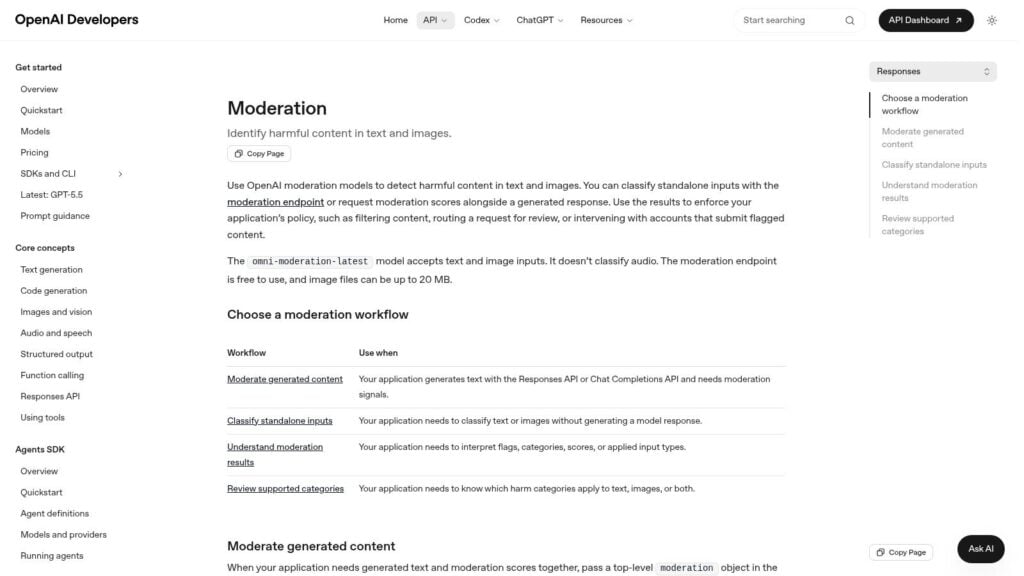
A common membership problem looks like this. A new member joins your Circle space after buying a course, drops a few promotional links into the welcome thread, then posts something aggressive in a workshop discussion before anyone on your team is online. If your setup lives across Circle, Kajabi, a custom LMS, or a private app, OpenAI’s Moderation API documentation gives you a practical way to screen that content before it spreads.
The API checks text and images for categories such as sexual content, hate, violence, and self-harm. That makes it useful as a first layer in paid learning communities where moderators need to catch obvious safety issues quickly, then apply community-specific rules after that.
The important trade-off is scope. OpenAI can help you identify broad policy risk, but it will not understand your program norms out of the box. Membership communities usually need extra logic for things like affiliate spam, unsolicited DMs, promo drops, plagiarism, exam-answer sharing, or posts that technically pass moderation but still poison the learning environment.
That is why this tool works best inside a workflow, not as the workflow itself.
A setup that tends to work well for course creators and membership owners includes:
- Intake screening: Check first posts, profile fields, and uploads from new members before they appear publicly
- Conditional review queues: Send flagged content to staff in Circle, your admin panel, or a support inbox for a second look
- House-rule checks: Combine moderation results with link limits, trust levels, banned phrases, or product-specific enforcement rules
- Escalation paths: Auto-hide clear violations and leave borderline cases for a human moderator
This is a strong fit for teams with a developer or ops person who can connect the API to signup forms, lesson comments, discussion areas, or submission flows. For a creator who wants a native moderation dashboard with minimal setup, hosted community platforms will feel easier. For a business that has already stitched together Kajabi, Circle, Zapier, and custom forms, the flexibility is the point.
Cost is part of the appeal too. As review volume grows, fully manual moderation turns into a staffing problem fast. Many operators start with automated screening plus human escalation because it keeps the queue manageable without leaving every post unreviewed.
If you are also fighting AI-generated content with moderation, this API is useful in submission workflows where you want to inspect forum posts, homework uploads, or community prompts before they hit your member experience.
4. Alice (formerly ActiveFence)

Alice is for teams dealing with tougher problems than profanity and spam. If your community faces coordinated abuse, repeat ban evasion, impersonation, or more subtle trust and safety issues, Alice deserves a look.
This platform comes from a threat-intelligence background, and that changes the feel of it. Instead of treating each post as a separate moderation event, it’s better at looking for patterns and risk signals across behavior.
Where Alice earns its keep
Most membership communities won’t need this level of sophistication on day one. But some absolutely do. Think certification communities, high-ticket masterminds, creator programs with public visibility, or education businesses that attract coordinated trolling or targeted harassment.
The practical upside is breadth. Alice covers text, image, video, audio, and broader enforcement workflows. If your moderators need queues, audits, risk scoring, and intelligence on evolving abuse patterns, this is closer to a trust and safety operation than a simple content filter.
One thing I like about tools in this category is they force clearer policy design. You can’t benefit from nuanced detection if your internal rules are vague.
Effective moderation in paid communities often means distinguishing bad-faith disruption from uncomfortable but legitimate disagreement.
That distinction matters because moderation isn’t just deleting whatever creates friction. OpenWeb argues that moderation should block toxic behavior while still allowing criticism and open debate, and Lawfare discusses a broader menu of interventions like removal, downranking, warning labels, and dialogue-shaping in OpenWeb’s discussion of what moderation is and isn’t.
Alice is enterprise-leaning, and it shows. Expect a sales-led process and more implementation complexity than lighter tools.
5. CleanSpeak

CleanSpeak has a different personality from the big AI-heavy suites. It’s strong when you want control. Not vague “AI handles it” control, but actual rule tuning, queue setup, and admin visibility.
For course communities, that’s useful. Educational spaces often have narrower boundaries than broad social communities. You may allow disagreement, links to references, and thorough critique, while still blocking profanity, personal attacks, and spammy self-promo.
Why operators like it
CleanSpeak is particularly appealing if text moderation is your main problem and you want reviewers to work from clear rules. Its profanity filtering and policy controls are a good fit for forum-style discussion, cohort comments, and lesson threads.
A few practical wins:
- Granular rule tuning: Helpful when your members use domain-specific language that generic filters might mishandle
- Moderation queues: Good for pre-approval on first posts or high-risk spaces
- Admin-oriented tooling: Easier to train a small moderation team around predictable workflows
The trade-off is that media moderation usually means extra integrations. If your members mainly write posts and comments, that’s fine. If they upload screenshots, project videos, and voice notes every day, you may need additional tooling around it.
I also like CleanSpeak for communities that want a hybrid approach. You can pre-moderate the risky parts of the experience while leaving trusted members in a lighter-touch environment. That structure tends to work well in paid education because the goal is to protect conversation quality without turning every contribution into an approval ticket.
6. WebPurify

WebPurify is one of the easier community moderation tools to understand and roll out. If you want something practical, fast, and less intimidating than an enterprise trust and safety stack, this is a solid option.
It’s especially useful for smaller membership businesses running forums, blog comments, WordPress communities, or lightweight branded spaces where text moderation is the first problem to solve.
Good for fast deployment
WebPurify gives you the basics you’ll use. Real-time profanity filtering, contact info filtering, and moderation options for text, image, and video cover a lot of what early-stage communities run into.
For a course creator, that usually translates to three immediate jobs:
- Stop spam links
- Block contact harvesting
- Catch obvious abusive language before members see it
That’s not glamorous, but it’s the stuff that keeps your moderators from burning time on junk.
If you’re building your rule set from scratch, pair any tool like this with clear community rules and expectations. Filters work better when members understand the line before they hit it.
The limitation is nuance. WebPurify can catch a lot of surface-level mess quickly, but it won’t replace human judgment for context-heavy situations. In learning communities, those are common. One member may be giving hard feedback. Another may be using “feedback” as cover for repeated hostility.
This is the kind of tool I’d choose when speed matters more than sophistication. It’s also useful if compliance pushes you toward hosted or on-prem deployment options and you want a simpler vendor relationship.
7. Lasso Moderation

Lasso Moderation is interesting because it sits between lightweight plug-ins and full enterprise suites. It gives you a central moderation layer across text, image, video, and voice without feeling impossibly heavy.
That makes it appealing for operators with fragmented community surfaces. A lot of memberships are like that now. Forum in one place, chat in another, events somewhere else, support comments somewhere else.
Why it’s practical for memberships
The big draw is consolidation. If your members interact across Slack, Bettermode, a custom app, or integrated voice products, a unified queue can save your team a lot of context switching.
That’s not a small quality-of-life detail. Moderator fatigue often comes from bouncing between tools, not just volume.
A few reasons this tool stands out:
- Cross-surface oversight: Useful when your community isn’t living inside one clean platform
- Transparent pricing feel: Easier for smaller operators to evaluate than fully sales-led vendors
- Custom rules and queues: Enough control without demanding an enterprise team
The caution here is vendor maturity. Newer tools can be flexible and responsive, but they may not have the same depth for niche harms or unusual abuse patterns as older trust and safety platforms.
This is where operator judgment matters. If your biggest issue is keeping a healthy paid learning environment across several channels, Lasso can be a practical center of gravity. If you’re dealing with intense adversarial behavior, you may still want to layer another specialized system on top.
8. Discourse (hosted plans)
Discourse fits a very specific membership setup well. A creator has a paid cohort in Kajabi, lessons in a custom LMS, and a discussion space where members ask smart questions, post wins, and occasionally test boundaries. In that situation, moderation is not just about catching abuse. It is about protecting the value of a paid learning environment without making the space feel policed.
That is why Discourse works best as a moderation-friendly community platform, not just a filter layer. The moderation tools are built into how conversations happen. Flags, trust levels, staff notices, slow mode, approval workflows, and bulk actions all sit close to the actual discussion, which usually makes a moderator faster and more consistent.
Best for discussion-led learning communities
Discourse is a strong fit for memberships built around peer support, lesson threads, office-hours follow-up, and searchable answers that should still help members six months from now. That matters for course creators using Circle.so, Kajabi, or a custom LMS as the teaching layer while Discourse handles the knowledge-building part of community.
I have seen this matter most in paid education spaces where the moderation problem is not constant abuse. It is recurring low-grade friction. Off-topic promotion in a workshop thread. A confident but wrong answer posted as fact. A member who keeps pushing heated debates into every lesson discussion. Discourse gives your team practical ways to shape behavior before those patterns drag down retention. Good moderation supports the community engagement best practices for membership programs, because members stay active longer when discussions stay useful.
What stands out in practice:
- Trust levels: You can give proven members more posting freedom while keeping tighter controls on newcomers
- Flagging system: Members help surface problems early, which is useful when a small team cannot read every thread
- Moderator workflow: Review queues, topic timers, staff posts, and bulk actions reduce cleanup time during busy launches or cohort weeks
There is a trade-off. Discourse shines in structured, asynchronous discussion. It is less suited to communities centered on live chat, image-heavy posting, or fast-moving social-style interaction. If your paid membership depends on rich media moderation or real-time automation across several channels, Discourse usually works best alongside a separate moderation API or another tool in this list.
For membership and learning businesses, that is the real decision. If your community value comes from thoughtful discussion and a searchable archive, Discourse can carry a lot of the moderation load by design. If your members spend more time in chat, livestream comments, or multimedia posts, you may outgrow it as your only moderation system.
9. Higher Logic Vanilla (Vanilla Forums)
Higher Logic Vanilla is the option I think of for larger education businesses that treat community as part academy, part support center, part customer education hub.
This is more than a place for discussion threads. It’s built for structured programs, deeper integrations, and organizations that need moderation plus automation plus analytics in one environment.
When Vanilla makes sense
If you run certification programs, partner education, customer academies, or multi-audience memberships, Vanilla can fit well. It supports moderation workflows while also tying into the rest of your stack, which is often the essential requirement at that level.
The content moderation services market itself reflects how infrastructure-like this category has become. Grand View Research estimated the market at USD 9.67 billion in 2023 and projected USD 22.78 billion by 2030, which lines up with what bigger community operators already know. Moderation is now budgeted like core platform infrastructure, not a side task.
For learning businesses, Vanilla’s practical value usually comes from:
- Complex structure support: Multiple spaces, roles, audiences, and workflows
- Business system integration: LMS, support, and marketing connections matter at scale
- Enterprise controls: Useful when security, SSO, and governance are real requirements
It can absolutely be too much for a simpler membership. If your main job is hosting a thoughtful student forum, this may feel oversized.
For larger programs trying to improve retention and community health together, it pairs well with broader community engagement best practices, not just enforcement rules.
10. Bettermode (formerly Tribe)

A common membership scenario looks like this. The course lives in Kajabi, the discussion space sits on a branded subdomain, and members expect one consistent experience from lesson to comment thread. Bettermode fits that setup well because it gives operators control over moderation, permissions, and presentation without turning the community into a custom development project.
That matters in paid learning spaces. Students need clear boundaries around cohort rooms, office hours, alumni access, and private staff areas. If those lines are fuzzy, moderation gets harder fast because people post in the wrong place, report the wrong issue, or assume content is visible to everyone.
Where Bettermode fits best
Bettermode is a good match for membership owners who care as much about structure and brand as they do about basic enforcement. It works well for communities tied to a course business, paid newsletter, coaching program, or customer education hub, especially when the community needs to sit neatly alongside Circle alternatives, a Kajabi site, or a custom LMS front end.
Its moderation feature set is practical rather than specialized:
- Flagging and profanity filters: Useful for handling routine spam, low-quality posts, and obvious violations
- Roles and permissions: Important when you need separate access for students, mentors, coaches, alumni, and staff
- Embeddable community components: Helpful when discussion needs to live inside a lesson portal or member dashboard instead of a separate forum experience
The trade-off is straightforward. Bettermode gives you enough moderation control for many paid communities, but it is not the strongest option in this list if you need high-risk trust and safety operations, custom policy enforcement at scale, or advanced AI classification across text, images, and video.
Pricing tiers deserve a close look before you commit. Teams often choose Bettermode for the design flexibility first, then realize later that governance, security, or workflow needs are growing faster than expected. Map out who moderates, what gets flagged, where reports go, and which spaces need tighter permissions before launch. That exercise usually tells you whether Bettermode is the right long-term home or a good front-end layer paired with other moderation tooling.
If you are still deciding how the community should fit into the rest of your member experience, this guide on how to build an online community for a course or membership business helps clarify the structure before you pick the platform.
Top 10 Community Moderation Tools Comparison
| Product | Target audience | Core capabilities | Unique strengths | Pricing & setup |
|---|---|---|---|---|
| Hive Moderation (Hive AI) | Enterprise communities with multi‑format UGC (forums, webinars, uploads) | Multimodal models (text/image/video/audio), Moderation Dashboard, rules engine, APIs | Granular policy mapping, mature enterprise deployments, human+automation workflows | Enterprise pricing, usage‑based billing, steeper setup/forecasting |
| Community Sift by Microsoft | Real‑time chat & gaming‑style communities, education needing low latency | Low‑latency text scanning, image/video blurring, obfuscation handling, case management | Proven at massive scale, strong language/obfuscation coverage | Sales‑led pricing, API/SDK integration required |
| OpenAI Moderation API | Small teams & custom apps needing a low‑cost first pass | Category labels & scores for text/images, pre/post‑publish screening | Free for OpenAI customers, very simple to implement as first filter | Free/basic usage, limited customization, requires human rules |
| Alice (formerly ActiveFence) | Large platforms needing threat intelligence & coordinated abuse detection | ActiveScore risk engine, AI detection, workflows, multi‑language threat intel | High signal quality, detects subtle/coordinated harms beyond single posts | Enterprise sales, complex integration and onboarding |
| CleanSpeak | Branded course communities needing precise text controls | Profanity/keyword filters, rule‑based queues, optional ML add‑ons | Fine‑grained tuning, mature admin/reviewer tools | Enterprise‑targeted pricing, media ML often requires add‑ons |
| WebPurify | Small teams, quick rollouts (Discourse/WordPress) or compliance‑sensitive ops | Real‑time profanity, text/image/video moderation, plugins, on‑prem option | Transparent low starting prices, fast integration, on‑prem availability | Clear pricing, 14‑day trial, easy and fast setup |
| Lasso Moderation | SMBs centralizing moderation across multiple community surfaces | Cross‑format moderation, reviewer queues, dashboard, prebuilt integrations | Transparent pricing, starter‑friendly, unified hub for multiple surfaces | Usage‑based tiers, quick setup, newer vendor risk |
| Discourse (hosted plans) | Course cohorts, peer Q&A, branded forums for educators | Flags, trust levels, bulk tools, plugins, SSO, moderator workflows | Open‑source core, excellent moderator UX, strong community features | Hosted paid plans; may need external ML APIs for automation |
| Higher Logic Vanilla (Vanilla Forums) | Large programs blending community, support, and training | Moderation & automation, KB, gamification, AI translation, deep integrations | Scales to enterprise structures, robust SSO/security & analytics | Sales‑led pricing, higher total cost of ownership |
| Bettermode (formerly Tribe) | Branded membership hubs wanting modern UX w/o heavy engineering | Built‑in moderation, roles/permissions, embeddable components, SSO | Strong design/customization, broad feature set out of the box | Mid‑market pricing after free plan sunset, easy to implement |
Beyond the Tools: Building Your Moderation System
A moderation tool matters most when something goes wrong at the worst possible moment. A paying member posts a borderline attack in a lesson thread, another reports a spammy DM, and your team is already busy supporting a live cohort. In that moment, Circle, Kajabi, Discourse, or your custom LMS is only part of the answer. The key question is whether your moderation system tells people what to do next.
Start with the outcome you need to protect. In a membership or learning community, that usually means three things: member trust, discussion quality, and a clear path to progress. Those goals shape policy in practical ways. A high-ticket mastermind may allow direct disagreement but remove self-promotion on sight. A beginner course community may hold first posts for review, limit links, and route flagged comments to staff before they derail a lesson.
Tools help with speed. Your team supplies context.
That split matters because paid educational spaces have a different risk profile than open social communities. The problem is not only abuse in the obvious sense. It is also low-grade behavior that weakens retention over time: answer-poaching in DMs, promo drops in accountability threads, off-topic debates that bury the instructor’s guidance, or one highly active member making newer students afraid to ask basic questions. The best setup catches clear violations automatically and sends gray-area cases to a human who understands the norms of the program.
I usually map moderation into three layers. Prevention, triage, escalation. Prevention covers community guidelines, onboarding friction, trust levels, and permissions. Triage covers filters, queues, auto-holds, and member reports. Escalation covers who reviews edge cases, how quickly they respond, what gets documented, and who can remove access to the paid space if needed.
This is also where platform fit matters. If your community runs on Circle.so or Kajabi, your moderation process has to work with the controls those platforms give you, plus any outside service you connect through API or webhook. If you run a custom LMS, you may get more flexibility, but you also inherit more policy and workflow work. Buying a strong detection layer does not fix weak permissions, unclear ownership, or missing audit trails.
Small teams should be careful with automation thresholds. Over-filtering creates support tickets and frustrates legitimate members, especially in educational communities where people share sensitive stories, health details, or strong opinions about their work. Under-filtering creates cleanup work and lets bad behavior spread. The right setting is usually boring. Catch the obvious stuff automatically, queue the ambiguous stuff, and write clear reviewer notes so moderators make consistent calls.
Write the rules in plain language. Define what happens after a warning, a post removal, a temporary mute, and a ban. Decide whether DMs are in scope. In many paid communities, they should be, because abuse and solicitation often move private as soon as public posting gets tighter.
Review the system every few months. If the same incidents keep showing up, the issue may be product design rather than enforcement. A poorly structured intro space invites link drops. Weak cohort boundaries create confusion about who belongs where. A course comment area without clear lesson prompts often drifts into support requests, complaints, or sales pitches.
Good moderation software reduces noise. A good moderation system protects the learning environment members paid for.
If you’re thinking about the bigger business side of member behavior, retention, and online communities, I’d also browse these creator economy insights.