A Guide for Creating Virtual Reality Training Initiatives
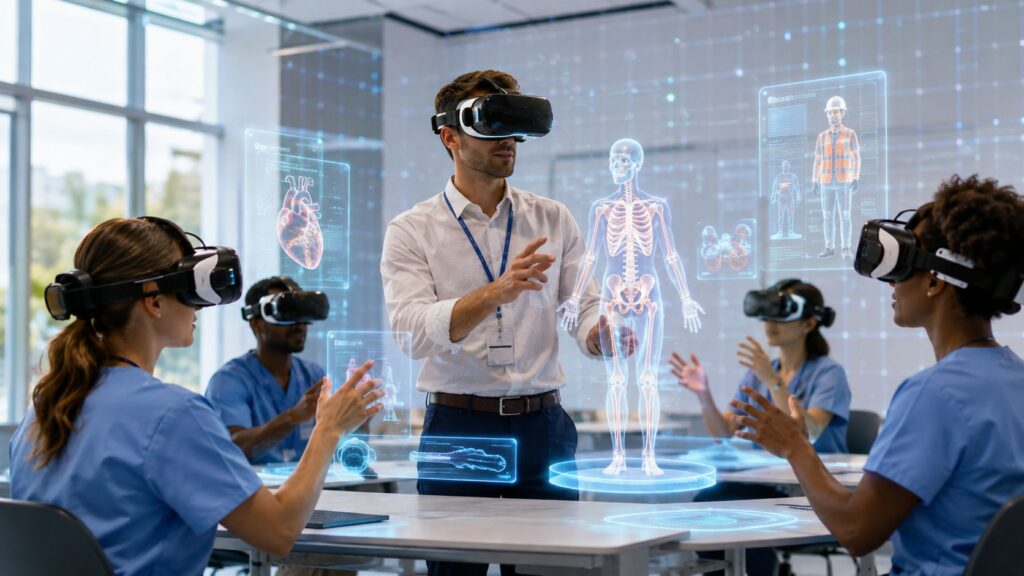
You don’t need another flashy vendor deck to know something has shifted. A nurse educator is trying to explain a rare complication to a room full of tired learners, a safety trainer is repeating the same warehouse walkthrough for the third site, and the people in the room still haven’t had a safe chance to practice the hard part. That’s usually where virtual reality training enters the conversation, not as a gimmick, but as a way to let people do the task before the task does damage.
The honest question is whether it helps learners transfer the skill back to work. That’s where the conversation gets useful, because VR can be a strong tool for some goals and an expensive distraction for others. A grounded rollout starts with the learning problem, then chooses the format, headset, and measurement plan around that problem.
What Virtual Reality Training Feels Like
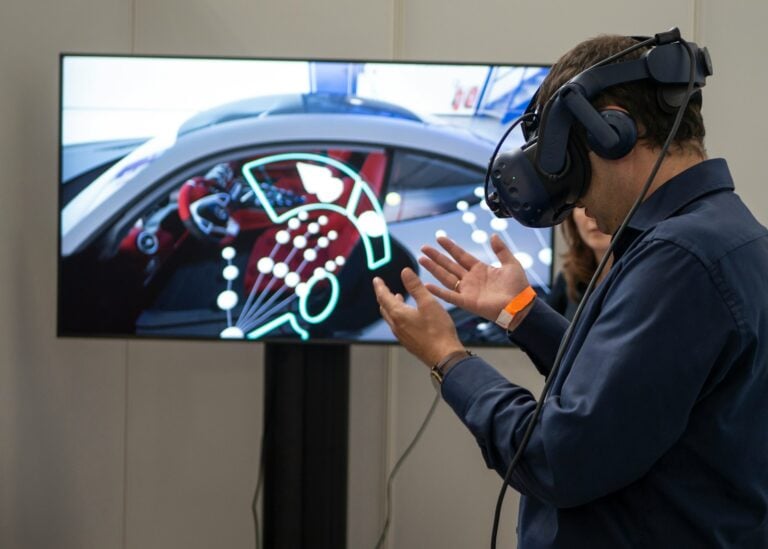
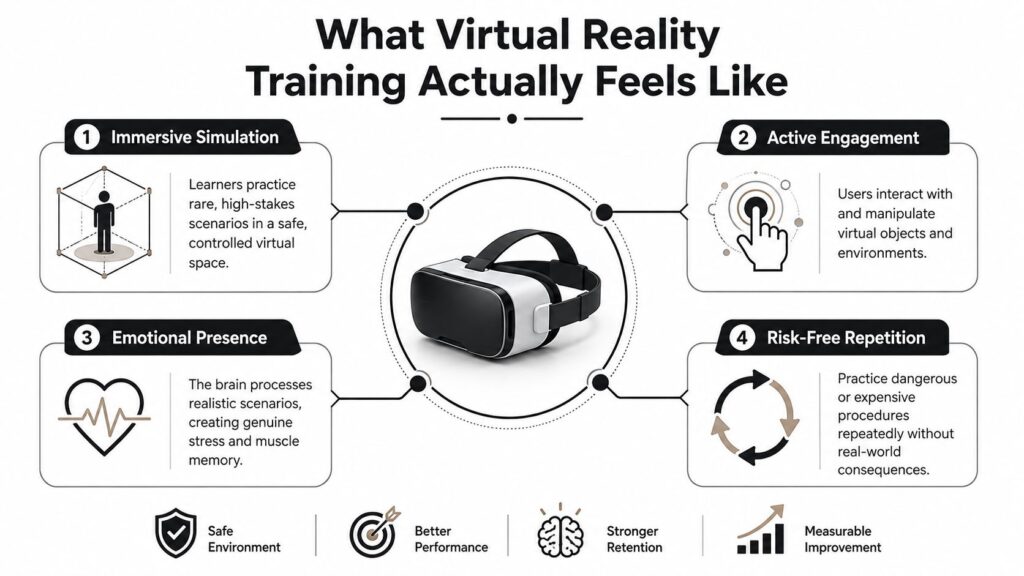
The first time I watched a colleague try VR, the room went quiet for a different reason than usual. She wasn’t staring at a slide deck or clicking through a module. She was turning her head, reaching for tools that weren’t physically there, and reacting to a simulated event like it mattered, because in the moment, it did.
That is the core of virtual reality training. Learners act inside a 3D environment instead of watching one from the outside. In practice, that means head tracking, hand controllers, spatial audio, and a scene that responds when you move, look, or choose an action. The headset matters less than the experience it creates. The goal is to place people inside a task they can repeat safely until the steps feel familiar.
Where people usually mix up the terms
Vendor language often blurs VR, AR, MR, and 360-degree video together. They are different tools. VR places the learner inside a simulated environment. AR adds digital elements to the physical world. MR blends the two so virtual objects can interact with the room. 360-degree video is still video, which means the learner can look around but cannot manipulate the scene.
That difference matters for design. If the learning goal is to practice a shutdown sequence, a branching decision, or a hazard response, true VR gives you interactivity. If the goal is to show a place or let people observe a workflow, a cheaper format may be enough.
Practical rule: if learners need to act, choose a format that lets them act. If they only need to see, do not pay for a simulation they will never use.
The reason VR gets attention in training circles is straightforward. A landmark PwC study found that employees completed VR training up to 4 times faster than classroom instruction and 1.5 times faster than e-learning, while also reporting 275% more confidence in applying what they learned (PwC study). That does not mean every training topic belongs in VR. It does mean the format can change how quickly people get to practice, especially when the actual-world task is hard to stage safely.
Real Benefits and Honest Limitations
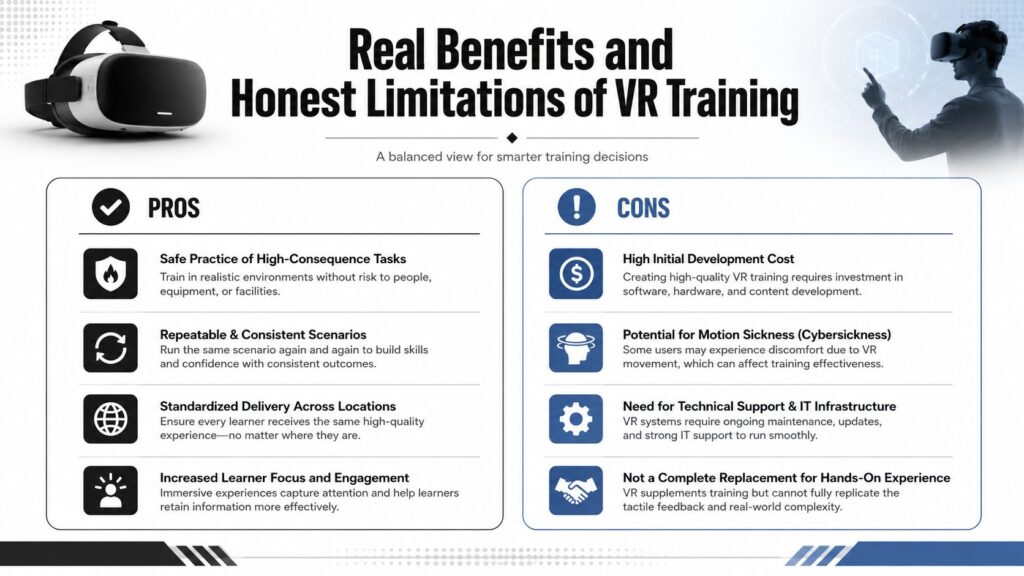
A first VR pilot usually succeeds or fails at the point where instructors ask, “Can people practice this safely and repeatably here?” virtual reality training answers that question well for tasks that are hard to stage in a classroom or on a busy job site. It lets people rehearse high-consequence work without exposing patients, equipment, customers, or themselves to the actual consequences. It also gives you the same scenario again and again, which matters when one supervisor teaches a slightly different version of a process than another.
What VR does well
PwC’s findings matter because they measured more than enthusiasm. The study linked VR with faster completion, stronger focus, and much higher confidence in applying the skill. That combination is useful in training because it can shorten the path to competency when instructor-led scheduling is slow or inconsistent. Those same observations also show up in later commentary on VR training, which keeps the conversation focused on practice quality instead of hype.
A World Bank review adds a more cautious layer. It found that one hour of VR training increased students’ net learning outcomes by 17 percent on average, with a standard deviation of 18 percent (World Bank review). The average is encouraging, but the spread tells you the effect changes by topic and design. In plain language, VR can help a lot, or only a little, depending on what you build and how closely the simulation matches the job.
What VR doesn’t automatically solve
More immersion does not guarantee better performance. One 2020 study found no statistically significant performance difference between HMD-based VR training and a traditional 2D instruction video on the task tested, even though higher presence in VR correlated with better outcomes (PMC article). That is the part many polished demos leave out. A learner can feel engaged and still not perform better if the scenario, feedback, or assessment is weak.
Cost is part of the trade-off too, along with authoring time, device setup, and motion sickness risk. If you are training a policy topic, a compliance refresher, or something that can be taught well in a short video, VR may add more production work than learning value. If you are training an actual task where mistakes are expensive or dangerous, it starts to make much more sense.
For educators trying to match methods to goals, different teaching styles explained is a useful reminder that no single format fits every lesson. VR is one option in a broader toolkit, and it works best when the task needs practice, feedback, and consequences that text or slide-based learning cannot simulate well.
The best VR projects I’ve seen didn’t start with the headset. They started with a task that was too risky, too rare, or too hard to practice consistently any other way.
Learning Objectives That VR Handles Best
The easiest way to decide whether virtual reality training belongs in your program is to stop asking whether VR is impressive and start asking what kind of learning you need. Some objectives map naturally to VR. Others don’t. The better your match, the less you’ll waste on content that looks advanced but teaches almost nothing new.
The objectives where VR earns its place
VR is strongest for procedural safety, spatial and motor skills, and role-play based soft-skills practice. A learner who needs to complete an emergency shutdown, move through a hazardous area, or practice a patient interaction can benefit from seeing consequences unfold in a realistic environment. The 2024 PMC article on Industry 4.0 training reported that VR-based training increased safety awareness by 30% and improved risk perception, self-efficacy, and overall safety knowledge compared with traditional training methods (PMC Industry 4.0 article).
That makes VR especially useful when consequence simulation matters. A safety drill can be replayed with different hazards. A customer conversation can be re-run with different branching responses. A technician can learn muscle memory before they ever touch the equipment.
The objectives where VR is optional
For pure knowledge transfer and many compliance reading tasks, VR is usually acceptable but rarely the best fit. If a learner just needs to know the definition of a policy, the steps in a handbook, or the location of a form, a good video, job aid, or interactive lesson often gets the job done faster and cheaper. VR can still support the topic if context matters, but it doesn’t need to carry the whole experience.
The objectives where VR usually struggles
Long passive lectures and dense text-heavy content are a poor match. Learners can’t read comfortably for long in a headset, and they shouldn’t have to. If the primary goal is memorization, a well-structured quiz or spaced review often makes more sense.
For educators who think in pedagogy terms, different teaching styles explained can help frame this choice. A lecture-heavy topic doesn’t become more teachable just because it’s placed inside a headset. The method still has to fit the objective.
Useful checkpoint: if you can describe the learning goal without mentioning the environment, VR may be optional. If the environment is the lesson, VR starts to look like the right tool.
Hardware, Software, and the Tech Stack
A lot of first-time buyers focus on the headset and miss the rest of the stack. That’s usually where the project gets messy. Virtual reality training needs a device, a computer in some cases, authoring software, content, space, support, and a plan for storage and hygiene.
How the hardware choices differ
Standalone headsets, such as the Meta Quest line or Pico, are easier to deploy because they don’t need a tethered PC for every session. That makes them attractive for classrooms, mobile teams, and pilots. PC-tethered headsets, such as Valve Index or Varjo, can support more demanding visuals and richer simulations, but they raise the bar on hardware, setup, and room planning. Passthrough mixed reality devices sit somewhere in between, depending on whether the experience needs the actual room blended with digital content.
For a PC-based setup, one training guide recommends at least an Intel Core i7 9th-gen CPU, an NVIDIA GeForce RTX 2070 8GB GPU, 8GB+ RAM, 10 to 20GB of free disk space, and a 3 by 3 meter physical play area (Linde VR setup guide). That benchmark is useful because it reminds you that VR is a full system, not just a headset purchase.
What software teams actually need
On the software side, many teams start with authoring and collaboration platforms, then move toward custom builds if the scenario gets more specialized. Options in the market include tools like Engage, Spatial, and Unity-based custom builds, plus LMS integration for tracking completion. One practical resource for broader course creation decisions is this overview of best authoring tools for eLearning.
Here’s a simple way to think about the tiers.
| VR Headset Tiers for Training Programs | |||
|---|---|---|---|
| Tier | Typical Devices | Best Fit | Watch Out For |
| Entry | Meta Quest line, Pico | Pilots, mobile classrooms, simple simulations | Limited fidelity compared with high-end PC systems |
| Mid | Standalone plus optional accessories | Wider rollout, mixed use cases | Device management and content reuse still matter |
| High | Valve Index, Varjo | Advanced spatial tasks, high-fidelity simulations | Higher setup demands and more IT support |
I’d also budget for the basics people forget. Headsets need charging, cleaning, labeling, and storage. Learners need enough floor space to move safely. In busy programs, logistics can break the rollout faster than technical limitations.
Practical rule: if a headset is hard to charge, clean, and reissue, it will end up sitting in a cabinet.
Your Pilot to Scale Roadmap
A good virtual reality training rollout rarely starts with a company-wide launch. It starts with one small module that matters enough to test and simple enough to survive a pilot. That approach saves you from building a flashy prototype no one can support later.
Start with one training problem
Pick a topic where failure is cheap in the pilot but visible in the outcome. A safety scenario, a customer interaction, or a step-by-step procedure works better than a broad knowledge dump. If the content has clear behaviors, you can tell whether the experience changed anything beyond excitement.
The market context supports why teams are moving here. Industry data shows the VR training market reached USD 6.06 billion in 2023 and is projected to grow to USD 52.2 billion by 2032 at a 27% CAGR, with the enterprise segment accounting for 45% of revenue (industry report). That tells me the category has moved past hobby status, even if individual projects still need to prove themselves.
Run the pilot like a learning experiment
Define success before the headset arrives. Decide what behavior should change, what performance should improve, and what learners should be able to do after the session. Then test it with a small group across roles, gather performance data, and ask for feedback while the experience is still fresh.
A lot of teams stall in the review phase because they only collect opinions. Don’t stop there. Compare the VR group to the current method if you can, and decide whether the content needs redesign, whether the use case deserves scaling, or whether you should stop and redirect the budget.
For an example of how immersive experiences get framed in practice, interactive VR hire for exhibitions shows how event teams package VR for short-form engagement. That doesn’t make it a training solution by itself, but it’s a useful reminder that short demos and instructional programs have very different goals.
Scale only after the workflow is ready
If the pilot works, write the rollout plan with device logistics, instructor training, and LMS integration in mind. That’s where many programs break, because the content might be good while the operational support is still thin. The people who manage headsets, reset sessions, and support instructors need as much planning as the learners do.
Measuring Outcomes That Matter
A lot of VR programs measure whether people liked the experience and stop there. That is a weak standard for virtual reality training. If you are spending time and money on immersive learning, you need to know whether it changed knowledge, behavior, and work outcomes.
The four metric families that matter
Start with learning gain, usually a pre- and post-assessment. Then look for behavior change, which means the learner can do the task correctly in a follow-up simulation or on the job. After that, check business impact, such as error rates, incident reduction, or time to certification. Treat engagement as supporting evidence, not the main score.
That order matters because the polished part of VR can hide weak learning. A systematic review in Multimedia Tools and Applications found that immersive VR training systems are often evaluated manually, with questionnaires before and after the experiment being the most common metric, and the literature was still insufficient to determine the overall effect of immersive VR in professional training even though existing studies generally pointed to a positive effect. In practice, teams keep measuring sentiment because it is easy.
Choose metrics by goal
If your goal is skill acquisition, measure task performance. If your goal is confidence under pressure, measure transfer in a retest or live observation. If your goal is business improvement, connect the training to a real operational metric. If your goal is adoption, look at completion and repeat use, but do not confuse that with mastery.
A useful companion resource is how to measure training effectiveness, especially if you need a more traditional evaluation structure alongside a VR pilot.
My rule of thumb: if the metric can be captured without the learner doing the actual task, it probably is not your main success measure.
Pitfalls, Accessibility, and What I’d Do Differently
The biggest mistake I see is treating virtual reality training like a cure-all. It isn’t. A headset won’t fix a bad learning objective, weak facilitation, or a module that should have been a job aid from the start. It just makes the flaw more expensive.
The failures that show up again and again
Some teams skip user research and then act surprised when motion sickness or discomfort shows up. Others forget that device fit matters for glasses, hair, facial structure, and head size. Some build content that learners can’t easily revisit, replay, or use with a supervisor after the session. And plenty of programs ignore instructor workflow until rollout day.
Accessibility matters here too. The research brief points to VR training being used for people with cognitive disabilities such as autism spectrum disorder and traumatic brain injury, plus other inclusion-focused interventions for empathy and communication. That makes the design work even more important, because accommodation can’t be an afterthought.
If you need a practical companion on inclusive design, how to make e-learning accessible for disabled learners is a useful reference point. For teams that need speech support in workflows, voice to text accessibility can also help shape the broader support model around a VR program.
What I’d do in week one
- Pick the learning goal first. Choose the skill or behavior before anyone opens a headset catalog.
- Write success criteria early. Decide what will count as useful, acceptable, and not worth scaling.
- Budget for iteration. The first build is rarely the last build.
- Check comfort and access. Test with glasses, different hair styles, and learners who are more sensitive to motion.
- Plan the instructor role. Someone has to reset sessions, coach learners, and connect the experience to the rest of the course.
The programs that last usually start smaller than people want and measure more than people expect. That’s a good thing. It keeps the budget pointed at learning instead of spectacle.
If you’re planning a first virtual reality training pilot, start by choosing one procedure or role-play scenario, then map the skills, the safety risks, and the success metrics before you buy hardware. If you want a practical next step, build a one-page pilot brief this week, share it with your instructor or training manager, and use it to decide whether the first headset purchase should support a pilot, a classroom lab, or a broader rollout.