What Is Adaptive Learning Software?
Ever sat in a classroom where the lesson was either moving way too fast or painfully slow? I know I have. Most traditional teaching has to aim for the middle of the road, which inevitably leaves some students behind and others bored out of their minds.
This is the exact problem adaptive learning software was built to solve.
Welcome to Truly Personalized Education
Instead of a one-size-fits-all lesson plan, you can think of this software as a personal tutor living inside a computer, available 24/7 for every single learner. It’s smart enough to pay attention to how you answer questions, how long you take on certain problems, and which concepts you seem to master instantly.
A Smarter Way to Learn
Let’s say you’re working through an algebra course. If you absolutely nail a quiz on basic equations, the software isn’t going to make you grind through another 20 nearly identical practice problems. It sees you’ve got it and nudges you forward to the next logical challenge, like multi-step equations.
But what happens if you get stuck? Maybe you’re struggling with the rules for negative numbers.
The system picks up on that immediately and steps in with extra support. It won’t just tell you you’re wrong. It might offer up:
- A quick video that explains the concept from a different angle.
- A handful of practice problems focused only on that specific weak spot.
- A simpler, foundational lesson to ensure you have the basics down cold.
This ability to adjust in real-time is what makes adaptive learning so effective. It meets you exactly where you are, not where the curriculum thinks you should be. It’s no wonder that a recent Forbes survey found that 60% of educators are already using AI in their classrooms, with many pointing to better student outcomes.
The whole goal is to make learning more efficient and more effective by paving a path that is just right for the individual. It eliminates the frustration of being stuck and cuts out the boredom of rehashing things you already know.
More Than Just a Digital Textbook
Don’t mistake this for simply putting a textbook on a screen. This is a dynamic, interactive experience that responds directly to the user.
I like to compare it to a great personal fitness coach. A good coach doesn’t hand everyone the exact same workout plan. They look at your current fitness level, watch how you perform each exercise, and then tweak your routine to help you hit your goals without getting injured.
That’s precisely what adaptive learning software does for the mind. It delivers the right support at the right moment, building not just knowledge but genuine confidence. This deeply personalized approach is a game-changer for K-12 classrooms, corporate training programs, and online courses, making education a far more engaging and successful endeavor for everyone.
How Does This Smart Technology Actually Work?
So, how does this all happen? It isn’t magic, but it’s pretty darn close. Adaptive learning software is driven by a clever, cyclical process that continuously learns about you as you learn.
Think of it like a personal trainer for your brain. A good trainer doesn’t make everyone do the same workout. They watch how you perform, notice where you’re strong and where you struggle, and then adjust the next set of exercises to help you improve. That’s exactly what this software does.
At its core, the system runs on a constant feedback loop. Every click, every answer, every moment of hesitation is another piece of data. The software gathers this information to build a profile of your unique learning style, your strengths, and the specific spots where you’re getting stuck.
This is what separates it from a standard online quiz that just spits out a score. An adaptive system digs deeper. It asks, “Why did they get this wrong?” and “What foundational concept might they be missing?”
The AI and Data Engine
The “brains” behind the operation is a mix of sophisticated data analysis and artificial intelligence. These aren’t scary, futuristic concepts. In this context, AI simply means the software is smart enough to make decisions on its own based on the data it collects from you. To really get it, you have to understand the principles of AI personalization, which are the mechanics that make the whole thing go.
This constant analysis allows the technology to pinpoint exactly where you are on your learning journey, creating a personalized map of what you know and what you still need to work on.
This infographic really nails the shift from a one-size-fits-all approach to a truly personalized path.

As you can see, the path becomes increasingly tailored. It moves from a rigid, straight line to a dynamic journey that branches and adjusts to what each individual student actually needs.
The Feedback Loop in Action
To really understand how this software works, you need to look at the main technological pieces working together behind the scenes. It’s a combination of a few key components that create the personalized experience.
Here’s a breakdown of what makes adaptive learning tick.
The Core Components of an Adaptive Learning System
| Component | What It Does | Analogy |
|---|---|---|
| Data Model | Gathers and organizes every interaction like answers, time spent, and content viewed. | A meticulous detective’s notebook, recording every clue about how a student learns. |
| Content Model | Tags and structures all learning materials (videos, articles, questions) based on topic, difficulty, and type. | A perfectly organized library where every book is labeled with its subject and reading level. |
| Learner Model | Creates a dynamic, real-time profile of each user’s knowledge, skills, and learning preferences. | A living portrait of the learner that gets more detailed with every interaction. |
| Instructional Model | The “decision-making brain” that uses rules and algorithms to decide what content to show next. | The GPS navigator that analyzes the map (Content Model) and your current location (Learner Model) to plot the best route. |
These components work in a constant, repeating cycle to tailor the experience in real-time. It’s a simple but powerful pattern that makes the learning feel like it was designed just for you. Because, in a way, it was.
How the Process Repeats
Let’s walk through that cycle step-by-step:
- Present a Concept: The software introduces a new idea, maybe through a quick video, a short reading, or an interactive activity.
- Assess Understanding: It then gives you a problem to solve or a question to answer. This is not a test, but a diagnostic tool.
- Analyze Your Response: This is where the magic happens. The system analyzes your answer, how long it took you, and even the type of mistake you made.
- Adapt and Respond: Based on that analysis, the software decides what’s next. If you aced it, you move on. If you struggled, it might offer a different explanation, a simpler practice problem, or a foundational concept you missed.
This proactive approach ensures that small learning gaps are filled before they become major roadblocks. It’s all about building a solid foundation of knowledge before moving on to more advanced topics, making the entire process more efficient and a whole lot less frustrating.
The Real-World Benefits for Learners and Educators

Okay, so we know this tech is smart, but what does it actually do for people? The theory is great, but the real magic happens when you see how adaptive learning software changes the day-to-day experience for both students and teachers.
For learners, this means finally getting an education that moves at their speed. This personal approach helps build confidence, cutting down on the anxiety that comes with feeling left behind or the boredom of being held back.
A More Confident and Engaged Learner
Think about a typical math class. One student might be ready for advanced algebra, while another is still wrestling with the basics. Adaptive learning software tackles this head-on by carving out a unique pathway for each person.
When a student masters a topic, they move on. No waiting, no boredom. If they get stuck, the system provides extra support right when they need it, stopping small misunderstandings from snowballing into major roadblocks.
This has a huge psychological benefit. Instead of feeling “bad at math,” a student learns that with the right support at the right time, they can master difficult subjects.
A key takeaway here is that adaptive learning shifts the focus from a fixed timeline to individual mastery. The goal is for everyone to understand the material deeply, however long that takes.
This approach ensures learners build a rock-solid foundation of knowledge, which makes everything that comes next easier and more enjoyable. It helps them develop a growth mindset, seeing challenges as opportunities to learn rather than as signs of failure.
Empowering Educators with Actionable Insights
Now, let’s talk about the teachers. One of the biggest challenges in any classroom is trying to meet the needs of thirty different students at once. Adaptive learning software doesn’t replace teachers. It gives them superpowers.
The software automates the heavy lifting of differentiation, figuring out who needs help with what. It gives teachers a clear, detailed dashboard showing exactly how each student is progressing and where the entire class might be hitting a snag.
This frees up their most valuable resource: time. Instead of teaching to the middle of the room, they can:
- Provide targeted one-on-one support to the students who need it most.
- Organize small group activities for students who are at a similar point in their learning journey.
- Spend more time on creative, high-impact teaching, like project-based learning and critical thinking discussions.
By handling the personalized practice, the software lets educators focus on the human side of teaching, like mentoring, guiding, and inspiring, which is where they make the biggest difference. The benefit of technology in education, especially adaptive tools, is that it lets teachers be mentors and guides rather than just content deliverers. You can explore more about the broader advantages of tech in the classroom in our detailed guide.
Creating a Truly Inclusive Classroom
This technology also plays a massive role in making education more inclusive. Every classroom is filled with students who have diverse learning needs, styles, and backgrounds. A one-size-fits-all lesson plan simply can’t serve everyone well.
Adaptive learning naturally accommodates these differences. A student who needs more time or visual aids to grasp a concept gets them automatically. Another who learns quickly can accelerate through the material without waiting for the rest of the class.
This is especially critical for supporting students with learning disabilities. The K-12 sector has seen a huge jump in the use of this tech, with usage rising by 323% between 2019 and 2023. This is partly because more attention is being paid to the need for inclusive solutions. With 7.5 million students in the U.S. receiving special education services in the 2022-23 school year, the demand for personalized tools has never been clearer.
For a broader look at how AI is empowering learning environments, it’s worth exploring some of the best AI tools for education that are shaping the future of schooling.
When you start shopping around for adaptive learning software, it can feel like you’re on a car lot. They all have wheels and an engine, but the features under the hood really make the difference. Knowing what to look for is the key to telling a basic model from a high-performance machine that can actually drive learning forward.
Think of this as your buyer’s guide. I’m going to walk you through the non-negotiable features that separate the genuinely effective tools from the rest of the pack.
Real-Time Analytics and Dashboards
The very first thing I look for is a powerful analytics dashboard. This is the mission control for any instructor or L&D manager. Without it, you’re flying blind, no matter how intelligent the software claims to be.
A good dashboard gives you an instant, visual read on what’s happening with your learners. It should immediately flag who’s excelling, who’s falling behind, and where the common roadblocks are for the whole group. This is about enabling quick, targeted intervention, not just collecting data.
For instance, if a dashboard shows that 70% of your sales team is stuck on a specific product knowledge module, you know exactly what to cover in your next team meeting. It turns raw data into a real-time teaching strategy.
Personalized Learning Pathways
This is the absolute heart of adaptive learning. The software has to be able to build and continuously adjust a unique learning journey for every single person. I’m not just talking about letting people move faster or slower through the same fixed curriculum.
Truly adaptive software changes the content itself on the fly. It constructs a pathway based on a learner’s moment-to-moment performance, creating a journey that’s always challenging enough to be engaging but never so hard that it becomes discouraging.
A great adaptive system ensures no two students have the exact same learning experience. Each path is paved in real-time based on individual answers, interactions, and mastery levels, making the education feel uniquely personal and effective.
Think of it like a personal trainer. A good trainer doesn’t give every client the same workout. They watch your form, see where you’re strong, notice where you struggle, and adjust the next exercise accordingly. That’s precisely how a great learning pathway should function.
Diverse Content and Assessment Formats
Let’s be honest, people learn in different ways. A platform that just serves up text documents and multiple-choice quizzes is stuck in the past. To keep learners hooked, a top-tier adaptive tool needs a rich library of content types.
Look for a platform that can seamlessly integrate things like:
- Interactive Videos: Short, punchy videos that break down concepts visually.
- Simulations: Hands-on scenarios that let people practice new skills in a safe, virtual sandbox.
- Gamified Quizzes: Fun, game-like assessments that make checking for understanding feel less like a test.
- Drag-and-Drop Exercises: Tactile problems that are far more engaging than just clicking a button.
The more diverse the content library, the more options the algorithm has to find the perfect resource to help someone get unstuck. This variety is critical for catering to different learning preferences and keeping things fresh.
Essential vs. Advanced Adaptive Software Features
As you evaluate different platforms, you’ll notice that some features are standard while others are found only in more sophisticated systems. This table breaks down what you can expect from a basic tool versus a truly advanced one, helping you decide what’s a “must-have” versus a “nice-to-have” for your specific needs.
| Feature Type | Description | Why It’s Important |
|---|---|---|
| Real-Time Analytics | Provides an at-a-glance dashboard of learner progress, struggles, and engagement metrics. | (Essential) Gives educators the immediate data needed to intervene and support struggling learners before they fall too far behind. |
| AI-Powered Recommendations | An advanced AI engine that doesn’t just adapt the path but also suggests supplementary content from external sources. | (Advanced) Moves beyond the course curriculum to offer truly personalized enrichment, like relevant articles or expert videos. |
| Personalized Pathways | Adjusts the sequence and difficulty of content based on a learner’s performance in real-time. | (Essential) This is the core function of adaptive learning, ensuring each user gets a tailored educational journey. |
| Predictive Analytics | Uses machine learning to forecast future learner performance and identify at-risk individuals proactively. | (Advanced) Allows instructors to get ahead of problems, offering support before a learner starts to fail, not after. |
| Varied Content Support | The platform can host and deliver various media types like videos, simulations, and interactive quizzes. | (Essential) Accommodates diverse learning styles and keeps the experience engaging, which is crucial for retention. |
| Social Learning Integration | Connects learners with peers or mentors for collaborative problem-solving and discussion directly within the platform. | (Advanced) Blends the benefits of personalized, self-paced learning with the power of community and peer-to-peer support. |
| Instant Feedback | Provides immediate, specific feedback on answers, explaining why an answer is right or wrong. | (Essential) Creates a tight learning loop that corrects misconceptions on the spot and accelerates mastery. |
Understanding this distinction is key. While every tool on your list might offer basic personalized pathways, the advanced features are often what deliver the most significant impact on learning outcomes and engagement.
Instant and Targeted Feedback
Finally, the software absolutely must provide immediate and helpful feedback. When a learner gets something wrong, a simple “Incorrect” is worse than useless, it’s frustrating. It doesn’t teach them why they were wrong or how to correct their thinking.
An effective adaptive platform delivers feedback that is both instant and specific. For example, if a student makes a common calculation error, the system might pop up a hint like, “Looks like you forgot to carry the one. Try that step again.” This kind of targeted advice nips misunderstandings in the bud before they become ingrained habits.
This immediate feedback loop is one of the most powerful engines for accelerating comprehension and building skills that actually stick.
Seeing Adaptive Learning Software in Action
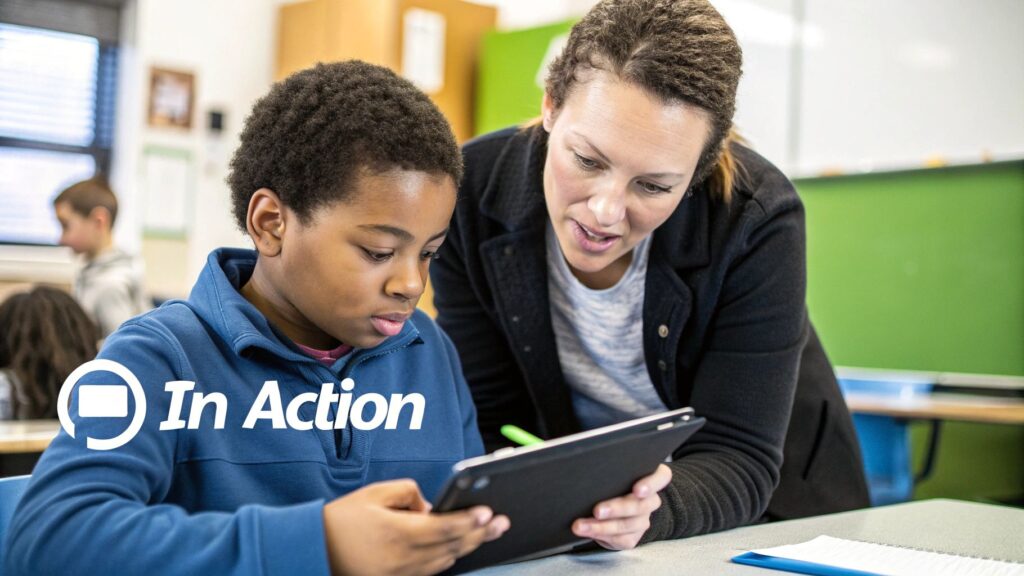
It’s one thing to talk about features and algorithms, but it’s another thing entirely to see how this tech actually plays out in the real world. So, let’s get out of the weeds of theory and look at how this stuff works on the ground.
I want to share a couple of stories that show just how versatile adaptive learning software can be. These examples really drive home how the same core idea of personalization can solve completely different problems, whether you’re in a third-grade classroom or a corporate boardroom.
Case Study: A K-12 School District
I once spoke with a curriculum director from a mid-sized school district wrestling with a classic problem: widely varying math skills in their elementary and middle schools. Teachers were stretched thin, trying to help students who were falling behind while somehow keeping their advanced kids engaged. It was a constant balancing act, and pretty much everyone felt like they weren’t getting the attention they needed.
They decided to pilot an adaptive learning platform for their math curriculum. The results were pretty remarkable.
Students who were once anxious about math started to actually build confidence. The software zeroed in on their specific knowledge gaps, maybe it was fractions or long division, and served up targeted practice until they mastered it. This meant they could walk into the main class feeling prepared instead of lost.
Meanwhile, the high-achievers weren’t bored anymore. They could accelerate through concepts they already knew and move on to more complex problems that kept them challenged. The teacher’s role completely shifted from lecturing to the middle of the class to becoming more of a coach, using the software’s dashboard to pull small groups for targeted support.
The real win wasn’t just better test scores, though those did improve. The bigger victory was the shift in the classroom atmosphere. Frustration was replaced by a focused, confident environment where every student had a clear path forward.
Case Study: A Large Corporation
Now, let’s flip the script and look at a large financial services company. They had a totally different headache: delivering mandatory (and often tedious) compliance training to thousands of employees spread across the country. Their one-size-fits-all annual training was a massive time-sink. Veteran employees were bored to tears, and new hires were often completely overwhelmed.
They brought in an adaptive learning system to handle the training. The platform started everyone with a pre-assessment to figure out what they already knew.
An employee who’d been with the company for a decade and aced the pre-test might only need a 20-minute module on recent policy updates. Simple. But a new hire who struggled with the assessment would get a comprehensive training path that covered all the fundamentals from the ground up.
This approach saved the company thousands of hours in lost productivity. More importantly, it made the training far more effective by focusing each person’s time on exactly what they needed to learn. It’s a perfect example of how adaptive learning can be a key part of a powerful microlearning strategy.
The rapid adoption in both schools and businesses is fueling some serious growth. The global market for adaptive learning software is projected to rocket from $4.01 billion in 2024 to $4.79 billion in 2025, a jump of nearly 20% in a single year. This boom is a direct result of the growing demand for personalized education and the massive expansion of online learning. You can read the full research about edtech market trends to see just how fast things are moving.
How to Choose the Right Software for Your Needs

Ready to start looking at adaptive learning software? It can feel like a huge decision, but if you break it down into a few key steps, the whole process becomes a lot less intimidating. The goal here is to find a tool that fits your unique situation like a glove, not just to buy software.
The single most important thing you can do is start with your people. Who are you actually trying to teach? The needs of a third-grade classroom are worlds apart from those of a corporate sales team that needs professional development.
Get specific. Think about their current knowledge levels, how comfortable they are with technology, and what actually motivates them. A platform that’s a game-changer for one group could completely fall flat with another.
Define Your Core Learning Goals
Once you have a crystal-clear picture of your learners, you have to define what success actually looks like. What do you want them to be able to do after using this software?
Are you trying to bump up standardized test scores? Improve on-the-job performance? Or maybe just get new hires ramped up faster? Your goals are your compass. If your main objective is certifying employees on safety protocols, you’ll need a platform with rock-solid assessment and reporting. If it’s about fostering creativity, you’ll want more flexible, project-based tools.
Key Questions to Ask Vendors
With your learners and goals locked in, you’re ready to start evaluating platforms. It’s easy to get distracted by flashy features, but you need to stay focused on what really matters.
Here are the critical questions to ask:
- Does it align with our curriculum? The best software should support your existing educational framework, not force you to overhaul it.
- How easy is it to use? A powerful tool is totally useless if teachers and students find it confusing. Always ask for a demo and click through it yourself.
- What does customer support look like? When you hit a technical snag, and you will, you need to know that a real, helpful person is on the other end of the line.
- Does it fit our budget? Look at the whole picture: the initial price, plus any ongoing subscription or maintenance fees.
The selection process is about finding the best software for your specific context. A perfect fit for one organization could be a terrible one for another.
This process has a lot in common with choosing a Learning Management System (LMS). If you’re looking for more general advice on platform selection, our guide on how to choose an LMS offers a great framework that can help here, too.
Finally, before you even think about signing a long-term contract, insist on a pilot program. Testing the software with a small, representative group of your actual users is the best way to see how it performs in the real world. This small-scale test will give you priceless feedback and ensure you’re making a confident, informed decision.
Got Questions About Adaptive Learning? You’re Not Alone.
Whenever I talk about adaptive learning, a few questions always bubble to the surface. It’s a big topic, and it’s totally normal to have some lingering thoughts. Let’s tackle the most common ones head-on and clear things up.
Is This Tech Going to Replace Teachers?
Honestly, this is the biggest one I hear, and the answer is a hard no. Thinking adaptive learning will replace teachers is like thinking calculators made mathematicians obsolete. It just doesn’t work that way.
The real goal here is to give teachers superpowers. The software takes on the monotonous, time-sucking tasks of tracking individual progress and assigning personalized practice drills. This frees up educators to do what they do best, the deeply human work a machine could never touch.
Think about it: they get more time for leading rich class discussions, mentoring a student through a tough spot one-on-one, or guiding a complex group project. The goal is to amplify their impact, not automate them out of a job.
Is Adaptive Learning Just for K-12 Kids?
Not even close. While it’s definitely a game-changer in the K-12 world, adaptive learning software has found a home in all sorts of places. Universities, for example, often use it in massive first-year courses to level the playing field for students coming in with wildly different high school backgrounds.
And in the corporate world? It’s a huge deal for employee training. Companies use it for everything from getting new hires up to speed to rolling out complicated compliance training. Any situation where you have a group of people starting with different levels of knowledge is a perfect scenario for this kind of personalized approach.
The core idea is universal. Adaptive learning is about closing knowledge gaps as efficiently as possible, whether that gap is in a third-grade math lesson or a professional development program for seasoned engineers.
How Hard Is It to Actually Implement This Stuff?
This is a classic “it depends” question, but the good news is that modern, cloud-based platforms are a world away from the clunky, rigid systems of the past. Getting started is much easier than you might think.
The secret to a smooth rollout comes down to the human-centered planning you do beforehand, not just the technology itself.
A successful launch almost always boils down to a few key steps:
- Getting buy-in from your team: You need to make sure the instructors who will live in this tool every day are excited and feel supported.
- Providing solid training: Showing educators how to actually use the dashboards and make sense of the data is absolutely critical.
- Checking for compatibility: Does it play nice with your existing tools, like your Learning Management System (LMS)? You have to ask.
If I can offer one piece of advice, it’s this: start small. Run a pilot program with a single department or even just one enthusiastic teacher’s class. It’s the best way to kick the tires and spot any potential roadblocks before you go all-in. This approach lets you learn and adjust, making the final, full-scale launch a much smoother ride for everyone.