Choosing the Best Employee Onboarding LMS Solutions for 2026
Employee Onboarding LMS Solutions are special platforms built to automate and standardize how you bring new hires into your company. They act as a central spot for everything a new employee needs to learn, from company culture to job-specific skills. This makes sure everyone gets a consistent, engaging start.
Why an LMS Is Crucial for Modern Onboarding
Let’s be real, first impressions matter. A lot. A messy, disorganized onboarding experience can make a new hire feel lost and unimportant right from day one. That’s where a dedicated Learning Management System, or LMS, completely changes the game. It is so much more than just a digital folder for paperwork.
An LMS gives you the power to create a structured, engaging journey for every new team member. I like to think of it as a guided path that helps them get up to speed quickly and feel like they truly belong. It solves some of the most common onboarding headaches I’ve seen time and time again.
- Ends Inconsistent Training: It guarantees that an employee in one department gets the exact same core training as someone in another. No more “luck of the draw” experiences based on their manager.
- Provides Clear Progress Tracking: You can easily see who has completed required training and who might need a little extra support. This takes all the guesswork out of the process.
- Frees Up Your Team’s Time: By automating the repetitive stuff, you free up HR and managers to focus on the human side of onboarding, like mentorship and genuine team integration.
Moving Past Manual Methods
To really get why an LMS is so critical, it helps to understand the full scope of modern onboarding. This employee onboarding checklist is a great resource. It highlights all the steps that become so much easier to manage with the right system in place.
Manually juggling spreadsheets, emails, and endless documents for each new person just doesn’t scale. It’s incredibly time-consuming and riddled with errors that can easily ruin a new hire’s first week.

A modern LMS is a connected ecosystem where content, user data, and reporting all work together to create a seamless experience.
The growth in this space is massive for a reason. The global LMS market is projected to skyrocket from USD 28.58 billion to USD 123.78 billion by 2033. Already, 40% of Fortune 500 companies use these systems for employee education. This isn’t a passing fad. It is a fundamental shift in how smart companies welcome and develop their talent.
Defining Your Must-Have LMS Onboarding Features
Not all learning management systems are created equal, especially when you’re tasking one with the critical job of welcoming new hires. Before you start sitting through demos or talking to sales reps, you need a rock-solid checklist of what your onboarding program actually needs to succeed.
Let’s cut through the noise and build that list. Certain features are completely non-negotiable for creating an onboarding journey that feels smooth and effective. These are the core functions that do the heavy lifting, making sure every new person gets a consistent, clear path forward from day one.
Without these foundational pieces, you’ll find yourself patching things together with spreadsheets and a never-ending chain of emails. Those are the very things you’re trying to escape. The goal is to build a system that practically runs itself, freeing up your team for the human side of onboarding, like mentorship and genuine team integration.
The Absolute Must-Haves
To start, let’s focus on the essentials. These are the features that directly impact the efficiency of your program and, more importantly, the new hire’s experience.
- Automated Learning Paths: You need the ability to design a step-by-step journey that automatically assigns training, tasks, and check-ins based on a new hire’s role, department, or start date. This is how you guarantee no one falls through the cracks or misses crucial information.
- Real-Time Progress Tracking and Reporting: It’s vital to see exactly where new hires are in their journey. Good reporting helps you spot who’s flying through and who might be stuck, allowing managers to step in and offer support before someone gets frustrated.
- Centralized Content Library: You need one, and only one, place to house all your onboarding materials. From welcome videos and policy documents to software tutorials and compliance modules, a central library makes it simple to keep everything up-to-date and accessible for everyone.
- Mobile Accessibility: Let’s be realistic. In their first few days, new hires will be accessing information on the go. A platform that works seamlessly on a phone isn’t a luxury anymore. It is a baseline expectation for a modern workforce.
A well-structured onboarding program is all about making new hires feel welcome and prepared from day one. Research shows this dramatically reduces the stress and anxiety that can lead to early turnover.
Features That Elevate the Experience
Once the essentials are locked in, you can look at features that transform a good onboarding experience into a great one. These tools are all about making the process more engaging, interactive, and connected. They help new hires feel like part of the team in days, not weeks.
This is where you build community and make learning feel less like a chore. Organizations that get this right see a real impact on engagement and retention. Consider this: a recent survey found that 44% of new hires have second thoughts after starting a new job. A genuinely positive and connected first week makes all the difference.
Here are a few game-changing features to look for:
- Gamification Elements: Things like points, achievement badges, and leaderboards can turn mandatory training from a checklist into a challenge. It’s a small touch that can have a surprisingly big impact on motivation.
- Social Learning Tools: Look for built-in discussion forums, direct messaging, or dedicated groups where new hires can ask questions and connect with peers, mentors, and managers. This is how you foster the informal connections that make a new workplace feel like home.
- Surveys and Feedback Collection: The ability to gather feedback at key milestones (think day 1, day 30, and day 90) is invaluable. It shows new hires you care about their experience and gives you the hard data you need to continuously improve your process.
Comparing the Different Types of Onboarding LMS
Okay, you’ve got your list of must-have features. Now, let’s look at the different kinds of platforms out there. The market for Employee Onboarding LMS Solutions can feel a bit crowded, but the options generally fall into three main buckets. I’m going to break them down for you.
We’ll compare dedicated onboarding platforms against all-in-one corporate learning systems. We’ll also see where HR Information Systems (HRIS) with built-in training modules fit into the picture. Each one has its own vibe and is built for a different kind of company.
Dedicated Onboarding Platforms
Think of these as specialists. They do one thing, and they do it exceptionally well. Their entire focus is on creating a polished, engaging experience just for new hires during their first few weeks or months.
A dedicated platform is often laser-focused on user experience. They know that a new hire’s first impression is everything, so they design their software to be incredibly intuitive and welcoming. If your top priority is to “wow” new employees from day one with a seamless digital journey, this is probably your best bet.
- Best For: Companies obsessed with the new hire experience and brand consistency.
- Key Strength: Unmatched user interface and features specifically designed for the onboarding window, like automated welcome messages and new hire portals.
- Potential Limitation: These platforms might not cover ongoing employee training or long-term development.
A specialized onboarding tool often shines when it comes to the little details. Think pre-boarding portals that get people excited before their first day or features that connect new hires with a “buddy” or mentor automatically.
All-in-One Corporate LMS
This is the generalist approach. An all-in-one or enterprise learning management system handles onboarding, but it also manages all other company training. This can include compliance, leadership development, and skills-based learning for existing employees.
For companies looking for a single source of truth for all learning, this is a very practical choice. You get one system to manage, one vendor to pay, and a consistent learning environment for an employee’s entire lifecycle. For a deeper dive, check out our detailed guide on what to look for in an enterprise learning management system.
- Best For: Larger organizations or companies with established, ongoing training programs for all employees.
- Key Strength: Scalability and the ability to manage the entire employee learning journey from day one to year ten.
- Potential Limitation: The onboarding module might feel less specialized or more “corporate” than a dedicated tool.
HRIS Platforms with LMS Modules
Finally, some companies find a training module within their existing HRIS is good enough. Systems like Workday, BambooHR, or Oracle often have add-on learning capabilities. This is all about convenience.
The biggest plus here is integration. Since the LMS is part of your HR system, employee data, roles, and reporting are already connected. This can save a ton of administrative work. However, the features are often lighter and less flexible than a standalone LMS. It’s a trade-off between power and convenience.
The employee onboarding software market is booming. It’s expected to grow from USD 1,257.61 million to USD 1,967.18 million by 2032. Large companies often prefer scalable, integrated solutions like these because they simplify the tech stack.
A Practical Comparison of Onboarding LMS Types
Here’s a straightforward look at the three main kinds of LMS solutions for onboarding. This table highlights their ideal use cases, core strengths, and what to watch out for. This should help you quickly pinpoint which category makes the most sense for your company’s unique needs.
| Solution Type | Best For | Key Strengths | Potential Limitations |
|---|---|---|---|
| Dedicated Onboarding | Companies prioritizing a world-class new hire experience and brand impact. | Unmatched user interface, pre-boarding features, and engagement tools tailored to new hires. | Limited scope; usually doesn’t cover ongoing training or broader talent development. |
| All-in-One Corporate LMS | Larger organizations needing a single system for all employee training. | Scalability, manages the entire learning lifecycle, centralizes reporting and content. | Onboarding features can be less specialized and might feel more generic or “corporate.” |
| HRIS with LMS Module | Businesses that value convenience and tight integration with HR data. | Seamless data sync for users and reporting, one vendor to manage, simplified tech stack. | Often has lighter features, less flexibility, and a less engaging user experience. |
Ultimately, the right choice comes down to your priorities. Are you optimizing for the new hire experience, long-term learning management, or administrative simplicity? Answering that question will point you in the right direction.
A Practical Framework for Evaluating Your Options
Okay, you’ve done the hard work of researching and have a shortlist of potential Employee Onboarding LMS Solutions. Now for the fun part, making the actual decision. This is where you need a simple, consistent way to grade each platform.
This is about getting a real feel for what the software will be like for your new hires and how practical it will be for your team to manage day in and day out. I’ll walk you through a clear framework to help you evaluate vendors and find a true long-term partner, not just a software provider.

Building Your Scoring System
To compare platforms without getting lost in sales-speak, I suggest using a simple scoring system. For each of the core areas below, rate the vendor on a scale of 1 to 5, where 1 is “poor” and 5 is “excellent.” This gives you a data-driven way to see which option really rises to the top.
- New Hire User Experience (UX): How intuitive and welcoming is the platform for someone on Day 1? Think mobile-friendliness, easy navigation, and whether it’s visually engaging or just another corporate portal.
- Administrator & Content Creator Experience: How much of a headache will this be for your HR team or managers? Look at how simple it is to build learning paths, upload content, and pull reports. A clunky backend is a dealbreaker.
- Integration Capabilities: Does it play nicely with your existing HRIS, payroll, and communication tools like Slack or Microsoft Teams? Manual data entry is a massive time-sink you want to avoid.
- Reporting & Analytics: Can you easily track what actually matters? Think completion rates, time-to-productivity, and new hire feedback. If you can’t measure it, you can’t improve it.
- Vendor Support & Partnership: What does their support model really look like? Do they offer dedicated help with implementation and ongoing training? Remember, you’re buying a partnership, not just software.
The Demo Is Your Proving Ground
The sales demo is your single best chance to see the software in action and ask some tough questions. Don’t let the sales rep run the show. Come prepared with specific scenarios that matter to your company.
Ask them to show you exactly how a new sales hire’s learning path would differ from a new engineer’s. Or, have them walk you through pulling a report on which of a manager’s direct reports are behind on compliance training.
The most telling part of a demo isn’t what the salesperson shows you, but what they can’t. If they fumble when trying to demonstrate a core workflow or dodge a direct question about integrations, that’s a huge red flag.
Key Questions to Uncover the Truth
During your demos and follow-up calls, make sure you get straight answers to these critical questions. How they respond will tell you a lot about the product and the company behind it.
- “Can you walk me through your implementation and training process for our team?” This uncovers how much support you’ll actually get during the make-or-break setup phase.
- “What is your product roadmap for the next 12 months?” This shows if they are actively investing in improving the platform, especially in areas you care about.
- “Could you connect us with a current client in a similar industry or of a similar size?” Talking to a real user is the best way to get an honest, unfiltered review of their experience, good and bad.
This methodical approach helps you cut through the flashy sales pitches and make a decision you’ll be happy with a year from now. If you want to dig deeper into this process, you can find more helpful tips in our guide on how to choose an LMS.
Planning a Smooth LMS Implementation
Picking the perfect tool is a huge step, but a successful rollout is where the magic really happens. A great platform can fall flat without a solid plan. Here, I’ll share a practical implementation guide. I’ll break the entire process into easy-to-follow phases to make sure your launch goes off without a hitch.

The focus here is about the people who will be using it every day. A smooth transition involves careful planning, clear communication, and getting everyone on board from the very beginning.
This approach helps you sidestep the common implementation headaches I’ve seen derail perfectly good software launches. The goal is to make your new Employee Onboarding LMS Solution a hit from day one.
Phase 1: Pre-Launch and Content Migration
Before anyone even logs in, there’s some important groundwork to do. This first phase is all about setting up the backend and getting your content ready. Think of it as preparing the stage before the show begins.
First up, you’ll work with your vendor to configure the system. This means dialing in the details like custom branding, user roles, and permissions. You want new hires to see your company’s logo and colors, not the vendor’s.
Next is content. You likely have a mix of existing documents, presentations, and videos. Now is the time to gather, review, and organize everything for migration. It’s also a great chance to spot any content gaps that need to be filled before you go live.
- Audit Existing Materials: Go through all your current onboarding content. Be ruthless. Decide what to keep, what to update, and what to get rid of completely.
- Format for the LMS: Some content might need a makeover to work best in the new system. That long PDF? It might be more effective as several bite-sized microlearning modules.
- Create New Content: Fill in the gaps you identified. This could be anything from a new welcome video from the CEO to interactive quizzes on key policies.
Phase 2: Training the Trainers and Stakeholder Buy-In
With the system taking shape, it’s time to focus on your internal team. Your managers and HR staff are the champions of this new process. If they aren’t confident using the LMS, your new hires won’t be either.
Start by holding dedicated training sessions for managers. Show them exactly how to track their new hires’ progress, pull reports, and use the platform’s social features to engage with their team. You need to give them the tools to be effective guides.
Getting buy-in from key stakeholders is just as crucial. Leaders across the company need to understand why this new system is a big step forward. Share data on how it will improve time-to-productivity and reduce that painful early turnover.
Explain how the LMS will save managers time and give new hires a more consistent, less stressful start. This turns stakeholders into vocal supporters.
Phase 3: The Pilot Program and Launch
You wouldn’t launch a new product without testing it first, and your onboarding process is no different. Running a pilot program with a small, controlled group of new hires is one of the most important steps you can take.
Select a handful of new employees from different departments to be your test group. Let them go through the entire onboarding journey in the LMS, and ask for their honest, unfiltered feedback along the way. What was confusing? What felt clunky?
This pilot phase is your chance to catch any awkward workflows, unclear instructions, or technical bugs before you roll it out to the entire company. Use their feedback to make final tweaks and polish the experience. Once you’ve ironed out the kinks, you’re ready for the company-wide launch.
Measuring Onboarding Success with Your LMS
So, you’ve invested in one of the top Employee Onboarding LMS Solutions. How do you actually know if it’s working? The proof is in the data. Getting the platform is just step one. Proving its value requires a smart approach to analytics.
This is where you connect your training efforts to real business outcomes and show leadership a clear return on investment. It’s time to move beyond simple completion rates and dig into the metrics that truly reveal the impact on your organization.
Key Metrics to Track in Your LMS
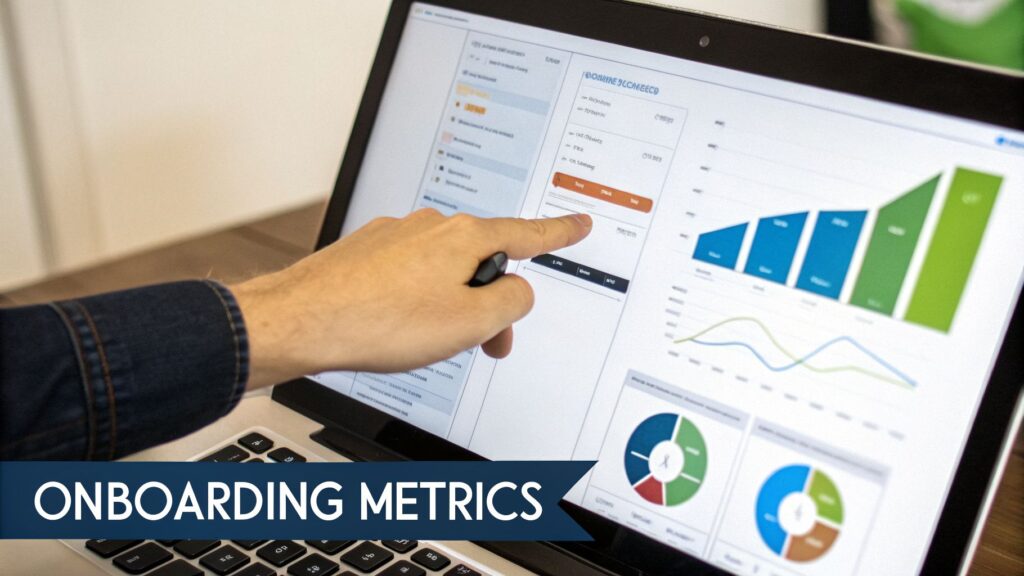
Your LMS is a goldmine of data. The trick is focusing on the numbers that tell a compelling story about your program’s effectiveness. Basic metrics are a decent starting point, but they barely scratch the surface.
Here are the data points I recommend building your success dashboards around:
- Time to Productivity: How long does it take for a new hire to start hitting their performance targets? A solid onboarding program should shrink this window. You can track this by correlating LMS module completion data with actual performance data from your HRIS or sales platform.
- Module Engagement and Drop-Off Rates: Which training modules are new hires actually engaging with? Where are they losing interest or getting stuck? This data is your roadmap for refining specific pieces of content.
- New Hire Feedback Scores: Use your LMS to automate surveys at key milestones, think end of week one, after 30 days, and at the 90-day mark. This qualitative data gives you a ground-level view of the new hire experience.
The most powerful data creates a direct line between your onboarding activities and business goals. When you can walk into a meeting and say, “Our new onboarding process reduced time-to-productivity for sales reps by 18%,” you’re speaking the language of leadership.
Building Dashboards to Monitor Progress
A great LMS makes it easy to visualize this information without needing a data science degree. Most modern platforms have customizable reporting widgets you can drag and drop into a dashboard.
Start by creating a primary onboarding dashboard that shows your most important metrics at a glance. I suggest a mix of leading and lagging indicators. Leading indicators, like quiz scores and engagement levels, can help predict future success. Lagging indicators, such as retention rates, show the results of past efforts.
To really get ahead of the curve, you can incorporate the principles of predictive analytics in HR to gain invaluable foresight into employee performance and potential turnover.
Connecting Onboarding to Long-Term Retention
Ultimately, the biggest win for any onboarding program is better employee retention. High turnover in the first 90 days is a massive drain on resources, budget, and morale. A well-executed onboarding process is one of your most effective weapons against it.
Track your 90-day retention rate for new hires who went through the LMS-powered program. If you have historical data, compare it to the retention rate of those who didn’t. This is one of the most persuasive stats you can present to any stakeholder.
By focusing on these metrics, you’ll move from simply managing onboarding to strategically optimizing it. Your LMS becomes more than just a training tool. It’s a data-driven engine for building a stronger, more committed workforce from day one.
Common Questions I Hear About Onboarding LMS Solutions
When you’re deep in the process of choosing an LMS, a few key questions always seem to pop up. Let’s tackle some of the most common ones I hear from HR leaders and founders. My goal is to give you straightforward, real-world answers so you can move forward with confidence.
How Long Should Onboarding with an LMS Take, Really?
This is a big one, and it gets to the heart of what modern onboarding is all about. While a traditional orientation might be a day or two, a proper onboarding journey supported by an LMS needs a much longer runway. You’re trying to fully integrate a new person into your company’s culture and their specific role.
Most HR pros who have been through this a few times land on a sweet spot of at least 90 days. This gives new hires enough time to actually absorb information, build real relationships, and start hitting their stride without feeling like they’re drinking from a firehose. Anything shorter just scratches the surface and misses the real opportunity to build long-term commitment.
The biggest mindset shift is seeing onboarding as a guided, extended journey. Your LMS should be built to support a new hire through their entire first quarter, with content, check-ins, and feedback loops paced out logically.
Is an LMS Just for Big Companies?
Not at all. In fact, a small business can feel the positive impact of an LMS even faster. When you don’t have a big HR team, automation is your best friend. An LMS guarantees every single new hire gets the same consistent, high-quality welcome. This is something that’s nearly impossible to pull off manually when everyone is already wearing multiple hats.
It also sets you up to scale gracefully. As your team grows from five people to fifty, your onboarding process grows right along with it without anything breaking or falling through the cracks. That small investment upfront saves you countless hours and prevents the kind of costly hiring mistakes that can really sting a small business.
What’s the Real Difference Between Onboarding and Orientation?
People mix these up all the time, but they are fundamentally different things. The easiest way to think about it is this:
- Orientation is a short-term event. It’s the “welcome wagon” part that typically happens in the first few days. It’s about getting the essential paperwork done, making initial introductions, and sorting out the basics like getting a laptop and logins.
- Onboarding is the long-term process. It’s the entire strategic journey of turning a promising new hire into a fully integrated, productive, and culturally aligned team member. It’s about performance, connection, and confidence.
Your Employee Onboarding LMS Solution is designed to manage that entire, long-term onboarding process. And yes, it absolutely handles all the logistics and content delivery for that initial orientation week, too.