Learning Management System for Employee Training

A compliance deadline is six weeks away, about 400 people still need the course, and the only tracker is a spreadsheet with half the rows blank. If that is your week, you are already shopping for a learning management system for employee training. I would judge any platform by two things vendors rarely put on the same slide. Does finished training change Monday's work, and how many admin hours will your team spend to prove it?
Employee Training LMS Options at a Glance
That spreadsheet usually breaks the same way. Someone finishes on a phone, nobody updates the row, and the audit file is a guess. Training magazine's 2025 Training Industry Report found that 89% of organizations used a learning management system in 2025, so the live question is which kind fits your team.
The CIPD 2020 Learning and Skills at Work survey of 1,217 learning and development professionals found that 31% of smaller employers reported using no learning technology, compared with 13% of larger employers. If you are small, a simple first system usually beats a heavy one. An LMS is one layer in a wider mix. In that survey, webinars or virtual classrooms were used by 36% of organisations, ahead of learning management systems at 27%.
| Team size | Start with | Biggest risk |
|---|---|---|
| Under 50 people | A lightweight cloud LMS with templates | Paying for enterprise workflow you will never configure |
| 50 to 250 people | Mid-market software with HR sync | Admin hours hidden behind a low per-user rate |
| 250 people and up | A platform with reporting, single sign-on, and audit history | A long rollout that misses the deadline |
| Technical team that needs full control | Self-hosted open source such as Moodle with a support partner | Ongoing hosting, patching and upgrade time |
Read the row for how you work this year, not the company you hope to be later. If the biggest risk is staff time you do not have, cross that option off before any demo.
Core Features and Deployment Models Explained
Skip the marketing grid and test eight jobs the software has to do.
Assign by role or department so a new warehouse hire does not get the finance pack. Auto-enroll when someone joins or changes jobs. Due dates and recertification reminders should fire without a manual chase. Certificates need expiry dates. You need completion and score reports, a mobile app for people who are not at a desk, and manager dashboards that show who is behind. You also need a clean way to add outside content, because almost nobody builds every course in house.
The 2024 report from the Texas Department of Information Resources describes learning management systems as software that develops, administers, delivers, and tracks training. I use that sentence as the demo test. Among Texas state agencies, the share using, developing, or considering an LMS rose from 49% in 2022 to 53% in 2024, and 94% used third-party online training. Your platform has to track mixed content, not only courses you wrote.
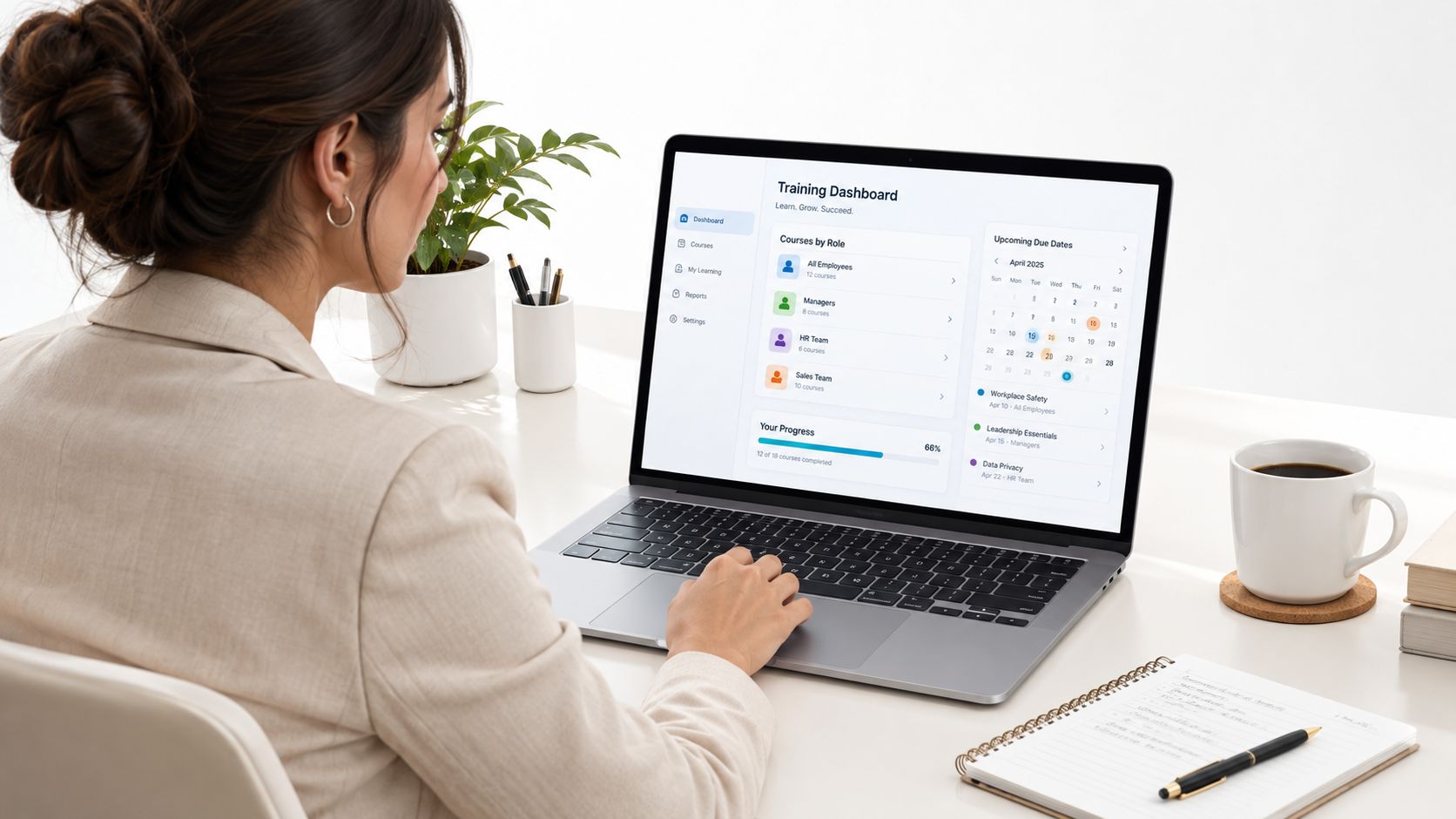
Three deployment models
Multi-tenant SaaS launches fastest because the vendor runs updates. Your data sits on a shared platform, so ask where it is hosted.
Single-tenant hosting gives a dedicated instance and fewer shared limits. It suits strict data rules and costs more.
Self-hosted open source has no core license fee. Your IT team owns servers, backups, patches, and upgrades. Count that time before you call it cheap.
| Deployment model | Who runs updates | Cost shape | Data control | Typical fit |
|---|---|---|---|---|
| Multi-tenant SaaS | Vendor | Monthly or annual subscription per user or tier | Shared platform, so check hosting region | Teams that want the fastest launch |
| Single-tenant hosted | Vendor, on a dedicated instance | Higher subscription with fewer shared limits | Dedicated environment | Regulated employers with strict data rules |
| Self-hosted open source | Your IT team | No core license fee, but server, backup and staff time | Full control | Teams with technical staff and custom needs |
Ask who gets paged when the platform is down at 9 a.m. on a Monday. If the answer is your own on-call person, that is a staffing cost, not a feature.
Standards and Integrations That Decide Compatibility
Standards determine whether training data can move beyond the course player. SCORM 1.2 and SCORM 2004 remain practical baselines for packaged compliance and e-learning. They typically track completion, score, and time spent in a course. That can be enough for an older policy library, while reducing the risk of replacing existing packages.
xAPI records actor, verb, and object statements from mobile, offline, and on-the-job activity, then sends them to a Learning Record Store. For programs that need to connect learning with real work, xAPI is the stronger fit because it captures activity in those settings. cmi5 is an xAPI profile designed for LMS launches and completion, allowing a gradual move from SCORM. Read this comparison of SCORM and xAPI before treating them as interchangeable checkboxes. Ask whether the vendor lets you access and use xAPI events outside its course player.
Integrations determine whether the LMS fits daily operations. Single sign-on removes a separate password. HRIS sync should enroll new hires and remove departing employees. API access should send completion data to the reporting tool your team already uses. A connection that requires manual exports can add recurring admin work, even when the platform supports the right standard.
Run this test before you sign
- Import one real SCORM package from your current library, not a vendor sample.
- Close the browser mid-course and confirm the learner can resume at the right screen.
- Check the score in the admin report, not only on the learner's screen.
- Export one report and confirm someone outside the LMS can read it.
If the exported data cannot be used elsewhere, the LMS gives you a viewer, not a practical way to connect completed training with work.
What Employee Training LMS Software Really Costs
The list price is rarely the whole bill. Vendors sell per active user per month, per learner per year, flat platform tiers, or per-course bundles. The definition of an active user can move the invoice more than the rate does. Someone who logs in once, then goes on leave, may still count.
| Cost item | How it is billed | What pushes it up | Question to ask |
|---|---|---|---|
| Platform subscription | Per active user, per learner, or flat tier | Headcount growth and extra admin seats | How is an active user defined? |
| Content library | Included, per course, or per bundle | Off-the-shelf catalogs and translations | Are updates to bundled courses included? |
| Implementation and migration | One-time fee or included in higher tiers | Data cleanup and SCORM package import | Who performs the migration? |
| Integrations | Add-on module or API tier | HRIS, CRM and SSO connectors | Which connectors are native? |
| Support | Standard or premium tier | Faster response windows and named account managers | What response time is written into the contract? |
| Internal admin time | Staff hours per month | Manual enrollments and custom reports | How many hours a month will my team spend on enrollments and reports? |
| Self-hosted hosting and upkeep | Server, backup and patch work | Cloud hosting and IT labor | Who patches and tests upgrades? |
What the quote leaves out
Prices change, and many vendors quote by tier. Collect written quotes for the same headcount and the same integrations. A side-by-side look at how LMS pricing models stack up helps you line up those quotes before a sales call.
Say a 250-person company is quoted $6 per active user per month. That is about $18,000 a year before extras, and you should verify every dollar with the vendor. Add 40 new hires a year. If each needs about 3 hours for enrollment, reminders, and certificate checks, that is 120 hours. A monthly report that takes 4 hours adds 48 hours. At your internal rate, that admin line can rival the subscription.
Check the contract: renewal caps, overage rules, data export fees, and who owns the courses after you leave are often missing from the first quote.
How Vendor Types Compare on the Criteria That Matter
I compare types, not feature checklists. TalentLMS is the lightweight SaaS pick when a small team wants a fast setup. LearnUpon and Absorb sit in the mid-market, with stronger enrollment and admin tools. Docebo and Cornerstone are enterprise suites for large catalogs and HR-linked talent work. Moodle is the open source route when you have technical staff, want full control, and do not want a core license fee.
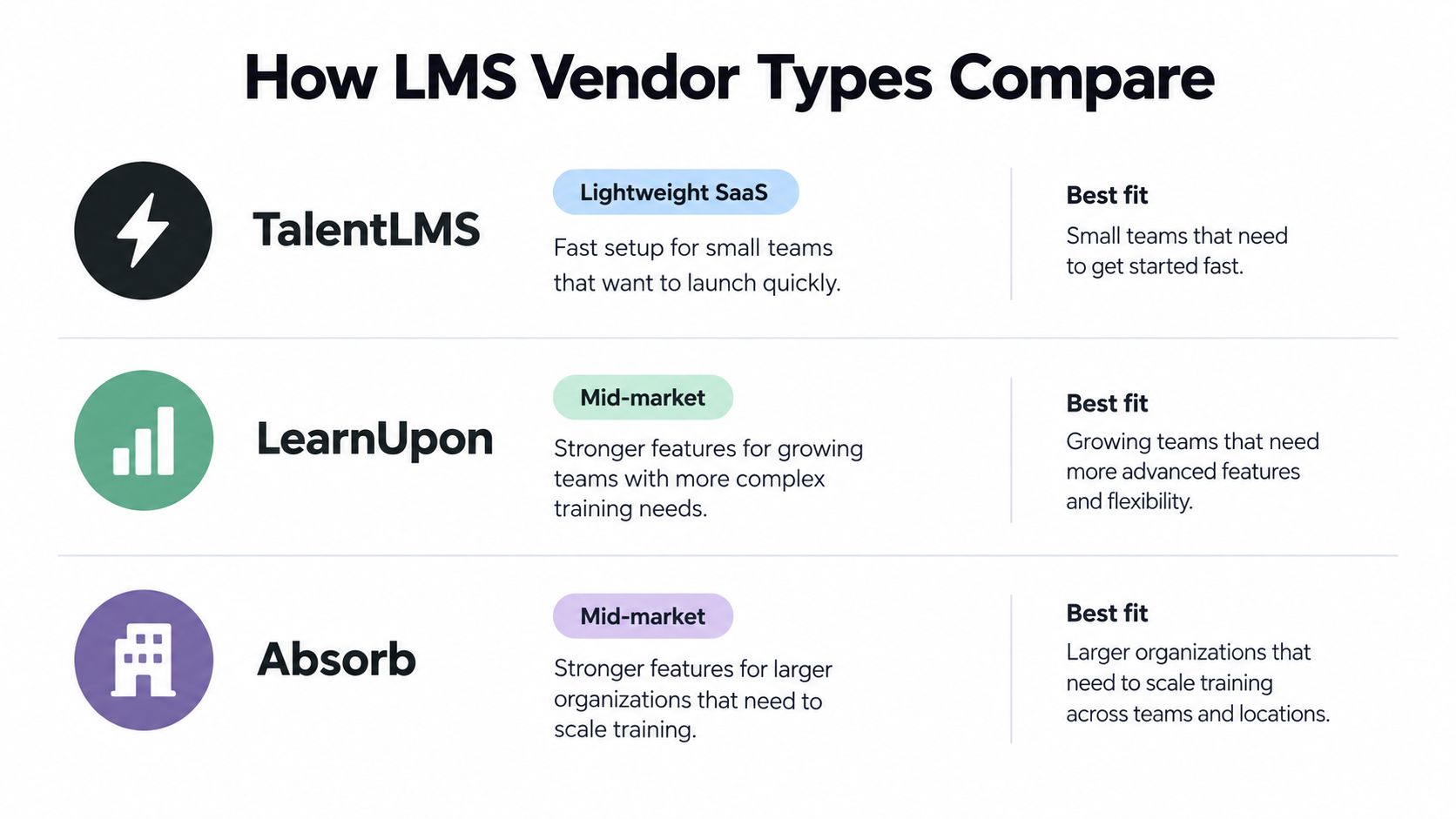
| Option | Best for | Main strength | Main trade-off |
|---|---|---|---|
| TalentLMS | Small teams that want quick setup | Easy to launch with little admin work | Less depth for complex enterprise workflows |
| LearnUpon | Mid-market teams training partners or customers | Strong integrations and enrollment flows | Fewer advanced talent-management tools |
| Absorb | Mid-market and growing enterprise L&D teams | Solid admin controls and learning tools | Higher cost and more setup than small-team tools |
| Docebo | Large enterprises with big catalogs and global rollouts | Scale and advanced automation | Heavier implementation and cost |
| Cornerstone | Enterprises tying training to talent and HR processes | Broad talent suite connected to HR data | Complex licensing and a longer rollout |
| Moodle | Technical teams wanting full control and no core license fee | Flexible, open source, large plugin ecosystem | You own hosting, upgrades and support |
Where the admin work shows up
Six things separate these in daily use. Admin effort per month, depth of reporting, mobile and offline access, localization, breadth of integrations, and vendor support. A long feature list can hide a clumsy enrollment screen.
Self-hosted Moodle wins on control and plugin choice. You can shape reports and keep data where you want them. You also own uptime, upgrades, and the person who fixes a broken plugin on a Friday.
Cloud SaaS wins on launch speed and someone else patching the servers. You give up some control, and a connector you assumed was included may be an add-on. I would rather pay for a native HR sync than spend a quarter building one.
The sharpest differences usually appear in the admin work each system creates, and that rarely shows up on a feature list.
Product lineups change. Test the shortlist yourself, on your courses, with your managers.
Use Cases That Change the Requirements
A night-shift supervisor sharing one tablet in a stockroom will not finish a 40-minute desktop module. Frontline and shift work needs mobile access, short modules, and login that survives a shared device. Offline download is useful. A desktop-only player is a warning sign.

A compliance-heavy employer in healthcare, food production, or finance needs an audit trail, certificate expiry, and version control. If clinical certificates come from an outside provider, you can coordinate certification training for your staff with ProMed Certifications and still keep completion proof in the LMS. No exportable completion report means you cannot defend the file.
A global team needs multiple languages, regional hosting, and examples that match local work. Machine translation as the only language option will get you complaints, not comprehension. A small L&D team needs templates, auto-enrollment, and simple reporting. If changing a course needs a consultant, the tool is too heavy. Start from a training needs assessment template so you buy for the gaps you have.
The AI skills gap
An AI and data skills program is judged by changed work, not a full catalog. People Management's report on UK HR leaders found that 97% said their organizations offered AI training, yet only 39% of employees had received it, and just 14% considered the training highly effective. I would fund role-specific practice, manager check-ins, and a measure of behavior. A stack of generic passive courses will not close that gap.
| Scenario | Must-have | Nice to have | Warning sign |
|---|---|---|---|
| Compliance-heavy employer | Audit trail, certificate expiry, version control | Automatic manager reminders | No exportable completion report |
| Frontline and shift workers | Mobile access, short modules, shared-device login | Offline download | Desktop-only course player |
| Global distributed team | Multiple languages, regional hosting, time zone scheduling | Local examples in course content | Machine translation as the only language option |
| Small L&D team | Templates, auto-enrollment, simple reporting | Built-in course library | Changing a course needs a consultant |
| AI and data skills program | Practice environments, task-linked assessment, manager check-ins | Usage data from work tools | A catalog of generic passive courses |
Pick Your LMS With a 30-Day Pilot
A pilot should measure changed work, not only completions. Feature tours will not tell you that.
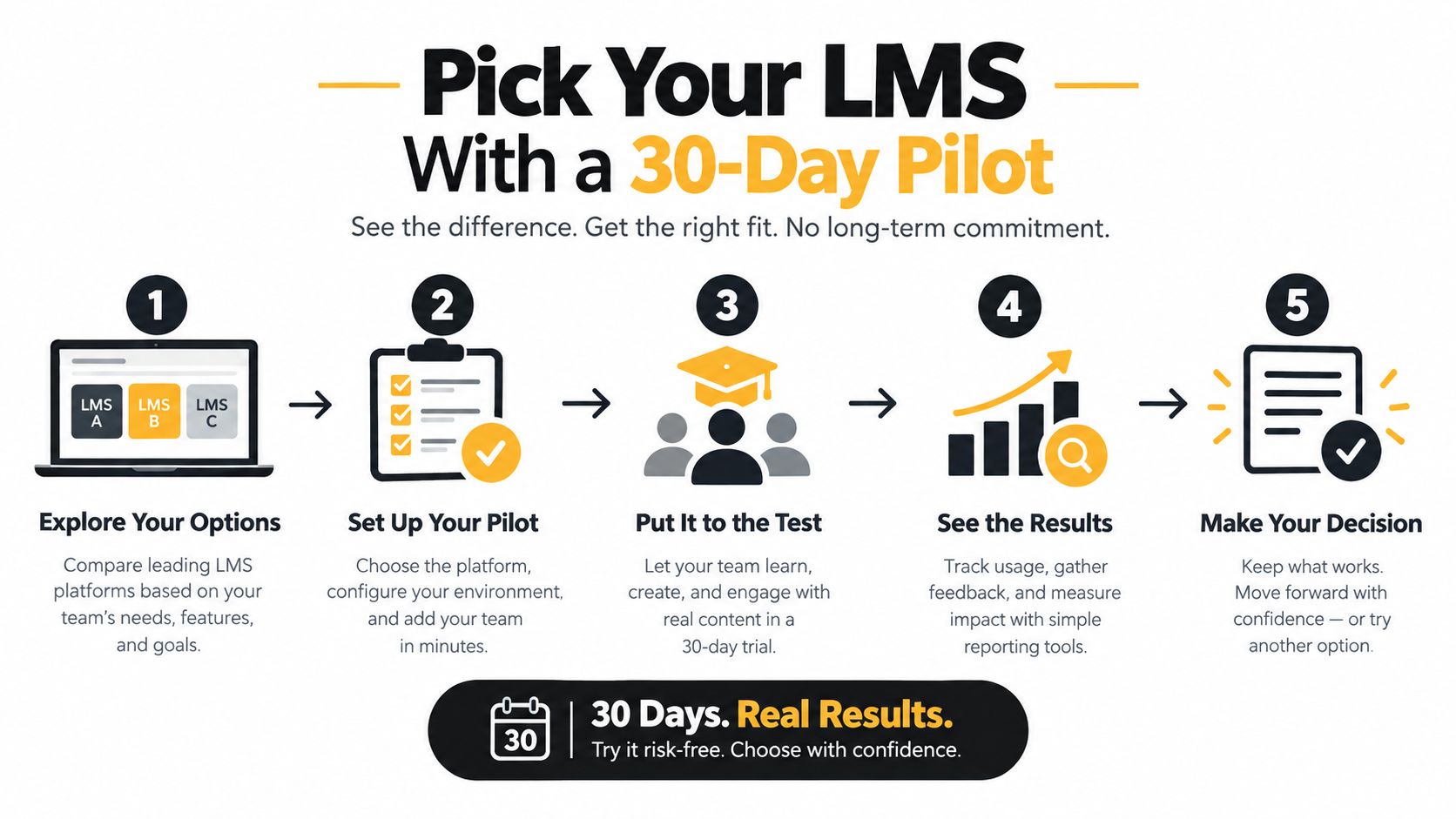
- Write three outcomes the training must change, such as error rates, tool use, or audit findings. If you cannot name them, you cannot score the pilot.
- Shortlist three options that match your team size. More than three and the month turns into demos.
- Run an acceptance test. Load a typical SCORM package, enroll people across locations, and submit assessments at the same time. Independent technical analysis of cloud-native LMS design treats peak load, reporting freshness, and a shared employee ID across HR and training as the proof that scale is real.
- Run 30 to 50 learners across roles and shifts for four weeks. Schedule short lessons plus prompts to apply the skill. A randomized workplace study of 122 employees found that prompt-based groups improved strategy use and individual goal achievement.
- Compare completions with scores and manager notes. A study of 90 bank employees found better quiz learning from microlearning, with no significant difference in behavior change (p = 0.115).
- Read the exit terms before you sign. Data export format and renewal caps belong in the decision, not in month thirteen.
Small teams should take the simplest system that passes. Growing teams should favor integrations and reporting. Global or regulated teams should put data control first, even if launch takes longer.
Quick Checklist
I use the same list before anyone signs. If a vendor will not answer a line in writing, they leave the shortlist.
- Name three work outcomes. Write the behavior you need, such as fewer audit findings or faster use of a tool. A completion percentage is not an outcome.
- Match the tool to this year's headcount. A talent suite built for a global HR team will bury two people in setup screens.
- Price the admin line. Ask how many hours a month enrollments, reminders, and one standard report will take. Put your hourly rate on that number before you compare subscriptions.
- Test one real course package. Import it, close the browser halfway, reopen it, and confirm the score lands in a report you can export.
- Check identity and HR sync. New hires should appear from the HR system, and leavers should lose access. One employee ID should match across training and HR.
- Try the hardest device. A shared phone, a weak connection, a night shift, and a screen reader beat a laptop in the L&D office.
- Ask who is on call Monday at 9 a.m. If it is your IT team, budget patching and backups. If it is the vendor, get the response time in the contract.
- Read the exit. Renewal caps, overage fees, export format, and course ownership should be on the quote.
- Put managers in the pilot. A short lesson plus a prompt to use the skill tells you more than a quiz. Ask the manager whether the behavior showed up that week.
- Walk away if a course edit needs a consultant. Templates and auto-enrollment matter more than a long feature grid when your team is small.
If the spreadsheet is already failing you, pick one work outcome, shortlist three tools that match your headcount, and run the 30-day pilot before the next renewal conversation. The LMS guides on LearnStream walk through pricing and course standards in more detail when you are ready to compare quotes side by side.