LMS Vs Training Management System: Which Is Best for Your Organization?
The whole “LMS vs. TMS” thing can get confusing fast. The terms sound so similar. I mean, learning and training are practically the same word, right? In the world of corporate education, though, they solve two completely different problems. Getting this right from the start saves a ton of headaches down the road.
At its core, the difference is simple. An LMS (Learning Management System) is built for the learner and their online content experience. A TMS (Training Management System) is built for the administrator and the back-office logistics of live training.
Understanding The Core Divide
Let’s unpack that, because the distinction has huge implications for what you can (and can’t) do with each system.
Think of a Learning Management System as your company’s online university. It’s the digital campus where you host e-learning courses, build quizzes, and track who has completed their mandatory compliance training. The entire system is designed to deliver digital content efficiently to a wide audience, wherever they might be.
This learner-focused, self-paced model is why the global LMS market is exploding. Projections show it rocketing to USD 104.04 billion by 2034, as detailed in a market analysis by Fortune Business Insights. The demand for scalable, on-demand learning is massive.
The TMS Focuses On Operations
On the other hand, a Training Management System is your operational command center. It doesn’t really care about the e-learning content itself. Instead, it’s obsessed with the administrative chaos of running instructor-led training (ILT) events, whether they happen in a physical classroom or a virtual one.
Imagine you’re running a commercial training business that offers professional certification bootcamps. A TMS is the tool you’d use to keep the lights on. It would be your single source of truth for things like this:
- Scheduling instructors without double-booking them.
- Managing registrations and processing attendee payments.
- Booking classrooms or managing virtual meeting links.
- Handling budgets and tracking the profitability of every single course.
It’s built for the training coordinator, the operations manager, and the person whose job is to keep all the logistical gears turning smoothly.
A simple way to think about it is that an LMS manages the learning content, while a TMS manages the business of training.
LMS vs TMS At a Glance
To make the distinction crystal clear, here’s a quick table breaking down the fundamental differences. This is the 30,000-foot view that separates one from the other.
| Aspect | Learning Management System (LMS) | Training Management System (TMS) |
|---|---|---|
| Primary Goal | To deliver and track online, self-paced learning content for users. | To manage the back-office logistics of instructor-led training. |
| Main User | The learner taking the course. | The administrator coordinating the training event. |
| Focus | Content delivery and individual learner progress. | Operational efficiency, resource management, and course profitability. |
| Use Case Example | An employee completing a cybersecurity course on their own schedule. | A training company scheduling trainers for a week-long, in-person workshop. |
Seeing them side-by-side like this really highlights where each system shines. One is all about the digital student experience, while the other is all about running a smooth, profitable training operation.
Comparing The Core Features Of Each System
Alright, let’s get into the nuts and bolts of what these systems actually do. The real difference between an LMS and a TMS isn’t just their philosophy. It’s the specific tools they give you. Understanding these features is what makes the right choice click into place.
We’ll start with the Learning Management System, since its features are all built around delivering a smooth online learning journey.
What An LMS Actually Does
The primary job of an LMS is to get your digital learning content into the hands of your learners and track what happens next. Think of it as the engine for your e-learning program, creating a self-contained digital classroom.
Its core functions revolve around the learner experience.
Course Creation and Content Hosting: This is the big one. An LMS gives you the tools to build courses or, more commonly, to upload existing materials like videos, PDFs, and interactive modules. It becomes the central library for all your learning resources.
Learner Progress Tracking: At a glance, you can see who has started a course, how far they’ve gotten, and whether they’ve passed the final quiz. This is absolutely essential for compliance and mandatory training scenarios.
Assessments and Quizzes: You can build automated quizzes and assessments to test knowledge. The system grades them instantly, giving immediate feedback to the learner and valuable data to you.
SCORM and xAPI Compliance: These are technical standards, but they’re important. They ensure that e-learning content created with authoring tools like Articulate 360 or Adobe Captivate will play nicely within your LMS and track learner data correctly.
For example, an HR manager might use the LMS to assign a new cybersecurity module to the entire company. The system automatically sends notifications, tracks completion rates, scores the final quiz, and generates a report showing who still needs to finish. The focus is entirely on the learner’s interaction with the digital content.
Of course, the platform is only half the battle. To make the most of your LMS, understanding how to create training materials that truly engage learners is paramount.
The core value of an LMS is its ability to scale learning. It lets you deliver a consistent training experience to 10 or 10,000 people without your administrative workload exploding.
What A TMS Actually Does
Now, let’s switch gears. If an LMS is a digital classroom, a TMS is the school’s administrative office. It isn’t built to manage the course content itself. It’s designed to manage the business operations around your training programs.
The features here are all about logistics, scheduling, and financial control. This is especially critical for companies that sell training as a product or manage complex, instructor-led programs. You can dive deeper into this in our guide to training management software.
Here’s what a TMS is built to handle:
Scheduling and Resource Management: This is the heart of a TMS. It manages instructor availability, books physical classrooms or virtual meeting rooms, and allocates resources like projectors or lab equipment. All while preventing scheduling conflicts.
Registration and Payment Processing: A TMS usually includes a public-facing course catalog with online registration and a shopping cart. It handles payments, sends invoices, and manages discounts or group bookings automatically.
Budgeting and Financial Reporting: You can track every cost tied to a training session, from instructor fees to venue rental. The system then helps you analyze the profitability of each course you offer.
Communication Automation: The platform automates key communications like registration confirmations, course reminders, and post-session follow-ups for feedback or certificates.
Imagine a professional certification company running a workshop. They use their TMS to see which instructors are available, book a conference room, and publish the event on their website. As people register and pay online, the TMS updates the roster, sends them a confirmation email, and adds the revenue to the course’s financial report. It’s all business, all the time.
Who Should Use An LMS And Who Needs A TMS
A platform is only as good as its fit for the user. Picking the right one really comes down to a single question. Is your main job delivering learning content at scale, or is it managing the business of training events?
Answering that is the biggest step you can take toward the right tool. Let’s break down who uses each system and why it works for them.
The Typical LMS User Profile
If your world revolves around getting digital content to learners efficiently, you’re probably in the LMS camp. These platforms are built for organizations that need to manage learning for large, often scattered groups without getting bogged down by schedules or physical locations.
I see a few common profiles who live and breathe inside an LMS.
Corporate L&D Teams: They’re on the hook for deploying mandatory compliance training, onboarding new hires consistently, and offering professional development courses to hundreds or thousands of employees. An LMS is what makes that kind of automated delivery and tracking possible.
Universities and Educational Institutions: From K-12 to higher ed, the LMS is the digital backbone of the institution. It’s where course materials live, online discussions happen, and assignments are managed for the entire student body.
Online Course Creators and Entrepreneurs: Anyone selling self-paced digital courses needs an LMS to host their content, handle user access, and process enrollments automatically. It’s the engine for their whole business model.
The common thread here is scale. An LMS gives these users the power to deliver a consistent learning experience to a massive number of people all at once.
The real value for an LMS user is the ability to manage the learner’s journey through digital content. It’s about delivering and tracking knowledge, not coordinating live events.
The numbers back this up. A staggering 83% of organizations use an LMS. Tech companies are the biggest adopters, making up 30% of the market. What’s really telling is that 65% of individual users are C-level execs, proving that top leadership sees the strategic impact of scalable learning. You can dig deeper into these LMS statistics and their impact.
The Typical TMS User Profile
Now, let’s flip the coin. A Training Management System is the command center for organizations whose main business is running instructor-led training, whether that’s in a classroom or a live virtual session. Their goal isn’t just content delivery. It’s operational excellence.
Here’s who I see relying on a TMS every day.
Professional Training Companies: These are businesses that sell training as a service. A TMS is their mission control for everything from managing public course catalogs and online registrations to instructor scheduling and financial reporting.
Certification Bodies: Organizations providing official certifications often have complex logistics. Think multi-day workshops, practical exams, and a roster of certified instructors. A TMS is what keeps all those moving parts in sync.
Corporate Departments with Heavy ILT Needs: Think of a large company’s sales enablement team or a manufacturing firm’s safety department. If they’re constantly running workshops, bootcamps, or hands-on sessions, a TMS is essential for managing all the resources involved.
For these users, the platform is all about efficiency and profitability. It answers critical business questions like, “Is this workshop profitable?” and “Which instructor is free next Tuesday?” You can get a better sense of this by reading our guide on how to choose an LMS and seeing where your needs start to diverge.
By looking at these profiles, you can start to see a reflection of your own situation. Are you more like the L&D manager scaling a compliance program, or the training provider juggling instructors and venues? That answer will point you in the right direction.
Putting Each System To Work In The Real World

Theory is one thing, but seeing these systems in their natural habitats is what makes the difference really click. The best way to settle the “LMS vs. Training Management System” debate is to walk through how each one performs on the ground. Let’s explore two distinct stories.
First, we’ll look at a classic LMS use case that’s all about scaling digital content. After that, we’ll dive into a TMS scenario where complex operational logistics are the name of the game.
Scenario 1: The Online Course Creator And The LMS
Imagine I’m an entrepreneur launching a membership site called “Startup Success School.” My entire business is built on selling access to a library of on-demand video courses that teach people how to launch their own companies. My focus is entirely on delivering a stellar self-paced learning experience, not juggling live events.
This is where a Learning Management System becomes the star of the show.
An LMS provides the perfect backbone for this kind of business. When a new member signs up, the system automatically handles their entire onboarding sequence. They get a welcome email, their account is instantly created, and they gain immediate access to the first module of the foundational “Business 101” course. It all happens without me lifting a finger.
My goals are to keep members engaged and prove the value of their subscription. Here’s how the LMS makes that happen.
- Drip-Feeding Content: I don’t want to overwhelm new members with my entire library at once. So, I use the LMS to “drip” content. The second course module automatically unlocks seven days after they sign up, and the next one unlocks a week after that. This simple feature keeps them coming back for more.
- Tracking Progress: The LMS dashboard is my command center. I can see exactly how my members are doing. I see who has completed which videos, who is stuck on a certain quiz, and which courses are the most popular. This data is absolute gold for improving my content.
- Automated Certifications: After a member completes the final quiz in the “Business 101” course with a score of 80% or higher, the LMS automatically generates and emails them a personalized certificate of completion. It’s a small touch that provides a huge sense of accomplishment and tangible value.
For this business, the LMS is everything. It’s the storefront, the classroom, and the registrar all rolled into one. It manages the entire learner journey without me needing to manually intervene for each new customer.
Scenario 2: The Safety Certification Company And The TMS
Now, let’s picture a completely different business. This one is called “SafeBuild Certifications,” and it provides mandatory, in-person OSHA safety certifications for manufacturing companies across the country. Their world is all about instructors, physical locations, equipment rentals, and complex scheduling.
This is a job for a Training Management System.
SafeBuild’s primary challenge isn’t creating e-learning content. It’s managing the immense logistical puzzle of running hundreds of live training workshops. Using a TMS, they can streamline their entire back-office operation and get out of spreadsheet chaos.
The operations manager at SafeBuild uses the TMS to tackle daily logistical hurdles.
- Complex Scheduling: They have 20 certified instructors spread across different cities. The TMS has a master calendar that shows which instructors are available, what certifications they hold, and where they are located. This visibility is crucial for preventing double-bookings and scheduling conflicts.
- Resource Management: For hands-on sessions, they need to rent specific equipment like fall protection harnesses and respirators. The TMS tracks all equipment inventory and rental schedules, ensuring the right gear is at the right location on the right day. No more last-minute scrambles.
- Registration and Compliance: A manufacturing client can visit SafeBuild’s website, see the public course schedule, and register 15 of their employees for an upcoming workshop. The TMS processes the corporate payment, sends invoices, and generates an attendee roster automatically. Most importantly, it keeps a perfect, auditable record of who was certified and when, which is mission-critical for compliance audits.
These two stories show the core difference in the LMS vs. Training Management System comparison. One is a master of delivering digital content to learners, while the other is a master of managing the business of live training.
6. Reporting and Analytics: Are You Measuring Learning or Operations?
Both systems give you powerful data, but they answer completely different questions about your training efforts. The distinction between an LMS and a Training Management System becomes crystal clear the moment you look at the reports each one generates. One is all about the learner and the other is all about the business.
An LMS lives and breathes learner analytics. Its entire reporting engine is built to tell you how effective your content is and how your students are interacting with it.
A TMS, on the other hand, is laser-focused on business and operational analytics. It spits out the data you need to run an efficient, profitable training operation.
The World of Learner Analytics in an LMS
When I’m digging into an LMS, I’m looking for data that tells a story about the learning experience. The reports are granular, focusing on individual progress and content performance. This is the information you need to prove that learning is actually happening.
Common reports you’ll pull from an LMS include the following.
- Course Completion Rates: The most basic but crucial metric. It tells you exactly who has finished a required course and who is falling behind.
- Quiz Scores and Assessment Results: This data shows you more than just a pass or fail. It helps pinpoint specific knowledge gaps where many learners are stumbling.
- Time Spent on Modules: Are learners zipping through a critical module in 30 seconds? This could mean the content is too simple or, worse, that they aren’t engaging with it at all.
- Learner Engagement Levels: Many systems track things like discussion forum participation or how often a learner revisits specific resources, painting a fuller picture of their involvement.
The core question an LMS answers with its data is: “Is our training content effective, and are our learners absorbing the material?”
The World of Operational Analytics in a TMS
Switching over to a TMS, the dashboard looks completely different. The data here isn’t about quiz scores. It’s about dollars, cents, and schedules. It’s the command center for the business side of training, built to help managers optimize budgets, resources, and overall logistics.
While analyzing this data, it’s crucial to consider potential data integration challenges that can come up when you try to merge this information with other business systems like your CRM or HRIS.
Key reports I rely on in a TMS are things like this.
- Resource Utilization: This shows how often your instructors, classrooms, or even virtual meeting licenses are actually being used. It’s perfect for spotting underutilized assets or justifying new hires.
- Instructor Performance: You can track which instructors get the best feedback scores or have the highest attendance rates, helping you assign the right person to high-value workshops.
- Session Profitability: This is a game-changer for commercial training providers. A TMS can track all costs (instructor pay, room rental) against all revenue (registrations) for a single session, telling you exactly how profitable it was.
- Registration and Revenue Trends: See which courses are most popular during certain times of the year, helping you forecast demand and plan your marketing calendar.
Ultimately, the goal of TMS analytics is to make the entire training delivery process more efficient and financially sound. To see how these metrics fit into a larger strategy, you can explore our article on how to measure training effectiveness.
Reporting Focus LMS vs TMS
This table breaks down the types of data and analytics each system provides, helping you decide which insights are more valuable for your specific needs.
| Reporting Category | Learning Management System (LMS) Focus | Training Management System (TMS) Focus |
|---|---|---|
| Primary Goal | Measure learning impact and content effectiveness. | Measure operational efficiency and financial performance. |
| Key Metrics | Course completion rates, assessment scores, learner progress, engagement levels. | Resource utilization, instructor performance, profitability, registration trends. |
| Typical Questions | “Which content is most effective?” “Where are learners struggling?” | “Which courses are most profitable?” “Are our instructors being over or underutilized?” |
| User Focus | Data for instructional designers, trainers, and L&D managers. | Data for training coordinators, operations managers, and finance teams. |
| Time Horizon | Often real-time or focused on the duration of a course. | Historical and forward-looking trends (quarterly, annually). |
| Data Granularity | Focuses on the individual learner’s interaction with content. | Aggregates data across sessions, courses, and instructors. |
By comparing these two data worlds, you can clearly see whether you need a system to measure learning impact or one to manage operational efficiency. Your primary reporting needs will be one of the biggest factors in your final decision.
How To Confidently Choose The Right System
Okay, we’ve covered a lot of ground comparing the LMS and the Training Management System. By now, you probably have a gut feeling about which one fits your world better. This last part is all about pulling those threads together into a clear, actionable decision.
My goal here is to help you move from “I think I know” to “I’m confident this is the right choice.” To do that, we’ll walk through a few critical questions. Answering them honestly will point you directly to the system that will save you time, money, and a whole lot of future headaches.
Start With Your Primary Focus
The most important question is always the first one. Be brutally honest about where you spend the majority of your time and effort.
Is my main offering self-paced digital content? If you’re an online course creator or an L&D manager focused on deploying e-learning at scale, your world is content-centric. Your success hinges on the learner’s journey through your digital materials.
Do I spend most of my time coordinating schedules for live training? If your calendar is a complex puzzle of instructor availability, classroom bookings, and attendee registrations, your world is logistics-centric. Your success is all about operational efficiency.
This simple decision tree helps visualize where your data needs fall. Are you tracking learner scores or are you managing business operations?
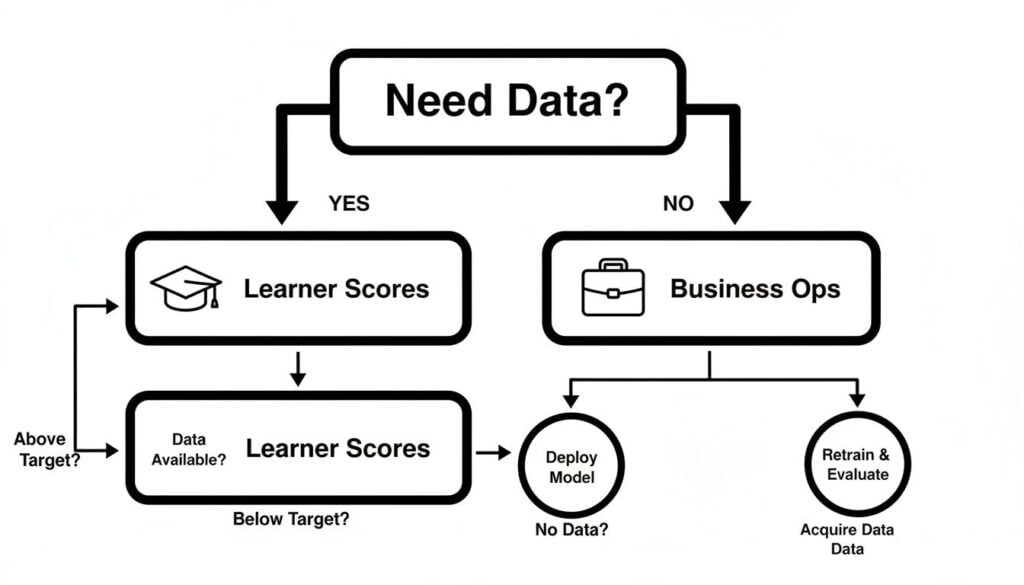
As the chart shows, if your primary data need is learner scores and tracking progress, you’re on the LMS path. If it’s all about business operations and logistics, the TMS is your tool.
Considering Blended Learning and Investment
But what if you do a bit of both? Many organizations are moving toward blended learning, a mix of self-paced online modules and live, instructor-led sessions. If this sounds like you, the decision gets a little more nuanced.
When blended learning is your model, you need to pinpoint which side of the operation causes the most friction. Is managing the e-learning content the bigger headache, or is it the logistics of the live sessions? Your answer reveals your primary need.
Finally, think about the total investment. Pricing models often differ significantly. LMS platforms frequently charge per active user per month, which works well for internal corporate training. A TMS, on the other hand, might charge a flat subscription fee or a percentage of course registration revenue. This model is better suited for commercial training providers.
Don’t just look at the sticker price. Consider how the pricing model aligns with your business goals. By answering these questions, you’ll have a clear direction for your final choice.
Common Questions About LMS And TMS Platforms
After diving deep into the LMS vs. Training Management System comparison, you might still have a few nagging questions. That’s totally normal. Let’s tackle some of the most common ones I hear to clear up any lingering confusion.
Can I Use An LMS For Live Training Sessions?
Yes, but think of it as a workaround, not a core feature. Many modern LMS platforms can integrate with tools like Zoom or Microsoft Teams. This lets you schedule and launch virtual instructor-led training (vILT) sessions right from a course module. You can even track who showed up and store the recording afterward.
But here’s the catch. An LMS just doesn’t have the heavy-duty logistical tools of a TMS. It won’t help you manage instructor availability across different time zones, prevent you from double-booking a physical room or a piece of equipment, or handle the nitty-gritty financial details of a complex training operation. It’s a solid solution for simple virtual sessions, but not for running a full-scale live training business.
Can A TMS Host My E-Learning Content?
Generally, no. A classic TMS is built to manage the business of training, not the learning content itself. Its world revolves around logistics, scheduling, invoicing, and reporting. You won’t find authoring tools, SCORM players, or features for building self-paced learning paths inside a standard TMS.
That said, the lines are starting to get a bit blurry. We’re seeing some newer, hybrid systems pop up that blend TMS logistics with some basic LMS-like features for e-learning. But if your main goal is to deliver and track digital learning content, a dedicated LMS is almost always going to serve you better.
The key takeaway is this: While each system might have features that dip a toe into the other’s territory, their core purpose remains distinct. An LMS is for managing learning content, and a TMS is for managing training logistics.
What If I Need Features From Both?
This is a really common spot to be in, especially for businesses running a blended learning model. You’ve got a library of e-learning courses (classic LMS territory) but you also run a busy calendar of in-person workshops or live virtual classes (total TMS territory).
If this sounds like you, you have two main paths forward.
- Integrate the Best of Both Worlds: Pick a powerful, best-in-class LMS and a powerful, best-in-class TMS, then connect them. This approach gives you the strongest features from each system, but it demands a solid integration strategy to make sure data flows smoothly between them without causing headaches.
- Find a Hybrid Platform: Some vendors now offer a single, unified platform that combines core TMS functionalities with an e-learning module. This definitely simplifies your tech stack, but you might have to make some compromises. The features for one side of the house might not be as deep or robust as a dedicated, standalone system.
Ultimately, the right choice really hinges on how complex your needs are in each area. A little self-assessment here goes a long way.