Synchronous Learning Benefits and When Live Classes Work
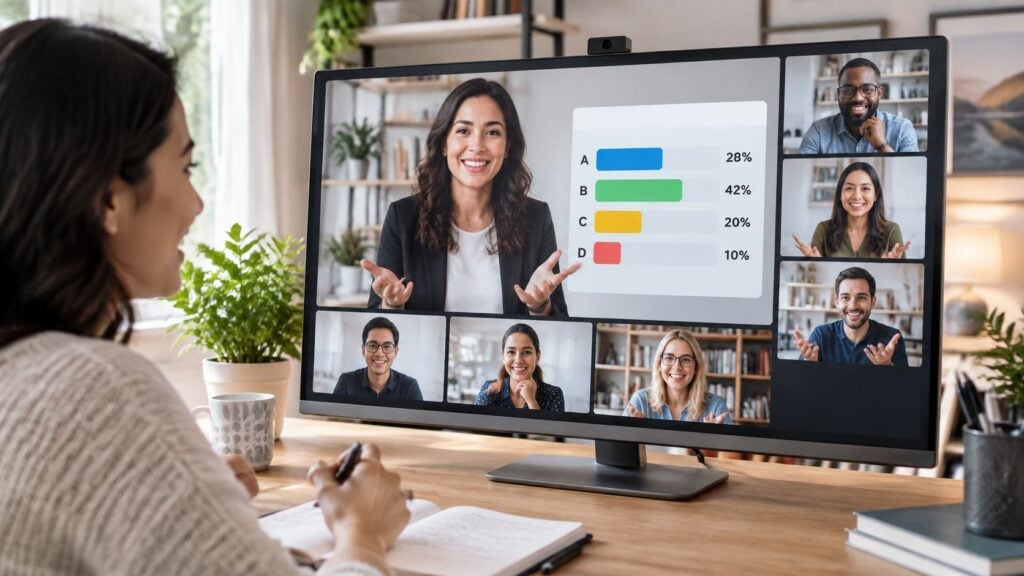
If a live class feels more lively, does that mean people learned more in it?
I used to assume yes. Then I ran enough cohorts to see full rooms, busy chats, and quiz scores that looked pretty ordinary a week later.
I think synchronous learning benefits are real. They just show up for certain jobs, and only when you build the session to do that job.
Seven Synchronous Learning Benefits at a Glance
Here's the quick version I wish I had when I started planning live time.
| Benefit | What It Looks Like in a Live Session | Format That Delivers It |
|---|---|---|
| Engagement | Learners answer polls, ask questions and speak up in real time | Short explain-then-interact cycles |
| Immediacy | Questions get answered in minutes instead of days | Live Q&A and scheduled office hours |
| Social presence | Learners see faces, hear voices and feel the group is there | Video cohort sessions with cameras on where comfortable |
| Formative assessment | Instructor spots confusion while it can still be fixed | Live polls, quick oral checks and spoken explanations |
| Community building | Learners recognize each other and form study partners | Breakout rooms and rotating small groups |
| Motivation | Fixed dates create commitment and a sense of urgency | Recurring session calendar with a clear purpose for each meeting |
| Retention | Discussion revisits earlier material and helps ideas stick | Follow-up session a week after a lesson with retrieval questions |
Read the table like this. A benefit only appears when the session is built to produce it, so a lecture delivered over video does not automatically create engagement.
A few moments help make that concrete. A poll bar shifts while I am watching, and I can stop and ask why people picked the wrong answer.
A learner gets unstuck in ten minutes instead of waiting two days for a forum reply. A cohort that has seen the same faces for six weeks starts greeting each other before I even start talking.
How I Use This List
I do not try to get all seven from every meeting. I pick the one or two I need that week.
If I need formative assessment, I plan polls and spoken explanations. If I need community, I plan small groups with enough time for people to talk.
If you cannot name the benefit you want from a live slot, that slot probably should not be live yet.
Revisiting material in live discussion may help ideas stick, but that depends on the follow-up design. A chatty recap is not the same as asking people to retrieve, apply, and explain.
The rest of this post gets pickier. I will define the model, look at what studies found, and show where each benefit has limits so you can keep the rows that fit your course and drop the rest.
What Synchronous Learning Is and How It Differs
Synchronous learning just means teaching and learning happen at the same time. I am there, learners are there, and we are in a shared live space like a video room, a classroom, or a live stream.
Say you run a weekly 60-minute cohort call. You explain a concept for a few minutes, ask a question, hear answers, and adjust based on what people say. That back and forth is the point.
Asynchronous learning is the opposite timing wise. People work through recorded lessons, readings, and discussion threads on their own schedule.
Most creators I know end up with a blend. Recordings carry the stable explanations, and live time handles practice, questions, and the messy parts.
If you want a concrete picture of that live room, you can explore live online lessons and see how a virtual classroom is set up for real-time teaching.
| Factor | Live Synchronous | Recorded Asynchronous |
|---|---|---|
| Timing | Fixed meeting time | Any time the learner chooses |
| Feedback speed | Minutes, during the session | Hours to days, through messages or forums |
| Schedule flexibility | Low, learners must attend | High, learners work around their week |
| Social presence | High, faces and voices in one room | Low unless forums or groups are added |
| Production effort | Moderate, the session runs again each time | High upfront, then reusable |
| Knowledge outcomes in studies | Trivial difference from asynchronous in one large meta-analysis | Trivial difference from synchronous in the same meta-analysis |
The trade-off is pretty simple. Live delivery costs you time every time you run it, but you get faster feedback and stronger presence in return.
Recorded lessons cost more to produce well the first time. After that, they scale and learners can pause, replay, and fit them around work.
My working rule is this. Give live time to work where interaction is the point, and let recordings carry content people can learn alone.
What the Research Says About Live Learning Outcomes
Does meeting in real time help learners retain more? The research does not support a simple yes. Live delivery can be useful, but its value depends on the task, the course, and the learners.
A meta-analysis covering studies published from 2002 to 2022 compared synchronous and asynchronous online learning across 14 qualifying studies, with 1,098 learners in synchronous conditions and 804 in asynchronous conditions. Asynchronous instruction produced slightly stronger knowledge outcomes. The difference was trivial in magnitude, and the pattern was broadly consistent across educational levels and disciplines.
A separate meta-analysis of 19 publications and 27 independent effect sizes found a small statistically significant advantage for synchronous online learning on cognitive outcomes. Its effects varied with course duration, instructional method, learner level, discipline, and whether groups were comparable. These findings point in opposite directions: overall, the research is mixed, and the effect depends on course and learner factors.
That distinction matters when choosing what to teach live. A learner does not necessarily understand facts better because the lesson happens on a video call. Live time earns its place when people need to respond to one another in the moment.
Functions That Need People Together
Use live sessions for immediate questions and instructor clarification, collaborative problem solving, formative assessment, and social coordination. These tasks depend on timing: a learner is confused now, tries an approach now, or needs a peer's response now.
A practical split is:
- Go live: demonstrations that benefit from questions, breakout case analysis, oral practice, peer critique, and rapid feedback
- Stay recorded: foundational explanations and retrieval practice that learners can complete alone at their own pace
A lively demonstration can feel successful. The chat is active, learners offer thanks, and attendance looks strong. Yet a delayed quiz may show no better results than for learners who studied the same material alone. Positive reactions and attendance are useful signals, but they do not establish that learning improved.
Practical rule: Enjoyment is useful data, but it is not the same data as learning.
Reserve live time for work that benefits from interaction. Let recordings carry material learners can study independently, pause, and revisit.
Engagement and Real-Time Checks in Live Sessions
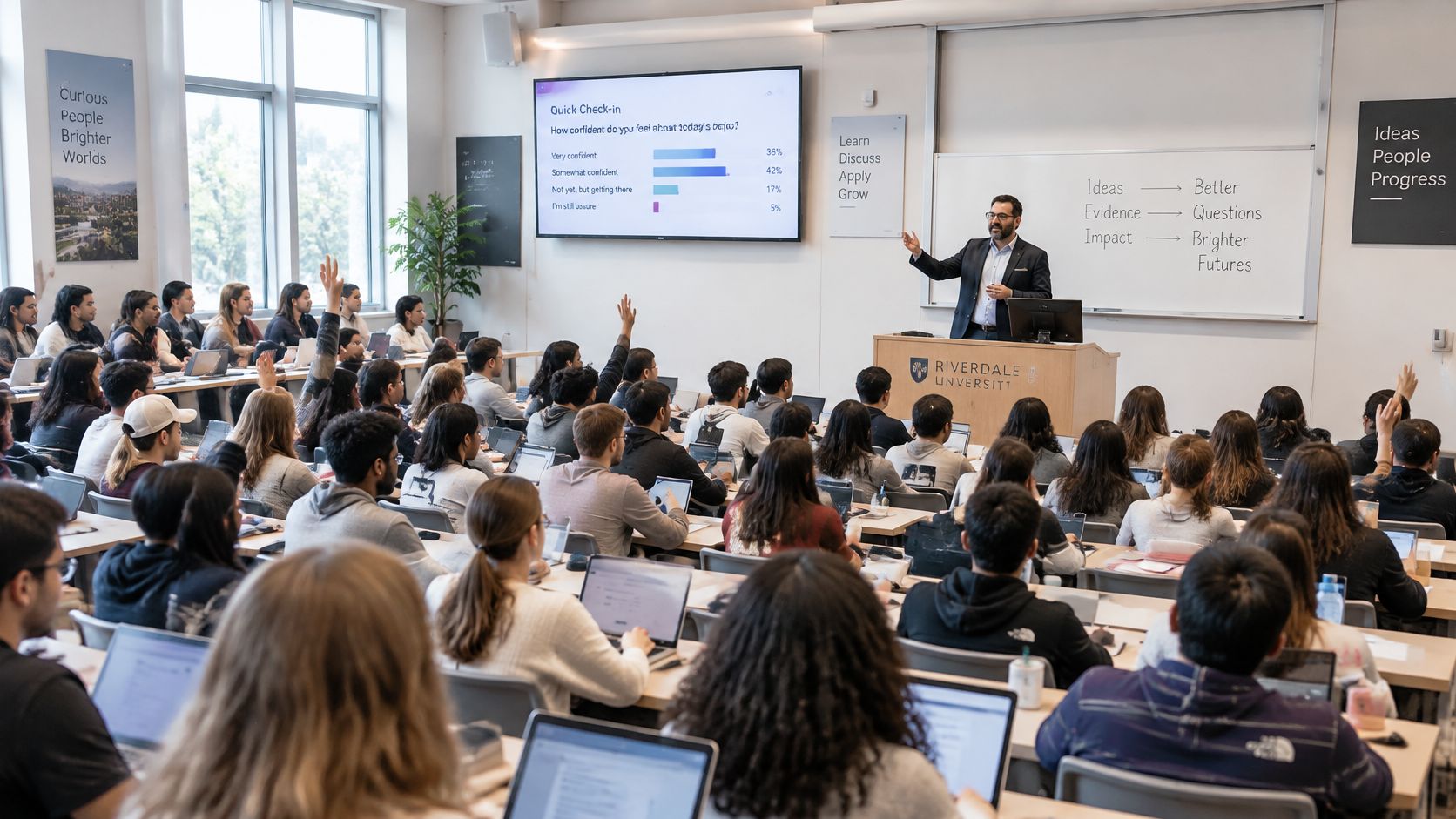
This photo is a reminder that a full room and an engaged room are different things.
Live sessions can raise participation, but I find the format has to invite it. Long presentations do the opposite.
A study of 140 university students, supported by observations and interviews with 15 lecturers and 30 students, found learners asked more questions, requested clarification, volunteered explanations, and joined discussions more frequently than in traditional in-person teaching in that context.
The mechanism makes sense to me. When I am present in real time, the gap between confusion and help shrinks.
Chat, polling, microphones, and screen sharing also give people more than one way in. A learner who will not unmute may still answer a poll or type a sharp question.
A Cycle I Use Instead of Lecturing
I keep it short and repeat it.
- Explain briefly: Give one idea, not five.
- Poll everyone: Ask a question with a tempting wrong answer.
- Ask for justification: Invite one or two learners to explain their choice.
- Compare in pairs: Let peers notice where their reasoning differs.
- Correct and move on: Name the misconception plainly and show the fix.
That cycle is where formative assessment earns its keep. Say a poll with 40 learners shows many missed the same concept.
I do not need to wait for homework to discover it. I can reteach it in the next few minutes with a different example.
This short video shows that kind of live check in action, with questions shaping what happens next.

I keep one caveat in mind. That study focused on Jordanian higher education during the COVID-19 period, so it supports the potential of live engagement without giving a universal estimate for every market.
While I teach, I watch a few simple signals.
- Hands and voices: How many people speak, and is it always the same few?
- First answers: Who answers first, and who never gets in?
- Repeated questions: Which confusion keeps coming back in chat?
Those signals tell me more than headcount.
Community, Motivation and Retention in Live Cohorts
Seeing faces and hearing voices changes how a group feels. People know someone will notice if they disappear, and that often brings them back next week.
That social presence matters a lot in memberships and cohorts. Learners start recognizing names, remembering who asked what, and feeling accountable to real people.
But I try not to sell motivation as a free win.
A randomized controlled trial comparing asynchronous and synchronous learning found the synchronous format produced higher intrinsic motivation, with p = .001, and higher perceived autonomy, with p < .001. Participants also reported greater pressure or tension, with p = .003, in the synchronous condition.
I read that as both sides at once. A fixed slot can give someone energy and focus, and the same slot can make another person dread being put on the spot.
Ways I Lower the Pressure
I pair each live session with a recording. Nobody has to treat one hour as their only chance.
I publish the agenda ahead of time. People can prepare a thought instead of improvising in front of the group.
I allow camera off participation and a written option. Chat, a shared Google Doc, or a short form response can count as real participation.
If you are building that cohort rhythm, our guide to cohort based courses goes deeper on pacing and group structure.
For membership owners, recurring live sessions can create a habit loop. People put it on the calendar, show up, and reconnect.
I would still treat any link to paid renewals as something to test in your own community. Watch who returns after live weeks and who stops coming.
Making Live Sessions Fair to Learners Who Cannot Attend
Live time favors learners who can show up at your chosen hour. That sounds obvious, but I underestimated how many people that leaves out.
Time zones are just the start. Work shifts, caregiving, disability access, weak bandwidth, language differences, and low confidence speaking on camera all shape who can take part.
A learner may love your course and still miss every session because it lands during school pickup. Another may attend and stay silent because spoken English under pressure feels risky.
The evidence is mixed too. A 2025 study of online student performance found passing-rate gaps relative to face-to-face courses were smaller in synchronous courses than asynchronous courses in 2021 to 2022, but it also identified more pronounced disparities for some racial and ethnic groups.
So I do not claim a fairness win from format alone. I look at who is absent, who is silent, and who is passing, broken down by group.
A Routine I Run at the Start
- Send an intake survey: Ask about time zone, working hours, caregiving, bandwidth, and access needs before you lock times.
- Label every session: Mark it must-attend or optional, and only use must-attend when the objective needs live presence.
- Check at midpoint: Look at passing rates and participation by group while you can still change something.
For the access side in more detail, our post on how to make e-learning accessible for disabled learners is a useful companion.
A busy session can still be an excluding session. The average hides the people who never got in.
I redo that check every term. Schedules change, cohorts change, and last term's perfect time slot may be this term's barrier.
How to Plan a Live Session Without Losing Learners
This infographic sums up the shape I aim for. One clear goal, built in checks, real participation, and a next step.
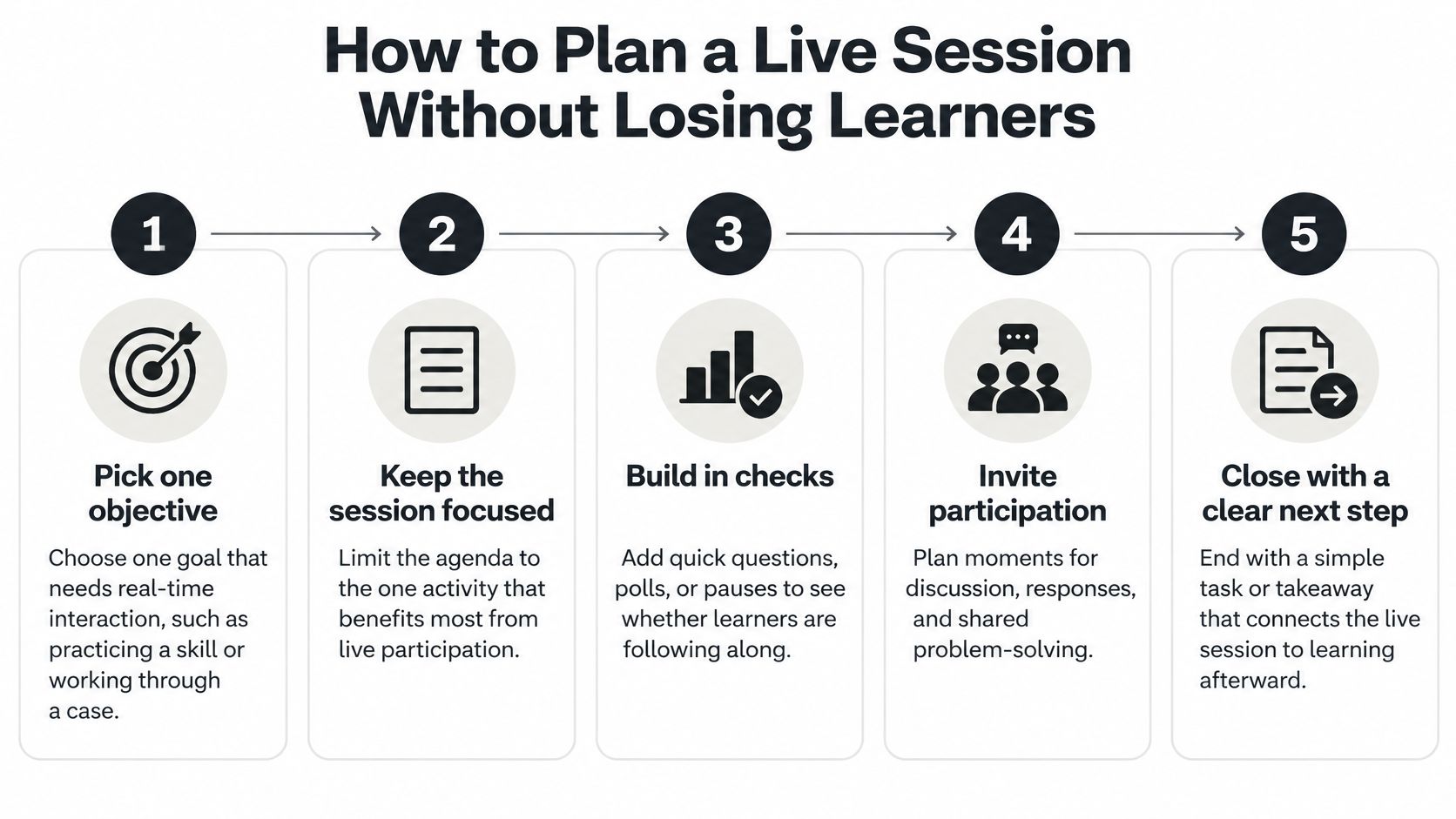
Here is the fuller plan I use when I sit down with a blank doc.
My Seven Step Plan
-
Pick one objective: Choose work that needs real-time interaction, like practicing a skill or working through a case. Move plain explanations to a recording, because live minutes are expensive for everyone. The common slip is trying to cover the whole module live.
-
Chunk the time: Split the session into blocks of 10 to 15 minutes, each ending with a check. Short blocks give you chances to notice confusion early. Running 90 minutes with no check is where I lose people.
-
Prepare the first question: Write one poll or question before each explanation so you see what learners already think. That stops you teaching what they already know. Do not invent the question on the spot and hope it is clear.
-
Give breakouts an output: Ask each group for a short written answer or one shared slide. A clear output keeps groups from drifting into vague chat. Rotate groups too, or the same people always end up together.
-
Record and caption it: Add captions and a transcript so late joiners and non-native speakers can follow. A recording without captions still leaves people working too hard. Check the caption file before you share it.
-
Offer another route in: Run a second slot or set an asynchronous task for learners who cannot attend. Rotate the main meeting time each month so the same people are not always missing. Do not punish absence with missing content.
-
Close with an exit question: Ask one question that shows who understood and who is still stuck. Read the answers before planning the next lesson. Skipping this step means you fly blind next week.
If you want more detail on running the session itself, our guide to live webinar best practices covers setup and delivery choices.
A good ending feels busy in a useful way. I see lots of answers, a few honest questions, and a clear picture of who needs help next.
Decide Which Lessons Go Live and Track Them
I start with measures, because good intentions get fuzzy fast.
| Metric | What It Tells You | How to Collect It |
|---|---|---|
| Active participation rate | Share of learners who speak, chat or answer polls | Poll exports and chat logs from the session |
| Completion of live tasks | Whether learners finish collaborative work started in the session | Submission tracker for breakout outputs |
| Delayed quiz score | Whether the lesson still shows up after one week | Quiz sent seven days after the session |
| Attendance and replay rate | Live attendance compared with later viewing of the recording | Platform analytics for live and replay views |
| Participation equity | Whether the same few learners dominate speaking and answering | Count of contributions by learner or group |
| Satisfaction and pressure rating | How learners feel about live time, including stress | Short survey with one item on pressure |
Attendance alone can mislead you. A full room may hold a lot of passive listeners who learned little and will not tell you.
The Decision Test I Use
For each lesson, I ask four questions. Does this objective need immediate feedback, guided practice, social accountability, or live performance?
If the answer is yes to any of them, I schedule it live and track it. If the lesson mainly transmits information, I record it and save live time for discussion of that material.
Then I do a four-week review. I compare delayed quiz scores and participation equity between live and recorded lessons.
After that, each live slot gets a plain decision. Keep it, change it, or drop it.
My test: If a recording plus a good worksheet gets the same delayed result, I stop asking everyone to meet for it.
If tracking is getting messy across tools like Zoom, Microsoft Teams, and your course platform, it may be time to tidy the setup. We have a guide comparing learning management systems for employee training by team size, pricing, SCORM and xAPI support, and use case, plus a pilot plan.
Try a small version first. Pick one course, mark its three most interactive lessons, and schedule those live this month while the rest stays recorded.
Pick one upcoming lesson and run it through the four questions today, then book it live only if it needs feedback, practice, accountability, or performance in the room. Track active participation and a quiz seven days later, and let that result decide whether the slot stays on your calendar.