8 Online Course Survey Questions to Ask Learners
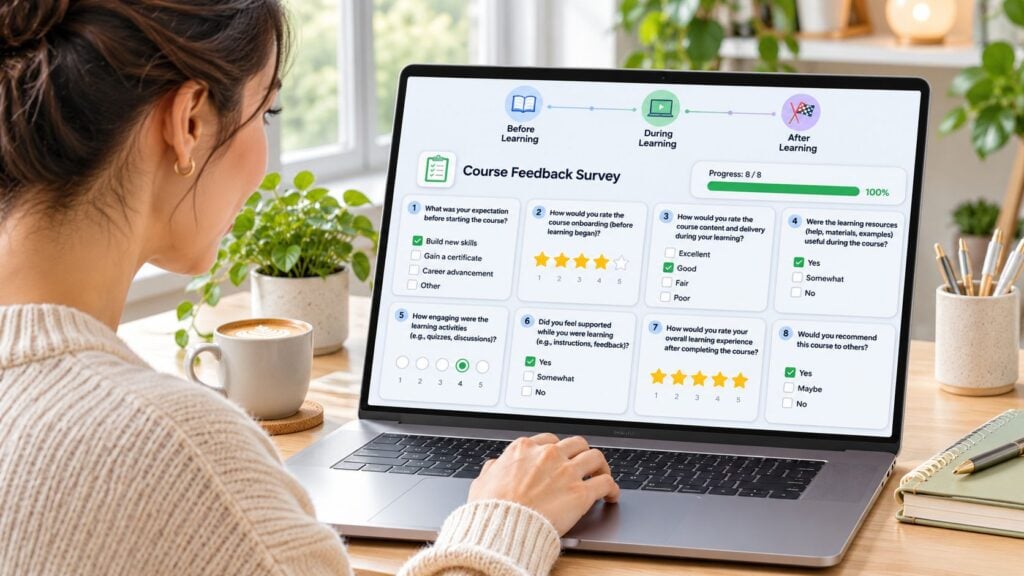
You finish recording your final lesson, publish the course, and set up an automated email for graduation day with a link to a 20-question Google Form. Two weeks later, you open the spreadsheet expecting gold. Instead, you have four responses. Three say the videos were great, and the fourth politely informs you that a worksheet link in Module 2 has been broken since launch.
That single end-of-course email almost never works the way creators hope. In a MOOC experiment covering 3,834 learners across six courses, participants who received an embedded survey inside the learning platform hit a 61.5% response rate, while the email-only group trailed at 6.9%. That 54.6-percentage-point jump shows why placement and timing beat clever wording every single time.
If you want feedback that helps you fix lessons, you need a short feedback routine spread across the learner journey. Pick tools that feel native inside your course player or work cleanly on a phone, and if you still need a lightweight form builder, browse mobile survey collection tools before locking in your setup.
Below are eight ready-to-use online course survey questions, complete with sample wording, the right moment to send each one, and the trade-offs most question lists leave out.
1. Overall Course Satisfaction Rating
This classic pulse check gives you a baseline score you can track from one cohort to the next. Most creators run it on a 1 to 5 scale, and I prefer five points over ten because learners can tap an answer in seconds without overthinking the difference between a six and a seven.
A quick rating keeps friction low, and low friction matters more than most creators realize. A 2011 Springer study of more than 22,000 undergraduates invited to complete roughly 135,000 online teaching evaluations tied participation directly to survey salience and respondent fatigue. The same study pointed to a Fall 2001 and Winter 2002 comparison where about 70% of students completed paper evaluations in class versus only 37% who completed web evaluations sent through an emailed link, a 33-percentage-point gap.
A quick rating inside your course player avoids that drop-off, as shown in the example below.

Sample Wording and Timing
Ask this right after the final lesson while the course is still fresh, then pair it with one short follow-up prompt so the score points to a fix.
- Simple satisfaction prompt: How satisfied were you with this course overall? (1 = Very dissatisfied to 5 = Very satisfied)
- Experience rating alternative: Rate your overall experience from 1 (Poor) to 5 (Excellent).
- Keep scale labels fixed: Changing labels from Good to Satisfied between runs ruins your ability to compare cohorts.
- Always add a why prompt: A middling score tells you something felt off, while one short follow-up line tells you whether it was the audio quality or the homework load.
Say you run a self-paced photography course on Teachable and see your spring cohort average dip noticeably below your usual benchmark. Because you kept the scale identical and paired it with a quick Why? box, you immediately spot that learners struggled with your new Lightroom preset lesson. Without that follow-up, you would be guessing in the dark.
The trade-off here is obvious. A high satisfaction average feels wonderful on a Friday afternoon, yet it never proves anyone learned a new skill. Treat this question as a smoke alarm, then rely on the rest of your routine to see what happened.
2. Net Promoter Score (NPS) Question
Say you sell an evergreen copywriting course and your ad costs keep creeping up. Paid traffic gets expensive fast, so referrals from happy learners become your best growth channel. That is where the Net Promoter Score (NPS) earns its keep, because asking someone to put their own reputation on the line is a tougher test than asking if they enjoyed the videos.
The standard wording stays tight: How likely are you to recommend this course to a friend or colleague? on a 0 to 10 scale. Respondents fall into three buckets: promoters (9 to 10), passives (7 to 8), and detractors (0 to 6). Subtract the percentage of detractors from the percentage of promoters, and you have your score.
Send this after a learner hits a real win, like finishing their first sales page or completing the capstone project, rather than two days after signup. Follow up immediately with What is the main reason for your score? so detractors can vent before they ask for a refund, and promoters hand you natural quotes you can ask permission to use on your sales page.
Never celebrate a +70 NPS if only six people answered the form. A tiny batch of superfans can make a struggling course look like a hit.
Reading the Score Without Fooling Yourself
Online feedback forms routinely attract smaller slices of your class than in-person workshops. A University of Alaska Fairbanks review of eight comparisons found that online course evaluations averaged a 33% response rate compared with 56% for paper surveys, though one cited comparison landed nearly neck and neck at 32.6% online and 33.3% on paper.
Because participation swings so widely, I recommend logging three numbers beside every NPS score in your Notion tracker or Google Sheet: total invited learners, total completions, and the response percentage. If a cohort of 100 people produces 12 replies and a glowing score, wait until you have tracked two or three cohorts before rewriting your marketing or popping champagne.
3. Learning Objectives Achieved Question
A learner can enjoy your jokes, love your slide deck, and still walk away unable to do the task they paid to learn. Asking directly about your learning objectives shifts the focus from entertainment to outcomes. You list the concrete skills your course promised and ask learners how well they feel they reached each one.
If your course objectives still sound fuzzy, like understand financial planning, tighten them before writing the survey. Using clear action verbs from a practical guide to Bloom's Taxonomy learning objectives makes your survey items far easier for learners to judge.
Before drafting your grid, map your promises across the learning progression shown below so each item ties to a visible skill.

Building a Short Objective Grid
Keep your grid to five or six objectives at most. Long matrix questions look intimidating on a phone screen and encourage people to tap straight down one column just to finish.
- Grid prompt wording: Rate how well you feel you achieved each objective: Identify key project risks, Build a budget forecast, Present findings to stakeholders. (1 = Not at all to 5 = Completely)
- Application check: To what extent did this course help you apply these concepts in your actual work?
- Randomize non-sequential items: In a Public Opinion Quarterly web survey study using a random sample of U.S. adults, respondents with lower educational attainment who sped through the form were most likely to show primacy effects on unipolar rating questions, picking earlier options more often. Randomizing answer or item order whenever the sequence isn't fixed helps reduce that bias.
- Cross-check against grades: Compare learner ratings with quiz or assignment results, since people sometimes feel fluent after watching a clear video even when they miss the practical exercise.
Say you teach a six-week project management cohort and Build a budget forecast scores a full point lower than the other four objectives. You now have a specific repair job for Module 4 instead of guessing why learners felt unsure at graduation. You can also update your sales page copy if an objective oversold what the lessons cover.
4. Instructor Effectiveness Question
Say you run a live eight-week UX design cohort where learners rave about your Figma templates, yet engagement drops during weekly Zoom calls. If you only ask about the course as a whole, you might waste two weekends rewriting perfectly good lessons when the issue was rushing through Q&A. Separating the instructor from the curriculum saves you from fixing the wrong thing.
This question shines in live cohorts, coaching programs, and any self-paced course with heavy video instruction or community interaction. Ask about observable habits instead of vague charm. Try How clearly did the instructor explain difficult concepts? on a 1 to 5 scale, paired with How responsive was the instructor to your questions? and a short prompt asking for one thing the instructor did well and one thing they could improve.
If teaching assistants or guest coaches run office hours, give them their own quick item. Learners hate having to mash three different instructors into one single rating, and you lose the chance to spot a standout TA or a coach who needs extra prep.
Protecting Candor Without Skewed Data
Grading a real human being feels awkward, especially in a small cohort where everyone knows each other by first name. A McGill University review on online evaluation bias notes that participation depends heavily on privacy concerns, convenience, reminders, and communication, and warns that open comments can suffer from selection bias when mostly highly motivated or strongly positive and negative learners respond.
Privacy habit: Tell learners upfront who will read their responses and confirm that instructor feedback is shared in aggregated form, never with names attached.
When you review these results with an instructor or guest teacher, pair the survey numbers with one or two recorded sessions. A comment saying the pace felt rushed makes much more sense when you watch the replay together and notice fifteen minutes spent on setup slides before the core demo even began.
5. Pacing and Workload Question
Plenty of great courses lose half their students in Week 3 because nobody realized how long the assignments took. Creators suffer from the curse of knowledge. A task that takes you twenty minutes to demonstrate on Loom might take a beginner three evenings and two cups of stress tea.
A pacing and workload question catches those hidden bottlenecks while you can still rescue the cohort. Embed it as a quick mid-course check-in around Week 3 for any program running longer than six weeks, rather than waiting until graduation when frustrated learners have already stopped logging in.
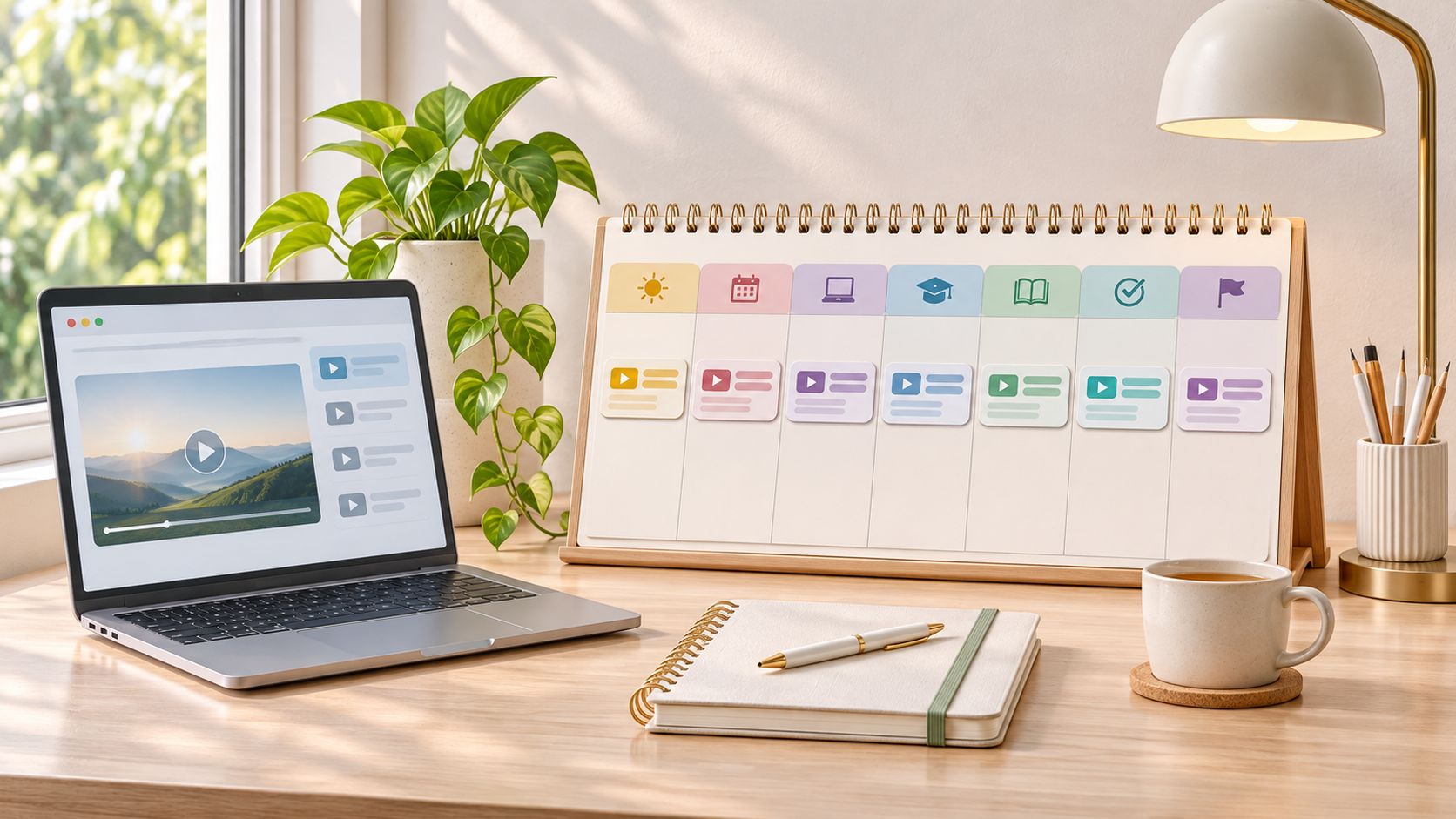
Timing matters even more online because digital forms face steeper drop-off. An ERIC synthesis of online course evaluation research reports an average response-rate decline of roughly 23% compared with in-class collection, with individual online courses ranging from about 22% to 76% participation. Embedding a short check-in right at a natural lesson milestone and sending one timely reminder works far better than hoping a late email gets opened.
Mid-Course Prompts That Catch Bottlenecks
Track your denominator, partial completions, and completion rate by cohort alongside these answers so you know whether struggling learners are dropping out unnoticed.
- Workload check: How would you describe the weekly workload of this course so far? (Too light, About right, Too heavy)
- Bottleneck finder: Which module took you the most time to complete?
- Reality check on hours: How many hours per week did you spend on this course on average?
- Sales page calibration: Compare actual reported hours against what your enrollment page promised, and adjust either the lesson load or the time estimate.
Say your data analytics course advertises three hours a week, and mid-course replies show learners averaging six hours because the SQL setup lesson is brutal. You can immediately add a buffer week, record a ten-minute troubleshooting walkthrough, or split Module 3 into two lighter lessons for the next run.
6. Technical Experience and Platform Usability Question
You can write the sharpest curriculum in your niche and still lose learners to a video player that stalls on hotel Wi-Fi or a quiz button that falls off the edge of an iPhone screen. Creators rarely notice these glitches because they test everything on a giant desktop monitor with fiber internet and an already logged-in admin account.
Asking directly about platform usability surfaces silent friction that learners rarely bother emailing support about. Before we look at the exact prompts, think about how real students access your lessons across laptops and phones.
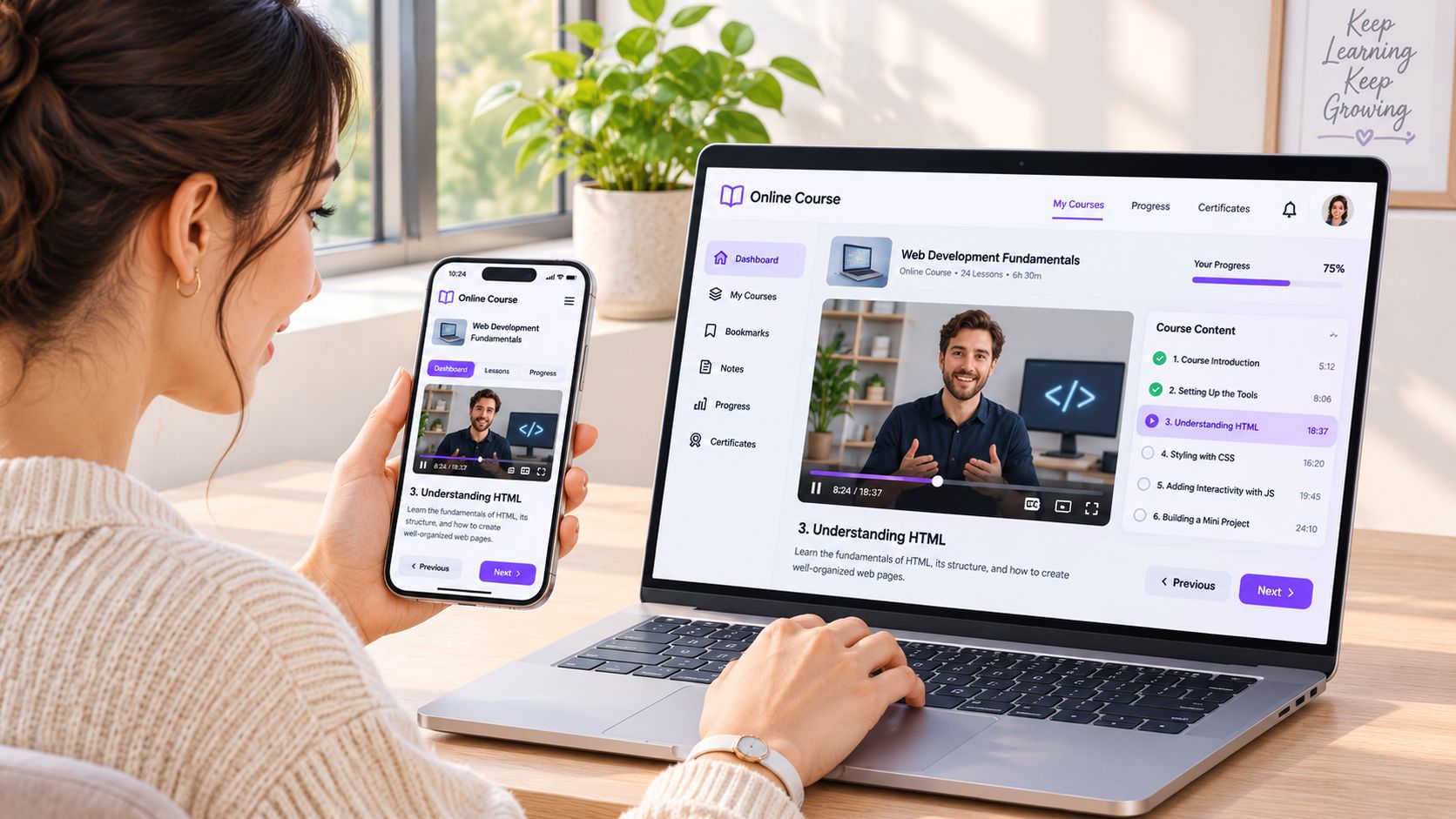
This matters doubly for busy professionals squeezing lessons into short breaks. Take clinicians completing state-accepted continuing education for therapists between client sessions, or managers taking compliance training on a tablet during a commute. If a login screen loops or a certificate download breaks on Safari, their frustration sticks to your brand, even if your third-party LMS caused the bug.
Making Bug Reports Actionable
Skip vague prompts like Did you like the platform? and ask for details your team can reproduce in Kajabi, Circle.so, or Thinkific.
- Issue screener: Did you experience any technical issues that affected your learning? (Yes or No, with a conditional text box to describe what happened)
- Navigation rating: How easy was it to find lessons, downloads, and community threads? (1 = Very difficult to 5 = Very easy)
- Device and browser check: Which device and browser did you use most often to take this course?
- Built-in rescue link: Add a direct link to your support email or help desk right inside the survey question so stuck learners get help immediately instead of waiting for your post-cohort review.
Seeing how learners experience a course environment makes technical friction easier to spot, and the short video below walks through practical ways to gather and organize course feedback.

Say you switch video hosts or roll out a redesigned Circle.so community space before a new cohort. Running these three quick items after every tech stack change lets you catch an Android playback bug on Day 4 instead of watching completion rates tank for two months.
7. Open-Ended Improvement Question
Rating scales tell you where the fire is, and a single well-aimed text box hands you the fire extinguisher. I always include at least one open-ended improvement question at the end of a course, even when I know half the group will leave it blank. The learners who do type out three honest sentences often hand you your next major curriculum upgrade for free.
Online surveys have a quiet advantage here over paper forms. A 2025 Springer review of course evaluation research noted that 63% of online respondents supplied open-ended comments, compared with fewer than 10% in the cited paper-based comparison. The same review highlighted how much process design drives participation, noting institutional rates ranging from roughly 20% to more than 70%, and an intervention where two campuses jumped from 45% and 56% in academic year 2020-2021 to an average of 97% (ranging from 92% to 100%) in Fall 2022 after refining how evaluations were delivered.
Turning Raw Comments Into Course Fixes
Vague prompts like Any other comments? usually pull in Nope, thanks! or an essay about someone's Wi-Fi router. Give learners a tight frame instead. Try What is one thing we should change to make this course better? or If you could add one lesson, template, or resource, what would it be? You can also pair a high and low prompt: What did you find most useful, and what did you find least useful?
Once responses roll in, dump them into a Google Sheet and tag every comment by theme, such as audio, examples, worksheets, or community. If you want a repeatable workflow for sorting responses without drowning in tabs, check out our guide on how to manage course feedback surveys across multiple cohorts.
Closing the loop: Thank learners who leave detailed notes, tell the next cohort what you upgraded based on past feedback, and always ask explicit permission before turning a glowing comment into a testimonial.
Say five learners in a podcasting course all mention wishing they had a sample guest-release form. That takes twenty minutes to add to Module 1 and instantly boosts the value of every future run.
8. Confidence and Skill Self-Assessment Question
Say you teach an email marketing workshop and want proof that learners grew without forcing busy adults through a stressful 50-question final exam. Ask the exact same confidence question on Day 1 and on graduation day, then compare the before-and-after averages. Watching a cohort move from low starting confidence to strong post-course confidence on How confident are you in building an automated email funnel? gives you a concrete story for your marketing or your corporate training sponsor.
Here is the catch most survey roundups gloss over. Feeling confident right after watching an inspiring video does not prove you can perform the task three weeks later. A 2026 Frontiers in Education study measured usefulness, ease of use, pedagogical support, technology challenges, satisfaction, and engagement as separate constructs rather than lumping them into one satisfaction score, and flagged a classic snag with single self-report questionnaires: learners can report high confidence without proving competence.
Pairing Confidence With Real Proof
To keep your numbers honest, combine identical pre-and-post wording with real-world follow-ups and behavioral data like project submissions or repeat logins.
- Keep wording identical: Ask How confident are you in building an email funnel? (1 to 5) on Day 1, and ask the exact same sentence at completion.
- Add an intent check: Pair the final score with How likely are you to apply what you learned in the next 30 days?
- Run a delayed check-in: For corporate training or high-ticket cohorts, send a three-question follow-up at 30 or 60 days asking "What have you used in practice?", "What prevented implementation?", and "What evidence would show the course worked?"
- Blend with hands-on checks: Pair confidence scores with a short rubric or capstone project using practical learner self-assessment tools so you spot overconfidence early.
Report the shift in cohort averages rather than singling out individuals, especially in workplace programs where anonymity keeps answers candid. When confidence climbs and real-world application climbs with it, you have evidence any employer or buyer can trust.
How each online course survey question compares at a glance
| Item | Best Time to Ask | Answer Format | Main Strength |
|---|---|---|---|
| Overall Course Satisfaction Rating | At course end | Numeric or star scale | Quick, trackable overall benchmark |
| Net Promoter Score (NPS) Question | After a meaningful course milestone | 0–10 rating, optionally with a comment | Measures loyalty and referral potential |
| Learning Objectives Achieved Question | At course end | Rating grid by objective | Pinpoints learning gaps |
| Instructor Effectiveness Question | After instruction or course completion | Rating scale or short text | Identifies teaching improvements |
| Pacing and Workload Question | During the course, ideally mid-course | Choice scale or short-answer question | Reveals workload bottlenecks |
| Technical Experience and Platform Usability Question | During or after course use | Yes/no, rating, or device question | Surfaces platform and access issues |
| Open-Ended Improvement Question | At course end | Free-text response | Collects specific learner suggestions |
| Confidence and Skill Self-Assessment Question | Before and after the course | Repeated confidence rating | Shows perceived skill growth |
Start With Two Questions and Build From There
Reading a list of eight solid online course survey questions makes it tempting to cram all eight into one mega-form tonight. Resist that urge. A bloated survey kills response rates, and you will end up staring at a handful of half-finished submissions wondering why nobody cares.
Start lean on your very next run. Embed one pre-course confidence question inside Lesson 1, add one mid-course pacing check if your cohort runs longer than a few weeks, and place a short three-question wrap-up right inside your final lesson. Once that routine runs smoothly on autopilot, layer in NPS, instructor checks, or a 30-day application follow-up.
Before you ask your very first rating question, add a two-sentence intro screen that respects your learners' time. Guidance in a SAGE Journals article on online survey methods recommends opening with a clear introduction that states the survey's purpose, names who is running it, explains what participation involves, and notes ethical approval where applicable. The same article warns that sharing survey links loosely across email blasts, social media, or internet communities introduces sample bias because you never really know how many people saw the link and ignored it. Embedding surveys directly inside your LMS keeps your denominator clean and your numbers trustworthy.
Good phrasing also takes a little practice. If you want sharper prompts that avoid leading learners toward polite answers, pick up a few question-framing tips from Million Whys before publishing your next form.
After each cohort wraps, block thirty minutes on your calendar to read every response, log your response rate next to the scores, and pick one concrete upgrade to ship before the next group arrives. Do not try to overhaul the entire course in one weekend. Small, steady fixes compound fast, and learners notice right away when their feedback shows up in the curriculum.
If you are building out the rest of your course workflow, LearnStream publishes practical guides, tips, and reviews of online learning platforms edited by Chief Editor Jason Webber, covering everything from membership pricing to LMS selection for employee training.
Open your course dashboard today, pick two questions from this list, and embed them directly inside your opening and final lessons instead of burying them in an automated email. Track how many learners were invited alongside how many answered, make one real fix after your next batch finishes, and send Jason an email with any questions or comments on what your learners surprised you with.