How to Start Online School

If you’re staring at a blank course outline, a half-built site, and a vague idea that “people need this,” you’re in the right place. Many who want to start an online school get stuck here, because the work isn’t choosing a logo or platform theme. It’s deciding who you’re serving, what they’ll finish, and how you’ll keep them moving after the first login.
Online learning is already a mature market, not a fringe experiment. Before COVID, between 28% and 36% of U.S. post-secondary students took at least one online course each year, and online learning was already part of the long-term strategy for about two-thirds of post-secondary institutions. By fall 2022, that had grown to 10.1 million students (54%) taking at least one online college class and about 4.9 million (26%) studying exclusively online, which tells you the audience is already comfortable with digital access and flexible pacing (PMC review of online learning adoption).
That scale is encouraging, but it also raises the bar. If you want your school to work, you need a tighter offer, better onboarding, and retention systems that keep students from drifting away after week one.
Finding Your Niche and Validating Demand
The first mistake I see is trying to build a school for everyone. That usually means the offer is too broad, the messaging is bland, and the content never feels urgent to anyone. The safer move is to define one specific learner and one specific outcome, then test whether that person wants what you’re planning to sell.
Start with the audience profile. Write down their age range, current skill level, biggest frustration, and the job, life, or academic result they want from your course. If that feels too abstract, use the discipline of find niche market for your business to narrow the market before you touch the curriculum.
What to validate before you build
The most useful questions are simple:
- Who is this for? Be specific about the learner type, not just the topic.
- What problem does it solve? Name the pain point in plain language.
- Why now? Identify the trigger that makes the learner ready to act.
- What have they already tried? That shows where competing offers fall short.
- What would make them finish? Completion depends on motivation and structure, not just interest.
A practical validation process usually includes surveys, keyword research, and competitor review. One guide recommends using tools like Google Trends or SEMrush, then checking competing course offers, pricing, and user feedback to spot gaps in depth, format, or support. Another recommends defining the target client profile by age, profession, current knowledge level, key problems, and needs, which gives you a workable filter for every later decision (audience and market validation framework).
Practical rule: if you can’t describe the learner in one sentence, you’re not ready to produce lessons yet.
The other thing to watch is whether your offer is a course, a school, or a recurring learning experience. That choice affects everything from content structure to community design, and it’s worth reading how to create an online course to sell before you commit to a format.
If you get this stage right, you save yourself months of overbuilding. If you get it wrong, you’ll still spend months building, only to discover that the audience was never specific enough to convert.
Designing Curriculum That Keeps Students Engaged
A lot of first-time school owners build curriculum like a storage unit. They dump everything they know into one giant package, then act surprised when students stall out. Virtual school research has shown why that approach is risky, with online K-12 programs posting much lower completion outcomes than the national average, and for-profit virtual schools performing even worse in that data set (virtual school performance data).
That gap is a design problem. Students usually do not quit because they dislike learning. They quit because the path feels too long, too vague, or too easy to postpone.
Build for completion, not content volume
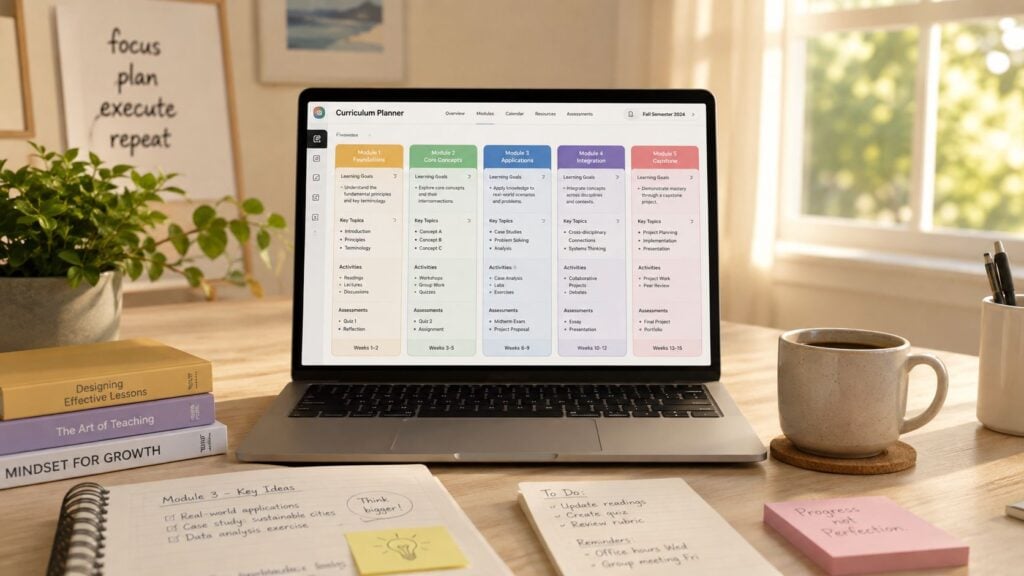
The cleanest way to keep momentum is to break the curriculum into short segments with one outcome each. If a lesson has three goals, it usually has none. If a module asks for one action, one reflection, and one practical step, students know exactly what success looks like.
Microlearning and drip delivery help with that. Microlearning keeps lessons manageable for people with busy schedules, and drip delivery prevents the early overwhelm that comes from handing over everything at once. The practical benefit is simple. Students can build confidence through small wins, then move forward without feeling buried.
A good lesson has three parts:
- A clear outcome so the learner knows why the lesson matters.
- A practical exercise so the concept turns into action.
- A fast win so progress feels real before motivation fades.
I also like to map the school the way a trainer would map a workout plan, with checkpoints after each module. That keeps you from creating a sprawling content library that looks impressive but does not help people finish. One useful rule of thumb is to test the first module on a real learner before expanding the rest of the curriculum, because the early feedback usually exposes the weak spots quickly.
If you are building a school rather than a loose content library, start with a clear curriculum outline and then shape the lessons around it. How to create a curriculum gives you a useful starting point for organizing the progression. The key is to make the student feel guided at every step, not left to assemble the path alone.
Choosing Between LMS and Membership Platforms
Platform choice shapes the student experience more than people expect. It affects navigation, assessments, billing, community, and how much control you have over the learning journey. The simplest way to decide is to ask whether you’re building a structured school or an ongoing access model.
An LMS, or learning management system, is built for curriculum, progress tracking, quizzes, certificates, and more formal instruction. A membership platform is better when your model centers on recurring access, community, and lighter content delivery. If you’re planning cohorts, graded assignments, or multiple course levels, the LMS path usually fits better. If you want a smaller catalog with ongoing member access, the membership route can feel leaner and easier to manage.
LMS vs Membership Platform Comparison
| Feature | LMS Platform | Membership Platform |
|---|---|---|
| Course structure | Strong for ordered lessons and modules | Better for flexible, content-first access |
| Progress tracking | Usually detailed | Usually lighter |
| Quizzes and assessments | Common | Less central |
| Certificates | Often supported | Less common |
| Community | Sometimes built in, sometimes added separately | Usually central to the model |
| Billing style | Often one-time or cohort-based | Often subscription-based |
| Best fit | Multi-course school, certification, student tracking | Membership library, recurring access, community-led learning |
The trade-off is control versus simplicity. An LMS gives you more structure, but it can take more setup and more decisions. A membership platform gets you moving faster, but it can be harder to build a guided learning path inside it.
If your promise depends on students following a sequence, pick the platform that supports sequence first.
For a deeper side-by-side look at the business model choice, the comparison in membership site vs online course is worth keeping in mind while you narrow the format.
One other point matters here, too. If you plan to expand later, choose with the long game in mind. Migrating a school after students are already enrolled is painful, especially if your records, payments, and content are scattered across tools. I’ve seen people save a little time on setup, then lose it all during a messy rebuild six months later.
The right platform is the one that supports the kind of student experience you intend to deliver.
Producing Your First Course Before You Launch
The fastest way to stall a school launch is to overbuild the catalog. You don’t need ten courses, polished branding assets, and a giant resource library before you go live. You need one course module that proves the promise works and that students can move through it.
A tight build order helps. In weeks two and three, record the first 5 to 7 lessons for your flagship course. Keep each lesson focused on one outcome, one activity, and one obvious next step. In weeks three and four, set up the platform, upload the content, and build the sales funnel around that single path (fast pilot build order).
What to ship first
Use a minimum viable school mindset:
- One flagship topic: Pick the core offer that solves the clearest pain point.
- One completable module: Don’t wait for a full catalog.
- One student path: Keep onboarding and navigation simple.
- One feedback loop: Make sure you can hear from early users quickly.
That sequence mirrors how practical school-launch guides break the work apart. One guide recommends niche selection first, then format and structure, then production and setup. Another says to validate demand before building the full offer, which lines up with the reality that early clarity saves a lot of wasted production time (stepwise launch methodology).
A pilot group of 20 to 30 people is enough to learn from without creating a huge support burden. You can offer early access at a discount or free in exchange for testimonials and honest feedback, then use that feedback to adjust the lessons, the onboarding flow, and the platform navigation before you scale.
Useful test: if a pilot student can’t find lesson one in under a minute, your school is too hard to enter.
I also like the idea of starting with a trial group and a free demo lesson when the audience needs reassurance before committing. For younger learners especially, one practical onboarding guide recommends a quiet, structured environment and a simple routine around class times, which is a good reminder that the learning environment matters as much as the content itself (accredited school onboarding workflow).
Launch small, record the friction, and build the rest after you’ve seen what people use.
Setting Pricing, Payments, and Your Launch Plan
Pricing is where a lot of online school ideas get exposed. If the offer is too expensive for the trust you’ve built, people hesitate. If it’s too cheap, they may treat it lightly and disengage. The answer isn’t picking a number in a vacuum, it’s testing a launch model that matches the seriousness of the outcome.
A 30-day pilot works well because it gives you a real chance to observe behavior. Recruit 20 to 30 people, give them early access at a discount or for free, and require feedback participation and testimonials as part of the deal (pilot cohort launch model). During that pilot, track four things.
Four pilot metrics to watch
- Activation: the percentage of students who start lesson one within 24 hours.
- Completion: the percentage who finish module one.
- Engagement: assignment submission rate.
- Outcomes: a before-and-after self-assessment plus one practical test.
Those four measures tell you more than vanity metrics ever will. If students sign up but never begin, your onboarding is weak. If they begin but don’t finish module one, the content or pacing needs work. If they submit assignments but don’t show outcome gains, the learning design isn’t landing.
For pricing structure, decide whether your audience needs a one-time fee, a subscription, or a membership tier. A one-time course fee works when the outcome is finite. Subscription or membership models fit ongoing access, evolving content, or community-driven support. Free trials can make sense for software-style access, while low-entry offers like a first-month promo can reduce commitment friction.

Payment setup should be boring, because boring is good here. Stripe and PayPal are common on most platforms, but the work is testing the checkout yourself, then testing it again on mobile. If enrollment fails at the payment step, everything before it becomes wasted effort.
The cleanest onboarding flow is the one with the fewest steps. Collect only what you need, automate the welcome email, and make sure students can reach the first lesson within minutes. That friction point matters because every extra form field or confusing redirect gives the student another reason to pause.
Building Retention Systems That Work
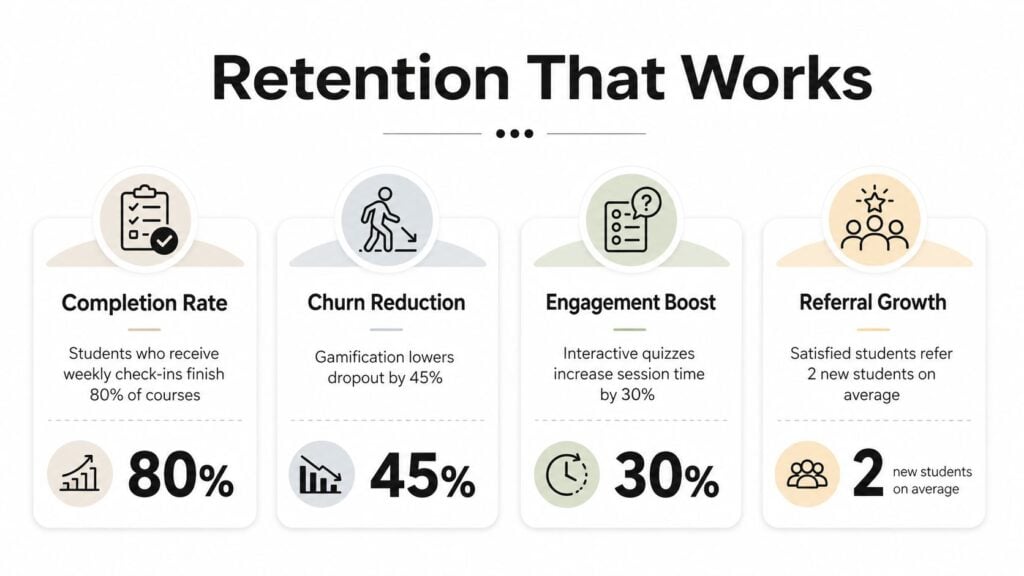
Most online schools do not lose students because the topic is weak. They lose them because the first week feels too quiet, too confusing, or too easy to abandon. In higher education, one institutional dataset found online classes had a 60% success rate versus 69% for face-to-face classes, and by fall 2019 the gap narrowed to 67% versus 70%, which shows improvement but also shows the gap does not close on its own.
That is why retention has to be built in from day one. A school that expects students to self-manage everything will usually see drop-off. A school that adds structure, support, and reminders gives learners a much better chance of finishing.
The support stack that keeps people moving
A good retention system usually includes a few things at once:
- Community space: a place for questions, wins, and peer encouragement.
- Live check-ins: office hours or group calls that reduce isolation.
- Proactive outreach: messages to students who have not logged in for several days.
- Mobile access: so students can keep learning on smaller screens.
- Downloadable materials: useful when connectivity is unreliable.
- Predictable routines: a clear rhythm for what happens each week.
Accessibility matters here because online learning can leave out students who do not have stable connectivity, and engagement problems still show up in digital schooling contexts. A good lesson will not carry itself if the delivery setup gets in the way. The platform, pacing, and support around the lesson all have to work together (online learning access and underserved learners).
I also treat compliance and learner protection as part of retention, not a separate admin task. Student data privacy, refund clarity, enrollment disclosures, and age-appropriate safeguards matter more as schools cross regions and regulations tighten. If you serve younger learners or multiple jurisdictions, this layer needs real attention, not a rushed checkbox policy.
The best retention feature is still a human one, someone notices when a learner starts drifting and reaches out early.
LearnStream, for example, publishes guidance on virtual classroom setup and LMS integration, which can help when you are deciding how to connect teaching tools, class delivery, and student access in one workflow.
The schools that last usually remove friction, create accountability, and keep the student experience steady after enrollment. Fancy course content helps, but support systems keep the school alive.

If you are ready to start online school, begin with one learner, one promise, and one pilot cohort. Build the first module, test the checkout, and get real feedback before you spend months expanding the catalog. Then use that pilot data to tighten onboarding, improve retention, and shape the next version around what students finish.