Top 10 Best LMS for Church and Ministry Training
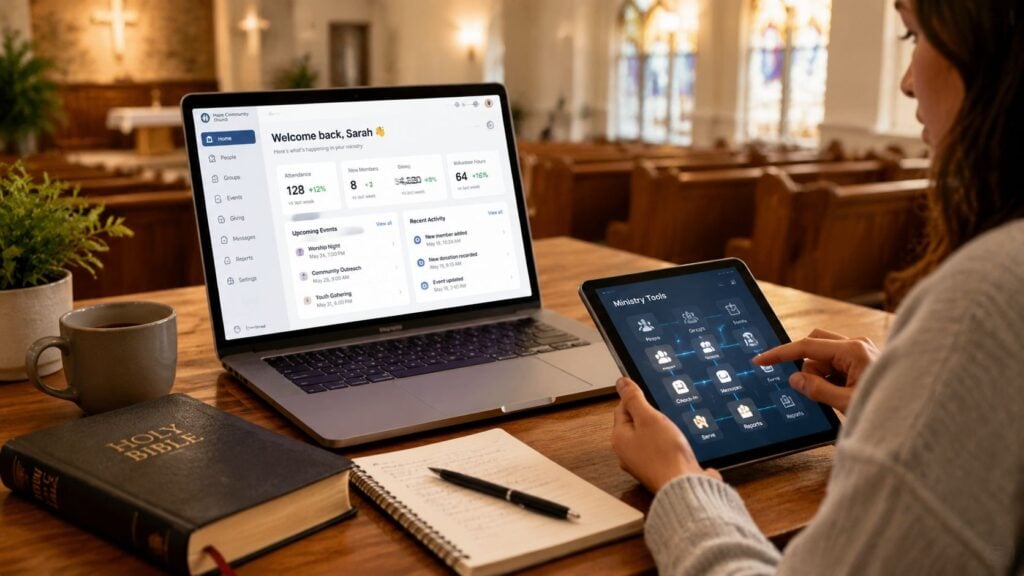
You’ve got a new volunteer for kids ministry. You hand them a PDF of the safety policy, email a background check form, and point them to a folder full of old training docs. A week later, you’re still wondering what they completed, what they skipped, and whether anyone followed up.
That’s the reality in a lot of churches. Training lives in email threads, shared drives, text messages, and the memory of one faithful admin who somehow keeps it all together. It works until it doesn’t.
A good LMS gives you one place to organize that mess. It becomes the digital hub for onboarding, discipleship pathways, ministry team training, and recurring reminders. Instead of hoping people find the right file, you assign a clear path and track what happened.
That shift matters. The market has moved from generic classroom tools toward faith-specific workflows. Google Classroom launched in 2014 as a lightweight free option, while platforms like Canvas and Moodle fit more structured training better, and church-specific options like LEAD™ LMS later positioned themselves as “an LMS built for the Church” for training, catechesis, and hybrid ministry formation, as noted in this church LMS historical overview.
If you’re comparing the best LMS for church and ministry training, I’d start with one question. What workflow are you trying to fix?
Some churches need volunteer onboarding. Others need structured discipleship. Some need worship team training that people can finish on their phones between work and rehearsal.
Before you buy anything, it also helps to see how other ministry organizations present themselves online. This profile of Training For Reigning is a good reminder that ministry training often grows beyond one class or one team.
1. Ministry Grid by Lifeway

Ministry Grid is one of the easiest recommendations when a church leader says, “I don’t want to build every course from scratch.”
That’s the big appeal here. It’s a church-first platform, and it feels like one. Instead of making you translate a corporate LMS into ministry language, it starts with church roles and training use cases people already understand.
If your bottleneck is content production, Ministry Grid removes a lot of friction. You can assign ready-made training for common ministry roles, then layer in your own church-specific expectations.
Where it fits best
This is a strong fit for churches that want one system for volunteer onboarding, basic leader development, and ongoing ministry refreshers. I especially like it for churches with multiple teams that need a common training standard without rebuilding the wheel every time someone new joins.
A key advantage is operational clarity. You can assign training, set due dates, track progress, and nudge people along. That’s where an LMS starts paying for itself, and this guide on the advantages of an LMS explains that shift well.
Practical rule: If your staff is already stretched, a platform with faith-specific content beats a blank canvas.
A few trade-offs are worth saying out loud.
- Best for churches that want ready-made ministry content: Ministry Grid shines when you need training for real church roles, not just a shell for uploading files.
- Less ideal for complex external systems: If you need deep integration with lots of non-church software, a more general platform may give you more flexibility.
- Strong for multi-team consistency: One central system helps children’s, guest services, groups, and care teams train in the same environment.
If your church uses Lifeway curriculum already, the fit gets even easier. If you need highly custom learning architecture, it may feel more opinionated than a pure general-purpose LMS.
2. ServeHQ

ServeHQ stands out because it’s built around a volunteer workflow, not just a course catalog.
That matters more than most churches realize. A lot of platforms can host videos and quizzes. Fewer platforms help you move someone from “interested in serving” to “trained, reminded, and staying connected to the team.”
Church-tech coverage specifically describes ServeHQ and TrainedUp as church-built, with custom content support and automation for email and text outreach in this church training platform roundup. That’s exactly why it earns a high spot on this list.
Best for volunteer pipelines
If your volunteer process feels fragmented, ServeHQ is worth a serious look. Training, communication, and follow-up live closer together here than they do in most LMS tools.
That all-in-one approach helps when you’re onboarding nursery volunteers, greeters, security team members, or student ministry leaders who rotate schedules and need reminders without manual chasing from staff.
If leaders can’t tell who finished training and who still needs a reminder, the platform isn’t solving the real ministry problem.
That isn’t just theory. One of the biggest underserved issues in church LMS selection is volunteer onboarding and compliance. Operational needs like role-based training, reminders, completion tracking, and auditability often matter more than flashy course design, as discussed in this DigitalChalk overview of church LMS needs.
- Best for church operations teams: ServeHQ is strong when your workflow includes recruiting, training, messaging, and follow-up.
- Good fit for Planning Center churches: If your admin stack already lives around PCO, this is easier to picture in real life.
- Probably too much for simple course delivery: If all you want is a few classes and basic lesson hosting, ServeHQ may feel like more platform than you need.
For churches trying to reduce tool sprawl, this one makes a lot of sense.
3. RightNow Media

RightNow Media fits churches that need a discipleship delivery system more than a training operations system.
That difference matters in real ministry workflows. A small group director, family pastor, or executive pastor may need trusted video studies and leadership content available this week, not six months from now after filming and building courses from scratch. RightNow Media solves that speed problem well.
Best for discipleship pathways across the whole church
I usually recommend RightNow Media when the goal is broad formation across multiple audiences at once. It works well for adult discipleship, small group leader support, men’s and women’s ministry, student follow-up, and family viewing at home. Churches also like the ability to organize content into channels so different ministries are not sending people into one giant library without direction.
That makes it a better fit for ongoing engagement than for tightly managed staff training.
The trade-off is clear. You are renting a large, trusted content catalog, not building a highly controlled internal academy. If your ministry workflow depends on quizzes, approvals, expiration dates, role-based assignments, or completion records for every learner, RightNow Media will feel light compared with a true LMS.
- Best for church-wide discipleship: Strong choice for churches that want to put solid teaching in front of leaders, groups, and families quickly.
- Good fit for small and mid-sized churches: Helpful when staff capacity is limited and creating original training content is not realistic.
- Less suited to compliance-style training: Weak fit for background-check workflows, policy acknowledgment, or any process where you need a clear audit trail.
- Useful as a layer, not always the whole stack: Some churches use it alongside another system that handles onboarding and tracking.
If your main question is, “How do we get better discipleship content into more homes without adding production work to our team?” RightNow Media is a practical answer.
If your main question is, “How do we prove every volunteer completed the right training for the right role?” Choose a platform built around workflow control.
4. MxU

MxU is the most specialized tool on this list, and that’s the point.
If you’ve ever tried to train worship, audio, lighting, cameras, lyrics, and broadcast volunteers inside a generic LMS, you know how awkward that can feel. Production teams don’t need generic workplace training with a few church examples sprinkled in. They need role-specific coaching for what happens before, during, and after a weekend service.
Built for Sunday readiness
MxU is strongest for worship and production ministries that need a repeatable standard across volunteers and campuses. The platform lets churches combine their own internal videos with MxU’s role-specific training library, which is much better than dumping rehearsal notes into a shared drive and hoping volunteers watch them.
I especially like this kind of tool for churches where one weak handoff can disrupt the whole service. Lighting cues, monitor mixes, ProPresenter changes, and camera communication are not areas where vague training helps.
A production LMS should feel like a playbook, not a filing cabinet.
That’s where MxU lands. It gives technical teams a place to store process, assign pathways, and keep volunteers from learning everything by last-minute shadowing.
- Best for worship and AVL teams: Its ideal application is here.
- Strong for recurring prep: People can review training before serving, not only after they make a mistake.
- Not broad enough for whole-church use: You’ll likely need something else for children’s ministry, membership classes, or care team training.
If your biggest ministry training pain sits in worship and tech, MxU may be the clearest answer on this whole list.
5. Pathwright
Pathwright feels different from the church-first platforms above. It’s less about managing volunteer basics and more about designing a thoughtful learning journey.
That makes it especially good for ministries running formation programs, leadership cohorts, ministry schools, or church-based certificate tracks. If your training needs discussion, assignments, schedules, and a more intentional learner experience, Pathwright is one of the more compelling options.
Best for cohort-based ministry learning
Some ministry programs are better as guided journeys than simple checklists. Leadership pipelines, intensive Bible courses, residency programs, and lay formation tracks usually need pacing, interaction, and reflection.
That’s where Pathwright earns its place. It supports cohort-based learning well, and that structure maps naturally to the way many ministries run classes and leadership development.
The trade-off is effort. A richer learner experience usually means more design work on the front end. Churches that want instant plug-and-play content may find it slower to launch than a library-driven product.
- Best for structured formation: Great for academies, cohorts, and private learning pathways.
- Useful for public and private delivery: You can build member-only programs or offer courses more broadly.
- Requires intentional course design: This isn’t the fastest route if your team wants “upload three videos and go.”
I’d put Pathwright in the “ministry school” category more than the “volunteer onboarding” category. For the right church, that’s a major strength.
6. LearnDash

If your church already runs a solid WordPress site and likes owning its platform, LearnDash is a very practical option.
I usually bring it up with churches that want full control over branding, site structure, memberships, and possibly paid programs later. It’s less of a “church platform” and more of a flexible engine you can shape into one.
Best for churches that want control
LearnDash makes sense for membership classes, discipleship tracks, church-run academies, and ministries that want training to live on their own website. You’re not sending people off to a separate ecosystem as much as extending your existing digital front door.
That flexibility is appealing, but it comes with responsibility. Someone has to manage WordPress hosting, plugin conflicts, site speed, and security. If nobody on your team wants that job, the freedom stops feeling fun very quickly.
A careful buying process helps here, and this guide on how to choose an LMS is useful because it pushes you to match the platform to your actual admin capacity.
- Best for churches with web confidence: Ideal when someone on staff or contract can manage WordPress well.
- Strong for branded training ecosystems: Everything can live under your church domain.
- Less ideal for low-tech teams: Maintenance is part of the deal.
LearnDash is powerful, but it rewards churches that are comfortable building and managing their own stack.
7. MoodleCloud
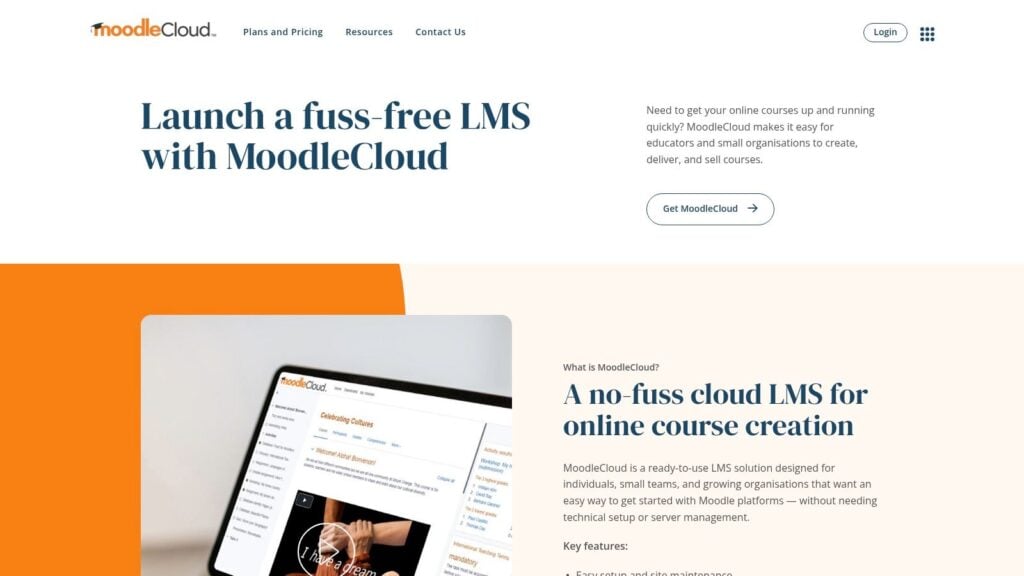
A church usually reaches MoodleCloud after a specific pain point shows up. The team has outgrown scattered videos, PDF handouts, and manual follow-up, but it still does not want the cost or responsibility of running its own server.
MoodleCloud fits that middle ground well. You get Moodle’s course logic in a hosted setup, which makes it a practical choice for ministries that need real training workflows, not just content delivery.
Best for structured ministry training with clear completion rules
MoodleCloud works best when the ministry question is, “How do we make sure people finish the right steps?” That makes it a strong fit for membership classes, lay counseling preparation, child safety training, staff onboarding, and volunteer certification paths where sequence, quizzes, and completion records matter.
I usually recommend it to churches that need a formal path from enrollment to completion. If your training process includes prerequisites, assessments, or proof that someone finished before they serve, MoodleCloud handles that better than platforms built mainly for watching videos.
It also sits in an important part of the different LMS platform categories churches can choose from. It is closer to a course system than a media library, which matters if your ministry runs repeatable training processes across teams.
A few trade-offs come with that strength.
- Best for process-heavy workflows: Useful when training has steps, deadlines, quizzes, and documentation.
- Good for churches with an organized admin lead: Someone needs to set up courses carefully and keep the structure clean.
- Less flexible than self-hosted Moodle: MoodleCloud removes server work, but you give up some customization and plugin freedom.
- Less inviting out of the box: The learner experience is capable, though it can feel more school-like than ministry-branded unless you spend time on setup.
MoodleCloud is a good choice for churches that care more about reliable training operations than polished presentation. If your ministry needs a system that works like a class registrar instead of a video shelf, it deserves a serious look.
8. TalentLMS
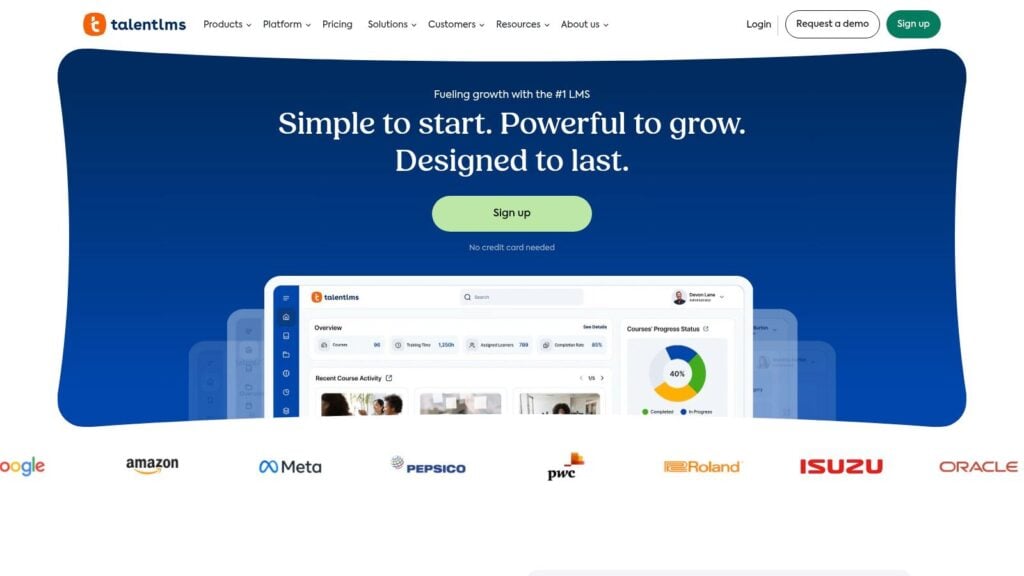
TalentLMS is one of the easiest general-purpose LMS platforms to recommend to churches that want a clean admin experience.
It comes up often in church-focused reviews for a reason. Among church and nonprofit options, TalentLMS is repeatedly positioned as a strong fit because it’s easy to use for creating lessons and taking them, especially when churches need mobile-friendly training for volunteers with busy schedules, as described in this church LMS overview from Coursebox AI.
Best for simple volunteer and staff training
Some churches don’t need a highly church-branded system. They need something the office administrator can figure out quickly, that volunteers can access on their phones, and that won’t turn every course update into a tech project.
TalentLMS fits that use case well. It’s good for policy training, onboarding, safety procedures, and recurring team refreshers. It also helps if your church wants to mix ministry-specific content with more general training.
There’s a helpful distinction in the broader types of learning management systems conversation. Some teams need church-specific workflows. Others need a flexible, easy cloud LMS and are willing to build the ministry layer themselves.
- Best for low-friction setup: Easy for non-technical admins.
- Strong for mixed-use training: Good when ministry training sits alongside HR, policy, or safety content.
- Watch the pricing model as you grow: User-based pricing can become a factor if participation expands widely.
For many churches, TalentLMS is the practical “let’s stop using folders and email” option.
9. SC Training by SafetyCulture
SC Training is the tool I’d look at when your training problem is short attention spans, distributed teams, and phones.
This is a mobile-first platform built for microlearning. That makes it a very practical option for hospitality teams, child check-in volunteers, safety refreshers, and other ministry roles where people need short bursts of training they can finish between work, family, and serving.
Best for quick-hit compliance and refreshers
Churches often overbuild training. They record a long orientation video, upload a document packet, then wonder why no one finishes. SC Training pushes in the other direction. Short modules, quick quizzes, and simple review loops tend to work better for recurring procedural content.
That’s especially useful when training is asynchronous and device-driven. Reviews aimed at churches increasingly stress low-friction adoption, mobile access, and reduced admin burden because volunteers often train on personal devices and odd schedules, which this Teachfloor piece on LMS choices for churches highlights well.
- Best for mobile ministry teams: Good fit for volunteers who won’t sit down at a desktop portal.
- Useful for recurring reminders: Strong for refreshers on process and procedure.
- Not church-specific: You’ll build the ministry content yourself.
If your problem is “people never finish the long training,” microlearning is often the right correction.
10. LearnWorlds
LearnWorlds belongs on this list for ministries that think beyond internal training.
Some churches, parachurch ministries, counseling organizations, and teaching ministries want a platform that can handle branded learning, live sessions, certificates, communities, and public course sales. That’s a different use case from volunteer onboarding, and LearnWorlds is much better positioned for it.
Best for ministries building a public-facing training arm
If you want to offer leadership cohorts, Bible institute classes, counseling certificates, or paid ministry education to a broader audience, LearnWorlds has the right shape. It supports e-commerce, branded school sites, assessments, and community features in one hosted platform.
This can work well when a ministry wants both private internal training and a public catalog under one roof. The learner experience is polished, and that matters if your audience includes people outside your local congregation.
The trade-off is straightforward. You’ll need to author and manage your own ministry curriculum. This is a platform for building, packaging, and delivering training well. It’s not a church content library.
- Best for ministries selling or scaling programs: Strong for public education models.
- Good for certificates and cohorts: Better suited to formal learning products than casual volunteer basics.
- Less necessary for simple internal teams: A church only needing greeter onboarding probably doesn’t need this much platform.
For ministries with a broader teaching mission, LearnWorlds can function more like a digital campus than a simple LMS.
Top 10 Church & Ministry LMS Comparison
A church rarely needs “the best LMS” in the abstract. It needs the right system for the training work that is already breaking down. That might be volunteer onboarding that lives in text threads, discipleship content scattered across group leaders, or production training that depends on whoever showed up early that Sunday.
This table compares these tools by the ministry workflow they fit best, so the choice is tied to how your church trains people.
| Product | Best fit in ministry workflow | Best for | Main strength | Pricing and trade-offs |
|---|---|---|---|---|
| Ministry Grid (Lifeway) | Standardizing staff and volunteer onboarding across multiple ministries | Churches that want faith-based training out of the box instead of building everything from scratch | Built-in Lifeway content and flat church pricing make rollout simpler | Annual church pricing is easier to budget for. Less flexible if you want custom workflows or outside integrations |
| ServeHQ (TrainedUp + HuddleUp + FollowUp) | Moving volunteers from first interest to trained, scheduled, and followed up | Churches building a repeatable volunteer pipeline, especially across teams or campuses | Connects training with communication and follow-up, which solves a real ministry operations problem | Strong value for active volunteer systems. Less suited for public courses or formal education programs |
| RightNow Media | Discipleship distribution for small groups, families, and ministry leaders | Churches that want a large Christian video library ready on day one | Huge turnkey content catalog for Bible study and group use | Subscription cost often scales with church size. Limited if you need structured learning paths, assessments, or custom training |
| MxU | Worship, AVL, and production team training | Churches that need consistent training for audio, lighting, video, and worship volunteers | Focused production content that matches real church tech roles | Excellent niche fit for production ministries. Too specialized for broader church-wide training |
| Pathwright | Cohorts, guided learning journeys, and ministry training programs with assignments | Seminaries, leadership schools, and churches running cohort-based formation or certificate programs | Strong structure for guided learning, not just content delivery | More setup work because you are designing the learning experience yourself. Better for intentional programs than quick volunteer basics |
| LearnDash (WordPress) | Building a custom academy, membership training hub, or self-hosted ministry school | Churches and ministries that already live in WordPress and want ownership of the platform | High customization and broad plugin ecosystem | Powerful if your team can manage WordPress. Ongoing site maintenance is the real cost |
| MoodleCloud | Low-cost formal training with quizzes, tracking, and academic-style course structure | Small to mid-sized ministries that want Moodle without managing servers | Hosted version of a proven LMS with fewer technical hurdles | Good fit for budget-conscious teams that still need structure. Cloud tiers have limits on customization and plugins |
| TalentLMS | General staff and volunteer training such as policy, safety, onboarding, and compliance | Churches that need a flexible, general-purpose LMS without a long implementation cycle | Fast deployment and broad business training features | Pricing can climb as active learner counts grow. Less ministry-specific out of the box, so expect some setup work |
| SC Training by SafetyCulture | Short mobile lessons for safety, hospitality, childcare, and recurring refreshers | Volunteer-heavy ministries that need frequent reminders and simple completion tracking | Mobile microlearning works well for busy teams who will not sit through long courses | Great for refreshers and procedural training. Less ideal for discipleship tracks or deeper teaching programs |
| LearnWorlds | Public-facing ministry education, certificates, communities, and paid courses | Ministries building an institute, course business, or broader teaching arm | Combines course delivery, community, and e-commerce in one platform | Strong fit for external audiences and formal programs. You still need to create and manage your own curriculum |
The pattern is simple. Content-library tools such as RightNow Media and MxU reduce build time. Workflow tools such as ServeHQ reduce follow-up gaps. Flexible LMS platforms such as TalentLMS, LearnDash, MoodleCloud, Pathwright, and LearnWorlds give you more control, but they also ask your team to own more of the course design and administration.
For a small church, the best choice is usually the platform a ministry assistant or volunteer champion can keep running without frustration. For a larger church or training-focused ministry, the better choice is often the one that matches the workflow you need to repeat at scale.
Your Next Step From Plan to Pilot
That’s a lot of options, which often causes churches to get stuck. They compare platforms for weeks, sit through demos, and still feel unsure because every tool sounds good in isolation.
The better move is smaller and simpler. Don’t try to build a full church university in one shot. Pick the training problem that’s already costing your team the most time, confusion, or inconsistency.
For some churches, that’s volunteer onboarding. For others, it’s leadership development, worship team readiness, or a membership pathway that currently lives in random PDFs and emails. Start there.
Across church and nonprofit LMS reviews, one pattern shows up clearly. The best platform depends on scale, automation, and content complexity more than price alone. Reviews point to tools like Moodle for low-cost flexibility, Teachfloor for cohort-based learning, and TalentLMS for simple cloud-based volunteer training, while broader comparisons also show churches now weighing mobile access, integrations, quizzes, discussions, certification, and automation instead of assuming one tool fits everyone, as summarized in this overview of LMS options for nonprofits and churches.
That matches what I see in practice. A small church with one admin volunteer usually needs something easy to sustain. A multi-campus church may need stronger records, reminders, and follow-up automation. A ministry school needs a richer learning design layer.
Here’s the simplest way to move forward.
- Pick one problem: Don’t shop for a platform to solve every ministry challenge at once. Choose one workflow that needs fixing now.
- Shortlist two or three tools: Match them to that problem. If you need volunteer systems, look at ServeHQ or Ministry Grid. If you need formal pathways, look at Pathwright, MoodleCloud, or LearnWorlds. If you need easy adoption, TalentLMS or SC Training may be enough.
- Run a small pilot: Use a trial or starter plan. Train one real team and watch what happens.
- Pay attention to admin effort: A platform that looks great in a demo can still collapse if no one on your team wants to maintain it.
- Listen to learners, not just vendors: If volunteers won’t log in, won’t finish, or can’t find the next step, that matters more than a polished sales deck.
The pilot matters because church training is rarely semester-based. It’s episodic, role-based, and often powered by busy volunteers. Simpler tools can outperform bigger ones if your team can sustain them. AI-assisted course creation and mobile access are increasingly being promoted to reduce setup burden for churches, which is one reason newer options are getting attention in church LMS conversations.
Start with one ministry team. Fix one workflow. Learn what your people use.
That’s how you find the best LMS for church and ministry training in practice. Not by chasing the most features, but by choosing the system your church will keep using.