Can You Collab on TikTok? A Guide for Course Creators

You’ve probably had this moment already.
You run a course, membership, cohort program, or consulting offer. You open TikTok, search your niche, and see creators bouncing off each other’s content, sharing audiences, and turning simple videos into conversations. Meanwhile, your own content feels like a solo act. You post tips, clips from webinars, maybe a student win or two, and still wonder whether collaboration on TikTok is useful for a serious education business.
It is.
If you’re asking can you collab on TikTok, the short answer is yes. But the better answer is that TikTok gives you a few different ways to collaborate, and each one works differently depending on whether you want quick visibility, audience trust, or direct promotion for a course.
That distinction matters for educators.
A Duet can turn someone else’s hot take into a teachable moment. A Stitch can let you build a micro-lesson from a clip your audience is already watching. And the newer Collab feature can put one shared video on multiple creator profiles, which is far more useful for co-marketing than most course creators realize.
I’ve seen a lot of education brands treat TikTok like a top-of-funnel billboard. That’s too limited. Used well, collabs help you borrow context, not just attention. When a creator in your space appears beside you, or with you, their audience gets an immediate signal that you belong in the conversation.
That’s valuable when you teach practical skills.
So You Think TikTok Collabs Are Just for Dancers
You post a clear teaching video on study skills, pricing strategy, or Excel shortcuts. It gets polite engagement, then disappears. On the same day, another creator in your niche reacts to a bad take, adds one sharp explanation, and ends up in front of a much larger audience. That gap is why education brands should take TikTok collabs seriously.
A lot of course creators still treat collaboration as entertainment behavior. That misses how discovery works on the platform. TikTok often rewards content that enters an existing conversation, especially when the creator adds a useful angle fast.
For educators, that matters because standalone lessons usually ask too much from a cold audience. A collab gives the lesson a frame people already understand. The viewer is not deciding whether to watch a random expert. They are watching a response, a correction, a continuation, or a co-sign.
That shift changes the business value of the content.
If you teach project management, a Duet with a productivity creator can turn a broad opinion into a practical method. If you sell interview coaching, a Stitch on a recruiter’s clip can become a short diagnostic lesson that points to your workshop, lead magnet, or paid program. For course creators, collabs are often less about going viral and more about reaching buyers who already care about the problem you solve.
What this looks like for educators
A nutrition educator can respond to a meal-planning myth with a tighter explanation than the original video. A coding instructor can build on a creator’s shortcut and show where it breaks in real work. A language teacher can join a pronunciation debate and use the disagreement to demonstrate expertise.
Those formats work because they reduce the distance between attention and trust.
I have seen education businesses miss this by posting TikTok content that feels like clipped webinar footage. Clean, correct, and forgettable. Collab formats usually perform better because they supply context before the lesson even begins. The audience gets a reason to care now, not after 30 seconds of setup.
Practical rule: If your content can clarify a mistake, extend a useful point, or add professional context to a popular clip, it can work as a TikTok collab.
This is also where monetization starts to matter. Educators do not need collabs just for reach. They can use them to warm up leads for a cohort, support an affiliate launch with a partner, or co-promote a workshop with another expert. If you want a stronger creative foundation before doing that, this guide to making TikToks for business is a useful starting point.
Serious offers do well on TikTok when the content feels native to the platform and connected to a live conversation. Collaboration helps you package expertise in a format people already watch. For a course creator, that is often the difference between posting lessons and building demand.
Choosing Your Collab Tool Duet vs Stitch vs Collab Posts
If you want to use TikTok well for an education business, you need to stop lumping all collaboration tools together. Duet, Stitch, and Collab Posts solve different problems.

A Duet is built for side-by-side reaction or commentary. A Stitch lets you clip part of another video and build your own post around it. A Collab Post is closer to co-publishing. That difference affects how you teach, how you promote, and how much control you keep.
TikTok collaboration feature comparison
| Feature | Visual Layout | Primary Use Case | Best for Educators when… |
|---|---|---|---|
| Duet | Split-screen with your video beside the original | Commentary, reaction, contrast, live critique | you want to respond directly to a claim, demo, student question, or trend |
| Stitch | A short clip from another video followed by your own full segment | Building on an idea, reframing, explaining | you want to turn a quick moment into a micro-lesson |
| Collab Post | One shared post associated with multiple creators after approval | Joint promotion, co-created content, audience sharing | you’re running a true partnership with another expert, host, or brand |
When each tool earns its keep
Duet is strong when your teaching works best as a response.
That includes myth-busting, teardown content, live annotation, portfolio review, or “here’s what this advice misses” style posts. If you teach design, code, language learning, or communication, Duet gives you a built-in setup.
Stitch is cleaner when you need only a small piece of the original video.
You borrow the prompt, then take over. That works well for coaches and educators who want to keep the focus on their lesson while still riding an active topic.
Collab Posts are for actual partnerships.
These make sense when you and another creator are intentionally publishing one shared piece of content for audience overlap, co-promotion, or a launch campaign. If you’re pairing up with a newsletter writer, webinar host, or adjacent expert, this is the strongest option.
The wrong tool usually creates awkward content. The right tool makes the collaboration feel native to the lesson.
A simple way to decide
Use this filter before you hit record:
- Need to react in real time: Choose Duet
- Need a short setup clip: Choose Stitch
- Need shared distribution: Choose Collab Post
If your team also needs a cleaner production workflow, this guide to making TikToks for business is useful for tightening format, planning shots, and making educational videos feel more natural on-platform.
Using Duet and Stitch to Engage Your Learning Community
The good news is you don’t need special access to start collaborating. Duet and Stitch are the easiest entry points, and for many course creators, they’re still the most flexible.
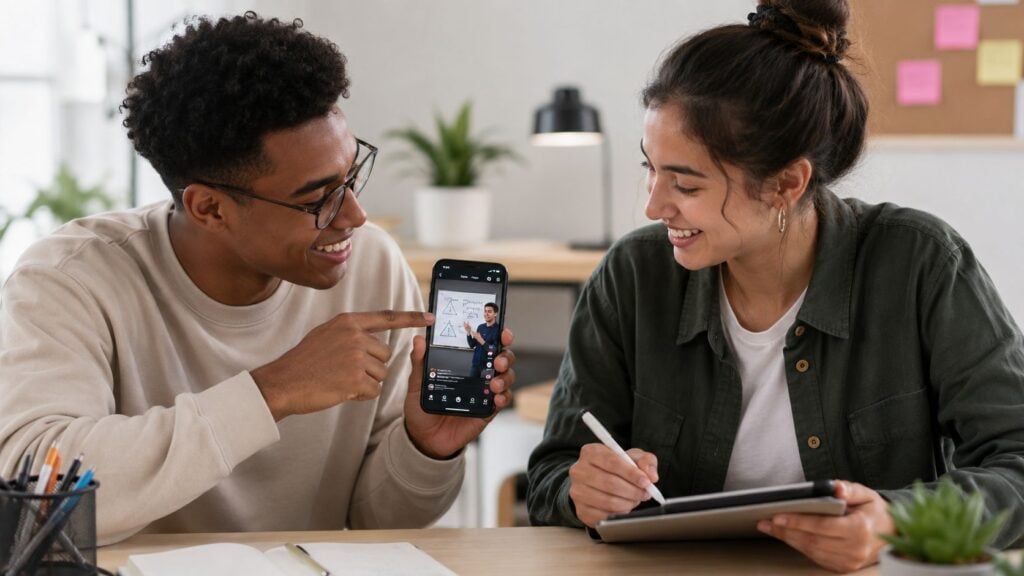
These formats work best when you treat them as conversation tools, not decoration. The point isn’t to appear next to another creator. The point is to add enough value that the viewer wants more from you.
How to use Duet without sounding like a reactor
Open a video in your niche, tap Share, then choose Duet if the creator has enabled it. TikTok sets up the split-screen layout for you.
From there, skip the obvious reaction face.
Use Duet when you can do one of these well:
- Correct a weak claim: If someone gives oversimplified advice in your field, add the missing nuance.
- Annotate a process: Pause, point, and explain what the viewer should notice.
- Show your method beside theirs: This works well for fitness instruction, language coaching, finance education, and design critique.
A solid Duet for a course creator often follows a simple rhythm. Let the original clip set up the topic, then use your side of the screen to teach one clear idea.
How to use Stitch for micro-lessons
Stitch is better when the opening clip is just a prompt.
Tap Share on the original video, choose Stitch, select the clip you want to use, then record your follow-up. The original piece becomes the intro to your lesson.
This is excellent for education content because it gives you a ready-made hook.
A few practical Stitch angles:
Take a common mistake and fix it
Someone says, “Here’s why students never finish online courses.” You Stitch the clip and explain one retention strategy.Answer the question behind the trend
A creator complains about a confusing tool. You use that moment to explain the workflow.Turn student pain into public content
If your learners ask the same question repeatedly, use a relevant Stitch to answer it in public.
The best Stitch posts don’t summarize the original. They extend it.
For creators who want cleaner visuals, faster edits, or easier text treatment, these editing tips for TikTok content creators can help tighten up educational clips without making them feel overproduced.
Community first, not just reach
Duet and Stitch are also strong community tools because they invite response. You can feature a learner’s progress, react to a question, or build on a creator’s point without needing a formal partnership.
That matters if your broader goal is to build a learning ecosystem, not just stack views. This is the same principle behind a strong course community. The conversation becomes part of the product experience, which is why a good framework for building community in an online course translates surprisingly well to TikTok too.
How to Use the Official TikTok Collab Feature
The official TikTok Collab feature is the typical answer to the question, “Can you collab on TikTok?”
Yes, you can. But this feature works differently from Duet and Stitch.
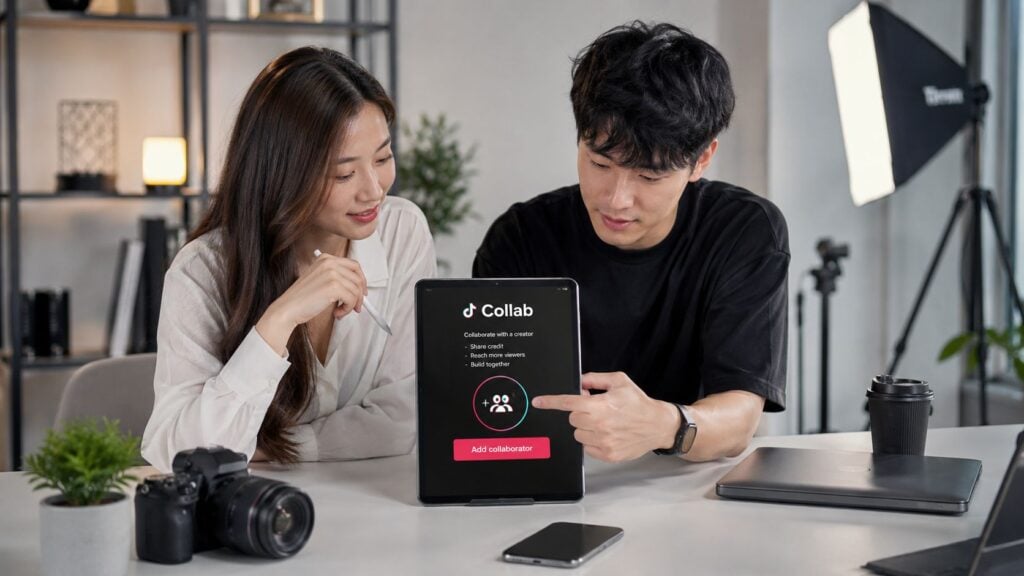
This is a co-publishing tool. Instead of reacting to someone else’s content, you create one post and invite collaborators to be attached to it. According to coverage of TikTok’s new collaboration feature, up to five collaborators can contribute to a single video, the final video can appear on all collaborators’ profiles, the original creator keeps editing rights, creators can add collaborators to up to four posts per month, and the feature is not yet universally available.
That last part matters more than most tutorials admit.
How the feature works in practice
The posting flow is fairly straightforward if your account has access.
- Create your video as usual.
- Before posting, choose Invite collaborators.
- Select the people you want to invite.
- Publish the post and wait for approval from the invited collaborators.
Once accepted, the post can display on multiple profiles with a collaboration label. TikTok’s artist help center notes that collaborators receive the invite in System Notifications and on the video itself, and accepted posts show a “Collaborated with @xxx” tag through its collaboration post help documentation.
The approval step is not optional
This catches people.
A collab invite doesn’t become a true collaboration just because you sent it. The other person has to approve it. If they don’t, you won’t get the shared profile effect you were expecting.
That approval flow is a good thing for educators and brands. It creates a consent checkpoint, which matters when you’re collaborating around paid offers, student stories, or co-branded teaching content.
Don’t announce a collab campaign until both sides have accepted the post and confirmed how the video should appear.
What to do if you don’t see the button
A lot of creators assume their app is broken when the feature isn’t visible.
That may not be the issue.
Some users still don’t have access during rollout. Community reporting summarized in this discussion of feature availability suggests that 30-40% of users in major markets like the US and UK may still not see the Invite collaborators option.
So if you’re trying to use TikTok for a course launch, don’t build your entire campaign around this feature unless you’ve confirmed access on the right account.
Here’s the practical fallback:
- Use Duet or Stitch for soft collaboration
- Cross-post coordinated standalone videos
- Pair TikTok with email or webinar promotion
- Confirm who owns the master edit before filming
If your team is also trying to connect TikTok activity with a larger workflow, this overview of TikTok API integrations is a helpful starting point for understanding what can and can’t be tracked or automated around your content systems.
A quick visual walkthrough can help if you’re more of a see-it-done person.

A Strategic Collab Blueprint for Promoting Your Course
Most course creators don’t need more random content. They need collaboration campaigns that connect to an offer.
That’s where TikTok gets useful.
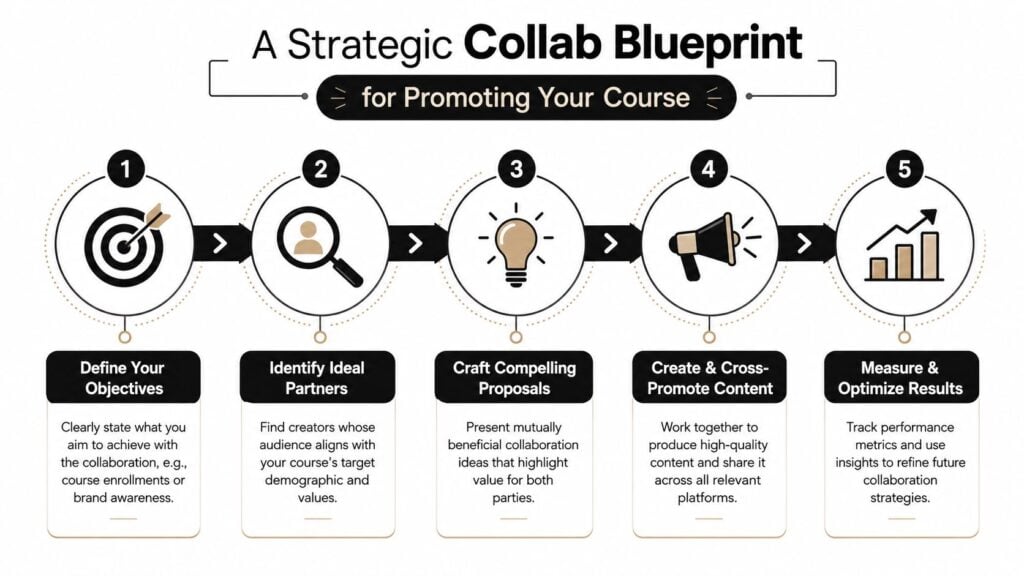
When the goal is enrollments, leads, webinar signups, or authority building, your collab needs structure. TikTok’s Creator Marketplace is the official platform for finding partners, and this breakdown of TikTok brand collaboration strategy notes that collaborations built around tutorials and trending effects see 2.5x higher engagement rates than standard posts, while ROAS averages 3.2:1 for well-executed brand campaigns.
Even if you’re not running a traditional brand campaign, the lesson is clear. Educational content performs better when the format feels native.
Campaign idea one for complementary experts
Pair up with someone whose audience overlaps but whose offer doesn’t compete directly with yours.
A course creator teaching email copy could collaborate with a landing page specialist. A nutrition educator could partner with a habit coach. A coding instructor could pair with a portfolio reviewer.
Make the campaign a short series:
- Post one: The mistake your shared audience keeps making
- Post two: Each expert gives one fix
- Post three: Invite people to a webinar, lead magnet, or waitlist
This format works because each creator brings a missing piece.
Campaign idea two for launches and waitlists
Use a collaboration campaign as a bridge into a launch.
Start with a pain point your audience already recognizes. Then create a sequence of educational clips that gradually narrow toward your offer. Keep each video useful on its own, but linked by a shared problem.
A strong sequence usually includes:
- A belief challenge
- A practical example
- A before-and-after teaching moment
- A final CTA tied to your course, workshop, or email list
If you need a broader framework for that part of the funnel, this guide on how to market online courses fits well with a TikTok-first campaign.
Campaign idea three for social proof without looking staged
Most student testimonials are too polished for TikTok.
A better option is collaborative teaching content with a student, graduate, or community member. That could be a shared lesson, a “what changed after I learned this” clip, or a response to a common beginner problem.
The point is to show transformation through contribution, not praise.
A collaboration feels more credible when both people are teaching, demonstrating, or unpacking something together.
How to vet a collaborator
The audience fit matters more than follower count for most education offers.
Look for these signals:
- Topic overlap: Their audience already cares about the problem you solve
- Teaching style: Their content pace and tone won’t make your brand feel out of place
- Offer alignment: Your products can sit near each other without confusion
- Content quality: They know how to explain, not just perform
Creator Marketplace is useful because it gives you a cleaner way to filter potential partners by niche, audience, location, and profile details. For serious campaigns, that beats guessing from the For You page.
Monetizing Collabs and Avoiding Hidden Financial Risks
A course creator runs a TikTok collab to promote a workshop. The post performs well, sales come in, and then the messy part starts. One creator expects affiliate commission, another assumes they can reuse the video in their own funnel, and nobody agreed on who owns the asset.
That is the primary monetization question on TikTok. Getting attention is the easy part. Getting paid cleanly, and keeping the relationship intact, takes more discipline.
The obvious monetization paths
For education brands, collabs usually make money in four ways. They sell a course, fill a live webinar, grow a paid community, or drive affiliate revenue for a partner offer that fits your audience.
The strategic question is not just whether a collab gets views. It is whether the collaborator brings buyer intent, teaching credibility, or trust with a specific learner segment you do not already reach.
Paid creator deals can still make sense here. But the pricing spread is wide, and education offers have a different threshold than fashion or entertainment. A creator with a smaller, highly relevant audience can outsell a bigger account if their followers already care about the problem your course solves.
The risk most guides skip
Multi-account collabs create a business problem that a lot of creators notice too late. Revenue attribution gets blurry fast.
TikTok Shop guidance explains that a shared video can appear across multiple profiles, which raises practical questions around affiliate commission assignment, product-level commission rules, and ownership of the creative itself. You can review that in this seller education resource on commission rules and shared video ambiguity.
That matters when:
- More than one collaborator is promoting the same product for commission
- A brand wants to reuse the video in ads, landing pages, or email promos
- A creator believes the post is co-owned, but the underlying edit still belongs to the original publisher
- One person removes the content later and the other built part of a launch around it
I have seen small education businesses treat this like a minor admin detail. It is not. If a collab is tied to a launch, an affiliate campaign, or a paid workshop, unclear terms can create commission disputes and kill repeat partnerships.
Before a monetized collab goes live, decide who owns the footage, who can repurpose it, how sales are tracked, and what happens if two people believe they earned the same commission.
If you want a practical starting point, use this affiliate contract template for course launch partnerships before you post.
What I’d lock down in writing
Keep the agreement short. Keep the language plain. Cover the money and usage terms before anyone records.
Include:
- Who owns the raw footage and final edited video
- Whether either party can use the content in paid ads
- How affiliate sales are tracked and paid
- Whether the post must stay live for a set period
- What each person needs to disclose for sponsorships or affiliate promotion
That level of clarity protects both sides. It also makes your collab program easier to scale.
For course creators, TikTok collabs work best when the content feels native and the business terms are handled like a real partnership. That is how a fun promotional idea turns into a repeatable acquisition channel.



![How to Effectively Host Webinars Using OBS Studio [Guide from Expert]](https://learnstream.io/wp-content/uploads/2024/08/image-768x333.png)