How to Create a Coaching Program Inside an LMS
You’ve probably seen the pattern already.
A course sells well, students get through the lessons, and then the same emails start landing in your inbox. “Do you offer feedback?” “Can I work with you directly?” “Is there a version with accountability?”
That’s usually the moment a creator stops thinking like a publisher and starts thinking like a coach.
An LMS is a natural place to make that shift. You already have the content, the audience, and the delivery system. What’s missing is the layer that helps people apply what they’ve learned, stay on track, and get support when they wobble. That’s where a coaching program fits.
I’ve seen too many creators bolt coaching onto a course like an afterthought. They add a calendar link, open a chat group, and hope the experience holds together. It rarely does. Coaching needs structure, pacing, and a client journey that feels deliberate.
When you build it properly inside your LMS, the whole thing becomes easier to run. Clients know where to go. Sessions connect to lessons. Resources live in one place. Progress is visible. You spend less time chasing logistics and more time coaching.
If you’re also thinking about the business side, it helps to learn about creator monetization strategies before you package your offer. Coaching often becomes the bridge between a lower-ticket course and a higher-value learning business.
From Course Creator to Coach
Most course businesses hit a ceiling with one-way content.
A video lesson can explain a framework. A worksheet can prompt reflection. A quiz can confirm recall. None of those things can look a learner in the eye and say, “You’re stuck here because you’re overcomplicating the next step.”
That’s the gap coaching fills.
Why students ask for more than content
Students usually don’t want more information. They want interpretation, accountability, and momentum. They want someone to help them decide what matters this week, what to ignore, and how to turn a lesson into action.
That’s why a solid coaching program inside an LMS works so well. The course gives people a map. Coaching helps them walk the route.
Practical rule: If learners keep asking the same implementation questions, you probably don’t have a content problem. You have a coaching opportunity.
The nice part is that you don’t need to rebuild your business from scratch. You’re not opening a separate practice with separate tools unless you want to. In most cases, your LMS can become the home base for both learning and support.
What changes when you build for transformation
A standard course is organized around topics.
A coaching program is organized around movement. Where is the client now? Where are they trying to get? What needs to happen between those two points?
That sounds simple, but it changes everything. Lesson order matters more. Check-ins matter more. Reflection prompts matter more. You stop asking, “What content should I upload?” and start asking, “What experience helps this person follow through?”
That’s the mindset behind how to create a coaching program inside an LMS without turning it into a cluttered mess. The LMS isn’t there to impress clients with features. It’s there to support change.
Plan Your Program Foundation First
The tech comes later.
If you skip the planning and head straight into platform setup, you’ll build a beautiful shell around a fuzzy offer. Coaching clients feel that immediately. They can tell when a program has a clear destination and when it’s just a course with office hours attached.
Start with the outcome, not the content
Define the specific result your program is designed to support.
Not “feel more confident.” Not “improve mindset.” Those can be part of the journey, but they’re not a concrete program promise. A stronger foundation sounds more like this:
- For new managers who need help running their first team
- For freelance designers who want a repeatable client onboarding process
- For subject experts trying to turn expertise into a paid offer
Then decide how you’ll know a client is making progress. Data-driven coaching works better than guesswork. In a sales setting, coaching programs that defined success through KPIs and used analytics to guide sessions produced up to a 25% uplift in quota attainment for sales reps, according to Training Magazine’s analysis of a data-driven coaching model.
You may not be coaching sales reps, but the principle holds. Pick observable signals. Completion of milestones. Session attendance. Submitted action plans. Confidence check-ins. Behavior changes noted by the client or coach.
Pick the right delivery model
A lot of creators choose a format based on what sounds premium. That’s backwards.
Choose based on how much personalization the transformation requires and how much delivery capacity you have.
| Criteria | 1:1 Coaching | Group Coaching | Hybrid Coaching |
|---|---|---|---|
| Best for | Deep personal support, sensitive topics, custom strategy | Shared goals, peer learning, scalable delivery | Programs that need both structure and personal guidance |
| Client experience | High-touch and tailored | Community-driven and energizing | Balanced, with both momentum and individual support |
| Coach workload | Heavy delivery load per client | Efficient once systems are in place | Moderate, but needs clean boundaries |
| Content design | Flexible and adaptive | More structured curriculum | Core curriculum plus tailored checkpoints |
| Pricing logic | Premium due to personal access | Often lower per seat, higher capacity | Mid to high, depending on access level |
| Common risk | Calendar overload | Clients hide in the group | Scope creep if access rules aren’t clear |
A simple decision filter
Use three questions.
Does each client need a different path?
If yes, lean toward 1:1 or hybrid.Will clients benefit from seeing others work through the same challenge?
If yes, group usually performs better than people expect.Can you sustain this model for six months without resenting your calendar?
If the answer is no, redesign it now.
A strong coaching offer feels clear before it feels sophisticated.
Define what happens every week
Before opening your LMS, write down the rhythm of the program in plain English.
Week cadence
What happens each week, such as a lesson release, a live call, a reflection prompt, or a private check-in?Coach touchpoints
Where do clients hear from you directly?Client actions
What are they expected to do between sessions?
If you can’t describe the program flow in one page, the LMS won’t fix it. It’ll just hide the confusion behind menus and tabs.
Design a Transformative Curriculum
A coaching curriculum should feel more like a guided path than a content library.
Clients don’t need every lesson up front. They need the right next step, enough context to act, and a place to capture what happens when they try. That’s why I build coaching curricula around progression, not volume.
Build milestones, not a giant course outline
The cleanest way to structure this is by phases of change.
For example, a business coaching program might run like this:
Phase one
Audit the current situation and define the targetPhase two
Build the first version of the system or offerPhase three
Test, refine, and remove frictionPhase four
Lock in habits and create a repeatable process
That format keeps the LMS organized and helps clients understand where they are in the journey.
If you want a deeper look at curriculum mapping before you upload anything, this guide on creating a curriculum for online learning is worth reviewing.
Use repeatable session templates
Every coaching session doesn’t need a brand-new structure.
Templates reduce prep time and make the client experience feel stable. I like session pages inside the LMS to include a few core elements:
Reflection prompt
What happened since the last session?Focus question
What matters most right now?Action commitment
What will the client complete before the next checkpoint?Evidence field
How will they know the action happened?
These aren’t glamorous features, but they work. A client who records commitments inside the LMS is easier to support than a client who leaves every call with good intentions and no visible plan.
Why intentional design keeps people moving
Structured learning paths inside an LMS matter. Programs built with an intentional 8-step design process have shown 35% higher completion rates than generic training, according to CYPHER Learning’s infographic on LMS program creation.
That tracks with what I’ve seen in practice. Generic training feels like a folder of assets. A well-designed coaching curriculum creates forward motion.
A useful coaching module often includes:
- A short lesson that frames the concept
- A worksheet or journal prompt that turns it inward
- A practical action to complete in real life
- A check-in that creates accountability
Clients rarely stall because they need more theory. They stall because the next action isn’t obvious enough.
Include tools clients actually reuse
The best support materials are the ones clients return to during the program without being told.
That usually means:
- Decision worksheets for moments when they’re stuck
- Progress journals that live inside the LMS
- Action plan templates for weekly commitments
- Session recap notes so they don’t forget what mattered
Avoid stuffing the resource area with extras that look impressive but don’t support action. In coaching, too many files can feel like being handed a gym full of equipment without a workout plan.
Build Your Coaching Hub Inside the LMS
At this stage, the program starts to feel real.
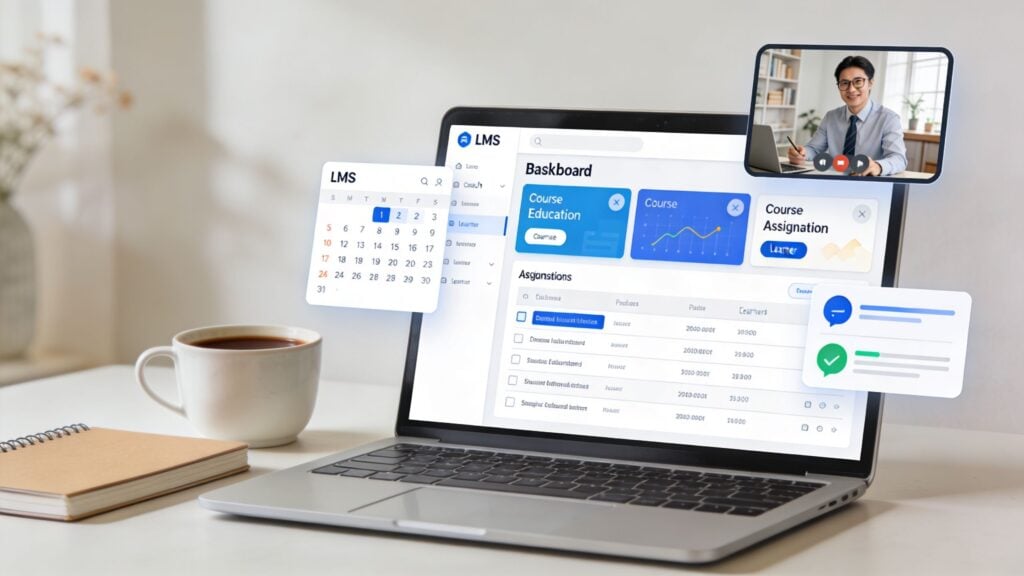
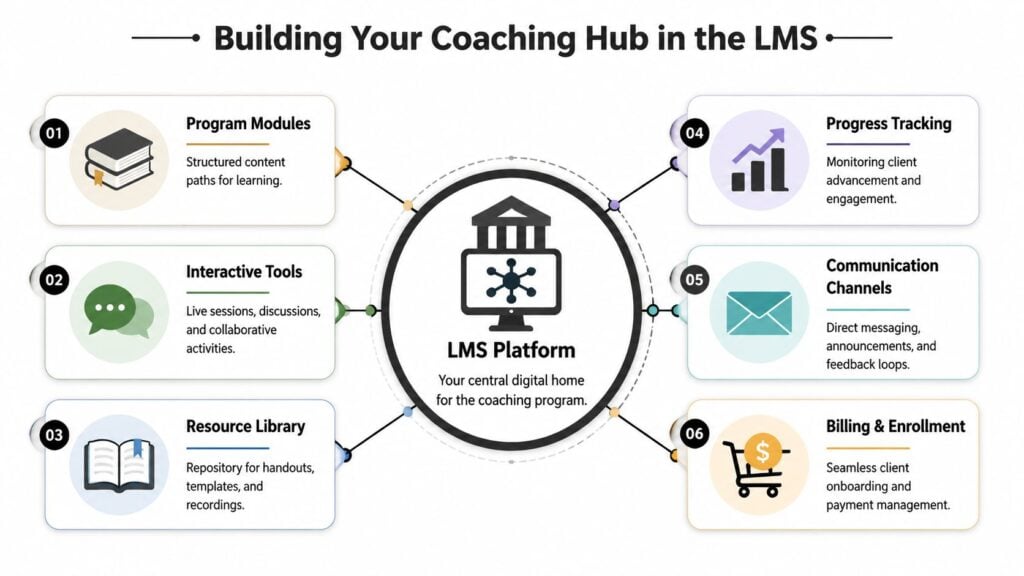
Your LMS should act like a coaching hub, not just a content vault. Clients need one place for lessons, session prep, call access, notes, accountability, and communication. If they have to bounce between five tools, the experience gets messy fast.
Set up the home base first
When I build a coaching environment, I start with one landing page inside the LMS that answers four questions immediately:
- Where do I start
- What happens this week
- Where do I join calls
- Where do I ask for help
That page does more work than people realize. It lowers friction and gives the client a sense of orientation. Good coaching experiences feel calm. Confusing dashboards do the opposite.
If you’re still evaluating platforms, this LearnStream guide on how to choose an LMS can help you sort through the practical trade-offs.
The six parts I always include
Here’s the structure I keep coming back to.
Program modules
Use your LMS course structure for the learning path itself. Organize modules by week, milestone, or phase. Drip content on a schedule if pacing matters.
Weekly release works well because it prevents binge-watching and keeps clients focused on the current action. That pacing also supports group calls because everyone arrives with roughly the same context.
Interactive tools
Add your live layer here. That might be Zoom sessions, discussion threads, office hours, or cohort workshops.
Real-time feedback matters. LMS coaching that includes real-time feedback boosts skill application by 35%, and cohort programs with weekly calls can retain 85% of participants, according to MyQuest’s coaching-focused LMS benchmarks.
That’s a useful reminder. Async-only is tidy for the coach, but it often leaves clients alone with their hesitation.
A quick walkthrough can help if you want to see one style of setup in action.
Resource library
Keep a dedicated area for reusable assets such as templates, call recordings, cheat sheets, and examples.
Don’t dump everything into one folder. Group resources by use case. “Prepare for your session” is better than “Downloads.”
Progress tracking
Clients need visible proof that they’re moving.
That can be module completion, submitted reflections, habit trackers, private notes, or milestone checklists. Coaches need a dashboard view too. If a client hasn’t logged in, skipped the last check-in, and hasn’t opened the worksheet, you know exactly where the conversation should start.
Communication channels
At this stage, many programs unravel.
Use one main channel for announcements and one defined path for support. Maybe that’s direct messaging inside the LMS, or a linked community area for group conversation. Don’t let support drift into random DMs, email threads, and text messages unless you enjoy hunting for context.
Billing and enrollment
The cleanest coaching businesses remove friction before the first session. Payment, enrollment, access, and welcome messaging should feel connected.
If you’re also building your broader web presence around the program, this guide on choosing a website engine for small business is a useful companion to the LMS decision.
Clients judge the quality of a coaching program long before the first breakthrough. They judge it when they try to log in, find the schedule, and understand what happens next.
A few setup choices that usually work better
Some LMS decisions seem small but shape the whole client experience.
Use weekly dashboards
A weekly focus area is easier to follow than a giant all-access library.Create private note spaces
For 1:1 and hybrid programs, clients need a secure area for reflections and coach comments.Separate community from curriculum
Keep discussion active, but don’t bury core actions inside the social feed.Link sessions to modules
Each live call should connect to the current learning milestone, not float as a standalone event.
That’s how to create a coaching program inside an LMS that feels cohesive instead of patched together.
Automate Workflows and Billing
Most coaching programs don’t break because the coaching is weak.
They break because the admin starts eating the business alive.
A new client pays, doesn’t get the right welcome email, misses the setup steps, forgets to book the first call, and sends a support message that should have been prevented by a simple automation. None of that is high-value work. It’s just operational drag.
Automate the path from purchase to first session
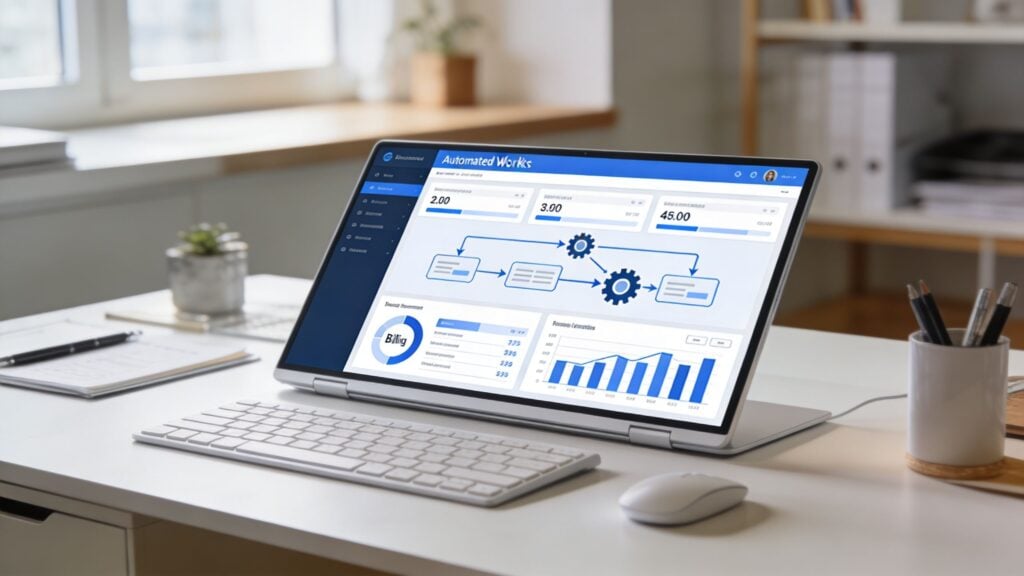
The most important automation in your program is onboarding.
A client should be able to move from payment to platform access to first action without needing you to manually push them along. In practical terms, that usually means connecting your checkout system with your LMS and email platform so the right events happen automatically.
A clean onboarding flow often looks like this:
Payment is completed
The client is enrolled in the correct program.Welcome email is sent
It includes login instructions, what to expect, and where to begin.Session booking prompt is triggered
If your format includes calls, the calendar invite should be easy to find.Pre-work becomes available immediately
The first reflection or intake form should be ready on day one.Reminder messages go out automatically
No one should miss a session because they forgot the date.
Billing should feel boring
That’s a compliment.
Billing is best when clients barely notice it because everything is clear. Whether you use one-time payments, installment plans, or recurring subscriptions, the rules should be obvious before purchase and easy to manage afterward.
For creators who need examples of a cleaner invoicing workflow, this breakdown of how to automate tutoring invoices is useful because the same operational logic applies to coaching businesses too.
Use automation to protect your energy
This is the part a lot of people miss. Automation isn’t only about saving time. It protects your attention for the work that needs your judgment.
Good candidates for automation include:
Enrollment actions
Access, tags, welcome messages, and first-step promptsSession reminders
Email reminders, calendar nudges, and missed-session follow-upsProgress prompts
Weekly check-ins when a learner hasn’t completed a taskMilestone recognition
Triggered messages when someone submits a key assignment or reaches a module checkpointOffboarding sequences
Final recap, testimonial request, next-offer invitation, or renewal message
The more often you repeat a task the same way, the more likely it belongs in an automation.
Where human touch still matters
You don’t want to automate every moment.
Clients can tell the difference between a smart support system and a cold one. Keep your personal energy for welcome videos, nuanced feedback, hard conversations, and moments where a client needs interpretation rather than instruction.
That’s the trade-off I like. Let the software handle consistency. Let the coach handle meaning.
A simple test helps here. If removing your personal involvement would make the interaction feel generic, keep it human. If it’s a predictable logistical action, automate it.
Scale Smartly with Tech and Talent
Once a coaching program works, the next problem shows up fast.
You fill a cohort, your calendar gets crowded, clients want more support, and every new sale starts to feel like a promise you’ll have to personally carry. That’s when scaling stops being a marketing issue and becomes a delivery issue.
The strongest programs scale in two directions at once. They add people where human judgment matters and add technology where consistency matters.

Bring in more coaches without losing the method
If your program depends entirely on your personality, it won’t scale cleanly.
That doesn’t mean becoming robotic. It means documenting your method well enough that another coach can deliver the same standards. I usually recommend creating a coach playbook inside the LMS or a companion workspace that includes:
- client milestones
- session structure
- escalation rules
- feedback examples
- tone guidelines
- boundaries for support
That gives new coaches something firmer than “just do it how I do it.”
Where AI fits in a coaching program
AI is one of the most underused levers in this space.
According to LearnWorlds’ coverage of AI coaching inside courses, 68% of LMS platforms offered AI personalization in 2025, while only 12% of coaching programs were using AI coaches for scalable interactions. That gap is the opportunity.
Most creators either ignore AI or imagine it replacing the coach. Neither approach is very useful.
The better model is hybrid support.
Good uses for AI
AI can help with the parts of coaching that are repetitive, pattern-based, or time-sensitive.
For example:
- First-pass feedback on worksheets or journals
- Prompt generation when a client feels stuck
- Action plan drafts based on session notes
- Always-on support between live sessions
- Resource recommendations tied to current obstacles
That kind of support gives clients quicker responses without requiring you to be online all day.
Bad uses for AI
Don’t ask AI to handle trust-heavy moments by itself.
It shouldn’t be making sensitive judgment calls, giving high-stakes personal advice without review, or pretending to know client context it doesn’t have. AI can sound confident while being wrong. In coaching, that’s a serious quality issue.
Use AI as a teaching assistant, not as the lead coach.
Build the hybrid model carefully
The practical version is simple.
Let AI handle structure. Let humans handle discernment.
A healthy blend might look like this:
- AI summarizes a client’s weekly check-in
- the coach reviews the summary before the live session
- AI suggests three next-step exercises
- the coach chooses the one that fits the client’s situation
- AI answers common process questions between calls
- the coach steps in for nuance, emotion, and decision support
That model also helps community-led programs. If you’re building group accountability around the LMS, these community engagement best practices are useful for keeping the human layer active while tech handles the routine parts.
Scale the parts clients don’t need you for
A lot of founders try to scale by doing more themselves, just faster.
That never lasts. A better question is, “Which parts of this experience require my direct voice, and which parts just require a reliable system?”
That distinction is what keeps coaching businesses healthy as they grow.
Your Launch Checklist and Final Tips
By launch week, most creators are thinking about promotion.
Fair enough. But the smarter move is to test the full experience the way a client would. A coaching program can look polished on the sales page and still feel clunky inside the LMS if the handoff isn’t smooth.
Run the full client journey yourself
Before inviting anyone in, complete every important step as if you were a new client.
Check these one by one:
Purchase flow
Can someone pay without confusion, and do they immediately receive the right access?Welcome sequence
Does the first email explain exactly where to log in and what to do first?First login experience
Is the dashboard clean, or does it dump people into too many choices?Booking process
If calls are included, can a client book without sending you a message?Module navigation
Can they find the current week, download a worksheet, and submit a reflection easily?Support path
Is it obvious how to ask a question or get help?
Prep for the first cohort, not just the launch
Your first group will teach you more than any planning doc.
That means your job isn’t to make the program perfect. Your job is to make it sturdy enough to deliver results and simple enough to improve as real people move through it.
A few launch habits help a lot:
Keep the first cohort focused
Don’t overfill the program with extras.Watch where people hesitate
Confusion is usually a design problem, not a motivation problem.Collect language from clients
Their words will improve your messaging and your curriculum.
Early clients are co-designers whether you intend that or not. Listen closely.
Final practical advice
A few closing rules have saved me trouble more than once.
Price for delivery reality
If your program includes real access to you, the price has to reflect the delivery load. Underpricing coaching often leads to overpromising.
Keep boundaries visible
Write down response times, session rules, community guidelines, and what support does and doesn’t include. Clients usually respect boundaries when they’re clear.
Don’t add complexity to signal value
Longer dashboards, extra calls, and giant resource libraries don’t automatically make a better program. A clean experience often feels more premium because people can use it.
Review the data and the comments
Look at completion behavior, call attendance, submitted work, and client feedback together. The numbers show patterns. The comments explain them.
If you’ve been wondering how to create a coaching program inside an LMS without turning your business into a support queue, this is the playbook I’d use. Start with the transformation. Build the rhythm. Use the LMS to hold the experience together. Add automation where repetition shows up. Scale with systems before strain forces you to.