Community Platform for Creators

If you’re running your community across Discord, Patreon, email, maybe a Facebook Group too, you already know the pain.
One member pays on one platform, asks a question on another, misses the update you sent somewhere else, then messages you saying they can’t find the course replay. You end up doing support work that has nothing to do with teaching, coaching, or creating. It feels manageable at first. Then the stack starts owning you.
I’ve seen a lot of creators hit the same wall. They don’t need another place for people to talk. They need a real home base. A community platform for creators works best when it becomes part of the business itself. It handles who gets access, where conversations happen, how content is delivered, and how money comes in. That’s a different job than a group chat.
More Than Just a Group Chat
The messy version usually looks harmless in the beginning.
You launch a paid offer on Patreon. Your live discussion happens in Discord. Important updates go out through ConvertKit. A few members still reply inside Instagram DMs because that’s where they found you. Everything technically works. But your member experience feels like a scavenger hunt.
That setup is what I think of as digital duct tape. It holds for a while. It doesn’t age well.
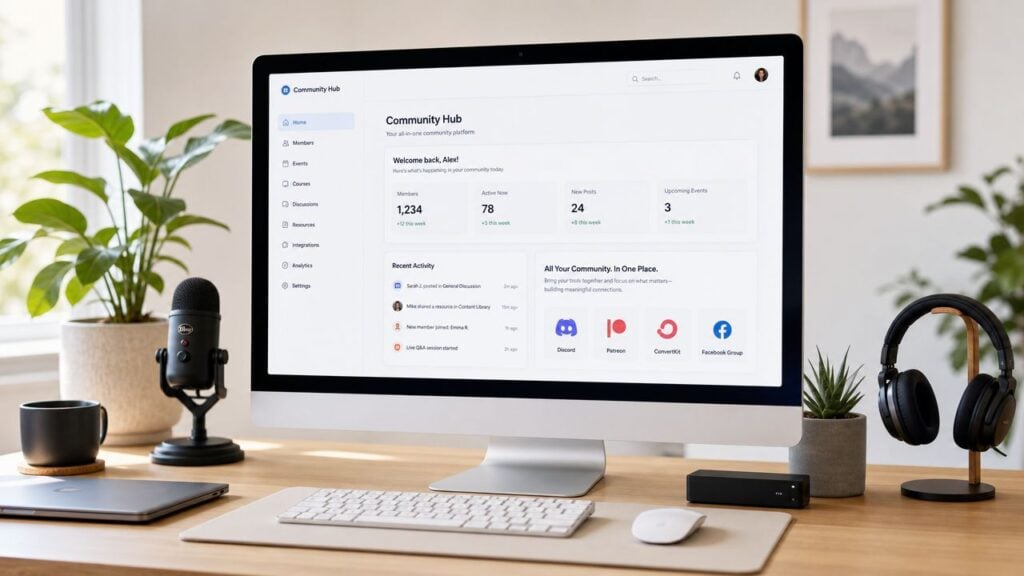
A dedicated platform changes the shape of the business. Instead of sending people in circles, you give them one branded place to log in, find the conversation, access the course, check the event calendar, and manage their membership. That’s a better experience for members, and it’s a lot easier to run.
Why scattered tools stop working
The problem isn’t that Discord is bad or that email tools are bad. The problem is that each tool solves one slice of the job.
When those slices are spread out, three things usually happen:
- Members get lost: They don’t remember where to post, where to watch, or where to check billing.
- You repeat yourself: The same update gets copied into email, chat, and social posts.
- Revenue gets leakier: People drop because access feels confusing, not because the offer is weak.
A strong community feels simple from the member side, even when there’s a lot happening behind the scenes.
This is one reason community has become a serious software category. Independent market research estimates the global online community platform market was worth $1.8 billion in 2025 and is projected to reach $5.2 billion by 2034, with a 12.5% CAGR over the period. The same research says North America accounted for 38.2% of global revenue in 2025, which shows this is established infrastructure, not a side trend in creator tech, according to online community platform market research from Dataintelo.
Your community can become a business asset
The best creators don’t use community as an add-on. They use it as a retention engine.
If someone discovers you through social media, buys a course, joins your community, attends events, and keeps renewing a membership, you’ve built a system. That’s a much stronger position than chasing attention one post at a time. If you work in launches or product-based businesses, this guide on community’s role in crowdfunding is worth reading because it shows how community can support momentum before and after a sale.
If you’re still shaping your first version, this practical article on forming a community is a good next step.
Choosing Your Community Business Model
Most platform mistakes happen before anyone even starts comparing tools.
Creators shop for features first. That’s backwards. Your business model decides what your platform needs to do. Picking software before you know the job is like buying power tools before you have a house plan.
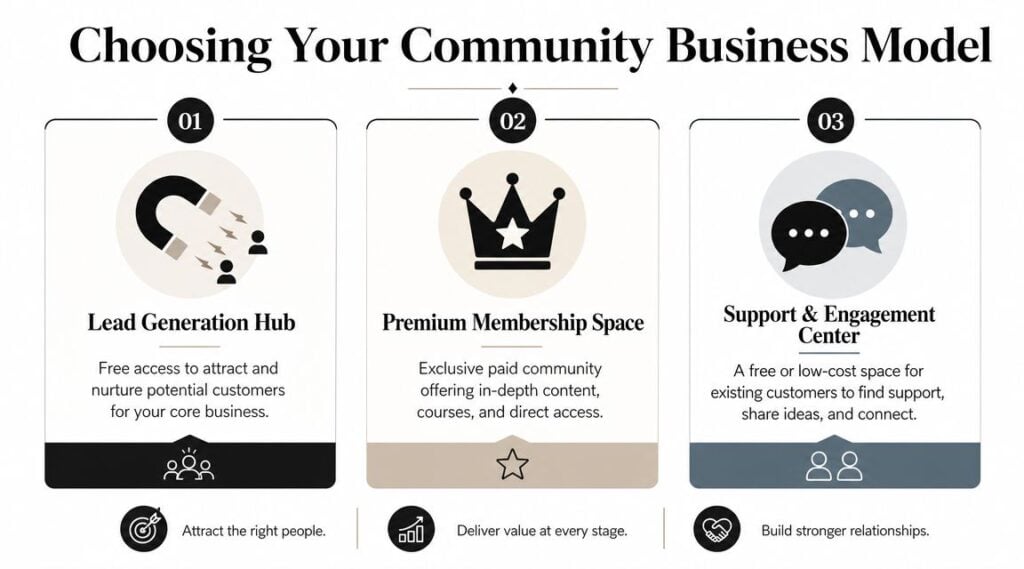
Three models I see most often
Here are the three common setups that matter in practice.
| Model | Best use | What usually matters most |
|---|---|---|
| Lead generation hub | Warm up future buyers | Easy joining, lively discussion, strong moderation |
| Premium membership space | Recurring paid access | Billing, permissions, content delivery, events |
| Support and engagement center | Help existing customers succeed | Organized topics, searchable answers, onboarding |
A lead generation hub is usually free. Its job is to help people get to know your world. You don’t need heavy commerce features on day one, but you do need a strong experience that gives people a reason to stay.
A premium membership space is different. People are paying for access, so friction hurts more. If lessons live in one place, community in another, and replays in a third, the offer starts feeling cheaper than it is.
A support and engagement center sits closer to customer success. This can work well for course students, coaching clients, or software users who need community support, peer answers, and updates in one place.
Match the model to the interaction style
A lot of reviews fall short. They talk about tools as if every community behaves the same way. They don’t.
Professional-community research notes that platform choice depends heavily on the interaction model. Communities with structured learning or paid memberships usually benefit from integrated course delivery and permissions, while open discussion communities can prioritize scale and moderation over commerce features, as explained in Guild’s research on professional community platforms.
That tracks with what I see on the ground.
- Teaching-focused creators usually need modules, gated areas, and clean onboarding.
- Audience-first creators often care more about discussion flow and discovery.
- Customer communities need search, organization, and simple support paths.
Practical rule: If members are paying for transformation, not just access, your platform needs structure.
Pricing also ties back to model. A broad free community and a premium mastermind should never be built the same way. If you’re still working through the business side, this guide to subscription pricing models helps clarify how your offer and pricing need to fit together.
What usually doesn’t work
A few patterns tend to break fast.
- Free community with premium expectations: Members expect deep support, but there’s no revenue to support moderation or content.
- Paid membership with no clear recurring value: People join, look around, then wonder why they should stay.
- Course community treated like general social chat: Important learning discussions disappear under random conversation.
When the model is clear, platform choice gets easier. You stop asking, “Which tool has the most features?” and start asking, “Which tool supports the business I’m building?”
Key Features That Actually Matter
Feature lists can waste a lot of time.
Most sales pages pile everything into one giant buffet. Courses, chat, events, gamification, AI, apps, email, automation. That sounds impressive until you try to run a real community and realize only a few features carry most of the load.
Start with the member system
The most important technical choice is whether discussions, courses, memberships, and payments live inside one identity and access-control layer. When member management is unified, creators can segment access, reduce tool switching, and keep people inside the branded experience, which improves retention, as noted in Zanfia’s breakdown of community platform architecture.
That sounds technical, but the idea is simple. One login should grant access to the right parts of the business.
If someone buys your workshop, the platform should know they can access the workshop area. If they upgrade to coaching, it should provide access to the coaching space. If their payment fails, access rules should update without you chasing it manually. That’s the plumbing. Members don’t praise the plumbing, but they notice when it’s broken.
Features by job, not by category
I like to evaluate a community platform for creators by the jobs it needs to do.
Engaging members
For conversation, I want structure before novelty.
- Discussion spaces: Clear topic areas beat one giant chat feed for most education and membership businesses.
- Notifications: Members need a reason to come back without getting overwhelmed.
- Member profiles: Helpful when peer connection matters, especially in cohort or mastermind formats.
Real-time chat can help, but it can also turn your community into a noisy hallway. If your audience needs thoughtful answers, a forum-style layout often ages better than constant live chat.
Delivering the offer
Many creators underbuy at this point.
- Course hosting: Useful if education is central to the offer.
- Event tools: Important for live workshops, office hours, and member calls.
- Content organization: Replays, templates, and lessons need a home that makes sense.
If people have to ask where the basics are every week, your content structure is doing extra damage.
The right content setup lowers support volume because members can find what they need without waiting for you.
Selling and managing access
Here, business operations either become smooth or annoying.
- Payments and memberships: Built-in billing is simpler when subscriptions are a core part of the offer.
- Permission controls: You need to gate access by tier, product, or cohort.
- Basic automation: Welcome flows, access changes, and onboarding prompts save time fast.
If membership is part of your plan, this guide to the best membership site platform is useful for comparing what matters beyond surface-level features.
Nice-to-have versus non-negotiable
I don’t dismiss extras like gamification, branded apps, or advanced automation. They can be useful. But they don’t rescue a weak foundation.
My core principles are straightforward:
- One member identity
- Clear access control
- Organized discussion
- Reliable content delivery
- Payments that don’t create admin work
Everything else comes after that. Creators get in trouble when they buy for flash instead of flow.
The Right Way to Pick Your Platform
Most comparison articles rank tools like they’re picking a phone case. That’s not how this decision works.
A platform choice has to fit your business stage, your existing stack, and the way your audience likes to interact. I use a simple filter for this: Stage, Stack, Style.
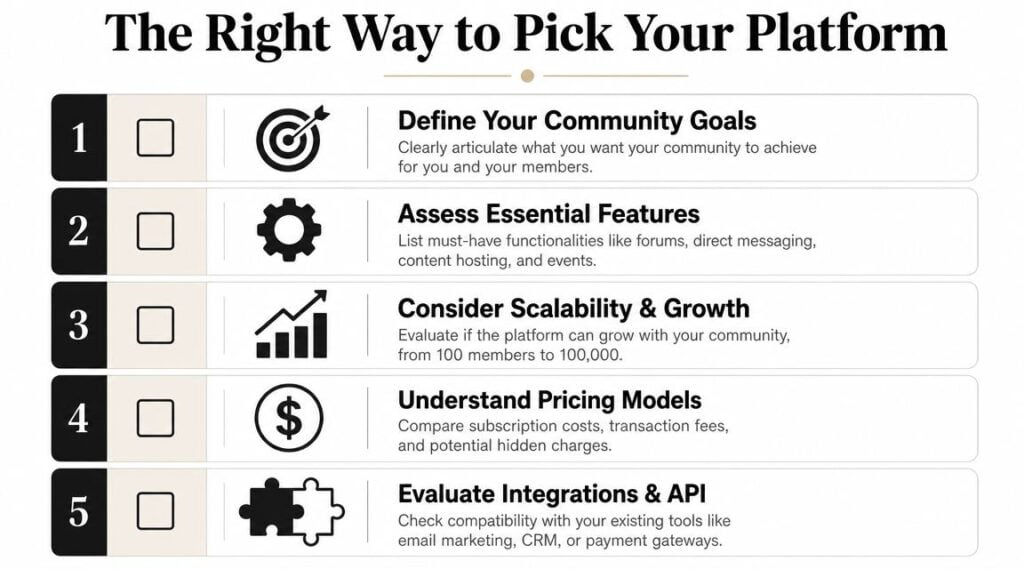
Stage
A creator starting fresh has different needs than someone migrating an active paid membership.
If you’re new, simplicity matters more than edge-case customization. You need to get live, onboard members, and learn what people use. If you’re migrating from Discord, Facebook Groups, Kajabi, or Slack, the bar is higher. You need content transfer, payment continuity, and a clear communication plan so members don’t panic when things move.
One reason this decision gets overlooked is that the harder question isn’t whether a platform exists. It’s whether moving to it will reduce tool sprawl and admin overhead enough to justify the switch. That’s the lens described in Circle’s platform positioning.
Stack
Some creators want one system. Others already have tools they love and don’t want to replace.
If your email, checkout, course delivery, and CRM are already dialed in, a platform with solid integrations may be enough. If your current setup feels like crossing a river on stepping stones, an all-in-one tool will probably reduce stress.
Here are the trade-offs in plain language:
| Approach | Works well when | Usually hurts when |
|---|---|---|
| All-in-one | You want fewer tools and cleaner member experience | One part of the platform is weak for your main use case |
| Integrated stack | You already have best-in-class tools | You spend too much time connecting and maintaining them |
A lot of creators underestimate the cost of “cheap” tools. The monthly bill is only one part. Your time is the hidden line item. So is member confusion.
Style
This part gets ignored all the time.
Some audiences want fast chat. Some want organized threads. Some want a classroom. Some want a networking room. If you force the wrong interaction style, engagement feels unnatural.
- Chat-heavy audiences: Often prefer fast updates, casual accountability, and quick back-and-forth.
- Learning-focused audiences: Usually do better with structured posts, searchable discussions, and clear lesson flow.
- Professional communities: Often need cleaner moderation and better organization than a casual fan space.
This short video gives a useful framing for the decision process:

Quick gut check: If your platform looks great in a demo but creates more steps for members, you picked the wrong winner.
The prettiest interface doesn’t matter much if your members don’t return and your team dreads managing it.
Your First 90 Days Inside a New Community
A new community doesn’t need to feel huge. It needs to feel alive.
I’ve watched creators launch beautiful spaces that felt empty because nobody knew what to do there. People joined, looked around, and left unnoticed. Early momentum comes from structure, not magic.
Days 1 to 30
Your first month is about reducing awkwardness.
Members need obvious paths. Give them a welcome post, a short intro prompt, and one easy action to take right away. Don’t ask them to “explore the space.” That’s too vague. Ask them to introduce themselves, answer one relevant question, or post the goal they’re working toward.
A simple onboarding flow usually works best:
- Welcome message: Explain what the community is for and where to begin.
- First action: Ask for a short intro with a prompt that gets useful answers.
- Direction post: Show members where events, resources, and discussions live.
You also need seeded conversation. Start several threads yourself before launch. A blank room is uncomfortable, even when people like you.
Days 31 to 60
Here, routine starts to matter.
You don’t need to post all day. You do need a rhythm members can learn. Weekly discussion prompts, one live touchpoint, and a regular digest often go further than constant chatter.
Try to create different kinds of participation:
- A practical thread where members ask questions
- A progress thread where they share wins or blockers
- A light thread that makes the space feel human
Silence in a community usually means members aren’t sure what kind of participation is welcome.
Moderation matters here too. Keep the rules simple. Be clear about tone, self-promotion, and where questions belong. If you have a few engaged early members, give them small leadership roles. They can welcome new people, answer common questions, and model the culture you want.
Days 61 to 90
By this point, patterns are visible.
You can see which posts attract replies, which resources get used, and where people get stuck. Tighten the structure around what members already respond to. Remove dead sections. Rename confusing areas. Archive what nobody touches.
Don’t try to impress people with more features during this phase. Make the useful parts easier to find. Communities get stronger when navigation and expectations are obvious.
How to Monetize Your Community Effectively
A community platform should earn its keep.
That doesn’t always mean charging on day one. It does mean you should know how the space supports revenue. Otherwise it becomes another project you have to feed.
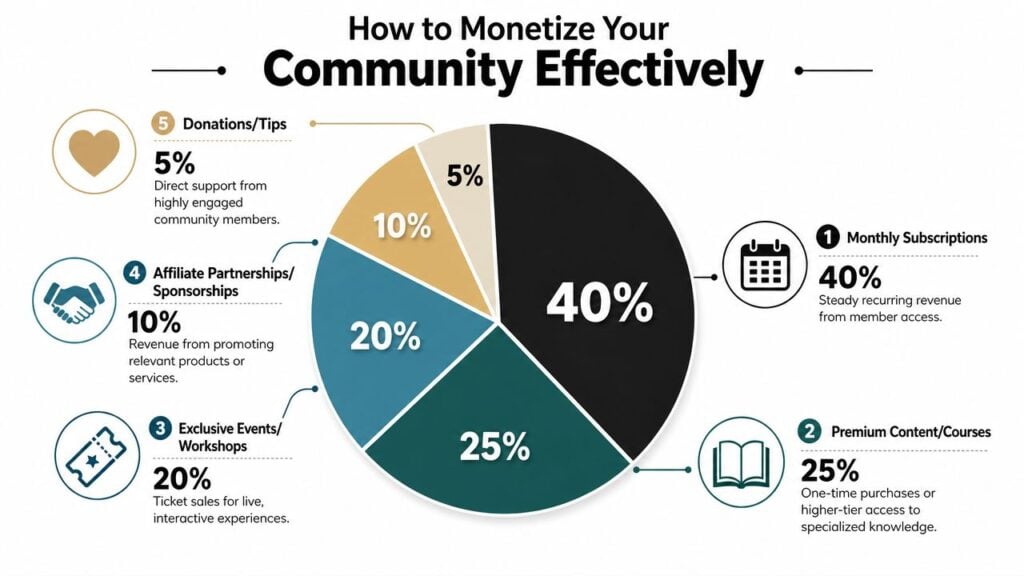
What the current data says
According to Circle’s 2026 creator economy data, 88% of community builders monetize with memberships, and 67% say new members discover their communities through social platforms. The same report says 32.9% of communities charge $26 to $50 per month.
That price range matters because it’s realistic for a lot of creator businesses. It’s high enough to support recurring revenue, but still accessible for members when the offer is clear.
The same data also shows a spread of maturity. 21% of communities are pre-revenue, 21% earn under $10,000 annually, 16% earn $10,000 to $50,000, 15% earn $50,000 to $250,000, 8% earn $250,000 to $1 million, and 4% exceed $1 million annually. That tells me two things. First, many communities are still early. Second, a meaningful group has already turned community into serious recurring income.
Monetization paths that fit different stages
If you’re early, keep it simple.
A low-friction paid membership can work well when you already know what recurring value you’ll deliver. That might be weekly office hours, monthly workshops, resource drops, or access to a focused peer group. If the value repeats, a subscription makes sense.
If you’re not ready for recurring commitments, community can still support revenue through:
- Cohort programs: Limited-time groups with a clear outcome
- Courses: Community adds accountability and discussion around the material
- Workshops: Paid live sessions with replay access inside the platform
- Coaching groups: Higher-touch spaces for smaller member sets
Once the base offer is stable, tiers can help. A lighter membership can sit below a premium coaching or mastermind layer. That gives members a path to grow with you instead of leaving when they want more support.
What tends to backfire
A few monetization mistakes show up constantly.
- Charging for access without a clear promise: People don’t stay for vague “community.”
- Overcomplicating tiers too early: Too many levels create confusion and support questions.
- Selling content without connection: Members often join for information, but they keep paying for proximity, accountability, and shared progress.
Members usually pay first for a result they want, then keep paying for the environment that helps them maintain momentum.
One more point matters here. Since 67% of members discover communities through social platforms in Circle’s data, social is still useful at the top of the funnel. Just don’t build the whole business there.
Your Community Launch Checklist
Before you open the doors, run through this like a preflight check.
Core business decisions
- I know the job of the community: Lead generation, paid membership, student support, or a higher-ticket group.
- I picked a platform that fits that model: Not just the one with the nicest landing page.
- I know how the community supports revenue: Subscription, course sales, coaching, events, or customer retention.
Member experience basics
- I wrote a welcome message: It tells members where to start and what to do first.
- I seeded early discussions: No empty rooms.
- I organized the space clearly: People can find conversations, content, and events without guessing.
Operations and moderation
- I set access rules: Members get the right content and areas based on what they bought.
- I drafted simple community guidelines: Tone, behavior, promotion, and support boundaries are clear.
- I created a basic recurring rhythm: Prompts, events, or updates that make the space feel active.
Launch readiness
- I tested the member journey: Join, pay, log in, access content, post, and attend an event.
- I planned the migration or announcement: Existing members know what is changing and why.
- I know what success looks like: Fewer support headaches, stronger retention, cleaner monetization, or better student outcomes.
If you want a broader operational reference, this effective product launch checklist is useful because it covers the kind of launch discipline creators often skip when they focus only on content.
A community platform for creators works best when it becomes boring in the right ways. Members know where to go. Access works. Conversations have shape. Payments are clear. You stop patching things together and start running a system.