Lectora vs Articulate Storyline for Interactive Courses
You’ve probably been in this spot before.
A project lands with real visibility attached to it. The stakeholders want branching, realistic decisions, polished interactions, mobile access, accessibility confidence, and a review cycle that doesn’t turn into a week of screenshot-markup chaos. Then someone asks the question that shapes the whole build: should we do this in Lectora or Articulate Storyline?
I’ve seen teams treat that as a feature checklist exercise and regret it later. The fundamental choice is operational. The tool changes how fast your team can prototype, how cleanly SMEs review, how painful revisions become, and whether accessibility gets baked in early or patched in late.
For a broad view of where these tools sit in the current market, LearnStream’s guide to authoring tools for e-learning in 2026 is a useful companion. But when the decision is down to these two, the practical differences matter more than the marketing pages.
Here’s the short version before we go deeper.
| Decision area | Articulate Storyline | Lectora |
|---|---|---|
| Team ramp-up | Faster for most teams | Slower, more technical |
| Daily authoring feel | Slide-based, familiar, fast | Structured, methodical, precise |
| Review workflow | Smooth for standard builds | Strong, especially in controlled workflows |
| Interactivity build style | Visual triggers, states, layers | Actions, variables, conditional logic |
| Accessibility control | Good for many teams | Better for compliance-heavy work |
| Responsive behavior | Works well for common needs | Stronger control over responsive design |
| Best fit | Corporate L&D, rapid development, broad contributor base | Compliance-heavy teams, advanced customization, accessibility-first builds |
Choosing Your E-Learning Authoring Powerhouse
A lot of tool decisions start with pressure.
You may have a compliance refresh due soon. Or a product training rollout with multiple stakeholder groups. Or a customer education course that needs to feel less like a slide deck and more like a guided experience. In all of those situations, your authoring tool becomes a workflow decision before it becomes a design decision.
I’ve watched teams pick the “more powerful” tool and get buried in setup overhead. I’ve also watched teams pick the “easier” tool and hit a wall when late-stage accessibility fixes or custom behavior become release blockers. Both mistakes are common because people evaluate the final course and ignore the production process that gets them there.
That process shows up fast in day-to-day work:
- Your designer needs to prototype interactions without fighting the interface.
- Your SME needs a review link that makes feedback easy to leave and easy to action.
- Your QA lead needs predictable behavior, not hidden issues that surface after publish.
- Your accessibility reviewer needs enough control to verify the course properly.
The best authoring tool is often the one your whole team can use consistently under deadline, not the one with the longest feature page.
That’s why Lectora vs Articulate Storyline for interactive courses is such a common debate. Both are mature, capable tools. Both can publish serious learning experiences. But they shape the team around them in different ways.
Storyline tends to pull teams toward faster output and broader participation. Lectora tends to reward teams that plan carefully, document decisions, and need tighter control over structure and behavior.
If your project is high stakes, that difference isn’t small. It affects every build, every edit, and every signoff.
Storyline’s Speed vs Lectora’s Precision
The biggest difference between these tools shows up before you publish anything.
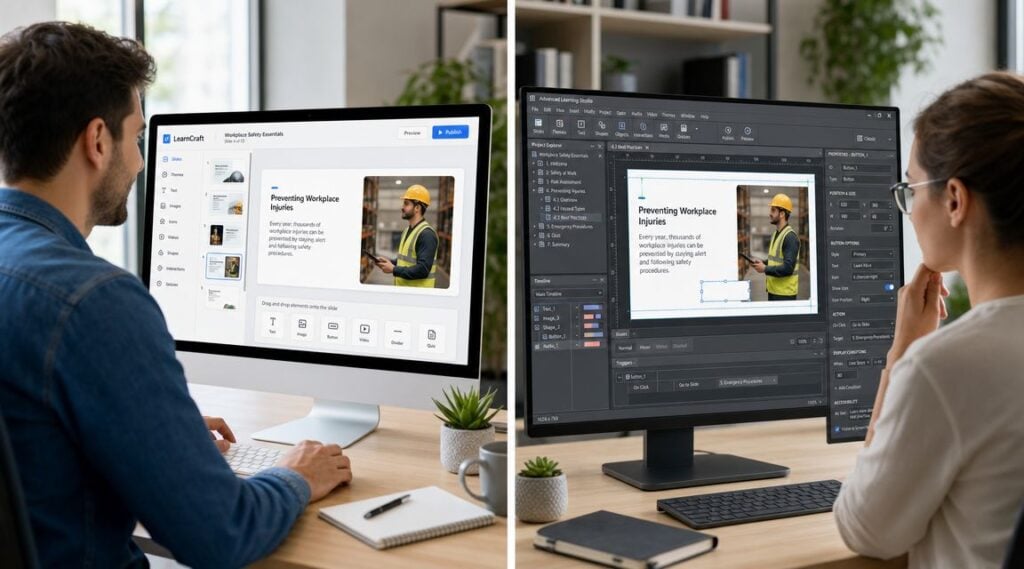
Storyline feels like it wants you to build now.
Lectora feels like it wants you to think first.
That’s not a criticism of either one. It’s the core design philosophy of each platform.
Why Storyline gets picked so often
Storyline’s slide-based model is familiar right away. If someone has worked in PowerPoint, they usually understand the basic rhythm quickly. Add a slide, place objects, create states, set triggers, test, revise.
That matters in real teams because not everyone authoring a course is a specialist developer. You may have instructional designers, trainers, content owners, or contractors contributing. Storyline lowers the friction for all of them.
There’s also a strong independent signal behind that reputation. A 2026 comparison summary notes that G2’s comparison highlights Articulate 360 as higher in overall user satisfaction, while independent writeups consistently describe Lectora as having a steeper learning curve. The same writeup frames Storyline as the faster-adoption option and Lectora as the more advanced customization choice, which lines up with what many practitioners see in production work (Doctor eLearning’s comparison overview).
Why Lectora earns loyalty anyway
Lectora doesn’t chase immediate familiarity in the same way. It gives you more structural control, and that control changes how you build.
You notice it when a project needs careful responsive behavior, stricter accessibility handling, or bespoke interaction logic that doesn’t fit cleanly into a slide metaphor. Lectora feels closer to building a structured digital product than arranging a presentation with advanced behavior.
That comes with trade-offs:
- You’ll spend more time understanding the build model
- Your team may need stronger technical habits
- Your templates and standards matter more
- Your payoff is deeper control when the project gets complicated
Practical rule: If your team includes many occasional authors, Storyline usually creates less friction. If your team includes people who are comfortable managing complex logic and structured builds, Lectora opens more doors.
A lot of people ask which tool is “better for interactivity,” but I think that question misses the point. The distinction is how much precision you need, and how much complexity your team can absorb without slowing to a crawl.
Here’s a quick explainer that captures the difference in mindset:

The decision underneath the interface
Storyline is a rapid development powerhouse. It helps teams move from outline to prototype fast, which is why it shows up so often in corporate learning environments.
Lectora is more of a precision engineering tool. It asks more from the author, but it gives more back when your course has to satisfy stricter technical or compliance demands.
If your team values momentum, Storyline usually feels better on day one. If your team values control, Lectora often feels better by the time the project gets messy.
A Look at Authoring Workflows and Collaboration
The daily workflow is where these tools stop being abstract.
Teams often don’t struggle because a tool lacks a feature. They struggle because reviews come back scattered, edits take too long, or the structure of the tool pushes the team into rework. That’s why I care so much about authoring rhythm, not just output quality.
What a normal Storyline workday feels like
In Storyline, course development tends to move in short loops.
A designer builds a few slides, adds interactions, publishes a version, sends it for review, gets comments, and updates quickly. That cycle is comfortable for teams that need visible progress fast. The slide-based interface also makes handoffs simpler because its intuitive structure allows for easy comprehension of project elements.
Independent commentary on workflow supports that operational difference. Storyline 360 includes Articulate Review for online commenting, while Lectora offers ReviewLink for similar collaborative review functionality. The same comparison notes that, in enterprise use, Storyline can reduce iteration time for standard course builds and QA cycles, while Lectora gives teams more room when course behavior or translation workflows need deeper technical control (CommLab India’s workflow comparison).
That’s exactly how it tends to play out.

What a normal Lectora workday feels like
Lectora usually rewards a more deliberate build process.
You define structure more carefully. You think harder about object behavior, relationships, and downstream implications. If your team already works with detailed specs, naming conventions, accessibility checks, and controlled QA, this can be a strength. If your team is loose and improvisational, Lectora can expose every weak process you have.
That’s one reason teams react so differently to it. The tool itself isn’t the only variable. It amplifies the habits that are already there.
Side-by-side workflow impact
| Workflow question | Storyline | Lectora |
|---|---|---|
| How quickly can a new designer start building? | Usually fast | Usually slower |
| How easy is stakeholder review? | Very smooth in standard review cycles | Smooth, but often more process-driven |
| How forgiving is the build model? | More forgiving for common projects | Less forgiving, more precise |
| How does it handle unusual requirements? | Works well until the build gets highly custom | Better when requirements become specialized |
A few patterns show up again and again:
- For standard compliance or product modules, Storyline often keeps projects moving with less coordination overhead.
- For multilingual or technically constrained builds, Lectora gives experienced teams more flexibility.
- For mixed-skill teams, Storyline reduces the number of people who feel blocked.
- For tightly governed environments, Lectora can fit the operating model better.
Review tools matter less than review behavior. A team with vague comments and weak version control will struggle in either platform.
Where teams get frustrated
Storyline frustrations usually show up later in the build. You start fast, but a custom requirement can force workarounds that clutter the file. The tool is friendly, but a heavily customized Storyline project can become difficult to maintain if nobody set standards early.
Lectora frustrations show up earlier. The build can feel slower at the start, and people who expect a presentation-style workflow may resist it. But if the project survives that first hump, the structure can pay off.
If your team is debating Lectora vs Articulate Storyline for interactive courses, ask a blunt question: do you need a tool that lets more people contribute quickly, or a tool that supports stricter control when the project gets complicated?
That answer usually predicts the smoother workflow more accurately than any feature grid.
Creating Advanced Interactivity and Branching
Interactivity is where both tools look impressive in demos. Real production is less glamorous.
The challenge isn’t building one clever screen. It’s building a complex interaction that still makes sense after review comments, content edits, localization changes, and LMS testing. That’s where Storyline and Lectora start to feel very different.
How Storyline builds interaction logic
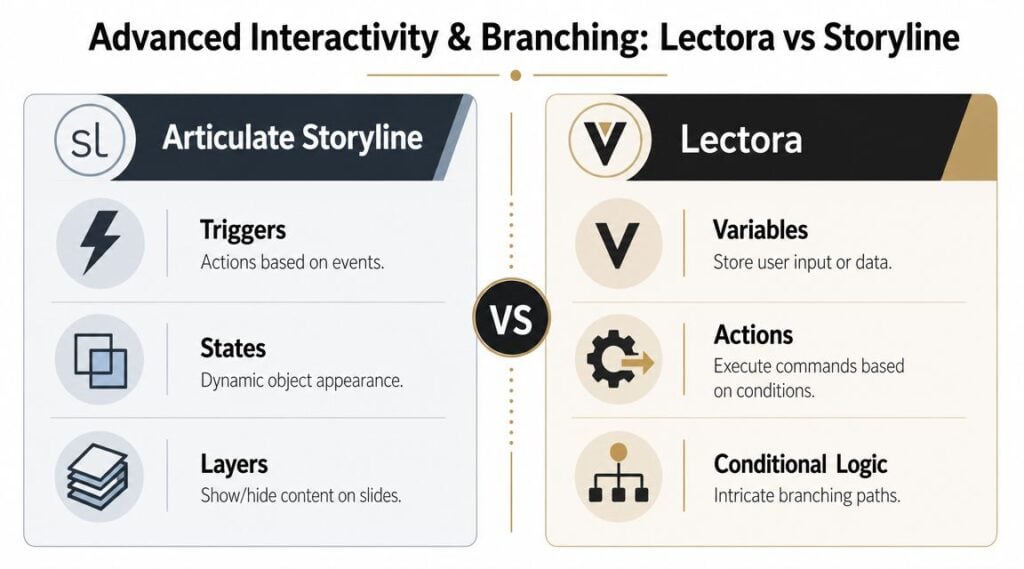
Storyline’s core trio is familiar to most designers: triggers, states, and layers.
That model is visual, which is a huge advantage when you’re prototyping branching scenarios or custom interactions under time pressure. You can open a slide and usually understand what’s happening. If a button changes state, opens a layer, and adjusts a variable, the logic is visible enough that another designer can usually follow it.
For many teams, that’s the sweet spot. You get advanced behavior without needing to think like a developer all day.
A common example is a scenario-based conversation. The learner chooses a response, gets immediate feedback on a layer, changes a variable, and moves to a different branch later. Storyline handles that kind of design well because the authoring model maps closely to how instructional designers think.
If you’re building scenario work, LearnStream’s guide to designing branching scenarios in courses is worth reading alongside your tool decision.
How Lectora handles the same job
Lectora takes a more systems-oriented approach.
You work with actions, conditions, and variables in a way that often feels less visual and more engineered. Some people find that frustrating at first. Others love it because the logic can scale better when the interaction stops being simple.
That matters when your project includes persistent variables across a course, more intricate conditional behavior, or custom code that would feel awkward in a more presentation-driven tool. Lectora can support highly specific interactions, but it asks you to think carefully and build cleanly.
Some projects need a fast prototype. Others need durable logic. Storyline tends to win the first situation. Lectora often wins the second.
What works well in each tool
Here’s how I’d break it down in practical terms.
Storyline is usually faster for
- Branching conversations that live across a manageable number of screens
- Click-reveal activities with clear object states
- Custom quiz behavior that still fits a visual slide logic
- Rapid prototypes you need to show stakeholders quickly
Lectora is often better for
- Course-wide variable logic that needs to stay consistent across many pages
- Conditional behavior with more layers of rules
- Custom-coded interactions where deeper control matters
- Projects that blur into web-like learning applications
The maintenance question most teams skip
This is the part people forget.
An interaction isn’t successful because it works once. It’s successful because another developer can update it months later without breaking it. Storyline’s visual model often makes that easier for mainstream teams. Lectora’s structured logic can be stronger for advanced builds, but only if the team documents and organizes the project well.
So when people ask me about Lectora vs Articulate Storyline for interactive courses, I usually ask back: who will maintain this after launch?
That answer changes everything.
The Critical Role of Accessibility and Mobile Design
Accessibility decisions have moved out of the “good practice” category and into purchasing, legal review, and release readiness.
That shift matters a lot in this comparison. Plenty of teams can build a polished interactive module in either tool. Fewer teams can consistently build, update, and document accessible courses without creating a remediation mess later.
Why this question now affects procurement
Independent comparisons keep pointing to the same practical gap. Buyers often get general claims about accessibility, but not much help on how the tool behaves when accessibility becomes a formal requirement across a course portfolio.
That gap is more serious now because the EU Accessibility Act takes effect in 2025 for many digital products and services, which raises the pressure on teams that need to show accessibility readiness, not just talk about it. The same comparative analysis consistently positions Lectora around accessibility and responsive design, while Storyline is more often selected for speed. It also notes the practical benefit of strong accessibility workflows: they reduce remediation work later (CommLab India’s accessibility-focused comparison).
Why Lectora often gets the nod here
Lectora has built a reputation around deeper accessibility control, and that changes how teams work.
If your organization needs clearer control over reading order, object behavior, and responsive presentation across devices, Lectora usually feels safer. It supports the kind of methodical production process that accessibility reviewers tend to prefer because there’s more visible structure to inspect and document.
That doesn’t mean Storyline is weak. It means Storyline is usually chosen for a different optimization target.
Where Storyline still fits well
Storyline works for a lot of accessibility-conscious teams, especially when the project requirements are clear and the interaction model stays within sensible boundaries. Its responsive player and mainstream workflow make it practical for many corporate environments.
But if accessibility is a release blocker, not a best-effort objective, I’d lean harder toward Lectora. You want the authoring environment that gives your team fewer hidden compromises.
A good baseline resource on process is LearnStream’s guide on how to make e-learning accessible for disabled learners. Tool choice won’t replace process, but the wrong tool can absolutely make process harder.
Accessibility failures usually don’t come from one bad setting. They come from dozens of small authoring choices that weren’t governed well.
Mobile design is part of the same conversation
Teams often separate mobile design from accessibility, but in production they overlap constantly.
Layout shifts, focus order, touch targets, reading sequence, and content hierarchy all affect whether a course works well across devices. Lectora’s stronger positioning around responsive design gives teams more room to tune that experience carefully. Storyline can handle common mobile needs well, but it tends to abstract away more of the control.
So if your stakeholders are asking for polished interactivity and reliable accessibility at the same time, don’t treat this as a side issue. It belongs near the top of the decision.
Which Tool Is the Best Fit for You?
The cleanest answer is that neither tool wins outright. The better choice depends on how your team works when deadlines, reviews, and edge cases start piling up.
I find it useful to think in personas, not product specs.
For the fast-moving corporate L&D team
If your team produces a steady flow of onboarding, compliance, sales enablement, and process training, Storyline is usually the stronger fit.
You’ll get a faster ramp for new authors, a workflow that supports quick iteration, and a build style that makes sense to a wider contributor group. When multiple people need to touch courses, speed and shared usability matter a lot.
Storyline also tends to be the easier recommendation when outsourcing is part of your model. The talent pool is broad, and handoffs are generally less awkward.
For the small studio or freelance designer
This one also leans Storyline in most cases.
If you’re balancing design quality with production speed, Storyline gives you range without demanding as much technical overhead. You can build polished interactions, work fast, and avoid turning every project into a mini engineering effort.
That said, if your niche is compliance-heavy or accessibility-sensitive work, Lectora can become a strategic differentiator. It just won’t feel as effortless for a broad mix of general client projects.
For government, healthcare, or higher education teams
In these circumstances, Lectora becomes very compelling.
If your work involves stricter accessibility expectations, formal review processes, and a need to document how the course behaves across updates, Lectora’s deeper control makes more sense. The learning curve is real, but the fit is stronger when governance matters as much as speed.
You’re likely to feel that value most after the first round of revisions, not during the initial prototype.
For the advanced learning developer
If you enjoy building intricate logic, persistent variables, and custom behavior, Lectora is probably the more satisfying tool.
It gives technical authors more room to shape the experience at a deeper level. You can push further without relying on as many workarounds. That freedom is useful when the course behaves more like an application than a narrated training module.
A simple fit check
If you need a quick gut test, use this:
- Choose Storyline if your priority is faster production, easier onboarding, and a workflow that supports mainstream interactive course development well.
- Choose Lectora if your priority is deeper customization, stronger accessibility control, and more precision in how the course behaves across contexts.
- Pause and pilot both if your team is split between business pressure for speed and procurement pressure for compliance.
A tool should match your operating model. If it fights the way your team actually works, even a powerful platform becomes expensive in time and frustration.
The strongest recommendation I can give is this. Don’t choose based on the flashiest demo. Choose based on who will build, review, maintain, and defend the course after launch.
Final Verdict and a Quick Migration Checklist
Here’s the practical verdict.
Choose Articulate Storyline if your team needs speed, smoother collaboration, and a lower barrier for building standard interactive learning. It’s usually the safer choice for broad corporate use.
Choose Lectora if your team needs deeper control, stronger support for accessibility-heavy workflows, and more room for bespoke behavior. It’s often the better long-term fit for stricter environments.

If you’re switching tools, don’t migrate on faith. Use a short checklist.
Audit your hardest course
Pick the course with the trickiest logic, review needs, and accessibility demands. If the new tool can’t handle that one cleanly, the migration risk is higher than it looks.Build a pilot from scratch
Don’t just import legacy content. Create one small real module in the new platform and measure how the workflow feels for authors, reviewers, and QAPlan for retraining
Teams rarely struggle with the license purchase. They struggle with changed habits, file organization, and new review routines.Test your LMS early
Publish sample courses and verify behavior before you commit to a wider shift.
If you’re comparing platforms beyond just these two, LearnStream has more practical breakdowns on course tools, workflows, and design decisions in our blog posts.