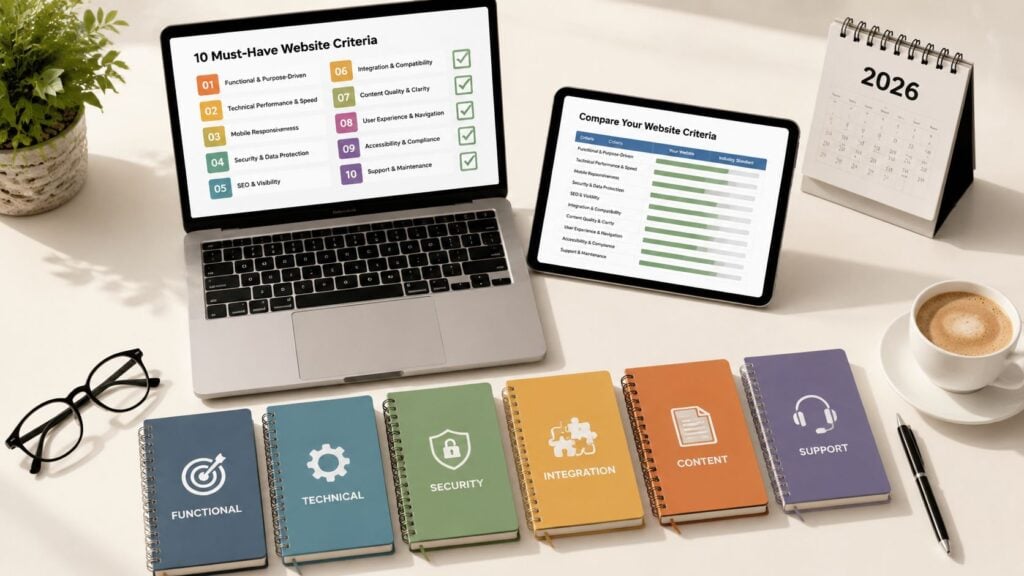
10-Point LMS Evaluation Checklist
You’ve found an LMS that looks perfect in a polished demo. The dashboard is clean, the feature list is long, and the vendor answers every question with confidence. Then your instructors try building a real course, learners open it on their phones, and your team discovers that payments, email automation, reporting, or user permissions don’t work the way you expected.
That’s why an LMS evaluation checklist should test workflows, not collect feature names. Start by defining your must-have requirements, then assign weights based on your actual learning and growth plans. A membership business may prioritize payments and community. An instructional design team may care more about content standards and assessment controls. A corporate training team may need stronger compliance reporting, identity management, and data governance.
Use the same questions and scoring scale for every vendor. Ask instructors and learners to test the platform, not just administrators. Separate what a vendor promises in a demo from what you can verify through documentation, a live demonstration, a real-content trial, a contract clause, or a reference call. The U.S. Office of Personnel Management procurement framework described in this LMS criteria guide reflects this mature shortlist-and-deep-dive approach, with buyers comparing candidates against graded criteria such as usability, interoperability, architecture, cost of ownership, and community strength.
The ten points below turn each criterion into a practical procurement test. Score what matters to your operation, document the evidence, and give extra attention to the risks that only appear after launch.
1. User Interface and Ease of Use
A feature-rich LMS can still fail if instructors avoid it and learners can’t find their next lesson. The interface needs to work for the people who create courses, manage users, answer support questions, and complete learning on a busy day.
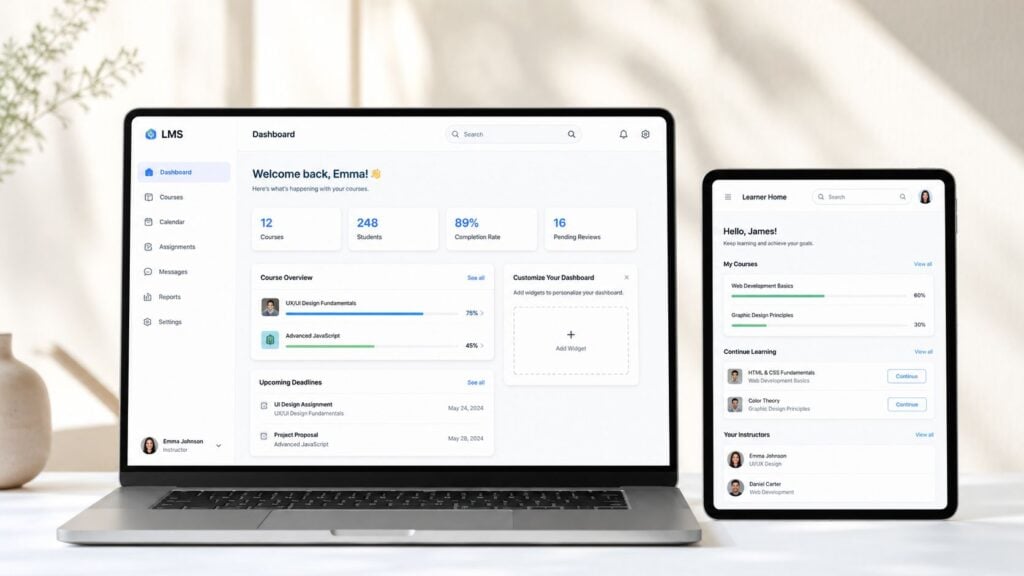
Test the platform from at least two perspectives. Build a short course as an instructor, then enroll yourself as a learner and complete it without referring to vendor training materials. Notice how many clicks it takes to upload content, edit a lesson, preview a change, locate an assignment, and find feedback.
What to test before scoring
Compare the experience for a solo course creator with the experience for a larger instructional design team. Teachable is associated with a straightforward creator dashboard, while Moodle offers deeper customization but can require more technical knowledge. Kajabi takes a polished, consumer-oriented approach. Those differences are useful only if they match your team’s abilities and working habits.
Score ease of use against evidence such as:
- Course-building task: Ask a new instructor to create a module, add media, publish a quiz, and change the order of lessons.
- Learner navigation: Give a learner a course link and observe whether they can find progress, downloads, discussions, and assessments without assistance.
- Onboarding support: Request a guided tour, administrator training plan, and explanation of how the vendor handles major interface updates.
- Feedback process: Ask how the vendor collects customer feedback and how often it changes the user experience.
Practical rule: Don’t score an interface from a sales presentation. Score the number of real tasks your users can complete without help.
A clean interface may limit customization. A highly configurable platform may let you shape every workflow while creating more administration. Choose the trade-off that your instructors and learners can sustain.
2. Content Delivery and Course Structure Flexibility
A course creator selling a self-paced membership needs a different structure from an educator running a fixed cohort. Map one real course before speaking with vendors. Mark lesson order, optional content, prerequisites, downloads, assessments, live sessions, scheduled releases, and the point when learners receive completion recognition.
Ask each vendor to rebuild that flow with your content. A late enrollee should see the correct material. A learner who fails an assessment should face the intended restriction. An instructor should be able to revise a live lesson without corrupting existing progress records.
Use a representative pilot rather than a welcome video. Include one lesson released later, one resource that needs updating, an assessment with a required pass condition, and optional content. Test what happens when a learner skips a lesson, changes enrollment, joins after the course begins, or completes requirements out of sequence.
| Procurement test | Evidence to request | Scoring consideration |
|---|---|---|
| Release rules | A live demonstration of release by date, enrollment event, completion, and cohort | Award higher scores when rules can be combined without custom development |
| Prerequisites | A configured path requiring a lesson or assessment before continued access | Check whether exceptions and administrator overrides are clear |
| Revisions | An update to a live lesson, followed by an inspection of learner records and completion status | Score the effect on active learners, not just the editing workflow |
| Migration | A written plan for moving courses, learner progress, and completion data | Lower the score if the vendor cannot state what will transfer and how it will be validated |
Thinkific can support varied course structures. LearnDash is known for prerequisite and drip-feed options within WordPress, while Circle.so combines learning with community spaces. These examples represent different trade-offs between simplicity, control, and an integrated member experience.
A flexible platform may require more setup and administration. A simpler one may impose a rigid path as your catalog grows. Course creators, membership businesses, educators, and instructional designers should score the system against the structures they will operate, then request a pilot recording or configuration export as proof.
3. Assessment and Quizzing Capabilities
A multiple-choice quiz is easy to demonstrate, so use a real assessment workflow instead. Ask whether the LMS supports the methods your learning model requires, including varied question types, automatic grading, feedback, retakes, rubrics, peer review, and conditional responses.
Bring questions from an existing course and build a small pilot. Add response-specific feedback, a retake rule, a completion condition, and one question requiring manual review. Then have an instructor inspect the gradebook and learner record. This exposes gaps between the authoring screen and the work educators must manage after submission.
Blackboard includes extensive assessment functionality, Canvas supports rubrics and peer review, and Articulate Storyline can connect advanced quizzes with Moodle. Rise360 focuses on accessible, mobile-friendly learning interactions. These products represent different trade-offs, so judge each platform against your course requirements rather than its quiz button.
Score the evidence, not the question count
Request a live demonstration with your assessment file or a comparable sample. Ask the vendor to show question-bank import, customized feedback, and reporting that separates an incomplete assessment from a failed one.
Score the pilot across these areas:
- Question variety: Can course designers create the formats they need without workarounds?
- Grading control: Which activities are auto-graded, and which require instructor review?
- Feedback quality: Can learners receive explanations specific to their responses?
- Reporting usefulness: Can you identify weak answers, repeated attempts, and performance by course or learner group?
- Accessibility: Can individual assessment time frames be adjusted for learners who need extra time?
The University of Central Florida’s LMS evaluation checklist includes assessment time-frame controls alongside accessibility and screen reader compatibility. Test those settings with representative learners, particularly if you teach mixed-ability groups or operate in an education setting.
For course creators and membership businesses, also check whether assessment results can support certificates, progression decisions, or follow-up coaching without manual spreadsheet work. Request a recording or export of the completed workflow, not only a feature list.
If assessment is central to your offer, book a demo and bring the workflow. A vendor that cannot show setup, learner submission, grading, review, and reporting may not fit your use case.
4. Integration and Compatibility With External Tools
An LMS becomes part of your operating system, alongside payment processing, email automation, video hosting, calendars, customer relationship management, analytics, and community tools. Test the handoffs that affect revenue and administration, rather than judging a platform by the length of its integration directory.
List your current tools and likely additions. Label each connection as required, useful, or unnecessary. Then run a vendor-led workflow: a paid enrollment should trigger the correct email sequence, a completed course should update the customer record, and a new employee should receive assigned training through the identity provider.
Test the handoff, not the feature list
Native integrations usually reduce setup work, while custom connections can support more specific processes. Zapier may suit a small creator automating routine tasks. A WordPress-based LearnDash environment may offer a broad developer and plugin ecosystem. Custom API work gives you more control, but it also brings implementation time, maintenance duties, and possible development costs.
Use a short pilot and record each result:
- Integration directory: Which connections are native, and which depend on third-party automation?
- API documentation: Can your developer find authentication details, rate limits, webhooks, and example objects?
- Data flow: Can you trace enrollment, completion, payment, and unsubscribe events across systems without manual copying?
- Ownership: Who fixes a custom connection when either platform changes?
- Plan limits: Does API access, webhook use, or integration support require a higher subscription?
Ask the vendor to demonstrate the workflow with your tools, then request export logs or setup documentation as evidence. Score the platform on successful handoffs, setup effort, error handling, and ongoing ownership. Course creators and membership businesses may value speed over customization, while larger education or training teams may accept development work for tighter control.
LearnStream’s guide to how to choose an LMS supports this workflow-first approach. Lower the score when a vendor lists many connections but cannot show the specific data exchange your learning and growth plans require.
5. Pricing Model and Scalability
Pricing should be tested against the business you plan to run, not the first course you publish. Model three stages: launch, audience growth, and established membership or training operations. Include learners, instructors, courses, storage, support, automation, migration, payment processing, custom development, and authoring tools.
A short pilot can expose costs that a pricing page hides. Create a test course, enroll users, assign an instructor, process a payment, add content, and export records. Note which actions require a higher plan, vendor assistance, or separate software. Keep a cost sheet for each scenario so platforms are compared on the same workload.
Common models include per-user, per-active-user, course-based, revenue-sharing, tiered subscriptions, and open-source software with hosting and technical responsibilities. Teachable uses revenue sharing on some entry options. Kajabi and Thinkific use tiered plans, while Moodle can avoid a software license but leaves hosting and maintenance to the organization.
Price the next stage, not only the launch
Revenue sharing can protect early cash flow when demand is uncertain, but it can reduce margins as sales grow. A flat subscription is easier to forecast, although you may pay for capacity or features before you need them. Open-source software offers control and flexibility, with hosting, upgrades, security, and support added to your operating workload.
Ask vendors for written answers to these questions:
- Billing basis: Are charges based on registered users, active users, administrators, courses, storage, or transactions?
- Growth triggers: What causes an automatic plan change, usage fee, or feature restriction?
- Implementation scope: Which setup, migration, integrations, and training tasks does the vendor handle?
- Year-one and Year-three models: The 2026 LMS comparison checklist recommends modeling total cost of ownership for both periods.
- Capacity evidence: Can the vendor show performance or customer examples matching your learner groups, content library, and integrations?
Score affordability after comparing the full operating cost, upgrade triggers, and internal workload. A creator may prioritize a low commitment at launch. A membership business may prefer predictable billing, while an education team may accept technical work for greater control. Request a sample invoice and a renewal quote, then record the assumptions behind each figure.
6. Learner Engagement and Retention Features
Retention depends on a clear learner journey. If the next action is unclear, the content feels disconnected, feedback arrives late, or the format conflicts with learner motivation, participation will fall. Evaluate those conditions through a complete workflow rather than a feature tour.
Enroll a test user, send a reminder, complete part of a module, pause, and return later. Join a discussion, receive feedback, and reach a meaningful milestone. Record how easily the learner can resume and whether administrators can see where participation declines.
Circle.so illustrates a platform centered on community-based learning. Kajabi combines learning functions with email automation, while Teachable offers progress tracking and certificates. Each approach suits different operating models. Course creators may value community interaction, membership businesses may prioritize automated re-engagement, and educators may need straightforward progress evidence.
Test engagement against learner behavior
Gamification can support short practice activities or recurring challenges, but it may distract from a serious professional program. Community spaces can strengthen peer learning while adding moderation work. Frequent notifications may bring learners back, although poorly timed messages can become noise.
Use a scenario scorecard:
- Progress visibility: Can learners see completed work, outstanding tasks, and the next action?
- Personalization: Can access rules, recommendations, or messages respond to learner activity?
- Community fit: Can learners join discussions, comments, or peer activities without confusion? Can staff moderate them efficiently?
- Notification control: Can learners and administrators set email, push, and reminder frequency?
- Drop-off insight: Can the team identify the lesson, assessment, or workflow where participation declines?
Ask vendors to run this journey using your actual course, audience rules, and communication sequence. Request evidence from a comparable customer, plus details on configuration effort and moderation responsibilities. Score each criterion by learner clarity, administrative workload, and the quality of evidence demonstrated. A badge in a demo has limited value if the test learner still cannot tell how to continue.

7. Mobile Responsiveness and Offline Accessibility
A course that works on a desktop can still frustrate learners on a phone. Test the experience on the devices your audience uses, with ordinary browser connections and realistic course content. A vendor’s responsive preview is not enough evidence.
The 2026 LMS usage report cites a 6-week average deployment time for new LMS implementations in mid-sized enterprises, 28% of organizations using an LMS to train external audiences, and 87% of active users preferring web-based platforms over native apps. Use these figures to frame questions about launch speed, browser access, and support for customers or partners.
Run a device-based pilot
Ask learners to open the same course on a phone and tablet. Have them stream a video, download a resource, complete an assessment, rotate the device, recover from an interruption, and resume at the previous location. Repeat the test under the network conditions learners commonly face.
Score the following:
- Responsive layout: Do text, buttons, menus, and assessments remain usable on smaller screens?
- Media playback: Does video load and stay watchable on ordinary mobile connections?
- Offline access: Can learners download lessons or resources, and how is progress recorded offline?
- Browser support: Does the platform work consistently without requiring a native app?
- Accessibility on mobile: Can users access screen readers, captions, alternative text, and keyboard or device controls?
Native apps can provide offline access and push notifications, while introducing distribution, maintenance, and account-management overhead. Responsive web delivery may simplify launch and updates. Compare both approaches with your audience’s access needs, content type, and administrative capacity. Request evidence from a comparable customer, plus details on supported devices, offline synchronization, app release processes, and configuration effort.
For a practical reference when separating required mobile capabilities from optional extras, consult LearnStream’s guide to LMS features. Score each capability by learner task completion, reliability under realistic conditions, and the workload required to support it.
8. Instructor Support, Training, and Customer Service
Support quality appears under pressure, but a trial can expose it early. Send each finalist a realistic issue involving a failed integration, migration problem, permission setting, or learner assessment adjustment. Compare response time, technical accuracy, ownership, and whether the proposed fix works. Ask the vendor to reproduce the issue in a sandbox or pilot account when possible.
Run one setup task with your own team. Give an administrator a limited window to configure roles, import sample learners, publish a lesson, and resolve a test ticket. Record where documentation is enough and where paid assistance becomes necessary. This reveals the difference between low software cost and low implementation workload.
Evaluate the service model across these areas:
- Implementation ownership: Who handles roles, integrations, data imports, configuration, and launch support?
- Training access: Are administrator courses, webinars, live sessions, or certification options included?
- Support coverage: Which channels and response expectations apply to your plan?
- Escalation: Who owns a problem that crosses product, billing, and technical teams?
- Release communication: How are changes announced, and can customers test them before rollout?
- Customer references: Can comparable course creators, educators, or training teams describe issue resolution?
A knowledge base may suit experienced administrators who need quick answers. Live onboarding or a dedicated support contact can matter more when a small team is launching its first course. Community forums may offer useful workarounds, but formal support remains necessary for account, billing, and data issues.
Kajabi is often selected by creators who value an integrated support experience. Teachable maintains a creator community, and Thinkific provides instructor education resources. Treat these as prompts for verification, not proof of fit. Ask for evidence from a customer with a similar course model, learner volume, and technical capacity.
Score support by resolution quality and internal effort, not by demo friendliness. Include the pilot results in the final comparison so service capacity carries the same weight as platform features.
9. Data Security, Privacy, and Compliance
Treat security as a procurement gate before comparing feature depth. Your LMS may hold learner identities, grades, assessment attempts, payment-related information, support records, and course activity. Define requirements around your jurisdiction, audience, contracts, and risk tolerance before vendor reviews begin.
Ask vendors for security documentation, then involve the appropriate IT, privacy, and legal stakeholders. Review encryption, access controls, identity management, retention, deletion, backups, subprocessors, and incident handling. During a pilot, test administrator permissions, account removal, data export, and recovery procedures with representative records.
The LMS security evaluation guidance lists checks including GDPR alignment, SSL encryption, single sign-on, multi-factor authentication, role-based access control, data processing agreements, breach notification timelines, and subprocessor information. Require documentation, configuration examples, and clear ownership for each checkpoint.
Verify accessibility and interoperability too
Accessibility belongs in the same procurement test. The University of Central Florida checklist highlights ADA or Section 508 compliance, screen reader compatibility, alternative text, captioning, and individual assessment time frames. Ask the vendor to demonstrate these controls using your course content, then test key learner journeys with users who rely on assistive technology.
Interoperability protects content investments and future platform choices. An academic review identifies support for 8 to 10 e-learning standards, including SCORM, AICC, LTI, xAPI, QTI, IMS, XML, and related specifications. Other guidance highlights SCORM, xAPI, and cmi5 as standards to check. Request a working import, launch, completion, and migration test rather than accepting a standards logo.
The World Bank LMS evaluation rubric provides a maturity-based model with parameter groups and levels. Use that approach to score governance, scalability, interoperability, and long-term sustainability alongside immediate course delivery needs. Record evidence, unresolved risks, and pilot results in the comparison sheet.
10. Analytics, Reporting, and Learner Insights
Reporting should answer operational questions without forcing an administrator to export several files and reconcile them manually. Before a demo, write down the decisions you need data to support. A course creator may need to find drop-off points. A membership business may want to understand which learning paths lead to continued participation. A training manager may need completion and compliance records.
Ask the vendor to create one report using your fields, filters, roles, and date range. Then ask a different user to find the same answer. This exposes whether the analytics are usable or only impressive in a prepared presentation.
Test the full reporting workflow
Check whether the LMS records the activity you care about, presents it clearly, and lets authorized users export or schedule it. A polished dashboard won’t help if it hides the underlying data or prevents you from combining learning records with business information.
Score these capabilities:
- Course insight: Can you see progress, completion, assessment results, and learner activity by course?
- Trend visibility: Can you compare activity over time without rebuilding the report?
- Role control: Can instructors view appropriate learner data without exposing records they shouldn’t access?
- Export options: Can you export data in a usable format for external analysis?
- Automation: Can the system send scheduled reports to the people responsible for action?
- Data definitions: Does the vendor explain what each metric means and when it updates?
LearnStream’s explanation of LMS reporting dashboards for beginners can help newer teams distinguish useful reporting from dashboard decoration. Start with a small set of decisions, then confirm the LMS provides reliable evidence for each one.
10-Point LMS Evaluation Comparison
| Item | Resources | Expected outcomes | Ideal use cases | Key advantages |
|---|---|---|---|---|
| User Interface and Ease of Use | Minimal training/support | Faster adoption; higher engagement | Small teams, consumer courses | Low learning curve; reduced support |
| Content Delivery and Course Structure Flexibility | Course design time; content formatting | Personalized, varied learning flows | Complex courses; adaptive learning | Drip, sequencing, branching options |
| Assessment and Quizzing Capabilities | Question authoring; grading effort | Measurable outcomes; gated progression | Certification, compliance, academics | Auto-grading; detailed analytics |
| Integration and Compatibility with External Tools | Developer time; integration subscriptions | Automated workflows; better data sync | Enterprise stacks; marketing automation | APIs, SSO, native integrations |
| Pricing Model and Scalability | Budget forecasting; possible upgrade costs | Predictable or scalable costs | Growing businesses; budget-conscious orgs | Cost control; flexible billing models |
| Learner Engagement and Retention Features | Community management; content for gamification | Higher completion and retention | Subscription courses; social learning | Gamification, communities, notifications |
| Mobile Responsiveness and Offline Accessibility | App/dev testing; device QA | Increased access; uninterrupted learning | Mobile-first learners; low-connectivity areas | Native apps; offline content access |
| Instructor Support, Training, and Customer Service | Support staff; documentation creation | Faster issue resolution; better use | New instructors; enterprise onboarding | Onboarding, training, dedicated support |
| Data Security, Privacy, and Compliance | Security tools; audits; legal review | Reduced risk; regulatory compliance | Healthcare, education, government | Certifications; encryption; audit trails |
| Analytics, Reporting, and Learner Insights | BI tools; analyst time; tracking setup | Data-driven improvements; retention insight | Large programs; ROI-focused teams | Dashboards, segmentation, predictive alerts |
Turn Your Scores Into a Confident Decision
A weighted score makes your decision easier to explain, but it shouldn’t hide a serious weakness. Begin by listing your ten criteria and assigning each a weight based on business impact. For example, a membership business may give more weight to integrations, mobile access, engagement, and pricing flexibility. A regulated training program may give more weight to security, accessibility, assessment controls, and reporting.
Use one scoring scale for every vendor. A simple scale can work if you define what each score means before testing. A high score should require evidence, such as a successful pilot task, a clear contract commitment, or documentation reviewed by the responsible stakeholder. Don’t give a vendor a high rating because a sales representative says a feature is on the roadmap.
Multiply each criterion’s score by its assigned weight, then total the results. Keep the raw score, the weighted score, and the evidence beside each other. This helps you see whether a vendor won because it fits your priorities or because it collected points for features you don’t need.
Separate deal-breakers from preferences
Some requirements should be gates rather than weighted preferences. A platform that can’t meet your privacy obligations, support required content standards, provide usable accessibility controls, or connect to a critical system may need to be removed even if its interface is attractive.
Record deal-breakers in a separate section. Include the owner, the evidence required, and the consequence if the vendor fails. This prevents a late-stage discount, an impressive demo, or internal enthusiasm from weakening a requirement that protects your operation.
Run a focused pilot
Don’t pilot every possible feature. Choose the workflows most likely to create costly problems after purchase. A practical pilot might include:
- Real course creation: Build a module with your actual media, resources, assessment, and completion rules.
- Learner journey: Enroll testers, complete lessons on a mobile device, pause, resume, and submit an assessment.
- Integration handoff: Trigger an enrollment, payment, email, or CRM update and verify the receiving system.
- Data review: Export a learner record, inspect permissions, and confirm retention and deletion procedures.
- Administration: Import users, assign roles, update content, resolve a support issue, and produce a required report.
Use both instructor and learner testers. Ask them to record friction rather than giving an overall opinion. A learner may notice confusing navigation that administrators miss, while an instructor may uncover a course-building limitation that never appears in a student demo.
Keep an evidence register
For every rating, record the vendor’s answer, the date, the person who verified it, the pilot result, additional costs, and user feedback. Mark claims as demonstrated, documented, contractually committed, or unverified. That distinction matters when the implementation team starts working with the platform months later.
The World Bank rubric shows why maturity-based evaluation can be more useful than a basic yes or no checklist. Your own matrix can apply the same principle by rating how well a capability works in your environment, not merely whether the vendor lists it.
Revisit the checklist as your operation grows. A first course may need a simple learner experience and dependable payments. A larger membership or connected learning operation may later need stronger automation, external-audience support, interoperability, governance, and reporting. LearnStream’s practical digital-learning perspective is built around that progression. Use the checklist before demos, during pilots, and again when your learning model changes.
Start today by writing your must-have criteria, choosing the people who’ll test them, and sending each finalist the same real workflow. Ask for evidence before you negotiate a contract, then select the LMS that performs reliably for your learners and your team.