LMS vs CMS: Which One Does Your Course Really Need?
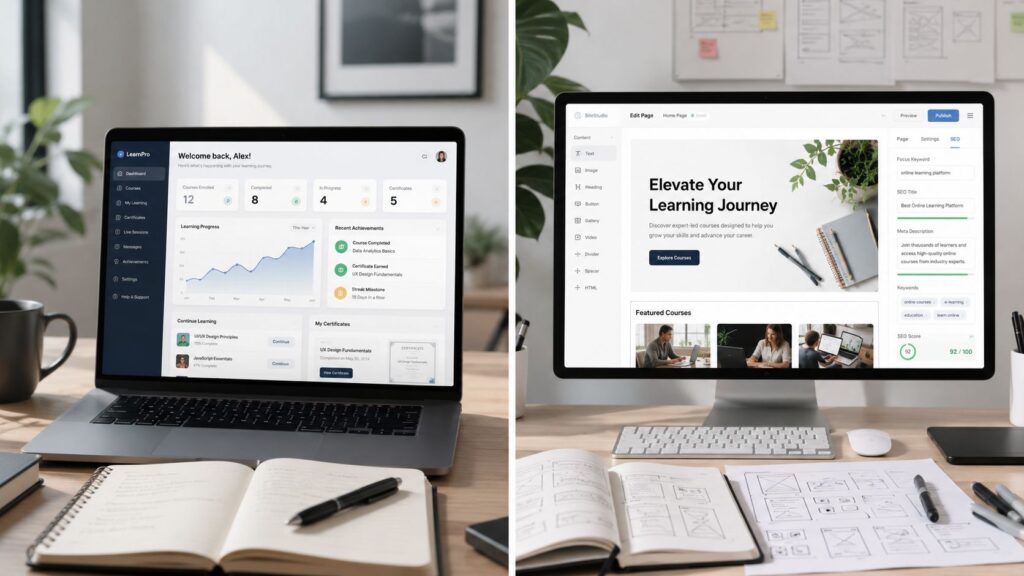
You’re already halfway into the decision if your course site looks fine on the surface but the actual teaching part feels flimsy. Maybe learners can open the lessons, maybe the pages look polished, maybe the signup flow works. Then someone asks who finished the quiz, where the certificate went, or whether compliance can get an export, and the whole setup starts to wobble.
That’s the lms vs cms question. One system is built to publish content. The other is built to run learning. When you pick the wrong one, the problems don’t show up on day one. They show up when someone needs proof, tracking, or structure.
| Capability | LMS | CMS |
|---|---|---|
| Primary job | Deliver structured learning and track it | Publish and organize digital content |
| Learner tracking | Built in | Usually missing or added through plugins |
| Quizzes and assessments | Native | Not native |
| Certificates | Native or easy to add | Usually bolted on |
| SEO and public marketing pages | Limited | Strong |
| Compliance reporting | Designed for it | Weak for learner records |
| Best fit | Courses, training, certification | Websites, blogs, gated content |
If you’re trying to decide what your course really needs, start there. A lot of creators don’t need a heavy platform. A lot of training teams absolutely do.
The Moment You Realize Your Platform Can’t Run Your Course
The warning signs usually show up after launch, not before. A creator gets a clean checkout page, a few good-looking lesson pages, and a growing list of buyers. Then the first messy question lands in the inbox, and the platform has nothing useful to say.
I’ve seen this in simpler setups more than once. A student finishes the content, but the team cannot prove they passed the quiz. A certificate needs to be regenerated, and the site has no clean completion record. A training manager gets asked for an export and ends up stitching together screenshots, spreadsheet notes, and browser history.
Practical rule: if someone outside your team needs proof, your course has already outgrown a basic site.
A CMS can make the experience look tidy, and that matters for trust and sales. But once the business depends on recorded progress, completion states, retakes, or audit trails, a pretty front end stops being enough.
Corporate learning exposes the gap fast. HR, compliance, and managers do not want “the lessons are live.” They want records. They want learner status, completion evidence, and something they can export without hand work. A CMS is rarely built to carry that weight on its own. An LMS is.
The market has also settled around that split. Learning management systems are nearly universal in higher education. One 2014 EDUCAUSE/ECAR report noted 99% of colleges and universities had an LMS in place, while 85% of faculty and 83% of students used one, and the same report said 56% of faculty used an LMS daily, while 56% of students used it in most or all courses (EDUCAUSE/ECAR LMS statistics). That level of adoption points to where serious tracking lives.
What an LMS and a CMS Actually Do
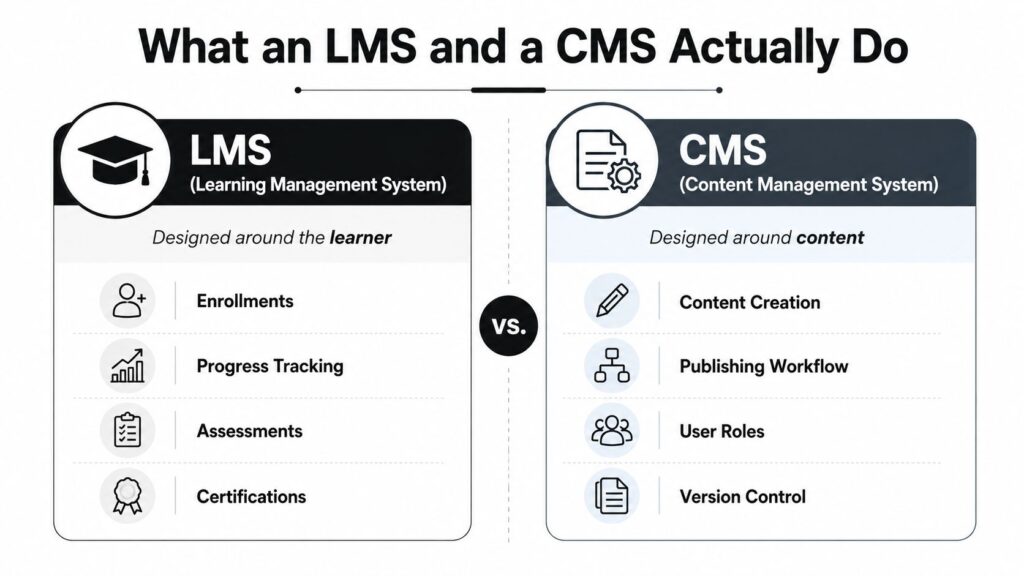
An LMS is built around the learner. It handles enrollment, progress tracking, assessments, certifications, and reporting because those are the core objects in its system. A CMS is built around content. It manages pages, posts, media, design, navigation, and publishing workflows because that’s what it’s meant to store and serve.
That difference sounds small until you use the platform in real life. In a CMS, the site usually treats visitors as readers or members first. In an LMS, the system treats them as learners with a status, a path, and a record. That’s why the two tools feel similar in a sales demo and very different once training starts.
An LMS also keeps the learning record in a way that supports proof. That matters for completion, transcripts, and audit trails. A CMS can publish a lesson, but publishing a lesson isn’t the same thing as managing learning.
For a creator comparing options, this is the simplest way to frame it. If your main job is public-facing content, a CMS does the job well. If your main job is structured learning, you need the learner data model that comes with an LMS. The difference is easy to see once you stop talking about “content” in the abstract and ask what has to be recorded.
If you want a broader breakdown of course platform structure, I’d pair this with LearnStream’s course management system guide. It helps clarify where a course platform sits relative to both CMS and LMS choices.
Where LMS and CMS Really Diverge
The cleanest way to compare the two is to follow the moments that change outcomes.
| Capability | LMS | CMS |
|---|---|---|
| Learner progress | Tracks it natively | Usually missing |
| Quizzes and scoring | Built in | Needs plugins or workarounds |
| Certificates | Native path | Extra tooling required |
| SEO pages and blog content | Basic at best | Core strength |
| Completion records | Stored as learner data | Not a native concept |
| Re-engagement | Triggered by learner state | Usually marketing-driven |
A CMS is strong when the goal is discovery. That means landing pages, search traffic, articles, lead magnets, and navigation that helps people browse. If your course sales depend on visibility, that matters. The site architecture itself becomes part of your funnel, and a CMS gives you more control over that surface.
An LMS takes over once the learner is inside the course. It cares about where the learner left off, whether they passed, whether they need a retake, and whether completion needs to be documented. That’s the point where the CMS approach starts to fray. It can still display the content, but it doesn’t naturally know what the learner has done with it.
If you’re mapping software stacks for your business, a resource like best marketing software for agencies 2026 is useful because it shows how often the public site and the delivery system need to be treated as different layers. Course creators run into the same issue, just with learning instead of lead gen.
The market trend also explains the divergence. Higher-education market data shows Canvas overtook the combined market share of its next three competitors for the first time, and one dataset put Canvas around 43% share in North American higher education, while Moodle, Brightspace, and Blackboard sat roughly in the 12% to 16% range (Edutechnica market update). That consolidation is what happens when organizations care most about the learning workflow, not just the publishing layer.
If your site only needs to attract, explain, and convert, a CMS is enough. If your business needs to measure who learned what, the LMS is the part that matters. For a related breakdown of platform categories, LearnStream’s LMS types guide is worth reading once you’ve narrowed the direction.
The Technical Gap Most Comparisons Skip
The difference gets sharpest when you look at how each system stores and interprets data. A CMS stores pages, revisions, tags, and media assets. An LMS stores learner events, attempts, scores, completion states, and course records. That’s a different architecture, not just a different menu.
SCORM and xAPI are the giveaway
SCORM is the most common e-learning standard, and it’s designed for packaged course tracking. One source notes that SCORM 1.2, published in 2001, records outcomes such as passed, completed, failed, incomplete, browsed, or not attempted, plus one score, session time, and a bookmark (SCORM and CMS differences). A plain CMS isn’t built to understand that kind of course state.
xAPI goes further. It records learning as statements in an actor, verb, object structure, and it can track activity outside the browser and outside the LMS, including mobile apps, simulations, VR, or real-world tasks (xAPI guide). That’s a strong reason modern learning programs often need an LMS or an LMS-connected stack.
A CMS can store the file. It can’t reliably store the learning record.
That’s why features like quiz grading, drip scheduling, completion rules, certificate generation, and competency mapping belong inside an LMS. They’re not decorative extras. They’re the mechanics that turn content into measurable learning.
Why reporting breaks in CMS-first setups
When a course lives in a CMS, the system is still thinking in terms of pages and assets. Even strong publishing features like versioning or taxonomies don’t solve learner-state problems. A page revision is not the same thing as a learner retake, and a tag is not the same thing as a competency.
If you need compliance reporting, the CMS approach usually breaks at the handoff point. You can see the content, but you can’t prove completion cleanly. For course creators, that means extra manual work. For regulated training teams, that means risk.
For a broader technical comparison of learning standards, LearnStream’s SCORM vs xAPI guide is the better place to start than any feature checklist. The standards tell you what the platform can track.
When a CMS Is Enough and When an LMS Wins
Creators make this mistake all the time. They buy an LMS because they need to sell a course, then discover they really needed a better website, a cleaner checkout flow, or a simple content gate. If the job is closer to publishing than teaching, a CMS is enough.
A CMS can handle a single self-paced PDF course, a membership site with gated lessons, or a blog-first educational business. I’ve also seen creators use straightforward access control tools, like MemberSpaces-style gating, and get exactly what they needed without adding a full learning platform. That keeps the setup lighter and easier to run.
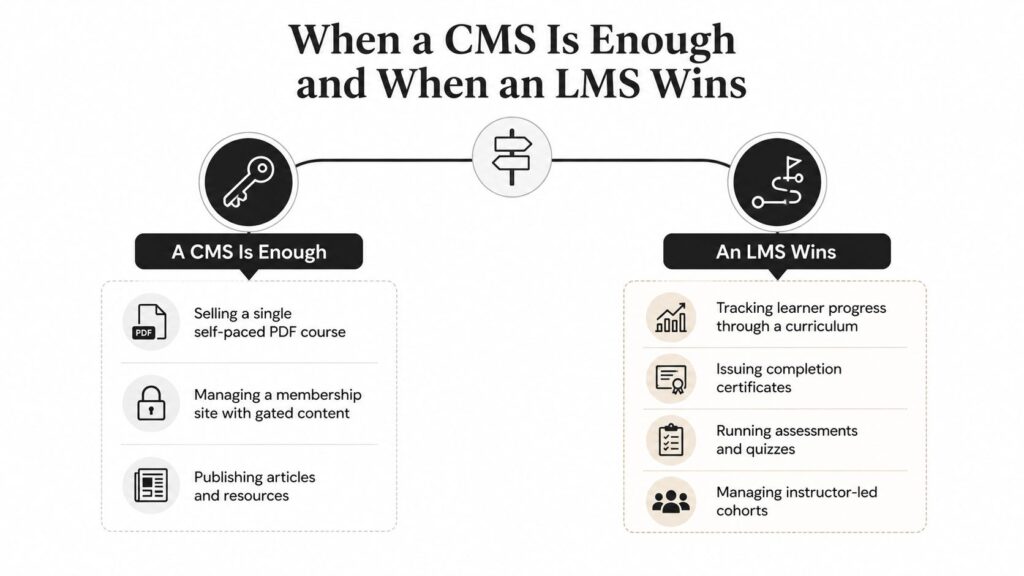
An LMS wins when the course needs structure. Cohort-based programs need progress gates. Certification programs need retake rules. Corporate training needs audit trails. Schools and training teams need grading logic, completion data, and records they can hand off with confidence.
The messy middle is where bad decisions happen. A creator starts on a CMS because it feels flexible, then hits the reporting gap when students want certificates or completion proof. The reverse happens too. Someone buys a full LMS, then realizes the problem is traffic and conversion, not course delivery. In both cases, the platform was not the issue. The setup was.
As noted earlier in the EDUCAUSE/ECAR LMS statistics report, LMS adoption has largely matured, so a lot of current LMS work is replacement and upgrade rather than first-time adoption (EDUCAUSE/ECAR LMS statistics). That is what a mature software category looks like. Teams stop asking whether they need one at all and start asking where the workflow belongs.
The Hybrid Stack Most Creators Overlook
The best answer is often both tools, used for different jobs. That’s not a compromise. It’s a cleaner architecture.
A public-facing CMS handles the website, blog, SEO pages, and landing pages. WordPress and Webflow are common in that role. The LMS handles the private learning environment, course progress, assessments, and completion records. Thinkific, Teachable, LearnDash, LearnWorlds, and even LearnStream in some stack discussions all sit naturally on that side when the work is course delivery rather than marketing.
If you want a useful reference on how agencies think about layered software choices, Sibley Digital’s agency review is a decent example of how the public surface and the operational engine are often separated in real builds. Course businesses run into the same logic fast.
The trade-offs are real, so I won’t pretend otherwise. You may end up managing two billing systems, two logins, a bridge for SSO, and a content duplication question. That’s the cost of using the right tool for each layer. Still, for an established creator with a real content site, or a training company with a public brand and private learning delivery, the hybrid stack usually beats forcing one platform to do both jobs.
A hybrid is overkill if you’re shipping your first course and don’t have an audience yet. In that stage, simplicity matters more than elegance. Once the business starts depending on both discovery and proof, the split becomes easier to justify.
My rule: if your marketing and your learning have different audiences, they probably need different systems.
How to Pick the Right Setup for Your Situation
Start with four blunt questions.
- Do you need to prove learner progress to someone outside your team? If yes, lean LMS or hybrid.
- Is completion something you report on? If yes, don’t rely on a CMS alone.
- Will learners repeat content across cohorts or certifications? If yes, the LMS workflow saves headaches.
- Are you mostly gating access rather than measuring skill? If yes, a CMS or light hybrid is usually enough.
Those answers point to the right stack faster than any feature matrix.
| Situation | Recommended Setup | Key Signal That Tips the Decision |
|---|---|---|
| Solo creator selling one course | WordPress + MemberPress + LearnDash | You need marketing control plus a real learner path |
| Course-first business with a simple funnel | Teachable or Thinkific | Course delivery matters more than site customization |
| Training team reporting to HR or regulators | Moodle or TalentLMS with a WordPress front end | Completion records need to be exportable and defensible |
| Low-stakes educational content | Notion or Webflow CMS | The content is mainly informational, not assessed |
| Public brand plus private learning portal | Hybrid stack | You need SEO and learner tracking at the same time |
If I were advising a solo creator with no audience yet, I’d push them toward the simplest setup that helps them sell, not the most complete learning stack. If I were advising a compliance team, I’d go straight to an LMS backend and stop wasting time pretending a CMS can produce audit-ready records. That’s the difference between a marketing problem and a learning problem.
Budget matters, but switching costs matter more. Rebuilding a site is annoying. Rebuilding learner records, certificates, and historical completion data is painful. If your course has a real reporting requirement, pay for the system that was built to carry it.
If you’re still unsure, publish the front end where you can market well, and run the learning in the place that can measure it. Then audit what you’re asking the stack to prove, not just what you want it to display.