10 Thinkific Alternatives for Courses and Memberships

Choosing a Thinkific alternative usually starts the same way. You’ve got a course business, a membership, or a training offer that already works, but the platform now feels like it’s getting in the way. Maybe you want better community, cleaner checkout, more ownership, or just a pricing model that makes more sense as revenue grows.
The hard part is that the “best” option depends on what you’re selling, who’s buying, and how much tech you’re willing to manage. A solo creator launching a first course doesn’t need the same stack as a cohort-based educator, a community-led membership, or a team training buyer. That’s why this comparison looks at implementation effort, pricing structure, integrations, migration risk, and the type of business each platform fits best.
Thinkific itself is no small player in this market. It’s been around since 2012, and its scale helps explain why people search for thinkific alternatives instead of switching casually. Independent company profiles put its annual revenue at about $63.74 million as of December 31, 2024, while other trackers put it around $64.9 million in 2025, and Thinkific says creators on the platform have generated $3.7 billion in revenue and reached more than 200 million learners. The broader online learning platform market is also large, with one estimate putting it at $40.73 billion in 2024 and projecting $178.13 billion by 2034 at a 15.9% CAGR course platforms with taap.bio. If you’re comparing platforms now, you’re making a real business decision, not just picking software.
If you want a practical second opinion while thinking through course, membership, and software-stack decisions, LearnStream’s comparison content is a useful place to cross-check your shortlist without adding more noise to the decision.
1. Kajabi
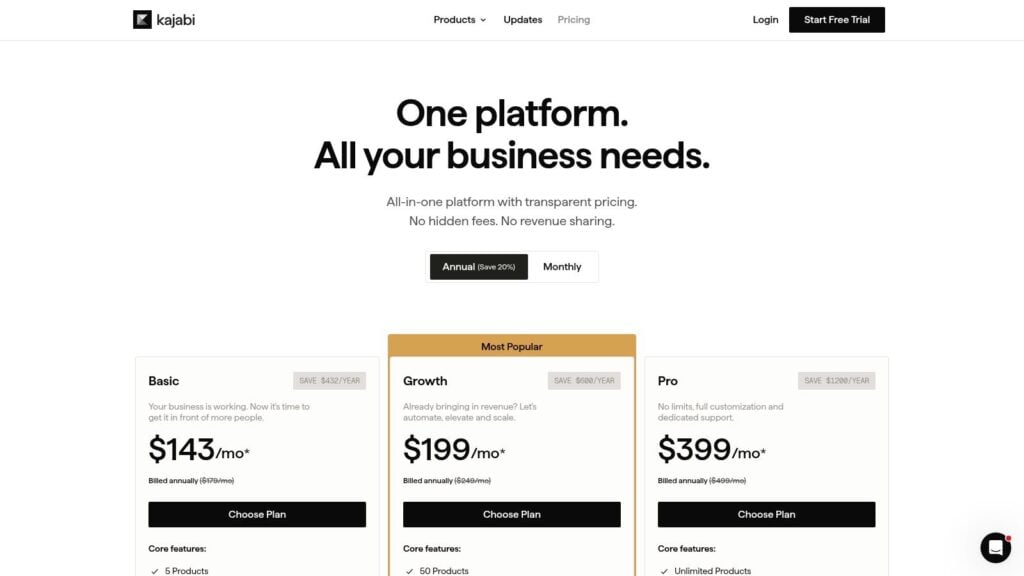
Kajabi fits creators who have outgrown a patchwork setup and want to run courses, memberships, communities, newsletters, coaching, funnels, payments, and automations in one place. That matters if your business depends on fewer tools and fewer handoffs. Compared with Thinkific, Kajabi leans harder into an all-in-one operating model, while Thinkific stays more course-first and integration-heavy.
Kajabi pricing reflects that positioning. It sits at the premium end of the creator-platform market, so the fit is strongest when you will use the broader stack. For creators managing launches, email sequences, and multiple offers, consolidation can save time and reduce implementation work.
Where Kajabi fits best
Kajabi works well when marketing infrastructure matters as much as delivery. It keeps the funnel, site, offer stack, and payment flow under one roof, which lowers the risk of something breaking across separate vendors during a launch.
If you are comparing course software with a larger business stack, this is also the point to map your course structure before migrating. LearnStream’s guide on using a course outline generator can help you organize that work before you move content.
Practical rule: if your current setup uses a course platform, email tool, funnel builder, and community tool, Kajabi deserves a close look.
What to watch
The main trade-off is cost. Kajabi only makes sense if you will use enough of the platform to justify the price, and it can also encourage you to stay inside its ecosystem. That means you should review your planned offer mix before you switch.
Kajabi is often the right choice for course businesses that have moved beyond simple hosting. If your needs are still basic, the price can be hard to defend. If your business is growing quickly, the consolidation can be worth more than the sticker shock.
2. Teachable
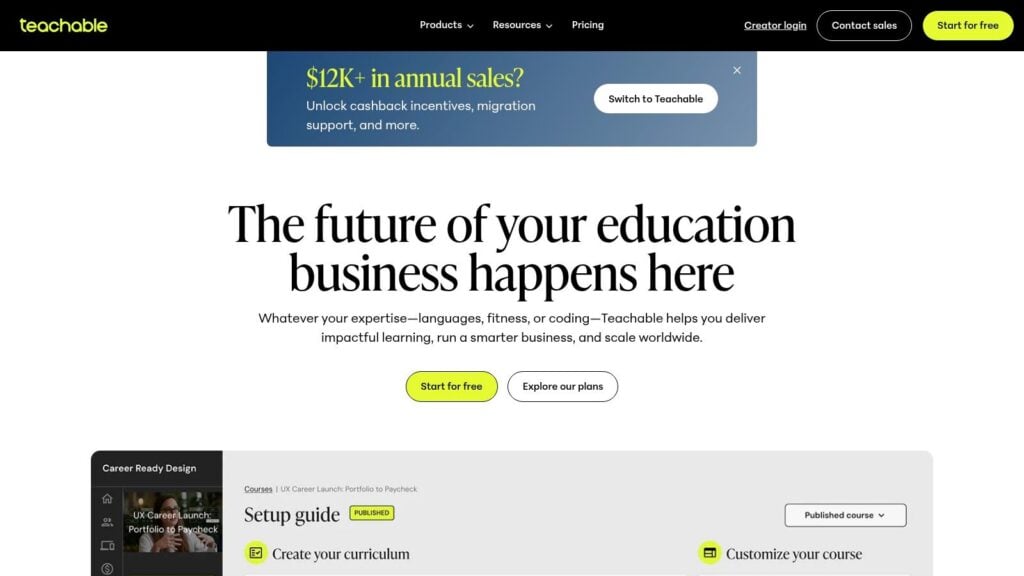
Teachable is one of the closest thinkific alternatives for creators who want a straightforward launch path. It supports courses, bundles, and memberships, and it keeps the product experience simple enough that most solo creators can get moving without a long setup cycle. The checkout flow is a real strength if your main goal is to sell courses cleanly and quickly.
Its platform page makes the positioning clear, and the official Teachable website is still centered on creator-friendly course selling rather than heavy enterprise complexity. That matters because the platform doesn’t ask you to become a systems integrator just to start teaching.
What it does well
Teachable works well for course businesses that need a low-friction sales path. It includes adaptive pricing, coupons, certificates, graded quizzes, enforced lesson completion, and a native student mobile app. For creators who value clarity over complexity, that’s a strong mix.
Teachable is usually easier to launch than it is to outgrow.
Where it falls short
The trade-off is community depth. Teachable has fewer built-in community tools than community-first platforms, so if member interaction is central to the offer, you’ll probably need outside tools. Marketing automation can also require external software once you move beyond basic email use cases.
For readers comparing setup paths, LearnStream’s guide on Zenler vs Teachable is a useful companion piece. It helps frame the same decision from a different angle, especially if you’re trying to separate simple course delivery from broader business infrastructure.
If you want a creator platform that gets out of the way and lets you sell, Teachable still belongs near the top of the shortlist. If you want a deeper community engine, this won’t be the final destination.
3. Podia

Podia is the platform I’d point to when someone wants fewer surprises. It’s built for courses, downloads, coaching, communities, events, and email, all in a single interface. That keeps implementation simple, especially for solo creators and small teams that don’t want to manage a sprawling tool stack.
The pricing structure also stays easy to understand. According to Podia’s pricing page, the platform gives you a 30-day free trial with full feature access, and migration help is available, although the exact limits vary by plan. That makes it a practical option if you’re switching from Thinkific and want to test the new environment before committing.
Why creators choose it
Podia’s biggest advantage is operational calm. You’re not juggling a separate checkout system, a membership layer, and a third-party email tool just to launch a basic course business. It’s also a better fit than many platforms when predictable pricing matters more than advanced customization.
- Simple day-to-day management: The interface is lightweight, so you can focus on offers instead of configuration.
- Built-in selling tools: Stripe and PayPal are supported inside the platform checkout.
- Clean launch path: Courses, communities, and events live in the same UI.
- Migration support: Helpful if you’re moving a small catalog and want less setup pain.
What it does not do as deeply
Podia is not built for advanced LMS control. If you need detailed assessments, complex learning paths, or corporate training structure, it will feel limited. Email list caps can also become a planning issue as your audience grows, so it works best when your business is still fairly lean or your content model stays simple.
For many creators, that’s not a weakness. It’s a sign that the platform knows what it’s for. If you want a cleaner, lower-maintenance alternative to Thinkific, Podia makes a strong case.
4. LearnWorlds
LearnWorlds stands out when the learning design matters as much as the sales layer. It’s built around interactive video, branded school experiences, assessment depth, and flexible monetization. That makes it a strong fit for educators who care about how learning happens, not just how content gets delivered.
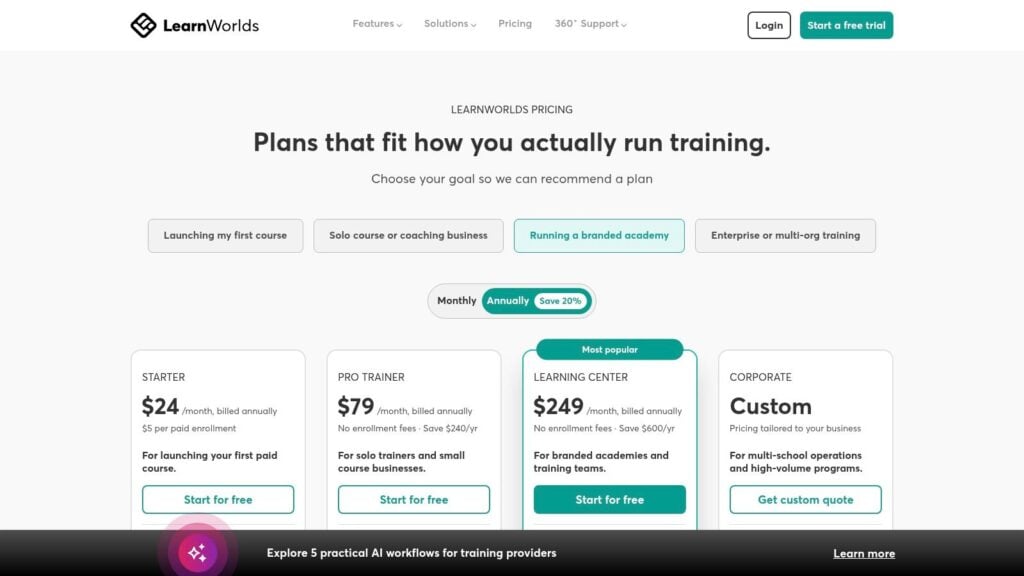
The platform’s pricing page, LearnWorlds pricing, shows a structure that’s more layered than lightweight creator tools. That’s not a bad thing, but it does mean you should expect more setup time and more decisions during implementation. The payoff is a platform that feels much closer to a serious learning environment than a basic course host.
What makes it different
LearnWorlds is one of the more feature-rich choices for interactive learning. It supports quizzes, hotspots, transcripts, captions, tiered subscriptions, bundles, payment plans, and trials. White-labeling and branded mobile app options make it appealing for businesses that want the course experience to feel proprietary.
If your course depends on learner engagement inside the lesson itself, LearnWorlds is one of the clearest upgrades from Thinkific.
Where the trade-offs show up
The biggest issue is cost creep. Add-ons and advanced features can raise the total price, especially if you want transcripts or branded app functionality. The interface is also deeper than most lightweight alternatives, so new users may need time to learn the system properly.
That learning curve is worth it if you’re building educational products that need more than video upload and quizzes. It’s less attractive if you want to launch quickly and keep things simple.
LearnWorlds is a strong pick for course businesses that want more control over pedagogy and learner experience. If you’re comparing Thinkific alternatives because the platform feels too shallow educationally, this one deserves a close look.
5. Circle
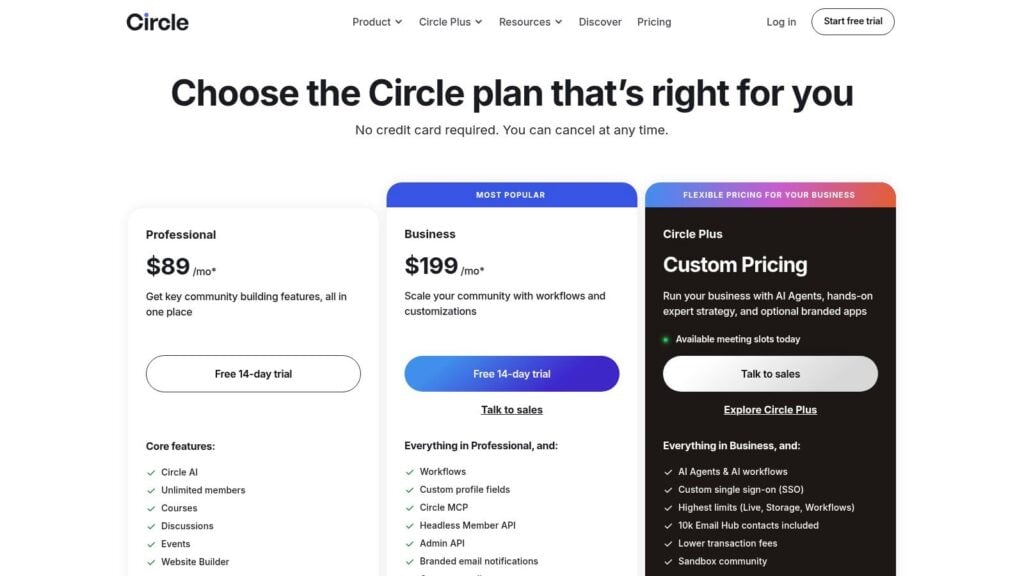
Circle is for creators who know that the course is only part of the product. The community layer is the main event here, with courses, events, live streams, workflows, website building, and optional branded mobile apps all sitting inside the same environment. That design makes Circle especially relevant if your offer depends on ongoing participation, not just lesson completion.
The platform pricing reflects that positioning, including transaction fees and add-ons for email functionality. Circle’s pricing page also makes plan differences fairly easy to compare, which helps when you’re trying to estimate the cost of switching from Thinkific.
Why community-led businesses like it
Circle gives members more reasons to return. Courses live inside a broader community environment, so discussions, live sessions, and workflows can continue after the lesson is over. That changes the product from a static course library into an active membership experience.
- Strong community UX: Discussions and course content feel integrated.
- Useful automation: Workflows and APIs support more advanced operations.
- Branded app path: Available on higher plans for businesses that want a more owned feel.
- Migration services: Helpful for moving payments and course assets with less friction.
Where to pay attention
Circle applies platform transaction fees, and the Email Hub is an add-on. Those details matter because community-led businesses often monetize through memberships, recurring access, and events, so every extra layer can affect margin. It’s also not the cheapest route if you only need a straightforward course host.
If your business model relies on member engagement, the added cost can be easier to justify. If your community is secondary and your main goal is simple course delivery, Circle may be more platform than you need.
For course creators trying to keep students active between lessons, Circle is one of the most compelling thinkific alternatives. It’s especially useful when your offer is really a membership wrapped around learning.
6. Mighty Networks
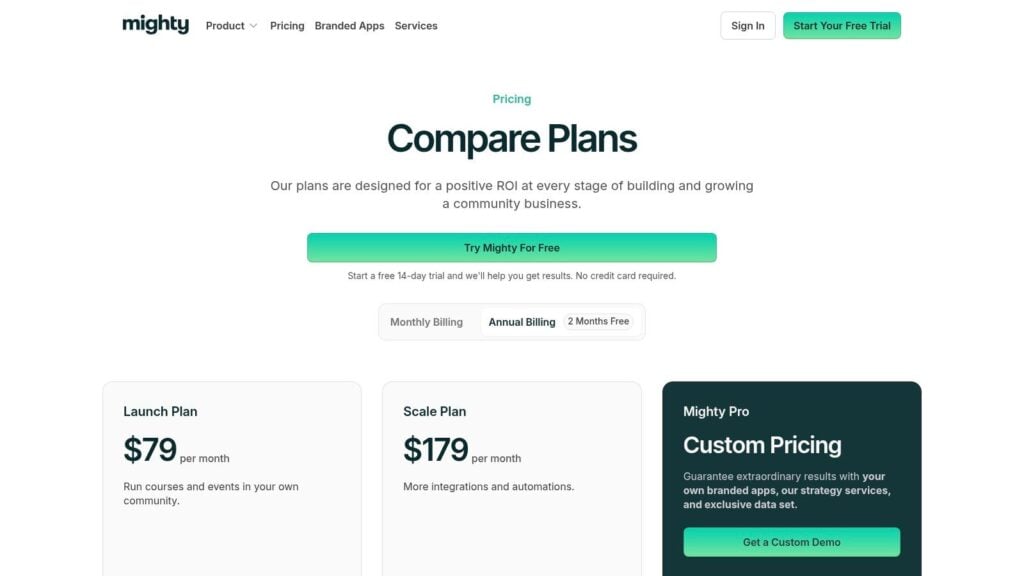
Mighty Networks is built for creators who want learning and community to reinforce each other. It supports on-demand, cohort, and live courses, plus habit tracking, badges, gamification, and an AI co-host. That combination makes it especially useful for retention-focused memberships and challenge-driven programs.
The pricing page for Mighty Networks shows clear fee tiers, which helps when you’re modeling the economics of a membership business. That clarity matters because community platforms often look similar on the surface but behave very differently once you start selling at volume.
Best for retention-heavy offers
Mighty Networks does a good job of turning participation into part of the product. Features like badges, challenges, live calls, and native video upload help members stay active instead of drifting away after the first login. If you run a paid community, a cohort program, or a recurring learning membership, that can make a real difference.
Community retention improves when the platform gives members something to do between lessons, not just content to consume.
What can make it harder to adopt
The platform’s transaction fees are an ongoing consideration, and the more advanced analytics and compliance features sit higher up the plan ladder. That means you should think carefully about your monetization model before you migrate. It’s also less suited to highly structured corporate training than to creator-led education.
Mighty Networks makes the most sense when your business lives at the intersection of education and relationship-building. If Thinkific feels too course-centric for your audience, this is one of the stronger alternatives to evaluate.
7. Skool
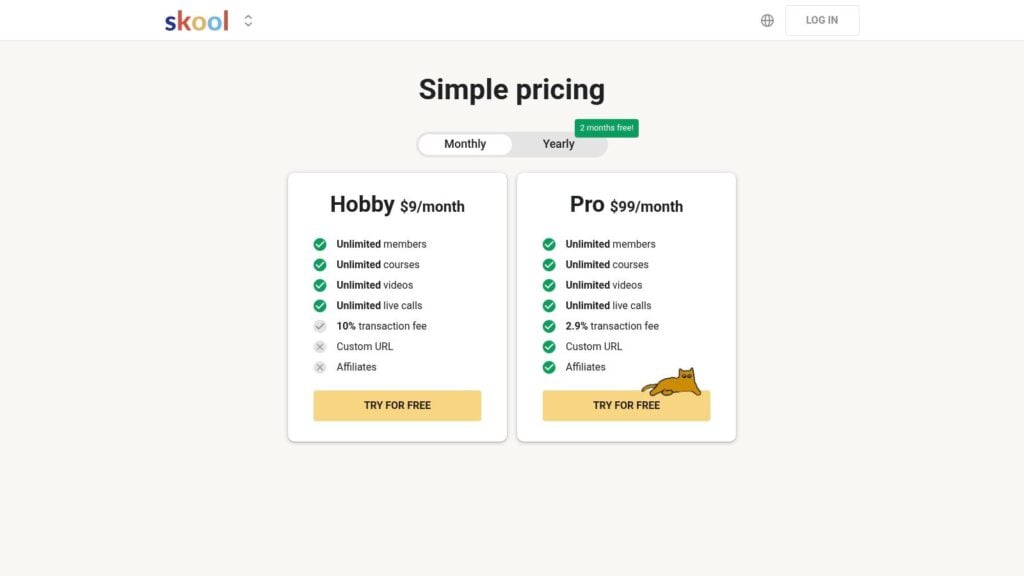
Skool is the simplest option on this list if your priority is speed. It’s built around community and courses together, with unlimited members, videos, live calls, affiliates, and straightforward payments. That makes it attractive for cohort programs, memberships, and fast-moving creator businesses that want a very light operational lift.
The Skool pricing page is unusually direct about the platform’s simplicity-first approach. The trade-off is equally direct. You get less customization and fewer advanced LMS features, but you gain a setup path that doesn’t take much thought.
Why it works for fast launches
Skool is a good fit when you want to get a community or cohort model live quickly. You don’t need to manage a sprawling configuration or spend weeks tuning the experience. The platform also leans into a clear member journey, which helps if your offer is built around interaction and accountability.
- Minimal setup effort: Fast launch path with limited configuration.
- Predictable product model: Unlimited allowances remove a lot of scaling anxiety.
- Useful for memberships: Strong match for simple curricula and recurring offers.
- Payment handling: Platform-level payments keep setup from becoming messy.
What to know before switching
Skool is not an advanced LMS. If you need deeper grading, SCORM, or more detailed assessments, you’ll run into limits quickly. Customization is also more restricted than on WordPress-based systems, so it’s better for creators who value simplicity over total control.
That doesn’t make it a lesser product. It makes it a sharper one. Skool is for creators who want to launch now and keep operations light.
If your current Thinkific setup feels heavier than it should, Skool can be a clean reset. It’s especially useful when your audience cares more about connection and momentum than about complex course architecture.
8. LearnDash

LearnDash is the WordPress answer for people who want control. If Thinkific feels too closed, LearnDash gives you a more open stack with a broad add-on ecosystem and full site ownership. For businesses that already run WordPress, that can be the most natural migration path.
The upside is flexibility. The downside is responsibility. With LearnDash, you’re managing hosting, updates, performance, and security on your side of the fence. That’s fine for teams that want ownership, but it’s a poor fit if you want everything handled for you.
Why WordPress users choose it
LearnDash works well when your business needs granular course design and you don’t want to be boxed in by a SaaS platform. Drip content, quizzes, assignments, certificates, groups, reporting, and e-commerce integrations make it easy to build a more customized learning environment.
- Full ownership: Content, branding, and stack choices stay under your control.
- Flexible integrations: WooCommerce, Stripe, and other WordPress tools can extend the setup.
- Scalable structure: Add-ons let you grow without changing the core platform.
- Better fit for existing sites: Especially useful if your audience already lives on WordPress.
The real cost
The cost isn’t just the plugin license. It’s the time and technical oversight required to keep everything working together. That includes hosting quality, plugin compatibility, and the quality of the third-party extensions you add over time. Support can vary more than it does on hosted platforms because the stack is distributed.
LearnDash is a strong fit for course businesses that value long-term control and already understand WordPress. If you want a platform that behaves more like infrastructure than a hosted service, this is one of the most serious options available.
9. ThriveCart Learn and Learn+
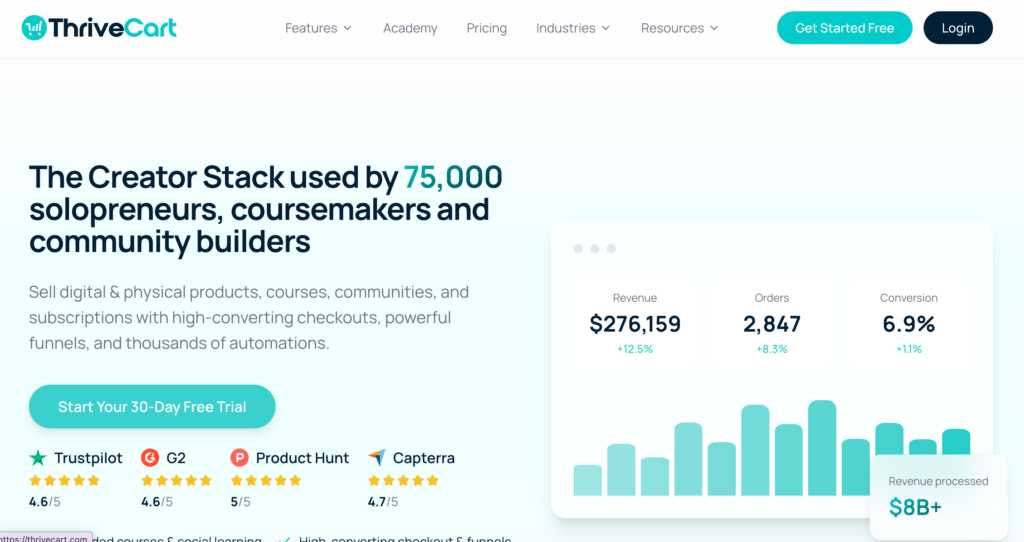
ThriveCart is different from most of the platforms here because the starting point is checkout, not course delivery. That’s why it’s such a strong choice for creators who already have a marketing stack and want a sharper selling engine. The course module exists, but the platform’s real strength is conversion optimization.
The ThriveCart website positions the product around checkout, upsells, order bumps, affiliates, and subscription management. That matters if your bottleneck is not course content but how much revenue you can extract from each buyer.
Why checkout-led sellers like it
If your business depends on offers, upsells, and clean cart flow, ThriveCart can outperform more general platforms. The A/B testing and post-purchase structure are especially useful for businesses that sell multiple products or want to increase average order value without rebuilding the rest of the stack.
Use ThriveCart when your sales system matters more than your learning environment.
Where it breaks down
It’s not trying to be a full community platform or advanced LMS. That means you’ll likely need other tools around it if you want memberships, richer learner interaction, or more formal education features. The pricing structure can also feel confusing because of the legacy Learn and Learn+ model versus newer monthly paths.
That said, if your current stack already includes email, community, and content tools, ThriveCart can slot in as the commercial engine. It’s especially appealing when you want better checkout performance without moving your entire business.
ThriveCart is one of the more specialized thinkific alternatives, and that’s the point. It won’t replace everything. It can make the part that sells much better.
10. Systeme.io
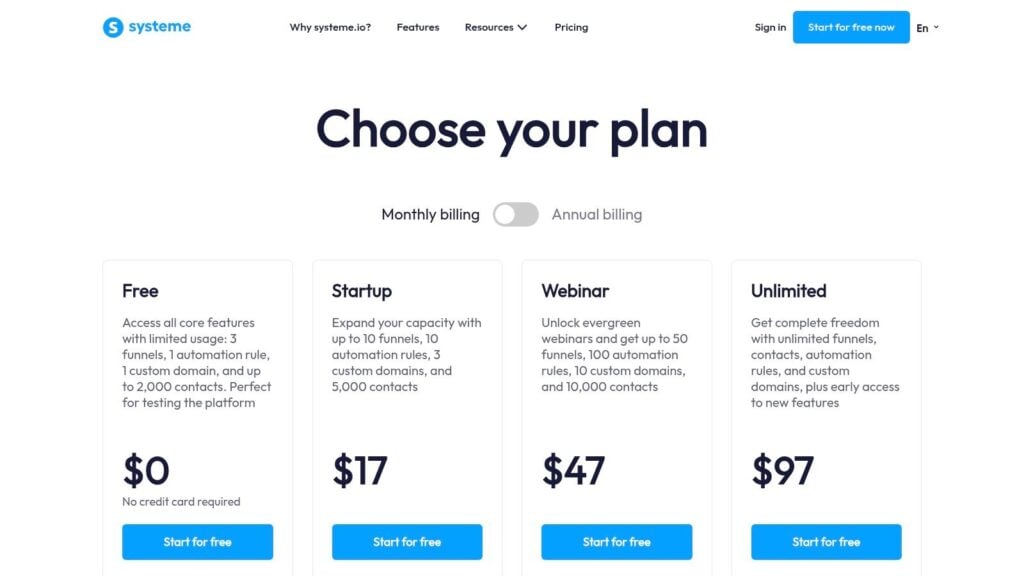
Systeme.io is the budget-conscious choice, and it’s useful for exactly that reason. It combines funnels, email marketing, websites, automation, affiliate management, and basic courses in one place, with a free plan that lets you start without much financial risk. For early-stage creators, that can be enough to validate an idea before moving to a heavier stack.
The Systeme.io pricing page makes the value proposition obvious. You can start free, move into low-cost tiers, and avoid platform transaction fees entirely. That’s a major advantage if you’re watching overhead closely.
Why it gets attention
Systeme.io is practical for creators who want to keep their operating costs low. It’s also attractive for people who need to build funnels and email flows alongside simple course delivery without paying for multiple subscriptions.
- Low-cost entry: Free plan plus inexpensive paid tiers.
- All-in-one basics: Funnels, email, websites, and course hosting in one tool.
- No platform fees: Helpful if every percentage point matters.
- Fast setup: Good for testing offers without heavy technical work.
Where the limits show up
The course and community features are lighter than dedicated learning platforms. If you need more detailed assessments, stronger community interaction, or advanced reporting, you’ll probably outgrow it. It’s also less polished than some premium alternatives, so design and customization expectations should stay realistic.
For readers comparing platforms on budget alone, Systeme.io is one of the most accessible ways to replace multiple tools at once. For readers who need depth, it’s better seen as a starting point than a final home.
For a deeper comparison of its stack choices, LearnStream’s guide on Systeme.io vs LearnDash is a helpful follow-up if you’re weighing low-cost simplicity against WordPress ownership.
Top 10 Thinkific Alternatives, Features & Pricing
| Platform | Core features | Value & pricing | Target audience | Unique selling points |
|---|---|---|---|---|
| Kajabi | Courses, memberships, communities, email, funnels, native payments | Higher-priced bundled all‑in‑one; Kajabi Payments discounts; some processor fees on certain plans | Creators who want one vendor for content + marketing + payments | Native payments, launch pipelines, polished all‑in‑one workflow |
| Teachable | Courses, bundles, memberships, native checkout, multi‑currency | Competitive entry-level pricing, transparent fees | Creators seeking quick launches and simple course delivery | Adaptive/localized pricing, easy setup |
| Podia | Courses, downloads, coaching, community, events, built‑in checkout | Predictable mid‑tier pricing; clear processor fees; email caps per plan | Solo creators & small teams valuing low complexity | Simplicity, transparent pricing, migration assistance |
| LearnWorlds | Interactive video, assessments, white‑labeling, branded apps | Mid–high; add‑ons (transcripts, apps) can raise cost | Creators prioritizing instructional design and engagement | Interactive video & assessment features, branded school options |
| Circle | Community + courses, live rooms, events, workflows, APIs | Mid-priced; platform transaction fees apply; Email Hub is an add‑on | Community-focused creators who center engagement | Polished community experience, workflows & headless APIs |
| Mighty Networks | Native courses (drip/cohort), challenges, habit trackers, gamification, AI cohost | Mid; transaction fee tiers, branded apps on higher plans | Creators building active learning communities & cohorts | Gamification, AI cohost, strong retention features |
| Skool | Community + courses, unlimited members/courses/videos, affiliates | Low entry cost, flat plans, predictable fees, unlimited allowances | Cohort or membership communities wanting simplicity | Unlimited allowances, simple pricing, quick setup |
| LearnDash (WP LMS) | Course builder (drip, quizzes, assignments), groups, e‑commerce integrations, add‑ons | License‑based; cost-effective at scale but hosting & maintenance required | WordPress owners needing extensibility & full control | Deep feature set, large add‑on ecosystem, full ownership |
| ThriveCart Learn / Learn+ | High‑converting checkout, order bumps, upsells, lightweight course module, affiliates | Mixed pricing models (legacy lifetime vs newer subscriptions); conversion-focused ROI | Marketers prioritizing checkout conversion and funnels | Powerful cart features (A/B tests, bumps, upsells), strong affiliate reporting |
| Systeme.io | Funnels, email automation, basic courses, affiliate management; free plan | Very inexpensive; free tier available; no platform transaction fees | Budget-conscious creators needing funnels + simple courses | Low cost all‑in‑one (funnels + courses), generous limits and free plan |
Make the Move With a Migration Checklist
The clearest match depends on the shape of your business. Kajabi fits best when you want an integrated marketing stack under one roof. Teachable and Podia are better when you want a simpler launch path with less operational drag. LearnWorlds is the stronger choice when course design and learning experience matter more than raw simplicity.
If community is the product, Circle and Mighty Networks deserve the most attention. Circle leans into a polished community experience with courses wrapped inside it, while Mighty Networks is built for retention-heavy memberships, cohort programs, and challenge-driven offers. Skool is the fast, simple option for creators who want to launch quickly and stay lean.
If ownership is the priority, LearnDash is the WordPress route that gives you the most control. If checkout performance is the bottleneck, ThriveCart Learn makes sense as a selling layer. If budget is tight and you need a low-risk start, Systeme.io is the practical move.
Before you switch, move through the transition in a deliberate order. Start by inventorying your courses, student data, files, and access rules. Map every product to the right new structure, including who gets what and when. Review your payment setup and email integrations before touching anything live, then recreate your checkout flow and automations in the new system.
Test learner access on mobile before you launch. That step catches more problems than anticipated, especially if your audience takes lessons on phones. Communicate URL changes, login changes, and any new student instructions before the switch, not after it. Keep the old platform available until the new one handles the critical paths without friction.
Migration also gets easier when you separate “must have” from “nice to have.” Rebuilding a dashboard theme or a landing page can wait. Broken payments, missing access, and lost student records cannot.
One final point matters more than most platform pages suggest. Compare total operating effort, not just the advertised platform price. A lower monthly fee can still cost more once you factor in payment mechanics, add-ons, implementation time, and the tools you’ll need around the core platform.