How to Promote Webinars and Maximize Attendance
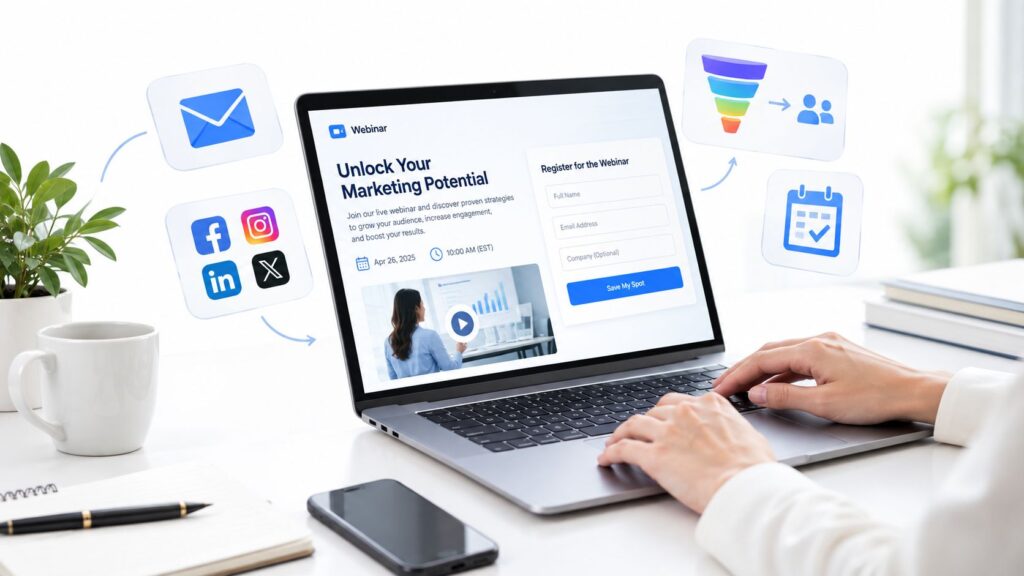
You’ve spent weeks shaping a useful webinar, lining up speakers, polishing slides, and preparing the registration page. Then the event starts, and the live attendee count is a fraction of the number shown on your registration dashboard.
That gap is normal, but it isn’t something you should accept. Registration and attendance are separate conversion problems, and the strongest webinar campaigns treat them that way. The registration page earns intent. Email reminders, calendar holds, useful previews, and replay messaging turn that intent into action.
The same principle applies whether you’re promoting a product demonstration, a training session, or an expert panel. You need a system that attracts the right people, gives them a clear reason to sign up, and keeps the event visible until and after the start time.
Building a Two-Stage Webinar Funnel
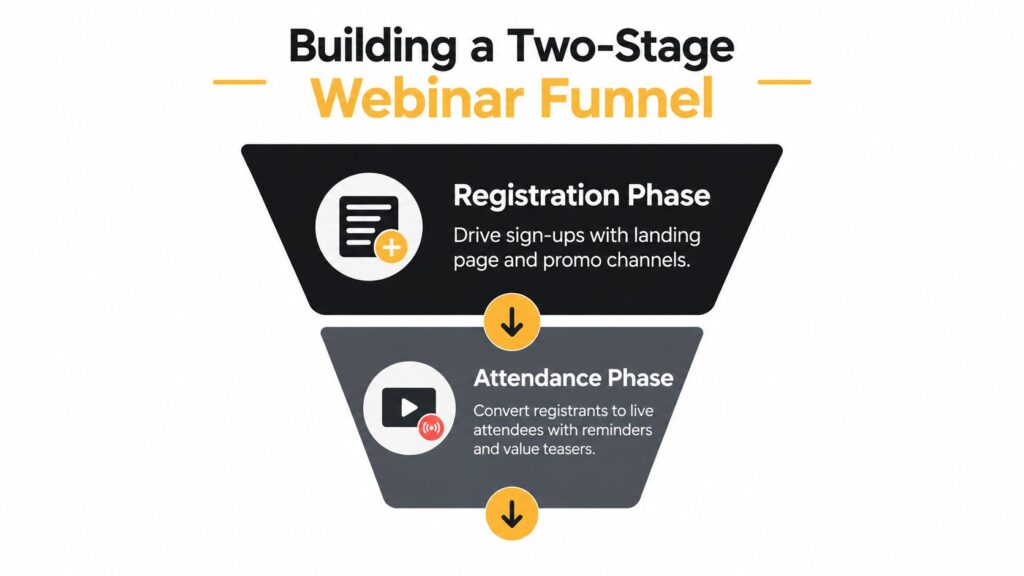
A registration dashboard can look healthy while the live room stays quiet. The gap comes from treating sign-ups as the finish line. A webinar funnel has two jobs: turn relevant visitors into registrants, then turn registrants into live attendees or on-demand viewers.
Structure the campaign in two phases, with different messages and measures for each.
- Set the promise early. Lead with the problem the session will solve and the outcome attendees can expect. The event format matters less than the reason to invest time in it.
- Open registration two to three weeks ahead. Early promotion gives people time to assess the topic and plan around the session.
- Build interest during the middle period. Share a useful insight, a speaker perspective, or a short preview. Repeating the launch announcement rarely gives prospects a new reason to act.
- Concentrate urgency in the final week. Historical benchmark data reports that 54% of registrations happen at least eight days before the event, while 46% occur during the final week (Market Veep’s webinar benchmark summary). Keep both periods active instead of assuming one promotion window will capture everyone.
- Switch from acquisition to attendance after registration. Send calendar details, preparation notes, and reminders that reduce the effort required to join. For people who cannot attend live, make the replay path clear.
Plan the live event window separately. A Tuesday session between 11am and 1pm was the strongest registration and attendance window in one 2026 benchmark study, giving global teams a useful starting point instead of a random choice (Visionary Marketing’s 2026 webinar benchmark). Adjust that starting point for audience location, working patterns, and job role.
Practical rule: Give every registrant a next action. Add the event to a calendar, prepare a question, join the live room, or watch the replay.
Creative should change with the funnel stage. Registration ads can focus on the promised outcome. Reminder emails can highlight the specific lesson, example, or question attendees may miss. Replay messages should make on-demand viewing feel like a useful option, not an afterthought. This approach supports live attendance while building a second audience that consumes the session later.
Optimizing Your Registration Page for Conversions
A registration page can absorb all the traffic your campaign generates and still produce disappointing results. The page needs to function as a focused conversion asset, with one clear promise, credible speakers, and a form that feels easy to complete.
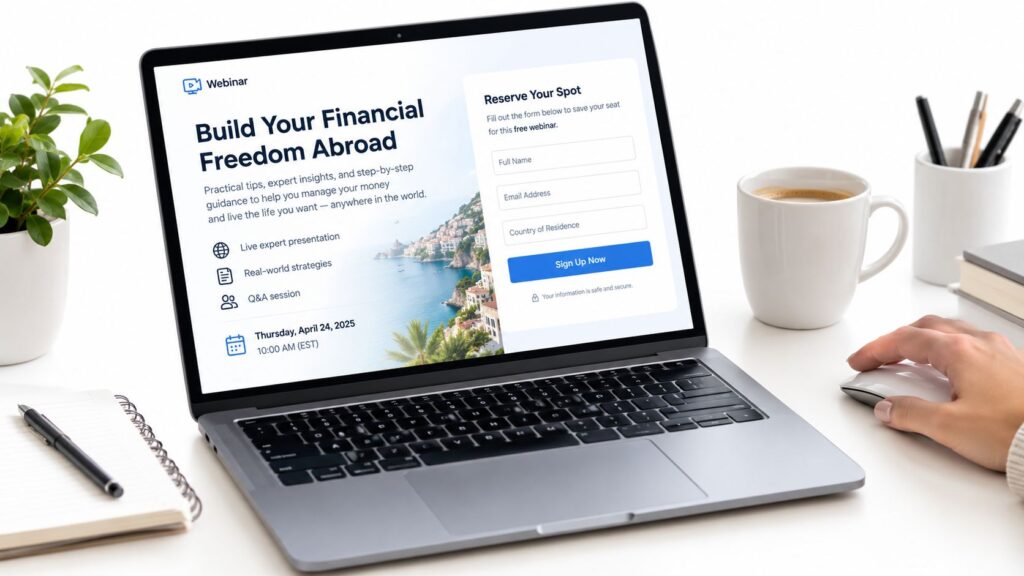
Start with the headline. A strong headline tells visitors what they’ll learn or accomplish. “Join our upcoming webinar” describes the format, but it doesn’t explain the value. A more useful structure names the audience, problem, and outcome, such as helping a particular type of course creator improve learner engagement or plan a membership launch.
Test the page elements that carry the most weight
Focus your first tests on the elements closest to the decision:
- Headline clarity: Can a visitor understand the benefit without reading the full page?
- Speaker authority: Show relevant experience, role, and subject expertise. A short, specific bio usually works better than a long career history.
- Event details: Include the date, time zone, format, and what happens after registration.
- CTA placement: Place the primary registration action where visitors can find it without hunting.
- Form friction: Ask only for information you’ll use. Extra fields can make the page feel like a sales qualification form before the visitor has received anything.
Benchmark ranges show why traffic quality and page quality must be considered together. Strong registration pages often convert 35% to 45% of targeted visitors, while cold traffic may convert 10% to 25% and warm traffic 25% to 45% (DollarPocket’s webinar conversion benchmarks). Those ranges aren’t a guarantee, but they’re a useful diagnostic. If a warm audience lands on a generic page that converts near the lower baseline, improving the page may be more productive than buying more traffic.
Keep the page aligned with the source message. If a LinkedIn post promises a practical framework, the landing page should repeat that framework in the headline and supporting copy. If a partner promotes a panel, show the panelists clearly rather than forcing visitors to search for the reason the event matters.
This video can also serve as a useful reference while you review the page structure and the visitor journey.
Use a thank-you page to reinforce the next step. Confirm the registration, provide a calendar option, explain when the join details will arrive, and invite the registrant to submit a question. That small transition helps turn a passive form completion into a planned event.
Crafting an Email Cadence That Actually Works
A single announcement sent several weeks before the webinar leaves too much responsibility with the registrant. People get distracted, lose the calendar invite, or decide later that the session is relevant. A sequence gives each person several useful opportunities to act.
Use this practical schedule:
- Two to three weeks before: Send the main invitation. Explain the audience, problem, outcome, speakers, and registration action.
- Two weeks before: Send a value teaser. Share one question the webinar will answer or one useful idea from the presentation.
- Seven days before: Add credibility and context. Introduce the speaker, explain the session format, or highlight the practical takeaway.
- Twenty-four hours before: Send the strongest reminder to both capture late sign-ups and bring existing registrants back into focus.
- One hour before: Send the join link, start time, and a short reason to attend live.
- Within 24 hours after: Thank attendees and provide the replay to registrants who missed the event.
The late reminders deserve special attention. GetResponse’s 2024 benchmark reports a 28.89% open rate for webinar invitation emails, compared with a 106.52% open rate for reminders sent one day before and a 105.84% open rate for reminders sent one hour before (GetResponse’s email marketing benchmarks). These figures are reported benchmark results, not a promise for every list, but they show why the final messages shouldn’t be treated as administrative follow-up.
Your copy should also sound like a person wrote it. Use the recipient’s likely situation, keep the subject specific, and remove inflated claims. This guide to best practices for humanizing emails is useful when your drafts feel polished but impersonal.
For subject-line ideas, keep a reference such as these webinar invitation subject line examples close to your campaign workspace. Then adapt the wording to the audience instead of copying a formula blindly.
Segment the sequence where it matters. A registrant needs a join reminder, a non-registrant needs a reason to sign up, and a person who attended needs a replay or next step. Sending identical messages to all three groups creates unnecessary noise and makes the campaign feel less relevant.
Choosing the Right Mix of Promotion Channels
Channel selection should support both parts of the funnel: filling the live room and creating interest that can convert into replay views later. Email usually deserves the first position because it reaches people who have already agreed to hear from you. Use the owned audience first, then add reach through partners, paid campaigns, social content, and syndication.
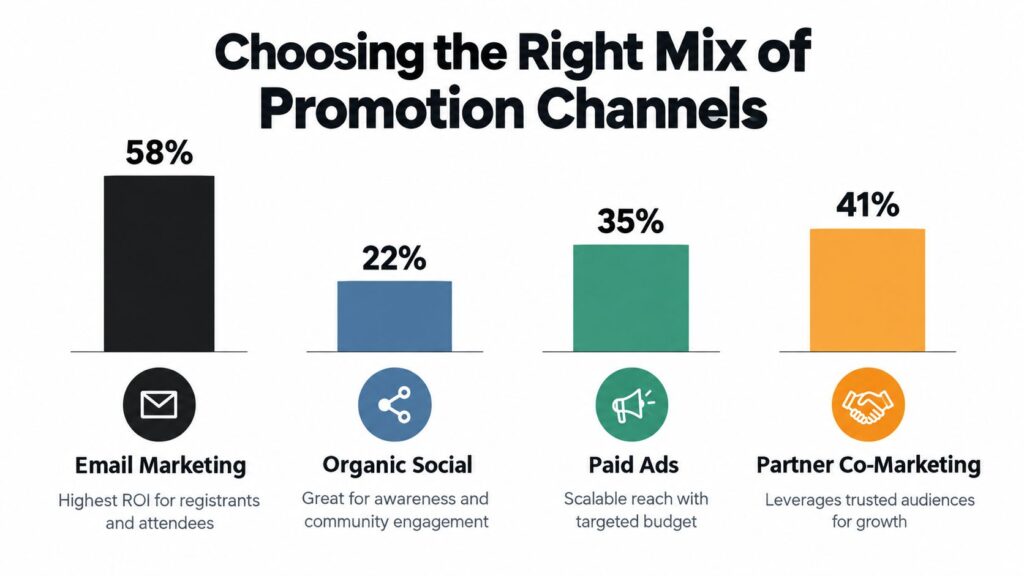
Each channel has a specific role and a cost to manage:
| Channel | Best use | Main trade-off |
|---|---|---|
| Registrations, reminders, and replay delivery | Depends on list quality and relevance | |
| Partner promotion | Reaching a trusted adjacent audience | Requires shared planning and aligned incentives |
| Paid social | Extending reach to defined audience segments | Costs rise when the offer or page is weak |
| Organic social | Awareness, conversation, and speaker visibility | Reach can be inconsistent |
| Syndication | Adding distribution beyond your own channels | Lead quality and message control need monitoring |
Segment the audience before writing channel-specific copy. A training manager, course creator, and membership community owner may value the same webinar for different reasons. Change the opening, proof points, creative, and CTA to match each group. The same message can drive live registrations for one segment and replay interest for another.
Partner promotion performs best when the recommendation feels credible. Give partners ready-to-use copy, speaker graphics, tracking links, and a clear description of who should attend. Explain the value of the referral instead of asking them to promote a vague “great event.” Track partner registrations and replay engagement separately so you can judge both immediate reach and later demand.
Paid social should extend a message that has already earned attention through email or organic activity. If the registration page is unclear, paid traffic will expose that weakness quickly. Organic social becomes more useful when speakers answer questions, share practical excerpts, and invite discussion instead of posting registration links without context.
Use a social media tagging guide for 2026 to coordinate mentions around speakers and partners. These viral social media campaign ideas for online webinars can also help turn the topic into conversations that continue beyond the live event. Keep the replay path visible in relevant posts, because people who discover the webinar late may be more likely to watch on demand than attend live.
Capturing the Replay and On-Demand Audience
The webinar doesn’t stop working when the live room closes. A registrant who missed the session has already shown interest, so the replay should be treated as a second conversion opportunity rather than a courtesy link.
Recent benchmark data reports that on-demand views outpace live attendance by 2.3×, while email drives 64% to 86% of registrations across the cited benchmark context (Livestorm’s 2026 webinar benchmark report). The practical implication is significant. Your campaign needs a live attendance path and an on-demand path from the start.
Send the replay email within 24 hours of the event, as recommended in the practical cadence outlined by ON24’s webinar email guidance. Keep the message useful and direct:
- Lead with the outcome: Remind the reader what the session helps them do.
- Give one obvious replay CTA: Don’t bury the recording below several competing offers.
- Add a short summary: Include the main lessons or chapter markers so people know what they’ll get.
- Offer a next step: Point to a worksheet, consultation, course, or related resource that matches the topic.
- Separate attendees from no-shows: Attendees may need supporting material, while no-shows need a quick route into the recording.
The replay page should preserve enough context to convert a new viewer. Include the original title, speakers, learning outcomes, and a brief registration or lead form if the viewer didn’t attend the live session. Avoid forcing existing registrants through a needlessly repetitive form unless you have a clear reason to collect additional information.
Repurposing extends the value of the presentation. Turn a strong answer into a blog section, extract short clips for social posts, build a visual summary, or create an FAQ from audience questions. The webinar content repurposing guide offers a useful framework for turning one event into multiple learning assets.
Set a clear review process for the recording. Remove long pauses, correct obvious technical issues, add captions where appropriate, and label important moments. A polished replay is easier to consume and gives your sales or education team a stronger asset for future conversations.
Measuring Success and Running A/B Tests
A registration total tells you how many people raised their hands. It doesn’t tell you whether the topic attracted the right audience, whether the page converted efficiently, or whether reminder emails brought registrants into the live session.
Track the funnel in stages:
- Traffic: Record visits by source, campaign, and audience segment.
- Registration: Measure page conversion and form completion.
- Attendance: Compare live attendees with registrants and review join-time behavior.
- Engagement: Track questions, polls, chat participation, and viewing duration where your platform supports those signals.
- Follow-up: Separate live attendees, registrants who missed the event, and replay viewers.
- Business outcome: Connect qualified conversations, course interest, membership actions, or other relevant outcomes to the original campaign source.
Keep cost analysis practical. Add media spend, partner fees, creative production, and the campaign time you choose to value. Then compare that total with the number of qualified live attendees, engaged replay viewers, or sales opportunities. The right denominator depends on the webinar’s purpose. A broad educational event may prioritize qualified leads, while a product workshop may prioritize attended demonstrations.
Test one meaningful variable at a time
Good tests answer a specific question:
- Does an outcome-led headline outperform a topic-led headline?
- Does a named speaker in the subject line attract more registrations?
- Does a shorter form improve completion without reducing lead quality?
- Does the final reminder work better at one hour or another approved send time?
- Does a replay email with chapter summaries generate more viewing than one with a simple link?
Use comparable audience segments and preserve a clear record of the version each person saw. The goal is learning, not collecting random differences that can’t guide the next campaign. Figr’s guide to A/B testing best practices is a useful reference for structuring cleaner experiments.
At the end of the campaign, write down three decisions. Keep the channel or message that produced qualified action, revise the part that created friction, and stop spending effort on activity that generated visibility without meaningful engagement. A short debrief after every webinar turns promotion into a repeatable operating process rather than a fresh scramble each time.
Build your next webinar campaign around both outcomes from day one. Create the registration page, schedule the invitation and reminder sequence, prepare the replay email before the live event, and assign each channel a clear role. Then review the funnel after the webinar and use those findings to improve the next event.