Course Launch Email Sequence
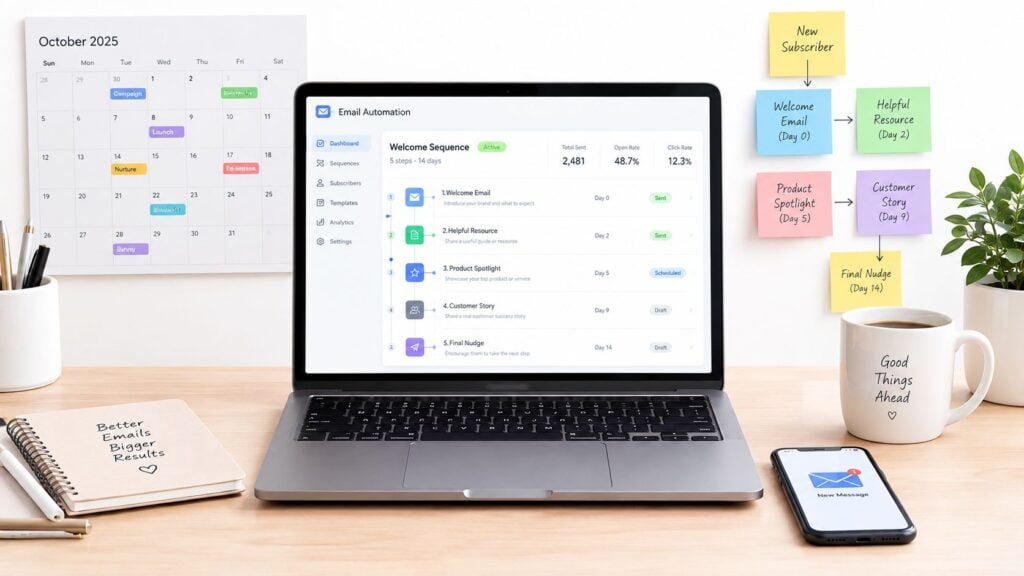
You’re three hours from opening the cart. Your checkout page is in one browser tab, ConvertKit is open in another, and you’ve rewritten the subject line so many times that it no longer sounds like English. Then you notice the launch button still says “enrolment” in one place and “enrollment” in another.
That scramble is familiar, but it’s avoidable. A strong course launch email sequence gets built before the cart opens, when you can think clearly about timing, audience, objections, and buyer experience. The sequence should give subscribers enough context to make a decision without forcing you to improvise every message under pressure.
The Email Sequence That Actually Sells Your Course
A launch sequence works best as a timed conversation. It warms cold subscribers, re-engages people who downloaded a free resource, and gives existing fans a clear reason to pay attention or share the offer.
The order matters. Your emails need to:
- Build anticipation by naming the problem and showing a useful new way to approach it.
- Establish proof through demonstrations, student experiences, answers, and specific outcomes.
- Create honest urgency by explaining what changes when enrollment closes.
That last part deserves care. A real closing date, expiring bonus, or limited cohort can help someone decide. A fake countdown timer that resets when the page reloads will damage trust faster than a weak subject line.
Practical rule: Every email should move the reader one step closer to a confident decision, even when the email doesn’t contain a hard pitch.
I’ve found it useful to treat the launch as a product experience rather than a stack of broadcasts. The same thinking applies to onboarding. A helpful SaaS onboarding email sequence guide can sharpen how you introduce a process, set expectations, and guide people toward one next action. Those principles transfer well to course launches, especially when a subscriber needs clarity before commitment.
Your pre-launch content, sales emails, buyer handoff, and follow-up should feel connected. LearnStream’s advice on email marketing for course creators is useful when you’re mapping those pieces into one system instead of treating the launch as a temporary campaign.
The rest of the work is practical. You’ll choose a cadence, write each message around one job, separate people by intent, automate the moving parts, protect deliverability, and measure what happened after the cart closed.
How Long a Course Launch Sequence Really Runs
There isn’t one correct calendar. A widely used launch sequence runs 5 to 7 emails over 7 to 10 days, moving from announcement to open cart, proof, objection handling, and final reminder. Other launch frameworks stretch to 10 emails over about 4 weeks when the audience needs more education before the offer appears, as described in Ruzuku’s launch email sequence guidance.
The shorter shape suits a warm audience that already knows your teaching and understands the problem. The longer runway makes more sense when subscribers joined through a broad freebie, your niche requires explanation, or the course represents a substantial commitment.
| Sequence Type | Total Duration | Best For | Conversion Concentration |
|---|---|---|---|
| Open-cart sprint | 7 to 10 days | Warm, product-aware audiences | Early response plus a strong close |
| Warm-up runway | About 4 weeks | Colder or less familiar audiences | Education before cart open, then deadline pressure |
| Behavior-led launch | Adapted to actions | Mixed lists and several intent levels | Clickers and buyers receive tighter follow-up |
The final 48 hours deserve more attention than the opening announcement. Launch guidance reports that 42% to 55% of enrollments can happen in that period, while another practical benchmark places the figure near 60%. Those figures come from different launch datasets, so I treat them as directional rather than as a promise. They point to the same operational conclusion, which is that the close phase needs tighter spacing and clearer decision support. See the Ruzuku article on launch timing for that practical framing.
Price and complexity change the answer. A focused workshop can open and close quickly. A specialist course with several implementation steps may need more warm-up, a webinar, a challenge, or a live question session in the middle. Your own stamina matters too. If daily sends make you resent the launch, simplify the calendar before you write copy you won’t want to send.
A useful rule is to choose the window from audience readiness first. Use a shorter sprint for a warm, responsive list and a longer runway when subscribers need proof, context, or repeated exposure to the problem. Then reserve the most frequent messages for the final closing period.
Writing Each Email From Teaser to Last Call
The easiest way to draft a launch sequence is to give every email one job. If a message tries to teach, announce, prove, handle objections, explain bonuses, and close the cart, readers won’t know what to do next.
Start with curiosity, then make the offer clear
Pre-launch teaser
- Subject line angle: “A new way to handle [problem]”
- Single job: Create curiosity and invite a reply.
- CTA: Reply with the obstacle that’s slowing them down.
- Common mistake: Hinting at a course without giving any useful insight.
The teaser should feel like the beginning of a relevant conversation. Share a short lesson, challenge an assumption, or describe the result you’re building toward. Don’t hide behind vague suspense.
Open-cart announcement
- Subject line angle: “Enrollment is open for [course]”
- Single job: Tell the right people what the course does and who it’s for.
- CTA: View the course and decide whether it fits.
- Common mistake: Listing modules instead of describing the change the learner wants.
Make the offer easy to understand. Include the format, access details, start information, price or payment options where relevant, and the closing condition. The reader shouldn’t need to hunt through a long sales page to understand the basic invitation.
Value-driven story
- Subject line angle: “Why [common approach] keeps failing”
- Single job: Teach one useful idea and connect it to your method.
- CTA: Read the course details.
- Common mistake: Turning a personal story into a biography.
Use one moment, one lesson, and one bridge to the course. A story works when the reader recognizes their own situation inside it.
Use the middle to remove friction
Objection handler
- Subject line angle: “Is [course concern] holding you back?”
- Single job: Answer one serious objection.
- CTA: Read the relevant FAQ or course section.
- Common mistake: Responding to six objections in one crowded email.
Choose the objection that appears in replies, sales calls, or checkout behavior. Address time, fit, support, implementation, or cost with plain language. If the course has a guarantee or payment plan, explain the actual terms without burying them.
Social proof roundup
- Subject line angle: “What learners asked, tried, and changed”
- Single job: Show credible evidence that the method helps the intended audience.
- CTA: See how the course works.
- Common mistake: Using praise without context.
A useful testimonial includes the person’s starting point, what they did, and what changed. If you don’t have student stories yet, use your own process, beta feedback, or a clear demonstration. Don’t manufacture certainty.
Bonus or offer stack reveal
- Subject line angle: “What’s included when you join”
- Single job: Clarify the complete offer.
- CTA: Review the enrollment page.
- Common mistake: Adding bonuses that distract from the core course.
Bonuses should remove a real implementation barrier. A checklist, template, or office-hour session can make sense when it helps learners start. More files don’t automatically create more value.
Early-action nudge
- Subject line angle: “A reminder before [real condition] changes”
- Single job: Explain a genuine early-action deadline.
- CTA: Enroll before the stated condition ends.
- Common mistake: Calling something “limited” when nothing changes.
Finish with a clean close
Last call
- Subject line angle: “Enrollment closes at [specific time]”
- Single job: Give the reader a final, accurate decision point.
- CTA: Enroll before the cart closes.
- Common mistake: Writing a long emotional essay that hides the deadline.
A simple last-call template is enough:
Enrollment for [course] closes at [time and time zone]. If you want [specific outcome] and the course fits your situation, this is the final chance to join this round. You’ll receive [main deliverable], and [real bonus or condition] ends when enrollment closes. [Enroll here].
Alternate longer emails with short, direct reminders. That rhythm gives readers room to think while keeping the deadline visible. One idea and one CTA per email will usually serve you better than adding another paragraph to explain everything again.
Segmenting Your List So the Right People Get the Right Emails
A single broadcast is easy to manage, but it makes every subscriber walk through the same door. Someone who only downloaded a checklist needs more context than a previous buyer who already trusts your teaching.
Start with audience temperature. Then decide whether the difference justifies another automation.
| Segment | Track Length | Value Emails Before Pitch | Discount Depth |
|---|---|---|---|
| Cold subscribers | Longer runway | Several teaching-led messages | Conservative or none until fit is clear |
| Warm leads | Standard launch window | A few focused value emails | Launch offer or relevant payment option |
| Existing customers | Short buyer-aware track | Minimal pre-pitch education | Prefer a loyalty bonus or upgrade path |
Cold subscribers may have opened a freebie without engaging with your broader work. Give them a clear problem definition, a practical lesson, and proof that the course matches their needs. Warm leads who attended a webinar, replied to an email, or consumed several resources can move faster because they’ve already shown intent.
Existing customers need a different conversation. Suppress them from a discount email when the new offer overlaps with something they bought, when the discount would create a fairness problem, or when their next logical step is support rather than another purchase. A buyer-only bonus, upgrade, or implementation session may serve them better than another promotion aimed at strangers.
For list-building fundamentals, LearnStream’s guide on how to build an email list is a useful companion to the launch planning itself.
You have three practical setup choices:
- Single-list broadcast: Fastest to build, but relevance and conversion can suffer.
- Tag-based splits: A good middle ground for a growing list. One core sequence can branch around clicks, purchases, or source tags.
- Separate automations: More work, but worthwhile when audience needs and course paths differ substantially.
I usually start with tags and add separate tracks only when behavior proves the split matters. Segmentation should reduce confusion, not create an automation maze nobody trusts.
Setting Up Automation That Fires When You Sleep
Build the workflow in the order the customer experiences it, not the order your email platform displays its settings.
Start with a clean master list. Record where each subscriber came from, apply a launch-specific tag, and decide what happens to buyers before you import or enroll anyone. A purchase should remove someone from promotional emails immediately and move them into onboarding.
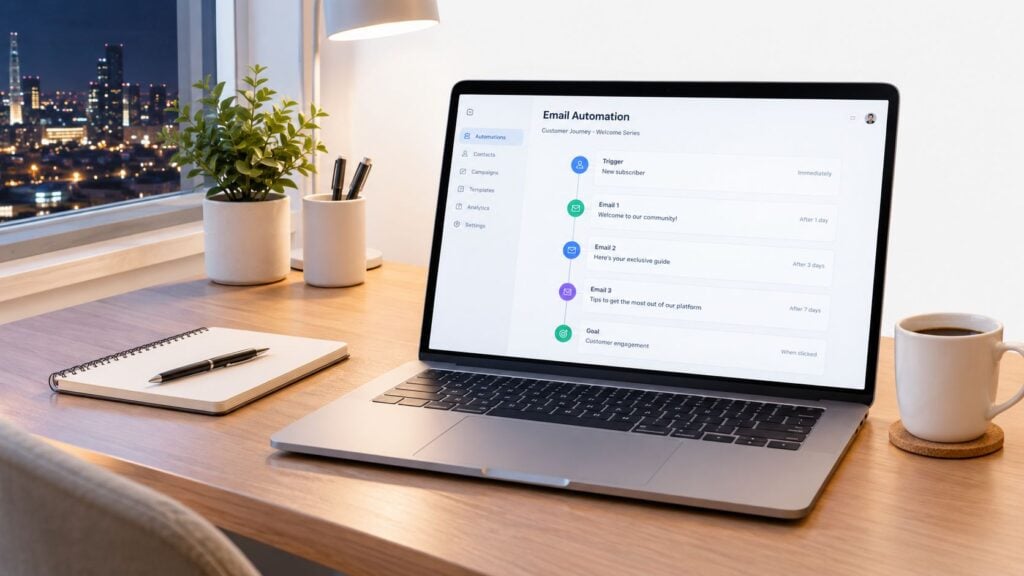
Next, authenticate the sending domain. Gmail and Yahoo require senders to use SPF and DKIM, while bulk senders also need DMARC. Guidance for bulk senders also recommends keeping spam complaints below 0.3% and providing one-click unsubscribe functionality, according to Mailjet’s technical deliverability guidance. Your course launch email sequence can be beautifully written and still fail if inbox providers don’t trust the sender.
Configure the workflow around behavior
Set the trigger first. It might be the launch tag, a form submission, or a webinar registration. Then add delays. Use days during the warm-up, but switch to hours during the open-cart and close phases so the final messages follow the actual deadline.
Add conditional branches for meaningful actions:
- Clicked the sales page: Send a focused FAQ or implementation email.
- Clicked checkout but didn’t buy: Send a relevant reminder without pretending you know why they hesitated.
- Purchased: Exit the sales path and start onboarding.
- Stayed inactive: Reduce pressure or move the subscriber back to nurture.
A goal-based exit is essential. Test the purchase event, not just the tag, because a broken integration can leave buyers receiving “last chance” emails after payment.
Before launch, verify the sending domain, include a plain-text version, preview the emails on mobile, and test Gmail and Apple Mail. Send to both a personal and work inbox. Check links, time zones, personalization, spacing, and the exact cart-close behavior.
The workflow should be boring once it’s live. That’s a sign you configured it properly.
Deliverability, List Hygiene, and Why More Emails Is Not Always Better
When sales slow down, the tempting response is to add another promotional email. That can work when people missed a clear announcement. It can also worsen the underlying problem if the core issue is poor targeting, weak inbox placement, or a list full of people who no longer want your messages.
Authentication comes first. Keep sending volume consistent, ramp up carefully when using a new domain, and watch complaint and placement signals in tools such as Google Postmaster. A seed-list test can reveal that a message is missing inboxes even when your email platform reports successful delivery.
List hygiene belongs in launch preparation. Remove or suppress persistently unengaged contacts according to a policy you can apply consistently. Run re-engagement before the launch, not in the middle of the sales window, and maintain suppression lists for known complainers and invalid addresses.
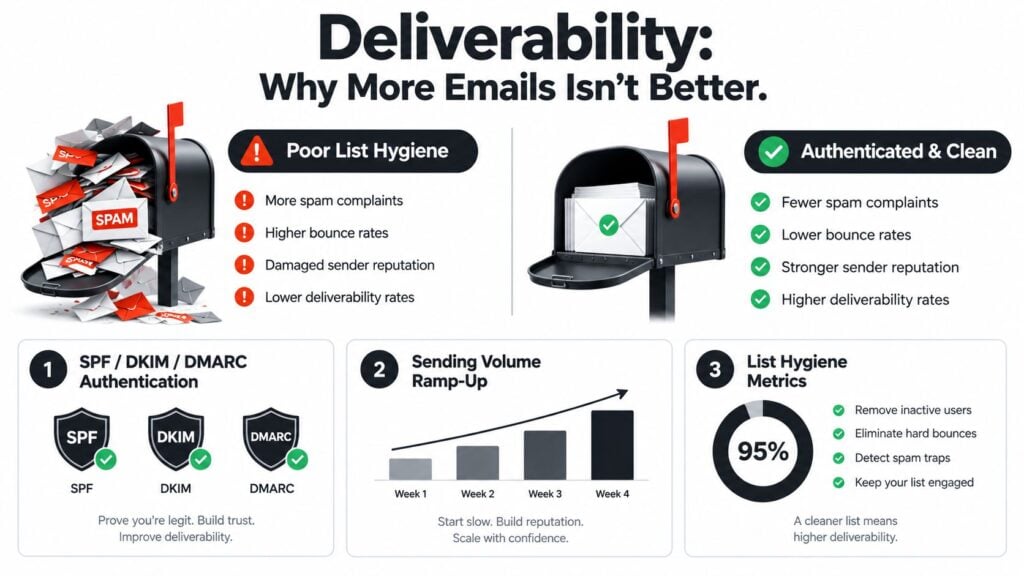
A tighter sequence with behavior-triggered follow-ups often gives you more control than a bloated calendar. Benchmark guidance places typical course-launch sequences near 2.1% to 4.7% conversion, while stronger results after list cleaning and deliverability work are reported around 6.3% to 8.9%, according to course-launch email benchmark analysis. Those figures describe different list conditions, so they shouldn’t be treated as a forecast for your business. They do show why list quality can matter more than squeezing in another reminder.
If you’re unsure whether your list or domain is ready, an email deliverability test can help identify problems before you send at launch volume.
The practical comparison is simple:
- A large fixed sequence sends the same pressure to everyone.
- A shorter core sequence lets behavior decide who receives extra help.
- A clean suppression path protects people who already bought or clearly opted out.
Global benchmarks put average unsubscribe rates at 0.22% in one large dataset and 0.46% in another, with top performers reported at 0.05% in the latter source. The variation is a reminder to compare your own segments and history rather than chase a universal threshold. Brevo’s email benchmark data provides that wider context.
Measuring Launch Results and Your Post-Launch Checklist
Open rate is useful for spotting a subject-line or list-engagement problem, but it shouldn’t carry the whole analysis. Apple Mail privacy features make opens harder to interpret, so I place more weight on clicks, purchases, revenue per email, refunds, and the behavior of people who reached the sales page.
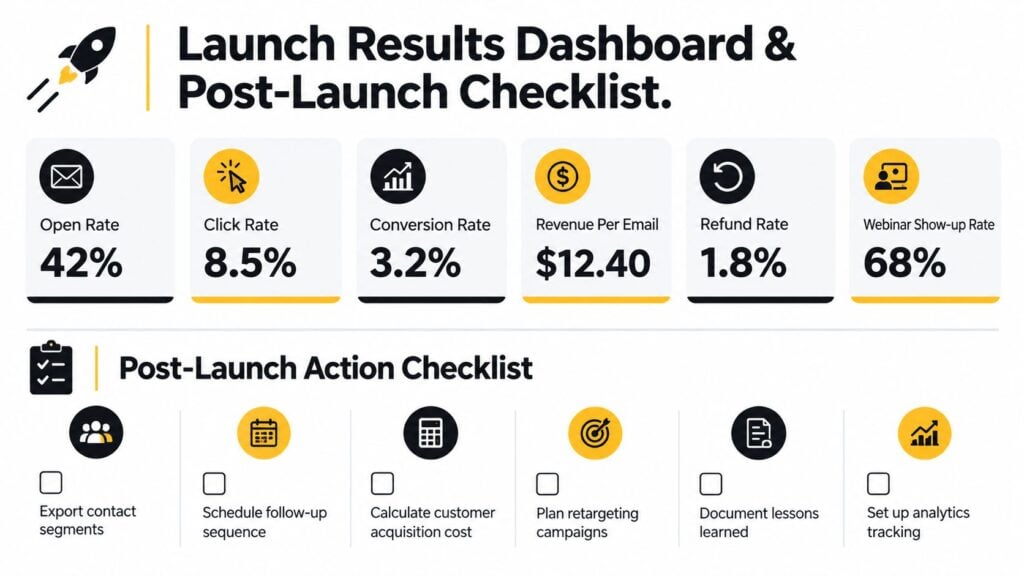
For a course launch, I track:
- Open rate: A directional signal for visibility.
- Click rate: Evidence that the message created interest.
- Conversion rate: The clearest measure of purchase action.
- Revenue per email: A practical way to compare messages with different list sizes.
- Refund rate: A quality signal, especially after the initial buyer period.
- Show-up rate: Useful when a webinar or challenge supports the launch.
A 2025 dataset covering 3.6 million campaigns reported an average open rate of 43.46%, click-to-open rate of 6.81%, and unsubscribe rate of 0.22%, according to MailerLite’s industry benchmark comparison. ActiveCampaign’s 2025 sample of more than 3.3 million campaigns reported an average open rate around 43.81% for online courses. These sources differ in collection and classification, so use them as reference points, not targets.
Keep one sheet with a row for each email and columns for send time, segment, subject, clicks, purchases, revenue, refunds, and notes. Add a second tab for the launch total. That makes the next comparison much less dependent on memory.
After the cart closes:
- Archive the launch audience and preserve the original tags.
- Separate buyers from non-buyers so future messages stay relevant.
- Send a buyer thank-you with access and first-step instructions.
- Move customers into product-focused onboarding rather than leaving them in sales automation.
- Schedule a later feedback survey to learn where the promise, purchase, and course experience diverged.
LearnStream’s online course launch checklist can help turn those final tasks into a repeatable handoff.
Before your next launch, ask three questions. Which email created useful action rather than just opens? Where did subscribers hesitate or ask the same question? What can you test next time, such as a shorter warm-up, a different segment split, or a behavior-triggered follow-up?
Build your next course launch email sequence around those answers. Choose the launch window, write one clear job for each message, tag subscribers before enrollment begins, and test the buyer exit before the cart opens. Then schedule the first teaser now, while you still have enough distance from launch day to make thoughtful decisions instead of frantic edits.