10 Ideas for Digital Products You Can Build in 2026

You’ve opened a blank course project, typed a working title, and started wondering whether anyone would pay for it. There’s a folder of workshop slides nearby, a few worksheets you keep sharing with clients, and an idea for a membership you haven’t quite committed to. The problem isn’t a shortage of ideas. It’s choosing something you can finish, sell, and support without building another full-time job.
The most useful ideas for digital products start with a problem your learners already bring to you. A repeat question, an awkward workflow, or a skill they struggle to practice gives you a better starting point than a fashionable format.
Before choosing, ask whether you can clearly explain:
- Who it helps: Name a specific learner or professional role.
- What they’ll accomplish: Describe an observable result, not just the content they receive.
- What you’ll maintain: Account for updates, feedback, and technical support.
These ten options aren’t ranked. Your best choice depends on your teaching strengths, your audience, and your appetite for ongoing work. Keep delivery and checkout in view while you build, too. Understanding how to sell digital products online helps you plan the purchase experience alongside the learning experience.
1. Drip-Fed Online Course
A learner buys your course, watches enthusiastically, then disappears before doing the exercises. A drip-fed course gives you another way to structure that experience by releasing lessons on a schedule rather than making everything available immediately.
For example, a presentation-skills course could release a lesson on audience analysis, followed by a practical assignment, before opening the section on slide design. Learners get time to use the skill before adding another.
Audience fit: Choose this format when learners need practice between lessons. It’s less suitable for professionals who need immediate access to a reference answer.
Build Around Practice, Not Locked Videos
Start with a manageable release schedule and explain it clearly in the welcome email. LearnStream’s guide to creating a drip course module can help you plan the sequence.
- Monetization direction: Sell access as a complete course, or include the sequence within a membership when ongoing support justifies recurring payment.
- Implementation tip: Pair every release with a small deliverable, such as an outline, recording, or completed worksheet.
- Operational safeguard: Keep a separate release calendar so launch changes don’t leave automated messages pointing to unavailable lessons.
Don’t use locked lessons to make a thin course feel longer. Test the offer before producing the full sequence, using the questions in how to launch a course with proof to sharpen your validation plan.
2. Microlearning Video Series
A manager preparing for a difficult conversation probably doesn’t want an extensive leadership curriculum. A short demonstration, a practice prompt, and a conversation planner may be a more useful purchase.
That’s a good starting point for a microlearning video series. Each lesson should help someone complete a focused task, rather than squeeze a broad lecture into a shorter recording.
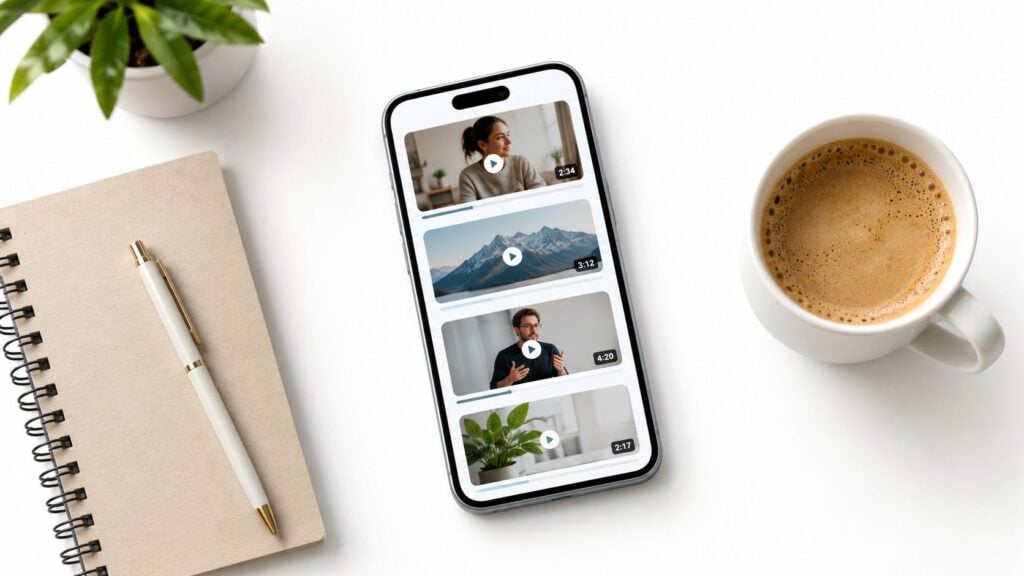
A systematic review of microlearning reported associations with higher completion and greater participation in learning activities. That supports testing focused lessons, but it doesn’t mean cutting a recording into fragments will improve it.
Make Each Lesson Usable on Its Own
Audience fit: Busy professionals, frontline staff, and learners revisiting specific procedures are sensible audiences. Consider a series on writing clearer feedback or handling common spreadsheet tasks.
Monetization direction: Offer a themed collection as an accessible entry product, with team licensing for workplace buyers.
Implementation tip: Write the learning objective before recording. Finish with a question or task that requires learners to use what they watched.
Short video is a delivery choice. A focused learning task is the product.
Provide captions, a transcript, and downloadable instructions. Learners shouldn’t need to replay the entire video to find a key step.
3. Cohort-Based Course
Would your learners benefit more from feedback than from additional content? A cohort-based course lets you sell a shared learning experience with deadlines, live sessions, and instructor guidance.
For an instructional design portfolio workshop, participants might bring a project, review each other’s storyboards, and revise their work after a live critique. The deliverable gives the group a reason to participate beyond attending calls.

Audience fit: This format suits skills that require judgment and revision, including writing, coaching, design, and technical problem-solving. It’s a harder fit when learners need completely flexible schedules.
Price the Feedback You Can Actually Deliver
- Monetization direction: Charge for the facilitated experience, with clear boundaries around assignment reviews and individual support.
- Implementation tip: Limit enrollment according to your feedback capacity, not the number of people your meeting software can accommodate.
- Platform choice: Compare community options such as Circle.so and Heartbeat Chat against your discussion, moderation, and access requirements.
Use LearnStream’s guide to cohort-based courses to think through the format before opening enrollment.
Record sessions only with appropriate permission. Replays may support a later self-paced product, but remove personal information and rebuild activities that depend on live participation.
4. Paid Membership Community
A membership needs a reason for people to return. A growing folder of resources may be useful, but it doesn’t automatically justify another recurring payment.
Consider a community for independent instructional designers. Members could bring difficult client questions, attend project clinics, and exchange feedback on deliverables. The continuing value would come from access to relevant help, not an obligation to consume endless new lessons.
Audience fit: Choose a membership when your audience faces an ongoing problem. A finite task, such as preparing a particular application, may be better served by a course or workbook.
Define a Sustainable Service Promise
Monetization direction: Offer recurring access with a clear description of included events, resources, and support. Compare a free trial with a reduced entry offer using your own activation and cancellation data.
Implementation tip: Design an early win, such as finding a useful template or receiving feedback on an introduction post. LearnStream’s guide to building a membership site provides a starting point for planning delivery.
Capacity check: Don’t promise unrestricted personal access unless you’re prepared to deliver it when every member asks for help.
Publish a realistic calendar and explain response boundaries. Ask departing members what they expected, what they used, and what was missing before assuming you need more content.
5. Instructional Design Template Kit
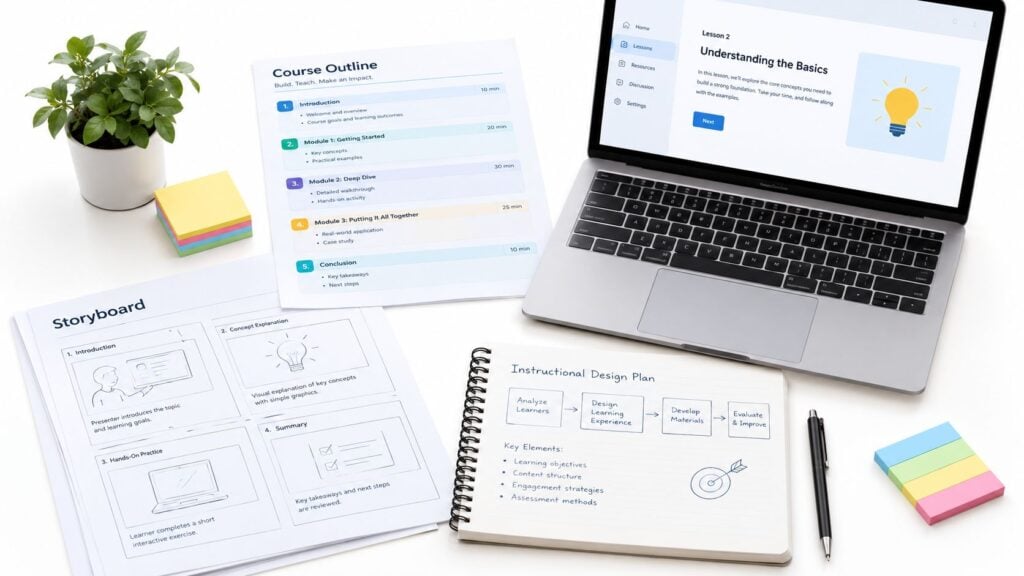
The storyboard you reuse on client projects might be closer to a sellable product than your unfinished course. A template kit packages a repeatable process so another designer can apply it without needing you beside them.
A useful kit could cover course scoping, learning objectives, storyboarding, assessment planning, and stakeholder review. Keep the workflow connected rather than assembling unrelated documents.
This is the kind of working material worth organizing into a kit.
Sell the Instructions Alongside the Files
Audience fit: Freelance designers, new learning teams, and subject-matter experts developing training are practical audiences.
Monetization direction: Offer a core kit, then a larger bundle with walkthroughs and editable examples. Separate individual-use and team-use licenses.
Implementation tip: Include a completed example and explain which fields users can safely change. If you label a template for Articulate Rise or Adobe Captivate projects, test the proposed workflow before publishing.
There’s a maintenance angle here, too. A systematic review of digital education platforms identified inadequate quality control in 53% of included studies. An update log, review date, and source-checking worksheet could make your kit more useful than another attractive slide deck.
A walkthrough can show buyers how the materials connect in practice.
6. Printable Learning Workbook
You don’t need a camera to create a useful teaching product. A learning workbook can guide someone through a decision, a planning process, or a sequence of practice tasks.
For example, a course-planning workbook could help an educator identify the learner’s starting point, define an outcome, choose an assessment, and draft a lesson sequence. Each completed page should contribute to a usable result.
Audience fit: This works well for reflective tasks, planning, writing, and activities learners may prefer to complete away from a screen. Don’t choose it for skills that require demonstration unless you provide supporting media.
Design for Both Print and Digital Use
- Monetization direction: Sell the workbook independently, bundle it with a course, or offer a facilitator license for group use.
- Implementation tip: Provide generous writing space and test fillable PDF fields in the software your audience uses.
- Accessibility choice: Include an accessible document alternative when the visual PDF layout makes navigation difficult.
The World Bank reports that 67.6% of the global population used the internet in 2024. That expanding reach is an opportunity, but it isn’t a reason to assume everyone can stream video comfortably.
A lightweight download offers another delivery route. Keep file sizes sensible, make instructions self-contained, and avoid requiring a live connection for every activity.
7. Interactive Quiz and Assessment Bank
A question bank becomes valuable when instructors can find the right question and trust the explanation. A large collection with weak tagging gives buyers another sorting job.
Build around a defined subject and audience. For instance, a customer-support assessment bank could include ticket-prioritization scenarios, response critiques, and decision-making questions mapped to specific learning objectives.
In a 2025 study of online learning, 42.7% of respondents were satisfied with assessment methods. That finding suggests room to examine assessment quality, without assuming that more questions alone will improve the experience.
Make the Feedback Part of the Product
Audience fit: Training managers, teachers, and course creators who repeatedly assess similar outcomes are natural buyers.
Monetization direction: Sell topic-based packs or an institutional license. Offer paid updates only when you can explain what ongoing review includes.
Implementation tip: Tag questions by objective, difficulty, and format. Explain why an answer works and what makes the alternatives unsuitable.
Use tools such as Kahoot as possible delivery options, but provide an editable source file so buyers aren’t trapped in your preferred platform.
A question that reveals a misconception is more useful than a question that merely produces a score.
Pilot the bank with learners. Revise ambiguous wording and check whether the question measures the intended skill rather than reading endurance.
8. Evergreen Webinar Funnel
An evergreen webinar is partly a learning asset and partly a sales process. It can support a paid course, toolkit, or consulting offer, but the funnel itself isn’t necessarily the product customers buy.
A workshop on diagnosing course drop-off, for example, could teach viewers how to inspect lesson structure and learner feedback. The related offer might be a diagnostic toolkit or a facilitated audit.
Audience fit: Use this approach when prospects need to understand your method before deciding whether to buy. It’s less convincing when the presentation stretches a simple download into a lengthy sales event.
Teach Something Worth Keeping
- Monetization direction: Connect the workshop to a specific next step, such as a course or implementation package.
- Implementation tip: Give viewers a usable diagnostic or worked example before introducing the offer.
- Measurement: Track registrations, viewing behavior, checkout visits, and purchases separately so you can identify where people lose interest.
Compare tools such as Demio and Kajabi against your recording, email, checkout, and reporting needs. Confirm the features you need before committing to a subscription.
Be clear that the session is recorded. Don’t simulate live attendance, invent expiring bonuses, or imply that someone is answering questions when they aren’t.
A useful recording should stand on its own, even for viewers who never purchase.
9. LMS-Ready Corporate Onboarding Pack
A corporate buyer needs more than polished learning screens. They need a package that installs correctly, reports the expected information, and can be maintained after handover.
An LMS-ready onboarding pack might cover general workplace communication, customer-service principles, or manager check-in practices. Keep employer-specific policies separate so buyers can add their own requirements.
Audience fit: HR teams, training managers, and learning consultants are sensible prospects. Avoid presenting generic material as a substitute for legal or role-specific compliance review.
Treat Compatibility as a Deliverable
Monetization direction: Offer a base organizational license with separately scoped branding, customization, and implementation support.
Implementation tip: Agree on the buyer’s LMS requirements before choosing an export format. A SCORM package and an xAPI-based implementation aren’t interchangeable handover options.
- Testing: Consider SCORM Cloud during testing, then validate the package in the customer’s actual LMS.
- Documentation: Include installation instructions, completion rules, troubleshooting notes, and editable source-file terms.
- Maintenance: State who updates the material and which changes require additional payment.
If you build in Articulate Rise, confirm the available export settings against the buyer’s requirements rather than promising universal compatibility.
Accessibility also belongs in the scope. The European Accessibility Act’s private-sector requirements began applying on June 28, 2025, though applicability depends on the product, service, and organization. Don’t label a pack compliant without checking the relevant requirements and testing it.
10. AI Prompt Library for Educators
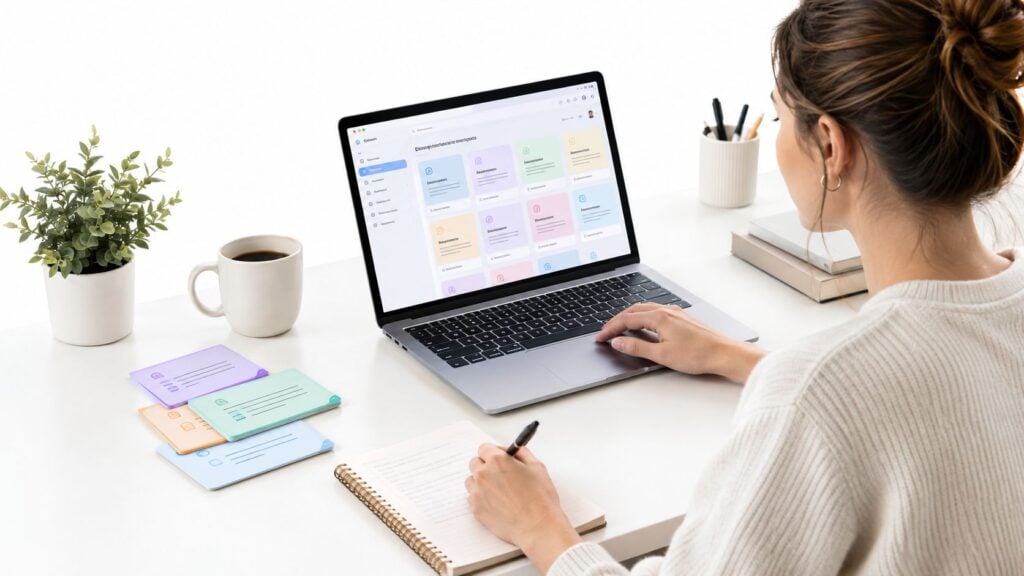
A folder of broad prompts is easy to copy and difficult to evaluate. A useful AI prompt library gives educators a structured workflow, examples, and a way to judge the output.
Consider a prompt sequence for assessment drafting. It could request the learning objective, learner context, source material, and common misconceptions before generating questions. A review guide would then help the educator check alignment and accuracy.
Package a Review Process, Not Magic Words
Audience fit: Educators and instructional designers who already use AI but struggle to obtain consistent, relevant drafts are a focused audience.
Monetization direction: Sell task-specific collections, with optional team training. Only offer an update subscription if you can maintain a useful testing schedule.
Implementation tip: Organize prompts by teaching task rather than tool name. Include input fields, an example output, known limitations, and a review checklist.
A Notion workspace or Google Docs collection could serve as the delivery format. If you include a presentation workflow involving Gamma.app, explain what the educator must verify before sharing the result.
Avoid promising automatic accuracy or guaranteed time savings. Tell buyers not to enter identifiable learner information or confidential client material without appropriate authorization, and make human review an explicit part of every workflow.
Top 10 Digital Product Ideas Comparison
| Product Format | Implementation Complexity | Resource Requirements | Expected Outcomes | Ideal Use Cases | Key Advantages |
|---|---|---|---|---|---|
| Drip-Fed Online Course | Moderate; plan release schedule and automation | Course content, course platform, email or push notifications | Steady engagement and potentially higher completion | Learners who benefit from paced lessons and practice | Encourages regular return visits; allows feedback between releases |
| Microlearning Video Series | Low to moderate; script focused short lessons | Short video production, basic editing, mobile-friendly hosting | Convenient learning in brief sessions; supports recall through repetition | Busy professionals, corporate training, introductory topics | Quick to produce; easy to consume and repurpose |
| Cohort-Based Course | High; coordinate fixed dates, live sessions, and group work | Instructor time, live-session tools, community platform | Strong accountability, peer learning, and completion | Skills requiring practice, feedback, or collaboration | Supports premium pricing and direct learner feedback |
| Paid Membership Community | High; maintain content, community, and recurring value | Ongoing content production, moderation, membership platform | Recurring revenue and sustained member engagement | Topics with continuing updates, support, or community needs | Predictable subscription income; builds a loyal audience |
| Instructional Design Template Kit | Low to moderate; create and test reusable templates | Design software, editable files, instructions, sample examples | Saves buyers time on recurring instructional design tasks | Instructional designers and e-learning teams | Low ongoing production cost; easy to update and bundle |
| Printable Learning Workbook | Low; create exercises and a clear layout | Writing and layout tools; PDF delivery | Encourages practice and reinforces course learning | Hands-on topics and course companions | Inexpensive to produce; no video equipment required |
| Interactive Quiz and Assessment Bank | Moderate to high; write, validate, and organize questions | Subject expertise, authoring tools, LMS-compatible formats | Provides reusable assessment and practice materials | Educators, training managers, and certification programs | Saves assessment development time; can expand over time |
| Evergreen Webinar Funnel | High; produce presentation and set up automation | Recording equipment, webinar platform, landing pages, email sequence | Ongoing lead generation and product sales | Creators selling courses or services through educational presentations | Runs repeatedly without live hosting; measurable performance |
| LMS-Ready Corporate Onboarding Pack | High; develop content and test technical compatibility | Subject expertise, authoring software, SCORM/xAPI testing, LMS access | Ready-to-deploy onboarding and completion tracking | HR and corporate training teams | Higher business value; reusable across multiple clients |
| AI Prompt Library for Educators | Low to moderate; test, organize, and update prompts | AI tools, prompt testing, documentation and examples | Faster support for lesson planning and other teaching tasks | Educators adopting AI for teaching workflows | Low production cost; easy to update and bundle |
Pick One and Start Before You Feel Ready
The best digital product is the one you can finish, put in front of learners, and improve from evidence. A complex idea that stays in your project folder won’t tell you much about demand.
Choose the format closest to something your audience already asks you for. Repeated requests for feedback might point toward a cohort. Repeated requests for the same document might point toward a template kit or workbook.
Define a Version You Can Deliver
Keep the first version narrow enough to test within a few weeks. That might mean a course module with a practice task, a workbook that produces a clear deliverable, or a template with a completed example.
- Name the buyer: Identify who needs the result and when they need it.
- Set the boundary: Explain what’s included, what isn’t, and how support works.
- Observe use: Ask learners to work through the product, not tell you whether they like the idea.
- Record the cost: Track preparation, support, and updates alongside sales.
Keep revenue expectations grounded. MBO Partners reported that 71% of surveyed independent creators earned under $30,000 from creator work in the previous year. Those are reported creator earnings, not a forecast for your product, but they’re a useful reminder to validate demand before depending on the income.
Price also needs to cover more than production. If you sell internationally, check the relevant tax rules before publishing your final checkout price. The EU’s consumer VAT guidance explains how customer location can affect VAT on electronically supplied services.
You can add related offers later. Start by learning whether people can understand the promise, complete the purchase, and use what they receive without unnecessary help.
Choose an idea today and write a short offer describing the learner, the result, and the deliverable. Invite a small group to test it within the next few weeks. Use LearnStream to work through membership pricing, microlearning structure, drip course design, and affordable technology choices for your 2026 launch, then build only what you need to deliver that first useful result.