AI for Instructional Design: Master Course Creation

You’re probably staring at the same mess I’ve stared at plenty of times.
A subject matter expert has sent over a slide deck, a policy doc, three voice notes, and a spreadsheet full of “helpful” comments. The launch date is close. The outline isn’t built. The quiz doesn’t exist. And you still need to turn all of that into something learners can follow.
That’s the moment where a lot of people start treating AI like a magic shortcut. I think that’s the wrong frame. The better frame is this: AI can take a big chunk of the production load off your plate, but only if you stay in charge of the thinking.
That shift matters. The instructional designers getting the most out of AI aren’t just writing content faster. They’re moving from doing every piece of the work by hand to directing the work with much greater impact.
Your New Partner in Course Creation
A few months ago, a client handed me raw source material for a training module that had everything except clarity. There were notes from legal, comments from operations, and enough jargon to confuse the people who wrote it. In the past, I would have spent hours sorting, grouping, rewriting, and turning that pile into a clean structure.
Now I start differently.
I feed the raw content into an AI tool, ask it to group topics, identify likely learning objectives, flag confusing language, and suggest a draft sequence. I don’t accept the first output blindly. I review it like a lead designer reviewing a junior teammate’s rough draft. That change alone removes a lot of the friction at the start of a project.
This is already normal practice for many designers. Around 80% of instructional designers currently use AI tools while designing courses, with 67% reporting faster turnaround times from concept to completion, according to ATD’s look at instructional design in the age of AI.
What I like most is that AI handles the first-pass labor that often drains your energy before the essential design work begins. Instead of burning your best thinking on formatting, rewriting, and rough drafting, you can use it to decide what the learner needs.
If you want a broader view of the kinds of systems supporting this shift, LearnStream has a useful roundup of AI-powered learning tools that shows how these tools fit into modern course workflows.
Practical rule: Treat AI like a fast assistant, not a final authority.
That’s the mindset that keeps quality high. You’re still the person who chooses the path, trims the clutter, and decides what deserves the learner’s time.
What AI for Instructional Design Really Means
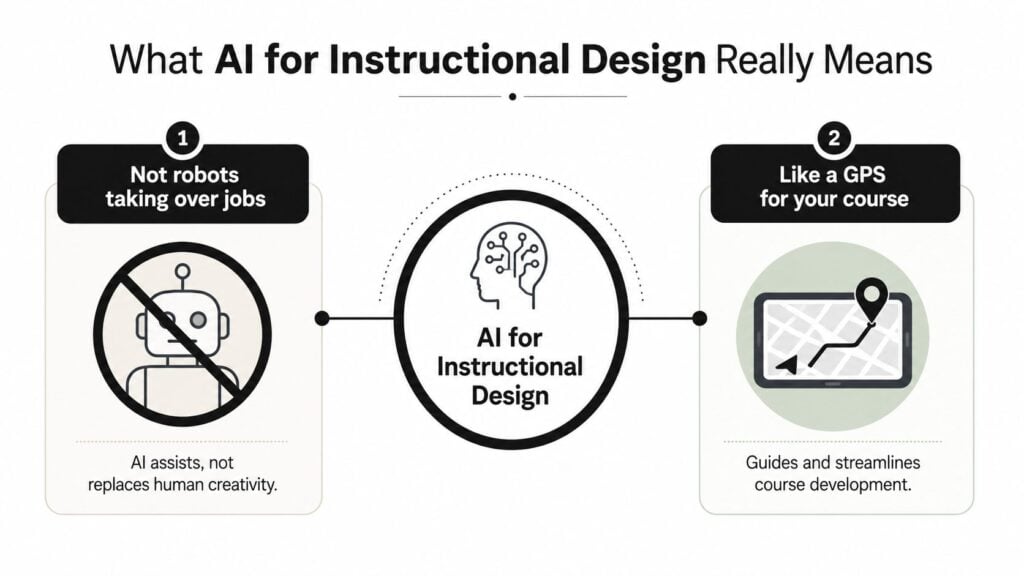
Most confusion around AI for instructional design starts with one bad assumption. People hear “AI” and picture replacement. In practice, the better comparison is a navigation system.
You still choose the destination. In course design, that destination is your learning outcome. You decide what learners must know, do, or apply by the end. AI helps with the route. It can suggest a sequence, reshape dense content into simpler language, estimate activity length, and offer draft assessments that align with your topic.
What the tool does and what you still do
The cleanest way to understand AI for instructional design is to split the job in two.
| Role | Best handled by |
|---|---|
| Drafting first-pass outlines, quiz items, summaries, rewrites | AI |
| Deciding what matters, what’s misleading, and what belongs in the learner journey | You |
| Turning source material into alternative formats like visuals or scripts | AI |
| Protecting relevance, tone, pedagogy, and context | You |
That’s why I like the GPS analogy. Your map app can suggest three routes. It can’t tell you whether you should be making the trip in the first place.
For people trying to build AI fluency in a practical way, I’ve seen value in resources that focus on how to upskill your career with AI, especially if you’re moving from classic course production into a more strategy-led role.
A simple way to think about the workflow
When I explain this to teams, I usually break it into three moves:
Give AI the raw material
Upload the transcript, notes, policy text, SME comments, or existing lesson copy.Ask for structure, not polish
Start with prompts like “group this into themes,” “identify likely learner misconceptions,” or “propose a module flow for beginners.”Review like an editor and strategist
Check the sequence. Remove filler. Correct weak assumptions. Tighten the examples. Add the human pieces that make the lesson work.
AI assists, not replaces human creativity.
If you’re building online learning from the ground up, LearnStream’s guide to instructional design for online courses pairs well with this approach because it keeps the design fundamentals in view.
What AI for instructional design really means is simple. You stop spending most of your time producing raw material and start spending more of your time shaping direction.
The New Superpowers AI Gives You
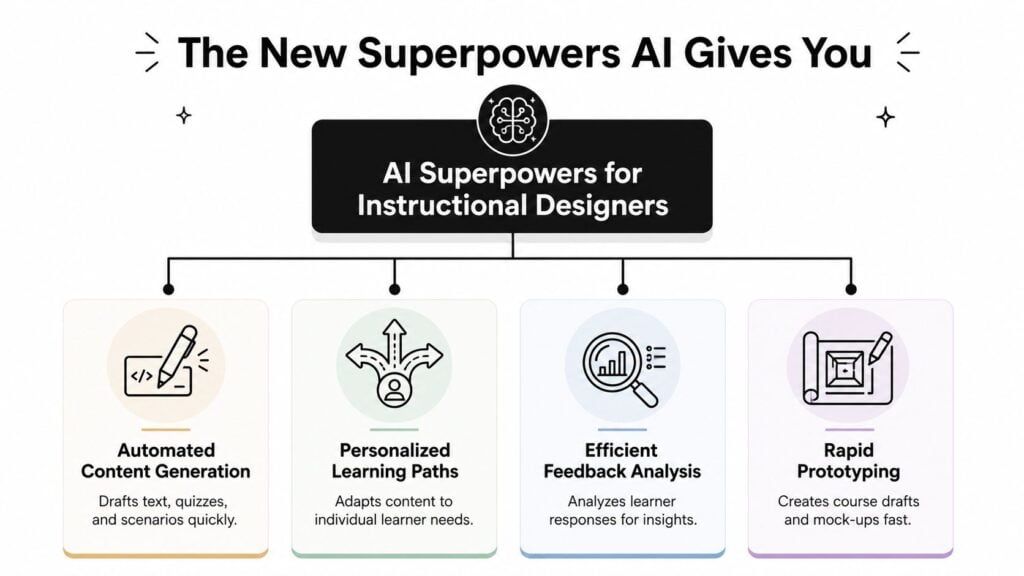
Once you move past the hype, the actual value shows up in a few specific capabilities. These are the areas where I’ve seen AI save time without reducing the quality of the final course, as long as the designer stays involved.
Content generation that gets you moving
The first superpower is straightforward. AI can draft.
That includes lesson outlines, learning objectives, knowledge checks, case-study prompts, discussion questions, and first-pass scripts. Some tools can also estimate how long learners will take to complete activities, create multiple-choice items with distractors and explanatory feedback, and script case studies tied to learning objectives from a single workflow, as described in the AACE review of generative AI for instructional design.
The practical benefit is momentum. Blank-page resistance drops fast when you already have something to react to.
Personalized learning paths
The second superpower is adaptation.
When people talk about personalization, they often mean little more than inserting a learner’s name into a dashboard. That isn’t the useful version. The useful version is when the learning path changes based on what a learner already understands, where they struggle, and how they move through the material.
AI-driven analytics can improve learner engagement rates by up to 60%, and 72% of L&D leaders believe AI is critical for delivering personalized learning experiences, based on Shift eLearning’s analysis of AI in the future of instructional design.
That matters for course creators because it opens the door to practical branching. A beginner can get more support. An advanced learner can skip repetitive basics. A disengaged learner can be flagged for intervention before they disappear.
Assessment and feedback at a much faster pace
The third superpower is smarter assessment support.
A good quiz question is harder to write than commonly assumed. It needs a clear stem, plausible distractors, and feedback that teaches, not just scores. AI can do a solid first draft of that work quickly, especially when you provide the learning objective and the likely misconceptions.
Here’s where I think designers often get surprised: the value isn’t just time saved. It’s also option generation. Instead of writing one question and hoping it’s good, you can ask for six versions at different difficulty levels and choose the strongest one.
When AI handles the first draft of assessment items, you get to spend your time judging quality instead of forcing output.
Rapid prototyping and media support
The fourth superpower is speed in prototyping.
You can turn source material into rough scripts, narration drafts, scenario branches, and visual concepts quickly enough to test ideas early. That makes stakeholder reviews easier because people react better to something concrete than to a verbal description.
If video is part of your workflow, LearnStream’s comparison of Synthesia vs HeyGen for AI course videos is helpful for understanding where these tools can save effort and where you still need editorial judgment.
The big takeaway is this. AI doesn’t give you one giant superpower. It gives you several smaller ones that add up to a much stronger design process.
Your New AI-Powered Workflow
The best way to use AI is to build it into the places where course creation usually bogs down. That often starts with the first draft of a module.

When I’m building a new module, I don’t ask AI to “create a course.” That’s too vague. I give it a role, source material, learner profile, constraints, and an output format. That’s what turns a generic chatbot into a useful production partner.
By automating foundational tasks like outlining, drafting objectives, and creating assessments, generative AI can reduce instructional design development time by 30–50%, according to Articulate’s overview of how AI is transforming instructional design.
A workflow that works in practice
Here’s the process I use most often.
Start with the learner, not the content
Before I paste in any source text, I write down who the learner is, what they must do after training, and what usually gets in their way.Feed AI a bounded chunk of material
Don’t drop in a messy folder and hope for magic. Use one module’s worth of source content at a time.Ask for a structured draft
I request a module outline with objectives, key concepts, one activity idea, and a short assessment set.Interrogate the draft
I ask follow-up questions like “What assumptions are unclear?” or “Which sections would overload a new learner?”Refine for tone and realism
In this step, I rewrite examples, sharpen scenario details, and remove wording that sounds generic.
A prompt template you can copy
Try this as a starting point:
You are an instructional design assistant.
Audience: [describe learners]
Goal: [what learners must be able to do]
Source material: [paste text]
Constraints: [time limit, tone, modality, compliance needs, reading level]
Create:
- Three learning objectives
- A module outline in logical sequence
- One practice activity
- Five quiz questions with answer explanations
- A list of unclear areas or assumptions that need SME review
That last line matters a lot. You’re training the tool to show uncertainty, not hide it.
What good output looks like
A useful AI draft should give you:
- A clean structure that you can sanity-check in minutes
- Reasonable objective language tied to learner action
- Assessment ideas that are relevant, even if they need editing
- Flags for weak source material so you know what to take back to the SME
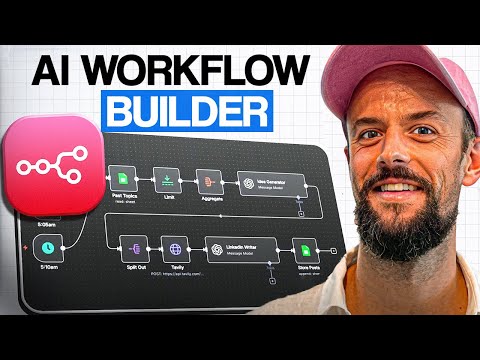
Later in the workflow, video can help teams see the approach in action:
The shift from maker to director
This is the part many people miss. AI doesn’t remove your job. It changes where your value sits.
You become the person who frames the problem, shapes the prompt, judges the output, and decides what belongs in the final experience. That’s more like creative direction than assembly-line production.
If your current workflow still has you writing every draft from scratch, that’s the easiest place to experiment. Keep your standards. Change your process.
Choosing Your Tools and Using Them Ethically
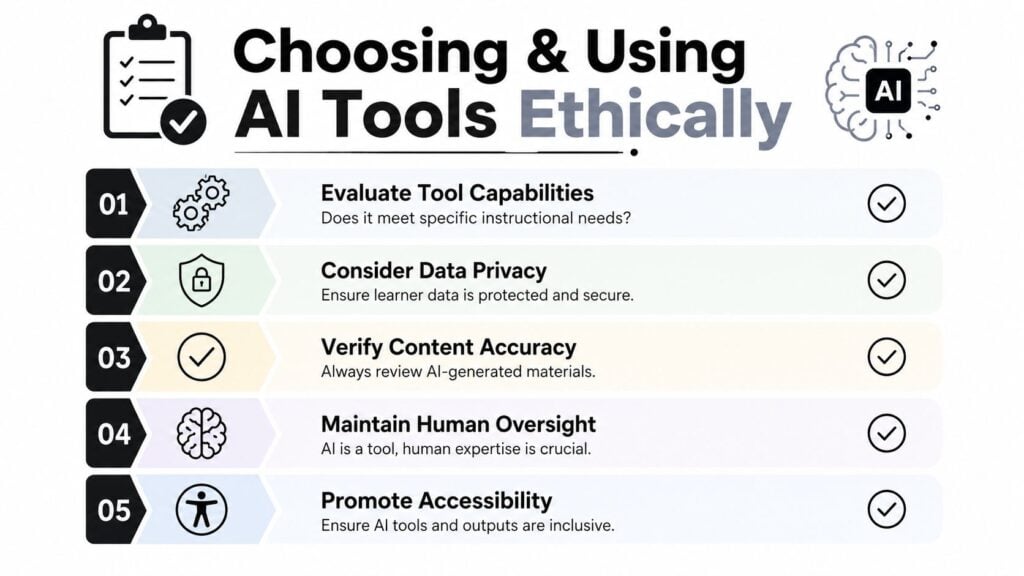
There are a lot of AI tools that look impressive in a demo and become frustrating in a live project. Some are strong at text generation but weak at structure. Some are good for video but awkward for instructional iteration. The only reliable way to choose well is to evaluate tools and ethics together.
That’s because the wrong tool doesn’t just waste time. It can create privacy problems, accessibility issues, and biased or inaccurate content.
A practical checklist for tool selection
When I’m vetting a tool, I use a short checklist.
Fit for task
Is it best for outlining, assessment writing, adaptive delivery, video production, or analysis? Don’t buy a toolbox when you only need a screwdriver.Output quality
Can it produce usable drafts in your subject area, or does it default to vague corporate language?Control and editability
Can you revise outputs easily, or are you locked into rigid templates?Accessibility support
Does it help with alt text, captions, or accessible formats, or will your team need to patch those in later?Privacy and governance
Can your team control what data goes in and how that data is handled?
If your workflow includes AI-generated video, a tool like the LunaBloom AI video platform might be worth exploring for rapid media creation, but I’d still run it through the same checklist rather than assuming polished visuals equal sound instruction.
The analysis gap you can’t ignore
Here’s the warning I come back to most often. Over 85% of AI use is in the Design and Development stages, while only 5.5% occurs in the initial Analysis phase. That creates an “analysis gap,” where teams may efficiently build the wrong content if human expertise doesn’t shape the work upfront, as discussed in Dr. Philippa Hardman’s analysis of AI use in instructional design.
That finding matches what I see in real projects.
Teams get excited about generating slides, scripts, quiz banks, and explainer videos. But if nobody has clearly identified the learner’s actual problem, the workflow just produces polished irrelevance faster.
Watch for this trap: Fast production can hide weak analysis.
Ethical use looks ordinary, not dramatic
Ethical AI use in instructional design usually comes down to a handful of habits:
| Question | What to do |
|---|---|
| Does the content sound accurate? | Verify every claim against your approved source material |
| Could the output reflect bias? | Review examples, images, language, and scenarios for exclusion or stereotyping |
| Is learner data involved? | Minimize what you upload and follow your organization’s privacy rules |
| Can learners access the material? | Check captions, alt text, readability, and navigation |
| Who is accountable for final quality? | Name a human reviewer, every time |
You don’t need a dramatic ethics framework to start. You need consistent review habits and clear ownership.
Real-World Examples in Action
Sarah manages corporate training inside a regulated business. She gets a dense compliance document and two days to turn it into something staff can complete without zoning out halfway through. Instead of opening PowerPoint and writing every screen manually, she starts by asking AI to extract key obligations, group them by decision point, and turn those decision points into short workplace scenarios.
Her prompt looks something like this in plain English: summarize the policy, identify actions employees must take, then write realistic scenarios where a learner chooses the correct response and gets feedback. From there, she edits the language to match the company’s tone, checks every scenario against the policy, and converts the best ones into branching interactions. AI doesn’t replace her. It gives her a faster first pass so she can spend more time on accuracy and realism.
David’s situation is almost the opposite. He’s a solo course creator building his first digital marketing course. He doesn’t have an L&D department or a production team. He has expertise, scattered notes, and a need to turn that knowledge into a teachable product.
He uses AI to brainstorm module names, propose a learner-friendly sequence, draft video talking points, and rewrite dense explanations into plain language. Once he has a rough curriculum, he asks for social post ideas that connect back to the course themes. The work still needs his voice. He has to remove generic phrasing, add stories from his own client work, and tighten the lessons so they sound like him.
Here’s what these two examples have in common:
Both start with messy raw material
One has policy documents. The other has expert knowledge and notes.Both use AI for rough drafting, not final sign-off
The draft gets them moving. Human review makes it usable.Both get more value from direction than from speed alone
The sharper the prompt and the clearer the outcome, the better the result.
The corporate manager and the solo creator don’t need the same workflow. They do need the same mindset. Use AI to carry the production weight, then apply your judgment where it matters most.
Your First Steps as an AI-Powered Designer
If you’re curious about AI for instructional design, don’t start with your most visible project. Start small enough that you can learn without pressure.
My advice is simple. Pick one narrow task this week and run it through AI. A lesson outline. A short quiz. A scenario prompt. A transcript summary. You’ll learn more from one controlled experiment than from reading ten opinion pieces about the future of work.
Three moves that make the shift easier
First, choose a low-risk assignment.
That could be a single microlearning lesson, a practice worksheet, or a short explainer video script. The point is to see where AI helps and where it gets sloppy.
Second, judge the output like a designer, not a fan.
Ask whether it’s clear, accurate, relevant, inclusive, and instructionally sound. If it fails one of those tests, revise it or reject it.
Third, keep the strategic work for yourself.
That means learner analysis, story selection, scenario realism, and deciding what deserves emphasis. Those parts become more valuable, not less.
The strongest designers I know aren’t trying to automate themselves out of the process. They’re protecting the parts of the process where human judgment matters most.
Don’t aim for total automation
Expectations need to stay realistic. Generative AI can get you about 80% of the way to a solid first draft, based on Open Content’s perspective on AI in instructional design and OER. That last stretch still matters a lot.
The final version needs your voice, your standards, your pedagogical sense, and your understanding of what learners need from the experience.
If you want to build capability more intentionally, it can help to look at resources on choosing the right AI automation course so you’re learning skills that improve your workflow rather than collecting random tool tips.
Where your value grows from here
I think this is the most important shift to understand. Your value as a designer isn’t tied to how long it takes you to draft a script or write ten quiz questions from scratch.
Your value sits in stronger places:
- Framing the right learning problem
- Interpreting messy SME input
- Spotting weak logic before it reaches learners
- Designing activities that feel meaningful
- Making the experience accessible and human
That’s the promise of AI for instructional design. It gives you more room to be the architect instead of the person carrying bricks one by one.