10 Mobile Learning Solutions for Every Team
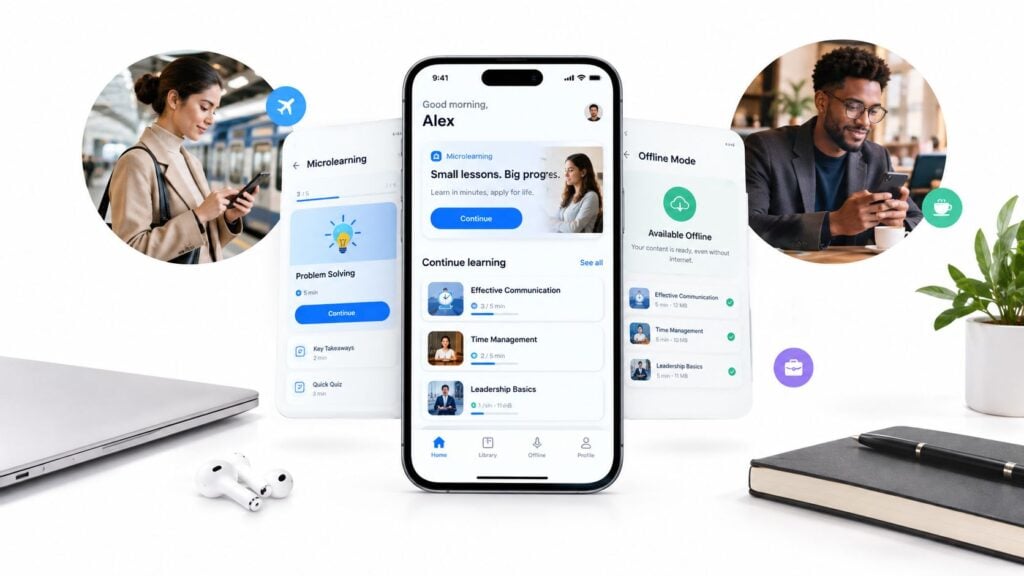
A learner has five minutes before the next task starts. They’re standing on a warehouse floor, sitting in a clinic corridor, or working from a train with an unreliable connection. They open the training platform, wait for a video to load, lose their place, and give up.
That experience explains why an app alone isn’t enough. Good mobile learning solutions need dependable offline access, phone-sized content, simple navigation, useful notifications, and a clear way to restore progress after a connection returns. They also need administration that fits the buyer, whether that’s a solo course creator, a training manager, or an enterprise learning team.
This comparison focuses on the decisions buyers face: offline learning, responsive or native UX, microlearning delivery, audience size, rollout effort, administration, and pricing visibility. It includes learning platforms as well as one planning resource, so you can separate software you deploy from guidance you use before making a purchase.
If your team is also evaluating production partners, this guide to e-learning video production companies can help you think through the content side of the project.
1. LearnStream
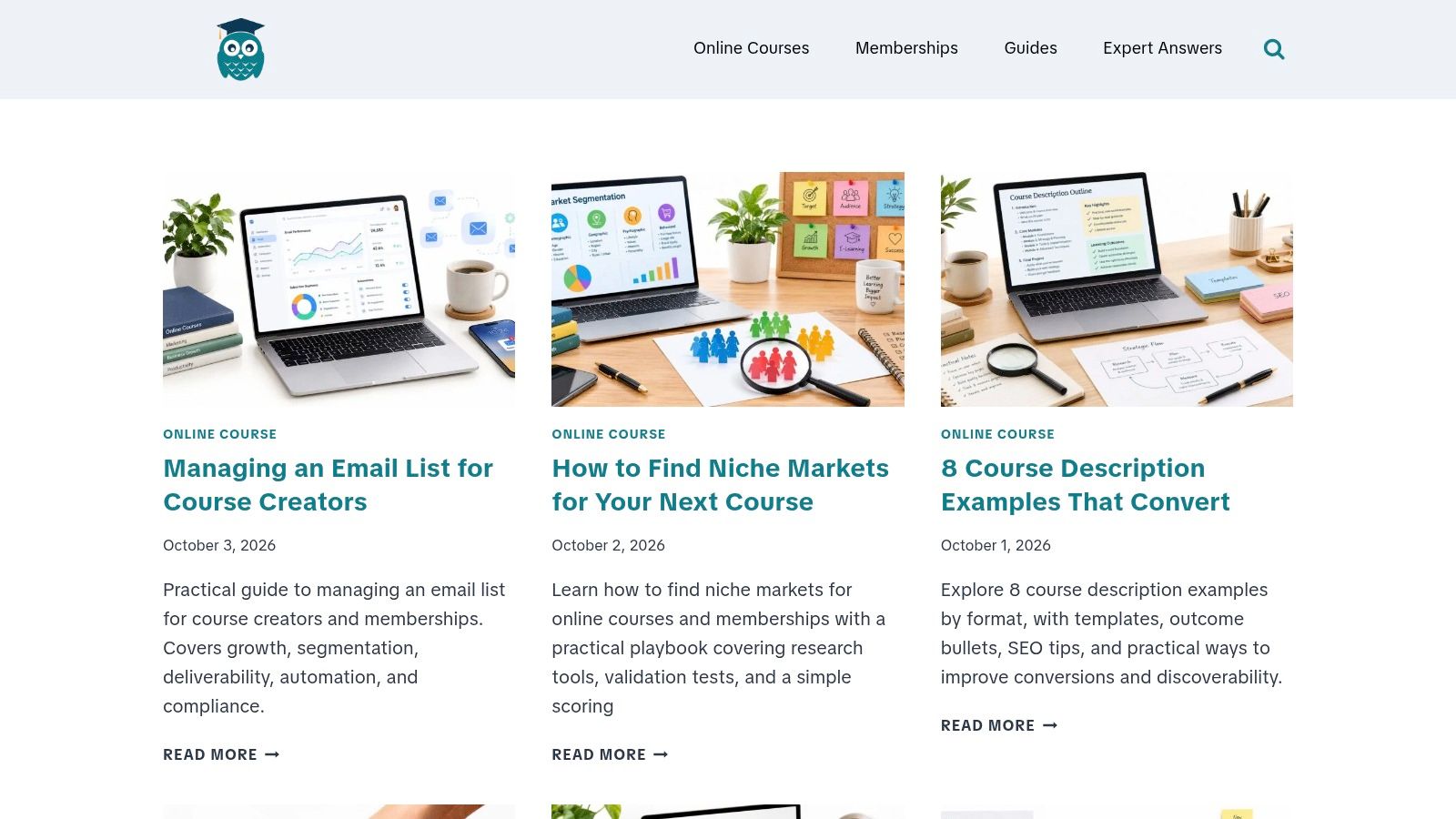
LearnStream is the outlier on this list because it isn’t a hosted LMS or mobile app. It’s a planning resource for educators, instructional designers, membership owners, and e-learning entrepreneurs who need to decide what to build, how to package it, and which tools belong in the stack.
The site is authored and edited by e-learning specialist Jason Webber. Its Guides, Expert Answers, and trend reports cover the full learner lifecycle, from niche discovery and course descriptions to onboarding, engagement, retention, winback campaigns, membership pricing, webinars, and technology selection.
That wider view matters when you’re choosing between mobile learning solutions. A platform can provide offline downloads and push notifications, but it won’t automatically fix a confusing course sequence, weak onboarding email, or a membership offer that gives learners no reason to return.
Where LearnStream helps
The strongest material is practical. You’ll find playbooks, templates, KPI guidance, email sequences, and side-by-side evaluations of tools such as Circle.so and Heartbeat Chat. The editorial coverage also includes open-source LMS comparisons, microlearning design, drip-course flows, and recommendations for affordable membership technology.
Recent publishing activity, including multiple posts in October 2026 and a multi-page archive, makes it useful for both first-time creators and experienced operators who want current planning guidance. I’d use it before committing to a platform, especially when the problem is still unclear.
Pros
- Actionable guidance: Playbooks, templates, email sequences, and metrics can be applied to an existing stack.
- Lifecycle coverage: Acquisition, onboarding, engagement, retention, and winback tactics sit alongside platform advice.
- Tool comparisons: Side-by-side evaluations can reduce research time and prevent an expensive technology mismatch.
- Free informational resource: No membership fee, premium product, award, or formal certification is listed on the site.
Cons
- Not hands-on software: You’ll still need to implement the recommendations with your own platform, integrations, or vendors.
- No listed pricing for a product: LearnStream is a blog and planning hub, not a turnkey learning service.
Practical rule: Choose the platform only after you’ve mapped the learner journey, content workflow, and measurement plan.
LearnStream works best at the planning stage and during optimization. It won’t deliver the course for you, but it can help you avoid building a mobile experience around the wrong audience or content model. Visit LearnStream when you need a decision framework rather than another software demo.
2. SafetyCulture Training
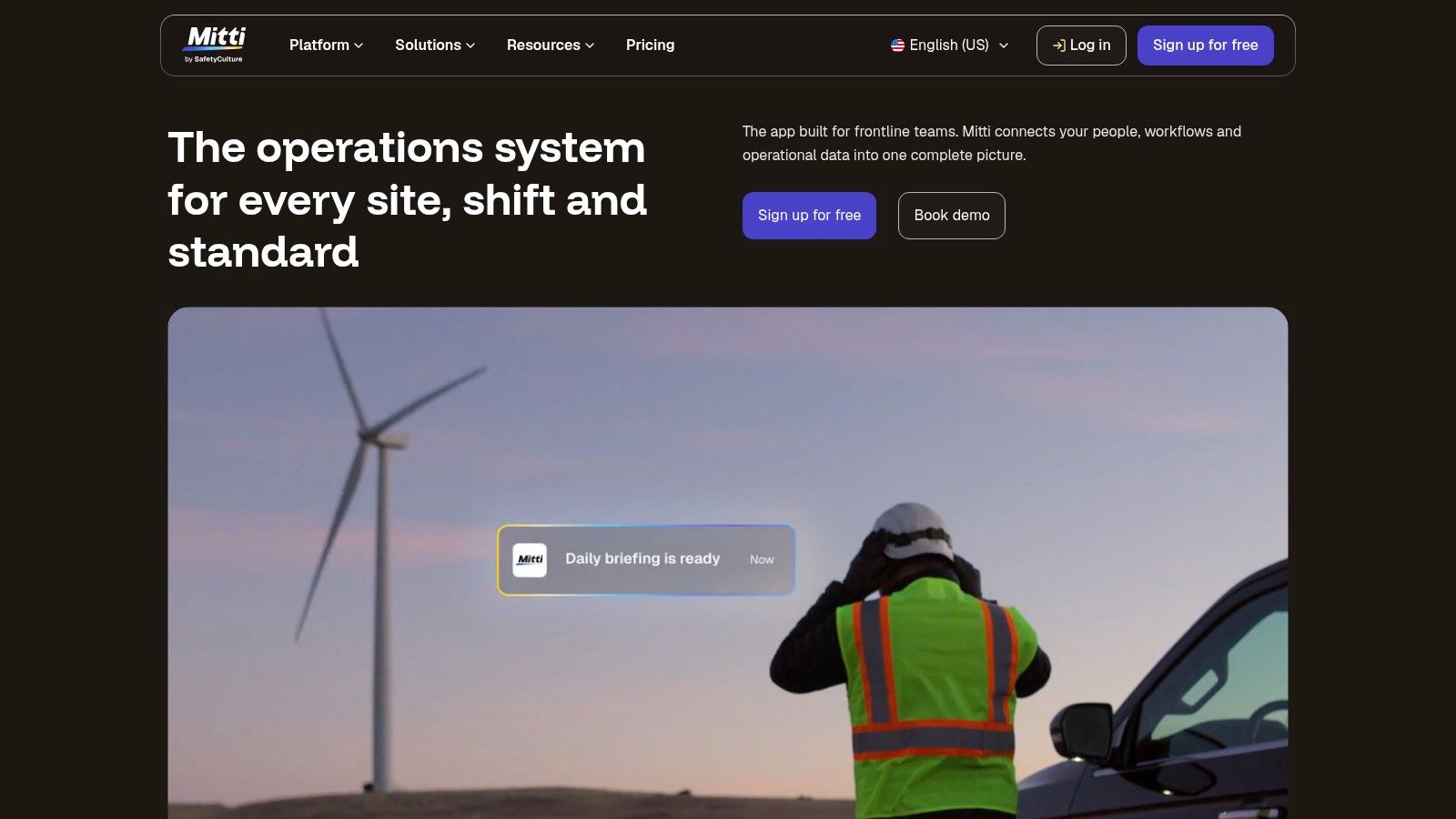
A field worker can complete a short lesson on the same phone used for daily operations, even when the next job has no reliable connection. That frontline scenario is where SafetyCulture Training, formerly EdApp, makes the strongest case. EdApp functionality moved into the SafetyCulture platform after EdApp’s retirement in March 2026, so previous users should expect changes to terminology, packaging, and workflows.
The platform fits organizations already using SafetyCulture for operations, inspections, or safety processes. Keeping training near those workflows can reduce the friction of sending employees to a separate learning environment.
A practical choice for frontline microlearning
SafetyCulture Training combines course templates, an editable content library, AI-assisted course creation, social learning, group management, push notifications, analytics, offline access, integrations, and SSO. These capabilities support just-in-time instruction, policy refreshers, product updates, and short operational tasks.
The mobile experience is the main buying consideration. Learners access brief lessons on devices they already carry, while managers connect training with wider operational activity. Administration has a trade-off: some authoring and publishing steps still require the web interface, so the app does not replace desktop work for every task.
Before importing a long course library, use LearnStream’s guide to structuring microlearning content. Focused objectives, clear actions, and small assessments make short lessons easier to complete and maintain.
For a pilot, review these decision points:
- Fast pilot path: A free tier is available for small teams testing the approach.
- Frontline fit: Offline access, notifications, group management, and social features support on-the-job learning.
- Operational connection: Existing SafetyCulture users can place learning closer to safety and field workflows.
- Content assistance: Templates, an editable library, and AI-supported authoring can shorten production time.
- Administration trade-off: Some creation and publishing work still requires the web interface.
- Transition risk: Buyers familiar with EdApp should request a current walkthrough because terminology and packaging changed.
Choose SafetyCulture Training when rollout speed, offline access, and mobile microlearning matter more than deep LMS customization. Confirm the features included in your SafetyCulture plan, including pricing visibility, before building the pilot. The SafetyCulture Training overview illustrates the frontline use case.
3. TalentLMS
A small training team needs to launch onboarding next month, support learners on phones, and avoid an enterprise rollout. TalentLMS fits that situation well. Its iOS and Android apps provide offline learning and progress synchronization, allowing learners to download eligible material, study without a connection, and continue syncing later.
TalentLMS sits between creator-focused tools and larger enterprise suites. It offers more administration and tracking than a simple course builder, while avoiding the setup burden associated with platforms designed for complex global governance. It is less specialized for frontline workflows than SafetyCulture Training and less customizable than a high-end enterprise LMS.
The platform supports assessments, certifications, gamification, SCORM, video, and HTML content units. TalentLibrary gives teams ready-made material when producing every lesson internally would slow the rollout. Microlearning delivery depends on how courses are designed, so short modules and mobile-friendly assessments still require planning from the training team.
Where the buying decision gets easier
A manager can create courses, assign learning, monitor progress, and apply familiar engagement features without building a complicated learning architecture. That makes TalentLMS a practical choice for onboarding, compliance, internal knowledge, and customer training at a manageable audience size.
Pricing visibility is another advantage. Public plans and a usable free tier make it possible to test the platform with a defined group before committing. Confirm seat rules, plan limits, billing behavior, included content, and offline support for the formats you use.
Before rollout, test every SCORM package on the actual devices learners carry. A course can be available in the mobile app while individual units behave differently offline.
For a buyer review:
- Quick implementation: The approachable interface suits teams without a dedicated LMS administrator.
- Native mobile apps: iOS and Android support offline learning and progress synchronization.
- Broad core features: Assessments, certificates, gamification, SCORM, video, and HTML units cover common training requirements.
- Pricing visibility: Public plans and a free tier simplify early budgeting.
- Top-end limits: Advanced enterprise governance and extensive interface customization may be lighter than in larger suites.
- Plan nuances: Confirm how seats, add-ons, content, and billing apply to the intended learner population.
Explore TalentLMS, then request a mobile demonstration that includes downloading, completing, and syncing a real course.
4. Docebo
Docebo fits organizations running complex learning programs across employees, customers, and partners. It combines content administration, extended enterprise capabilities, e-commerce, AI-supported search and recommendations, analytics, and enterprise controls in one LMS.
Its mobile offering centers on the Branded Mobile App Publisher. Organizations can provide a branded iOS or Android app instead of sending learners to an unbranded vendor experience. That option suits partner education, customer academies, global employee programs, and companies that treat learning as part of their product experience.
The main buying question is rollout capacity. Docebo can manage separate catalogs, permissions, and learning paths for different audiences, giving it more reach than a creator-focused tool. The trade-off is additional work around content governance, identity management, branding, integrations, reporting, and administrator training.
Before choosing it, define the audience groups and mobile use cases. Test the required course formats on the devices learners carry, including how access and progress work when connectivity is limited. Confirm whether the branded app adds value for your audience or mainly increases implementation effort.
A practical buyer summary:
- Enterprise scale: Supports complex programs, global teams, and extended enterprise education.
- Branded app delivery: Aligns the mobile experience with the organization’s identity.
- Broad ecosystem: E-commerce, partner education, analytics, AI features, and governance cover varied operating needs.
- Configurable administration: Different audiences can receive distinct learning paths and access rules.
- Pricing visibility: Quote-based pricing makes early comparison and budgeting less straightforward than with smaller tools.
- Rollout effort: Configuration and administration require a defined implementation plan.
- Risk of overbuying: Small teams may pay for capabilities they will not use.
Docebo makes sense when mobile learning is one part of a broader enterprise learning operation. Teams seeking short internal courses for a small workforce should compare lighter platforms first.
Review the current Docebo platform with a defined use-case list, audience map, and rollout plan rather than relying on a generic feature tour.
5. 360Learning
A product expert, manager, or experienced operator can create a lesson, answer learner questions, and update guidance without sending every change through a central L&D queue. 360Learning is built around that collaborative workflow, making it more creator-focused than a tightly controlled catalog or a frontline platform designed mainly for assigned tasks.
Its native mobile app supports notifications, learning paths, assessments, analytics, integrations, and SSO. That suits distributed teams, particularly when short updates or microlearning need to reach learners quickly. If offline access matters, test the required course formats on the devices employees carry, because the listed mobile capabilities do not by themselves confirm offline behavior.
Best when experts need to publish
Learners can comment and react to courses, ask questions, and respond to content. These interactions create a feedback loop around material that might otherwise become a static file. Push notifications can bring people back to new content or discussions, while administrators retain control over learning paths and publishing.
The trade-off is governance. Set content owners, review rules, and publishing permissions before inviting broad participation. Without them, quick contributions can produce inconsistent lessons or duplicate guidance. Smaller teams may find the setup manageable, while larger programs need a clear rollout plan and approval process.
Pros
- SME contribution: Experts can build and update training without waiting for a central authoring queue.
- Social learning: Comments, reactions, and peer workflows support active participation.
- Mobile engagement: Native apps and notifications help distribute new knowledge quickly.
- Predictable entry pricing: Certain Team plans use clear per-user pricing for smaller groups.
Cons
- Premium expansion: Mid-market and enterprise pricing can rise as requirements become more advanced.
- Tier restrictions: Some higher-level capabilities are available only on more expensive plans.
- Governance burden: Collaboration needs a reliable review and publishing process.
Choose 360Learning when knowledge sharing and expert participation drive the program. Compare creator-focused tools, open-source options, and enterprise suites if your priority is offline delivery, a highly controlled catalog, or broader administration rather than collaborative authoring.
See how 360Learning handles mobile collaboration, then test the review process with a real subject-matter expert.
6. Absorb LMS
A training provider serving employees, customers, and partners needs more than a polished phone app. Absorb LMS combines a refined learner experience with the administrative depth expected from an enterprise platform. Absorb Learn, its iOS and Android app, supports offline learning and transcript synchronization, making it suitable for distributed audiences that cannot rely on continuous connectivity.
The platform also supports multi-portal architecture, e-commerce, course purchases for other people, SSO, and enterprise integrations. These features help organizations separate portals, catalogs, and branding while keeping administration under one system. They also make Absorb more relevant to external training than to a small internal pilot.
Strong for external audiences
Absorb fits B2B training programs where mobile access supports customer or partner education. A company can create distinct portals and catalogs for different audiences, then manage them from a central administrative foundation. The mobile UX is a strength, but buyers should test the delivery of short lessons, offline completion, and transcript syncing with representative users.
Rollout effort depends on how many audiences, portals, integrations, and administrator roles are involved. Smaller teams may find that structure heavier than needed. Larger programs should define ownership, portal rules, catalog maintenance, and support responsibilities before implementation.
Pricing visibility requires careful review. Absorb uses quote-based pricing, and costs may change with active-user structures. Ask the vendor to model quiet periods, seasonal demand, external learners, purchasing workflows, and administrator requirements. A polished app does not replace a clear commercial model.
Pros
- Reliable mobile workflow: Learners can download content, study offline, and sync transcripts after reconnecting.
- External training support: Multi-portal architecture and e-commerce suit customer and partner education.
- Professional learner experience: The interface is designed to feel polished across the learning journey.
- Enterprise connectivity: SSO and integrations support a larger technology environment.
Cons
- Quote-based cost: Active-user pricing can affect total cost as audience behavior changes.
- Administrative depth: Teams need time, training, and clear ownership to manage the platform well.
- Potentially excessive for small pilots: Smaller organizations may find implementation heavier than necessary.
Choose Absorb when you sell or distribute learning beyond employees and need controlled portals with offline mobile access. Before requesting a demo from Absorb LMS, write down the three external-audience scenarios that would justify a second portal. If the vendor cannot demonstrate all three, keep comparing options.
7. Moodle App
Moodle suits institutions and organizations that need control over how mobile learning is delivered. The Moodle App connects with Moodle LMS or Moodle Workplace, supports offline learning and QR login, and offers analytics through Premium features and branded app options.
Deployment is a buyer decision. MoodleCloud reduces infrastructure work, while a Moodle Certified Partner can provide implementation and support. Self-hosting offers the most control, but requires technical capability and clear ownership of updates, security, performance, and day-to-day administration.
Flexibility depends on the team behind it
Moodle’s open-source model and plugin ecosystem let institutions adapt course delivery, integrations, teaching methods, and content types. That makes it a strong option for organizations whose needs do not fit a fixed commercial product, including larger learning programs with internal technical support.
The trade-off appears in the mobile experience. Configuration, themes, plugins, hosting, and maintenance all affect usability. Offline learning may work well for standard content but behave differently with specific activities, so test the exact learner workflow before rollout. Microlearning teams should also check navigation, media loading, notifications, and completion syncing on real devices.
Review this guide to open-source learning management systems when comparing hosting, support, customization, and ownership responsibilities.
Pros
- Flexible deployment: Choose self-hosting, MoodleCloud, or a certified partner.
- Open-source control: The code, plugin ecosystem, and community support allow substantial customization.
- Mobile access: The app supports offline learning, with additional capabilities available through paid options.
- Cost-effective entry: The software model can suit institutions with technical stewardship, though hosting and support still require planning.
Cons
- Technical ownership: Accountable owners must manage administration, updates, plugins, performance, and security.
- Variable UX: The mobile journey depends on local configuration rather than a single fixed product experience.
- Feature complexity: Reaching the desired result may require configuration or partner support.
Choose Moodle when deployment control and customization justify the operational work. Teams seeking a turnkey mobile product with limited internal support may find it harder to manage. Explore the Moodle App and test the activities learners will complete offline before committing.
8. LearnWorlds
A course business can sell access, deliver lessons, and support a branded mobile experience from one platform with LearnWorlds. Its no-code Mobile App Builder creates native iOS and Android apps through live preview and visual screen editing. Available capabilities include push notifications, offline access, biometric login, in-app purchases, and subscriptions.
That combination suits creators, training businesses, and membership operators selling directly to consumers. It is a different proposition from a frontline platform or enterprise suite built around large internal workforces, complex administration, or compliance reporting. LearnWorlds keeps course delivery, learner management, and monetization closely connected.
A branded app without custom development
A custom app demands development, testing, store submission, and continuing maintenance. LearnWorlds reduces that workload with a visual builder, but the Mobile App Builder requires an additional subscription. Apple and Google developer accounts are still needed for app-store deployment.
Mobile presentation requires its own review. Shorten dense text, simplify navigation, compress media, and make touch targets clear. Check that the app supports the offline lessons learners use, since web and mobile features may not match completely.
For buyers, the trade-off is straightforward: creators gain a quicker branded-app route, while larger organizations may need stronger workforce controls. Pricing visibility also depends on the base plan and the separate builder subscription, so compare the full delivery cost rather than the course platform alone.
Pros
- Creator-friendly workflow: Content, learner access, and sales remain in one environment.
- Branded mobile delivery: The builder offers a faster path to native iOS and Android apps.
- Monetization support: In-app purchases and subscriptions fit consumer learning products.
- Mobile engagement tools: Offline access, push notifications, and biometric login support regular use.
Cons
- Additional subscription: The app builder is not included in every base plan.
- Developer accounts required: App-store publication adds setup and maintenance work.
- Feature variation: Web and mobile experiences may not have complete parity.
- Testing burden: Teams must validate the learner journey on real phones.
LearnWorlds fits a creator who wants branded mobile delivery without commissioning custom software. Your pre-signature test: purchase a low-cost subscription in the app, go offline mid-lesson, then confirm that access, notifications, and progress behave as expected. Review LearnWorlds before committing.
9. Thinkific
Thinkific suits creators and training businesses that want courses, communities, bundles, payments, and learner access in one system. Its Thinkific Mobile learner app offers a direct mobile route, while Branded Mobile is available to Thinkific Plus customers and selected higher tiers.
The main buying decision is whether mobile should extend an existing course business or support a broader workforce program. Thinkific is creator-focused. It can connect course sales, community participation, and learner access without forcing an established business to rebuild elsewhere. Larger organizations may need stronger operational controls than this model provides.
A branded app supports app-store deployment, push notifications, and community feeds. Those features can give a consumer learning brand a more direct relationship with its audience. Communities and bundles also give learners more to return to than a basic video library.
What to check before choosing
- Mobile UX: Test course navigation, community access, notifications, and account flows on the phones your learners use.
- Microlearning delivery: Check whether short lessons, reminders, and repeat visits fit the way you plan to teach. The platform’s course structure may suit creators better than highly specialized reinforcement workflows.
- Offline learning: If learners need lessons without a connection, verify the exact mobile behavior during a trial rather than assuming web and app access are identical.
- Rollout effort: Existing Thinkific customers can extend an established product, but app-store publication and developer-account setup add work.
- Pricing visibility: Branded Mobile and advanced capabilities may depend on higher tiers or add-ons. Compare the full cost of the base plan, mobile option, and ongoing app requirements.
Creator-friendly workflow: Courses, communities, bundles, and payments remain together, which reduces the need to coordinate separate systems.
Branded mobile presence: Higher-tier customers can offer a custom app experience with notifications, though mobile and website layouts may not provide complete design freedom.
Thinkific is a sensible fit when you already sell courses there or need a familiar consumer education stack. Review Thinkific with your sales funnel, audience size, app requirements, and expected rollout effort, not only the course player.
10. Axonify
A retail associate checking a product update between customer interactions needs a different learning experience from an employee completing a course at a desk. Axonify targets that frontline reality across retail, logistics, contact centers, and operations. Its central focus is reinforcement through adaptive microlearning, daily practice, guided execution, and task support connected to on-the-job needs.
Checkpoint adds guided execution and task tracking. AI-assisted question authoring, engagement mechanics, manager dashboards, and coaching features give leaders more visibility into how training is applied. Axonify therefore serves a different role from a general-purpose LMS built mainly to store courses and record completions.
A platform for repeated practice
Axonify fits teams with limited desk time and a need for short, recurring learning instead of a large library of long courses. Adaptive delivery can direct attention toward topics that need reinforcement, while manager dashboards support follow-up conversations with supervisors and learners.
Buyers should test the mobile experience with real frontline workflows, including daily practice, task guidance, and manager follow-up. Confirm how the platform handles required offline access, then compare the rollout effort with the size and operational spread of the audience. Quote-based pricing also makes total cost less visible than products with published plans, so request a complete commercial picture before committing.
Use LearnStream’s guide to microlearning platforms to compare adaptive reinforcement with a conventional course sequence.
Frontline specialization: Axonify is designed for retail, operations, and deskless work.
Adaptive reinforcement: Daily learning supports habit formation and knowledge recall.
Execution support: Checkpoint connects learning with task performance.
Manager visibility: Dashboards help supervisors coach and follow up.
The trade-offs matter for smaller or creator-led teams. Enterprise pricing: Quote-based terms may put Axonify beyond a small team’s budget. Narrower platform role: It is less suitable for complex catalogs, course commerce, or broad academic administration. Implementation expectations: Teams need clear operational ownership to connect training with daily work.
Axonify is the focused option for frontline behavior and reinforcement. Choose it when training must influence shift-level execution, rather than function only as a mobile course library.
Evaluate Axonify with a real workflow, such as a shift task, product update, or safety procedure.
Top 10 Mobile Learning Solutions Comparison
| Product / Resource | Core focus & features | UX & scalability | Value proposition & pricing | Target audience | Unique selling point |
|---|---|---|---|---|---|
| LearnStream | Practice-first blog: guides, templates, tool/platform comparisons | Regular updates, concise playbooks, easy-to-scan guidance | Free informational hub (no paid product) | Course creators, instructional designers, membership owners | Ready-to-use playbooks, side-by-side tech evaluations |
| SafetyCulture Training (formerly EdApp) | Mobile-first microlearning, AI-assisted course creation, offline, integrations | Fast frontline rollout, in-app social features, some web authoring | Free tier for small teams; part of SafetyCulture suite | Frontline teams, ops & safety trainers | Microlearning integrated with ops/safety workflows |
| TalentLMS | Lightweight LMS, native iOS/Android apps, offline, gamification, SCORM support | Simple admin, fast to implement, polished mobile apps | Transparent pricing with usable free tier | SMBs and mid-market teams | Ease-of-use + SCORM and TalentLibrary content |
| Docebo | Enterprise LMS with AI search, recommendations, branded app publisher | Highly configurable, robust analytics, complex setup | Quote-based enterprise pricing | Large organizations, partner/customer education | Enterprise scale, branded app publishing and governance |
| 360Learning | Collaborative LMS/LXP; SME co-authoring, peer learning, social workflows | High engagement via comments/reactions and mobile notifications | Per-user pricing on team plans; higher tiers for advanced features | L&D teams, organizations focused on social learning | Co-authoring and peer-driven knowledge sharing |
| Absorb LMS | Enterprise LMS with multi-portal, e-commerce, first-party mobile app | Polished learner UX, strong mobile/offline support, scalable | Quote-based; active-user models may apply | B2B training, customer/partner education, compliance | Multi-portal commerce + polished mobile experience |
| Moodle App (with Moodle LMS/Workplace) | Open-source LMS ecosystem, plugin extensibility, offline app, branded options | Flexible but needs technical/admin upkeep; strong community | Cost-effective entry; free app or Premium for extras | Institutions and orgs wanting open-source control | Extensibility, low-cost entry, wide partner ecosystem |
| LearnWorlds | Creator-focused LMS, no-code Mobile App Builder, in-app purchases, visual editor | Visual authoring; app add-on speeds branded apps (requires dev accounts) | App Builder is extra subscription; built-in monetization | B2C education brands, membership sites selling on mobile | No-code branded native apps + integrated monetization |
| Thinkific | Courses, communities, payments, Thinkific Mobile and Branded Mobile option | Quick to market, community feeds and notifications (Branded Mobile on higher tiers) | Tiered pricing; Branded Mobile on Plus/select tiers | Creators and training businesses selling courses | All-in-one stack: courses + communities + payments |
| Axonify | Adaptive microlearning, daily reinforcement, guided execution, task checklists | Habit-building delivery, manager dashboards, strong frontline adoption | Quote-based, enterprise-focused pricing | Retail, logistics, contact centers, frontline employees | Reinforcement-driven behavior change with measurable impact |
Choose the Smallest Fit That Can Scale
The best mobile learning solution is the smallest platform that handles your real learner journey without creating avoidable administrative work. Start with the audience, not the feature count.
For a smaller internal team that needs a quick pilot, TalentLMS is a strong starting point because its apps, offline access, core assessments, and public pricing are easy to evaluate. SafetyCulture Training is a better fit when frontline operations and safety workflows already run inside SafetyCulture. Both can help you test mobile engagement without beginning with a long enterprise rollout.
Creator businesses should look first at LearnWorlds and Thinkific. LearnWorlds is appealing when a branded native app, in-app purchases, and subscriptions are central to the offer. Thinkific makes sense when courses, communities, bundles, and payments already form the core business. In both cases, confirm which mobile capabilities require a higher tier or additional subscription.
Institutions and organizations that value control should consider Moodle. Its open-source model and plugin ecosystem offer meaningful flexibility, but that flexibility requires technical stewardship. Budget for hosting, updates, integrations, support, security, and user experience work rather than treating the software as maintenance-free.
Larger or more specialized programs need a closer match between platform depth and operating model. Docebo suits complex global and extended-enterprise programs. Absorb LMS is compelling for external training, portals, and commercial education. 360Learning fits collaborative knowledge creation and subject-matter expert participation. Axonify is the more specialized choice for frontline reinforcement and guided execution.
Research supports treating mobile delivery as part of instructional design rather than as a smaller version of desktop learning. A 2024 second-order meta-analysis found a statistically significant positive effect of mobile learning on academic achievement, with a 95% confidence interval from 0.443 to 0.887 and significance at p < .001. The meta-analysis still doesn’t mean every mobile course will work. Content, activities, assessments, and the learner context have to support one another.
Microlearning deserves separate testing. A systematic review covering 42 studies, 15,673 participants, and 18 countries found higher retention for learners receiving microlearning interventions, with a pooled odds ratio of 1.87 and a 95% confidence interval from 1.45 to 2.41. Mobile applications produced a standardized mean difference of 0.82, compared with 0.61 for web platforms and 0.75 for mixed delivery. The review gives buyers a reason to compare native app delivery with responsive web access instead of treating them as interchangeable.
Before committing, ask every vendor to demonstrate the complete offline journey. Download a lesson, complete an assessment, interrupt the connection, close the app, reconnect, and verify the result in the administrator report. Test whether progress can move between devices, whether notifications can be controlled, and whether learners can complete the activities that matter without a signal.
Also review the content at phone size. Long paragraphs, tiny buttons, heavy video, and complex assessments can make a technically responsive platform difficult to use. A 2025 study of mobile microlearning in IT education found a significant interaction between course format and completion, with F(3, 64) = 15.39, p = .001, and η² = .33. The lesson design and sequence deserve as much attention as the app shell. The study is a useful reminder to measure completion and learning together.
Finally, inspect the full commercial model. Include app-builder fees, active-user rules, content libraries, implementation, SSO, integrations, support, branded app costs, and renewal terms. Use LearnStream’s planning guidance to map the learner journey, content workflow, and measurement plan around the platform you select.
Before you choose, browse Taja AI LMS projects for additional ideas on how the learning experience, content, and product presentation can work together. Then run a small pilot with real learners, real devices, and real connectivity constraints before expanding the rollout.