Membership Website Creator: The Ultimate Playbook

You’ve probably reached the awkward stage where your membership business works, but only because you’re manually holding it together. Payments arrive through one tool, lessons live in another, community conversations happen in direct messages, and members still email you asking where to find the bonus they paid for.
That’s when the phrase membership website creator starts appearing in your searches. The important decision isn’t which platform has the longest feature list. It’s whether your business needs a recurring membership, a cohort program, a paid resource library, or a community with structured content. Choose that first, then buy the software that supports it.
Why Most Creators Outgrow Their First Setup
The breaking point usually arrives on an ordinary Tuesday. You’re checking a Mailchimp list, answering questions in a private Instagram group, updating PDFs in Google Drive, and reviewing a Patreon payment report that no longer tells you who should have access to what.
Each tool works on its own. Together, they create a business that depends on memory.
Members receive different experiences based on where they joined. A cancelled payment might not remove access promptly. A useful discussion disappears in a DM thread. You can see signups, but you can’t reliably connect onboarding behavior with renewals. Refunds, taxes, failed cards, and access changes become a series of small administrative fires.
That setup can support a one-off workshop. A recurring membership needs stronger foundations.
The difference between selling a class and running a membership
When you sell one class, the transaction has a clear endpoint. You need a checkout, delivery, and perhaps a follow-up email. A membership has no natural finish line. Every billing cycle creates a new obligation to deliver value, explain that value, and make the next renewal feel reasonable.
That changes your priorities:
- Ownership: Members need a dependable account and access experience that doesn’t depend on several disconnected services.
- Automation: Billing events should trigger access, cancellation, refund, and re-engagement workflows without you checking every record.
- Consistency: Content, community, payments, and member data should live in one operational system or connect cleanly through reliable integrations.
- Retention visibility: You need to know whether people are using the product, joining discussions, attending events, or drifting away.
Practical rule: If you can’t explain what happens after a failed payment, a refund, or a cancelled subscription, your setup isn’t ready to scale.
The membership website market is still relatively young. A 2023 to 2026 industry compilation reports that 66.8% of membership sites were created within the last three years, while 9.3% were older than seven years. It also reports that B2C memberships account for 67.6% of sites, compared with 32.4% B2B. The membership-site benchmark compilation helps explain why many platforms emphasize friendly onboarding, recurring billing, and community tools instead of complex enterprise workflows.
The wrong platform choice costs more than a monthly subscription. It can force a migration while members are active, interrupt your billing logic, scatter historical data, and consume the time you should spend improving the offer. Treat the purchase as an infrastructure decision for the business model you’re building, not as a hunt for the most impressive dashboard.
What a Membership Website Creator Actually Does
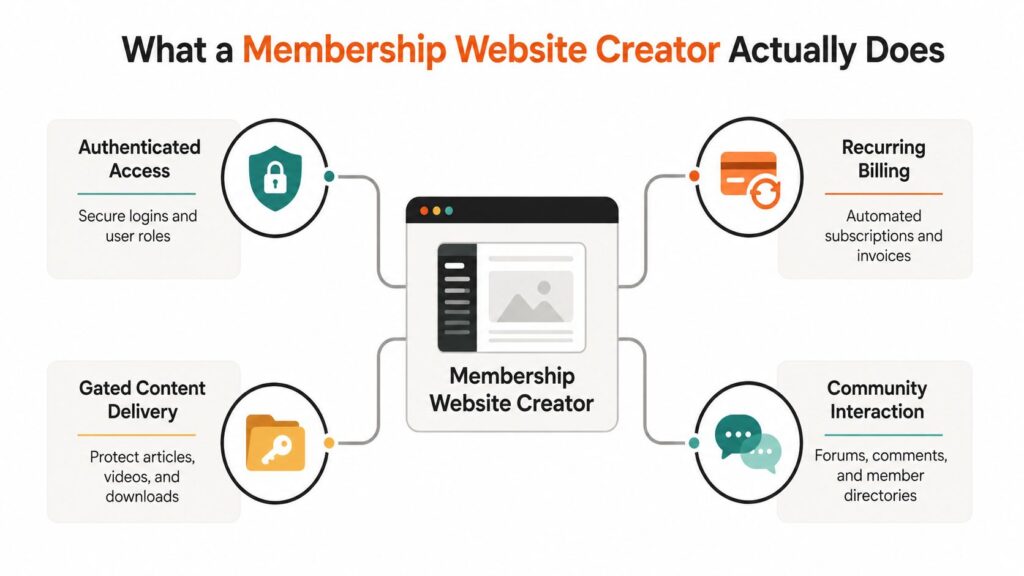
A membership website creator combines four jobs that creators often try to manage separately: authenticated access, recurring billing, gated content delivery, and community interaction. The owner usually gets an administrative dashboard for managing members, products, content, payments, and reporting.
Authenticated access
This is the account layer. Members need to register, log in, reset passwords, and reach the content included with their plan. Some platforms also offer magic links, role-based permissions, or single sign-on.
For a small paid community, good enough means a reliable login, clear member navigation, and automatic removal of access after cancellation. Enterprise access might involve several user roles, organization-level permissions, SSO, audit controls, and connections to an existing identity system. Don’t pay for the second category if you’re still validating the first offer.
Recurring billing
Billing covers much more than a checkout button. Look for subscriptions, annual plans, trials, coupons, failed-payment recovery, refunds, invoices, and tax handling. Stripe and PayPal can process payments, but your membership platform still needs to interpret payment events correctly and update access.
A simple membership may only need monthly and annual billing with automatic cancellation handling. A larger operation may need multiple price books, regional tax workflows, team billing, and customer-service permissions. Ask a vendor to show the cancellation and failed-payment flow during a demo. That’s more useful than watching a polished page-builder tour.
Gated content delivery
This layer protects articles, videos, audio, downloads, lessons, and member-only pages. Strong platforms let you organize content into products or courses, release material gradually, and track basic progress.
Good enough for an early offer means members can find the material quickly and you can change access without editing every page manually. More advanced delivery includes quizzes, completion rules, certificates, multiple learning paths, and detailed progress reporting. A library with hundreds of files needs search and organization more urgently than it needs decorative animations.
Community interaction
Community tools include forums, comments, member directories, private messages, event spaces, and live-room integrations. The right level depends on the promise of the membership. A paid archive may only need comments and announcements. A coaching membership may depend on conversation, introductions, peer feedback, and live sessions.
Every platform bundles these four jobs differently. Compare the handoffs between them. A platform that handles billing beautifully but leaves community activity in a separate app may still be right, but you should understand the operational cost before committing.
The Features That Actually Move the Needle
Feature lists make platforms look interchangeable. They aren’t. The useful question is whether a feature removes a current revenue block, reduces support work, or helps members reach value sooner.
A practical shortlist has three tiers.
Foundation features
At pre-launch, prioritize authenticated access, recurring billing, basic content gating, and email delivery. You need a clean path from payment to login to the first useful experience. A beautiful course builder won’t rescue a confusing checkout or a broken welcome email.
Features that often sound more important than they are at this stage include advanced dashboards, multiple instructor roles, complex automations, and custom mobile apps. Save those until your offer has earned the right to become complicated.
Growth features
Once members are joining consistently, drip schedules, quizzes, integrations, affiliate tracking, and better segmentation become more valuable. Zapier can connect events across your stack, while ConvertKit can support audience and email workflows where the platform’s native tools fall short.
Microlearning deserves attention for education-led memberships. A 2025 meta-analysis found a pooled retention odds ratio of 1.87, with a 95% confidence interval from 1.45 to 2.41, and reported a standardized mean difference of 0.74 for learning outcomes, with a 95% confidence interval from 0.58 to 0.90. The published microlearning meta-analysis gives creators a sound reason to break long lessons into shorter, purposeful units.
For a deeper LMS feature audit, compare your shortlist against this guide to LMS features. Use it to identify gaps, not to justify buying every available option.
Scale features
Advanced analytics, cohort reporting, SSO, tax automation, API access, and multiple instructor roles matter when several people operate the business or when member volume makes manual reporting unreliable. Event-level analytics are especially useful because page views and signups don’t explain why people renew.
Track time-to-first-value, cohort retention, daily and monthly active member relationships, support-ticket deflection, and renewal differences between engaged and inactive members. Community health guidance also cites a benchmark where a 5% retention lift can translate into a 25% to 95% revenue increase. The community-retention metrics guidance shows why retention instrumentation deserves a place in your buying criteria.
| Stage | Must-Have Features | Nice-to-Have, Skip Until Later | Why It Matters |
|---|---|---|---|
| Pre-launch | Login, checkout, recurring billing, gated content, email | SSO, API access, advanced cohorts, custom apps | Removes friction from the first sale |
| 0 to 1k members | Drip content, segmentation, basic analytics, integrations, community prompts | Complex roles, enterprise reporting, extensive custom development | Improves onboarding and reduces manual work |
| 1k+ members | Cohort analytics, tax workflows, stronger permissions, API access, operational reporting | Decorative features without a measurable use case | Protects reliability as the business gets harder to manage |
Pick the feature that solves today’s bottleneck. Aspirational scale is a poor reason to accept needless cost and complexity.
Pricing Models and How to Read Them
Pricing comparisons become misleading when vendors hide the variables that matter. A flat monthly fee, a transaction share, and a member-based tier can produce very different outcomes depending on your price point, payment volume, and administrative needs.
I won’t invent a universal cost table where the underlying platform prices, payment rates, member limits, and overages vary by vendor. The correct comparison starts with a simple model using your own numbers.
Flat platform fees
A flat-fee plan charges a recurring platform amount regardless of the revenue processed, subject to the vendor’s limits. This model generally favors a high-volume creator because the platform cost doesn’t rise with every sale.
Calculate the annual total as:
Platform subscription for twelve months + payment processor charges + email, video, admin, and integration overages.
A flat fee can look expensive during validation, especially if you have only a small number of paying members. It becomes more attractive once the membership generates consistent recurring revenue and transaction charges would otherwise consume a meaningful share.
Transaction or revenue-share pricing
Transaction pricing takes a percentage or fixed amount from sales, sometimes alongside a smaller base fee. It can suit a low-volume community because you pay more in proportion to actual sales rather than committing to a larger platform plan before demand is proven.
The risk appears when your membership price is low and your volume grows. Every renewal can carry a platform deduction, payment-processing charge, and possibly an additional charge for add-ons. Read the cancellation, refund, chargeback, and failed-payment terms carefully.
Tiered member plans
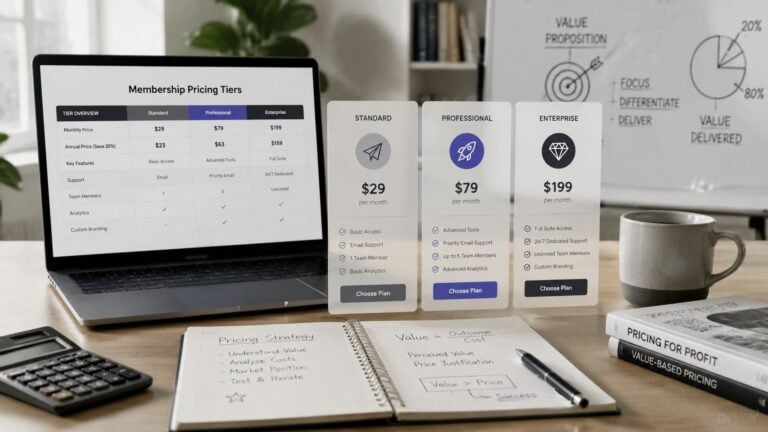
Tiered plans increase the fee as your member count, features, or administrative needs grow. They fit hybrid memberships with monthly and annual offers because you can start with a smaller operational footprint and move upward when the member limit or reporting requirements demand it.
Use the month-three budget, not the introductory price, as your reference point. Check video bandwidth overages, per-admin fees, email send caps, premium integrations, storage, and migration charges. Those line items can turn a cheap first plan into an expensive operating stack later.
| Members | Flat Fee Plan | Transaction-Based Plan | Tiered Plan |
|---|---|---|---|
| 50 | Compare the annual subscription with processor fees and minimum commitments | Estimate platform deductions on each payment | Use the entry tier if member and email limits fit |
| 500 | Check whether the fixed fee remains below expected transaction deductions | Model every renewal, refund, and failed payment | Price the tier that includes the required reporting and automation |
| 5,000 | Audit bandwidth, support, admin, and integration limits | Treat the cumulative revenue share as a major operating cost | Compare the higher tier against a custom or self-hosted stack |
For a fuller way to compare recurring offers, use this guide to subscription pricing models. Build the spreadsheet before booking sales demos. Vendors are good at showing monthly prices. You need to see annual cost at your expected member count.
Building Your Membership Site Without Burning Out
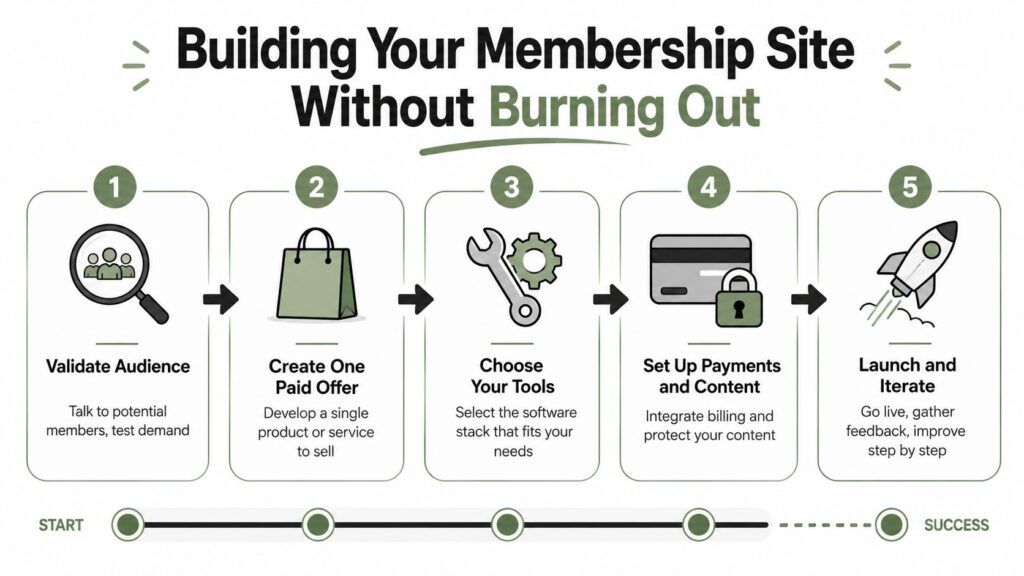
Start with demand, not software. Before creating an account with a membership website creator, define one paid offer and test whether the audience understands why it should exist.
Build in the right order
Write the core promise. State who the membership serves, what recurring problem it solves, and what members receive during an ordinary month. If the promise needs a long explanation, simplify it.
Validate with real conversations. Talk to potential members, share a short description, and ask what would make them pay, stay, or leave. Don’t use compliments as demand evidence. Look for specific objections and willingness to commit.
Choose the platform. Select the simplest tool that supports your payment, access, content, and community requirements. You can review creator-focused ideas and operating resources in the ViewsMax creator economy resources while shaping the offer and distribution plan.
Configure payments and access. Create the product, connect the processor, test a purchase, test a cancellation, and confirm that access changes correctly. Use a real end-to-end test rather than trusting a settings screen.
Build four weeks of content. Prepare enough material to deliver a clear initial result. Don’t build an enormous library before anyone has paid. Your first members will reveal which lessons need rewriting and which features deserve attention.
Soft-launch to twenty people. Keep the group small enough to observe onboarding, questions, support requests, and early usage. Fix the repeated problems before opening the doors more widely.
Operate the first 90 days
Your first 90 days should produce evidence, not an oversized content catalog. Send a welcome sequence, personally observe the first interactions, check for churn around day 30, and contact members who never log in with a useful re-entry path.
Live events need realistic planning. Webinar benchmarks for 2026 place typical live attendance at roughly 40% to 57% of registrants, depending on how attendance is measured. One source reports about 49% live attendance and about 57% total attendance when replays are included. The 2026 webinar attendance benchmarks support making replay access part of the experience rather than treating non-attendance as failure.
A second 2026 benchmark reports an average of 102 live attendees, while 71% of webinars had fewer than 100 attendees. The Goldcast webinar benchmark report supports designing a useful small-room session instead of assuming every event needs a large production.
Watch your first milestones closely. The first ten paid members test the offer, the first $1k MRR tests the sales message and delivery system, and the first refund tests whether your promise matches the buying experience. If growth stalls, change one of those inputs before adding another tool.
Three Real Stacks for Three Different Budgets
Your stack should match the next operational milestone. A solo writing community doesn’t need the same architecture as a B2B training company selling expensive seats, and neither should start with a custom build designed for a future audience.
A solo creator with a $19 monthly community
For a writing community priced at $19 per month, I’d start with Circle or WordPress plus MemberPress. Use Stripe for payments, ConvertKit for email, and the platform’s native community tools before adding a second social product.
The target is a dependable member area, simple recurring billing, regular prompts, and a clear archive. Keep the first-year operating budget below $600 only if the selected plan, hosting, email, payment costs, and support workload fit that ceiling. Verify current vendor pricing before committing because these costs change.
A B2B training company selling $1,500 seats
A company running paid cohorts at $1,500 per seat needs stronger enrollment, learning, and customer-management workflows. Thinkific Plus or a Kajabi-based stack can handle the learning layer, while Zoom supports live delivery, a CRM tracks company relationships, and Stripe or another suitable processor manages payment.
Budget $4k to $9k annually, including admin time, as a planning range rather than a guaranteed vendor quote. At this price point, operational reliability and reporting matter more than adding a social feed. The buyer may be a training manager, so invoices, access records, and clear completion data can influence renewal.
A cohort operator serving 5,000 members
A cohort-based operator with 5,000 members on $49 monthly tiers needs a more deliberate architecture. Mighty Pro can support a branded community direction, while a custom WordPress build with Memberstack, Antireach, and Customer.io can provide a more modular system.
Plan for $25k to $60k in year one, including implementation and operating labor, not just license fees. At this level, payment events, segmentation, support processes, analytics, and performance need ownership. A custom build can offer flexibility, but it also creates maintenance responsibility that a hosted product absorbs.
| Use Case | Membership Platform | Payments + Email + Community | Year-One Budget |
|---|---|---|---|
| Solo $19 writing community | Circle or WordPress + MemberPress | Stripe + ConvertKit + native community | Under $600, if the full stack fits |
| B2B cohort training | Thinkific Plus or Kajabi | Stripe + CRM + Zoom + platform community | $4k to $9k, including admin time |
| 5,000-member cohort operator | Mighty Pro or custom WordPress + Memberstack | Stripe + Customer.io + Antireach or native community | $25k to $60k, including implementation and operations |
For a smaller operation, this technology stack guide for a $10 membership site is a useful reality check. The right stack matches your next milestone, not your current fantasy about ten thousand members.
Your Decision Flow and What to Do This Week
Run this decision flow before comparing logos.
First, identify what members are buying. Is it access to a content library, a cohort program, or an ongoing community? Those products need different delivery systems. A library needs search and organization. A cohort needs scheduling and progress. A community needs interaction and reasons to return.
Next, set the budget you can support in month three, not the promotional price in month one. Decide whether you already own an audience or need to acquire one. Then choose whether you’ll accept transaction fees in exchange for lower fixed costs or insist on flat-rate billing for predictable economics.
Avoid the early mistakes
- Launching with every feature enabled: Start with the smallest useful member journey. Add features only when members repeatedly ask for them or your team needs them.
- Skipping the welcome sequence: Send clear instructions, a first action, and a reason to return. A paid login without direction feels like a locked folder.
- Underpricing to chase volume: Price for the support, content, events, and administration the offer requires. Cheap members still expect a complete experience.
- Building the full library first: Release enough material to produce an early result, then improve from actual member questions.
- Ignoring social connection: Peer ties matter. A peer-reviewed online-community study found that stronger network centrality and closer friend ties were associated with longer participation, while another analysis found a positive correlation between community dynamicity and average active months, with Spearman’s ρ = 0.41 and p < 0.001. The online-community study supports designing introductions, matching, prompts, and early interactions into the product.
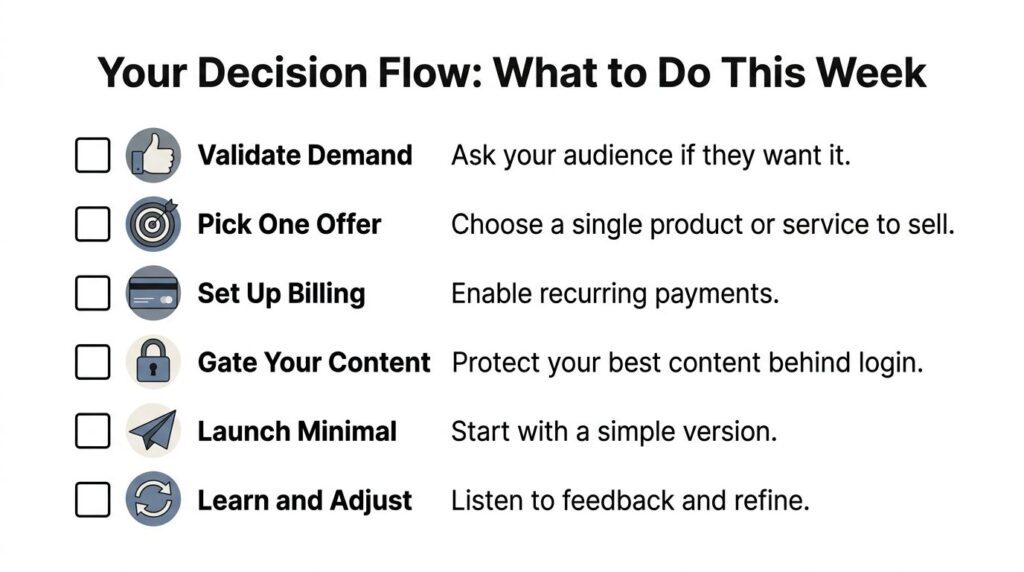
This week, price one offer, draft the landing page, and write the first welcome email. Then book one demo with a flat-fee platform and one with a transaction-based platform. Ask both vendors to show checkout, failed payment recovery, cancellation, refund handling, member access, and reporting. You’ll learn more from that side-by-side test than from another hour of feature comparisons.
The membership economy is large and still evolving. One research summary values the creator economy at $191.55 billion and projects it to reach $234.65 billion by 2026, while the broader subscription economy is projected at $557.8 billion in that period. The same summary estimates 85% to 92% retention for community-driven memberships, compared with 60% to 70% for content-only models, and reports more than 207 million creators worldwide. The membership trends summary points to a clear strategic priority, recurring value needs more than a pile of content.
Choose the offer before the platform, test the full payment-to-access journey this week, and compare two demos using your month-three budget. If you want a practical next step, write your first four-week member experience and invite a small group to pay for it before you build anything larger.



![How to Launch a Membership Site Using Squarespace [Step By Step Guide]](https://learnstream.io/wp-content/uploads/2024/11/image-768x433.png)