Peer-to-Peer Knowledge Sharing

Most course creators know the feeling. You launch a community, a dozen people join, everyone posts an intro, and then the room goes quiet. You try nudging it with prompts, polls, or a weekly win thread, but the energy never really comes back because the space was built like an announcement board, not a place where members need each other.
That’s the issue with peer-to-peer knowledge sharing. It isn’t a motivation problem, and it isn’t fixed by posting more. It’s a design problem, because peer sharing only works when the format matches the learning job, the contributors are expected, and the transfer can be seen in the first place.
The Empty Community Problem
I’ve seen this enough times to stop blaming the members. A creator opens a group, writes a welcome post, and waits for momentum. A few people react, one or two say hello, then everyone drifts back to lurking because there’s no real reason to talk to each other.
That silence usually gets misread as low commitment. More often, it means the community was set up as a broadcast channel, while members wanted a place to exchange specific help, examples, and short answers. Peer systems tend to rely on a small contributor core, and that pattern shows up early. In the 2007 bibliographic sharing study, 398 peers shared 98,872 entries, 62% of peers, or 248 people, shared nothing, and 6%, or 24 people, generated 79% of all shared content.
Why that matters in practice
If you expect everyone to contribute equally, you’ll think the community is broken the moment the quiet majority stays quiet. It usually isn’t broken. It just needs a structure that assumes most members will consume lightly, while a smaller group carries the discussion.
Practical rule: design for contribution concentration from day one, then make the first layer of participation easy enough that lurkers can step in without feeling exposed.
That’s the shift. Peer-to-peer knowledge sharing isn’t a content calendar. It’s a choice about how members interact, what kinds of questions belong in the room, and how much of the value comes from member-to-member exchange instead of the creator doing all the work.
What Peer-to-Peer Knowledge Sharing Actually Means
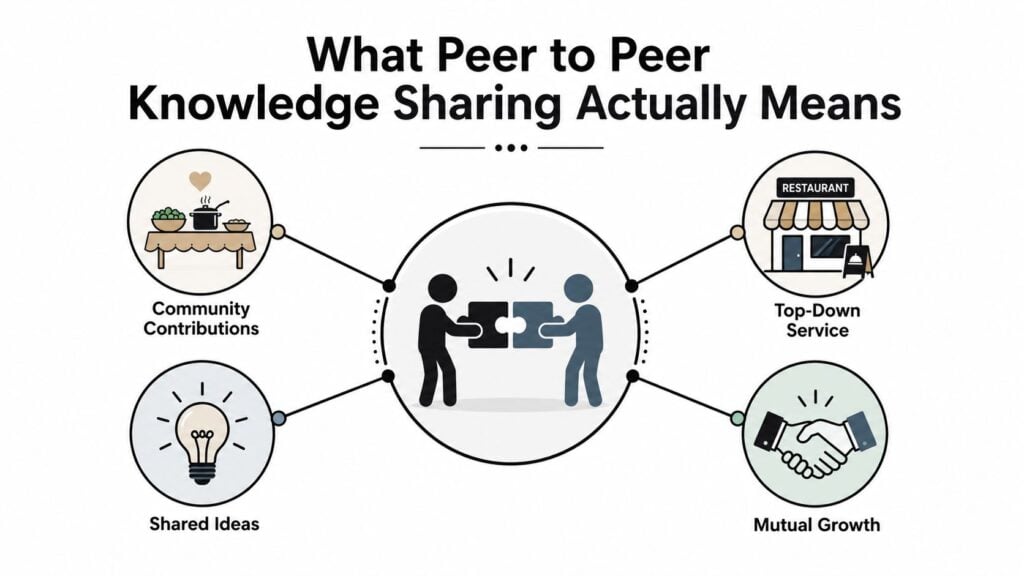
A neighborhood potluck. The host sets the table, but the meal depends on what people bring. If one person brings everything, you don’t have a potluck, you have catering.
Peer sharing works the same way. Knowledge moves directly between members, not just from a central expert, a course library, or a one-way webinar. APQC describes peer-based sharing as knowledge transfer that occurs directly between employees, a lateral model rather than one that flows only from managers, trainers, or formal documentation systems. That definition matters because it tells you where the value comes from, the members themselves.
What counts, and what doesn’t
A forum full of announcements isn’t peer sharing. A Slack channel where only the host posts reminders isn’t peer sharing either. A real peer system has members asking, answering, comparing notes, and building on each other’s experience.
That’s also why online learning spaces need trust. Attention is fragmented, people arrive with different confidence levels, and no one wants to be the first person to sound foolish. A useful internal benchmark is to ask whether members can exchange practical help without waiting for the expert to step in every time.
If you want a broader primer on how this overlaps with social learning, this social learning overview is a useful companion read. It sits next to the same problem, but peer sharing is narrower, because the exchange has to happen laterally between members.
The host’s job is to set the conditions, not to be the only source of value.
The Four Models That Actually Work
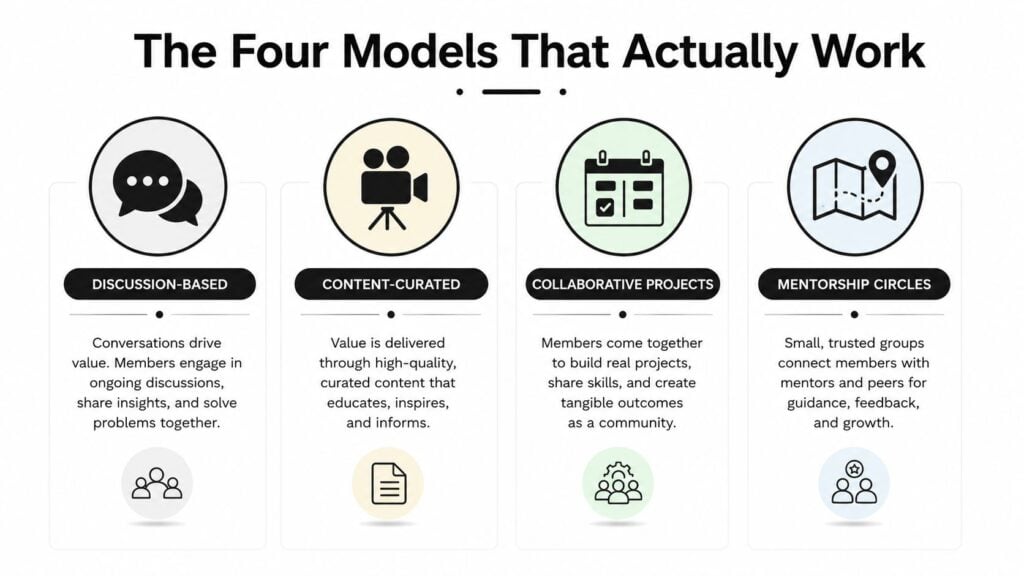
One-to-one peer mentoring
This is the model for sensitive questions, career decisions, and high-stakes problem solving. It works when someone needs judgment, not just information. The downside is obvious, it takes time, and it can get lopsided fast if one person becomes the default helper.
Community Q&A threads
This is the searchable model. Good questions and good answers build a library over time, which is great when the same problem keeps coming up. The trade-off is that quiet members can disappear inside a busy thread, so it rewards confident writers and fast responders.
Structured skill exchange
This works when members have complementary strengths. One person knows email setup, another knows onboarding, another knows analytics. A good exchange feels specific and fair, while a bad one turns into vague networking with no clear payoff.
Cohort-based study circles
This is the deepest format, and usually the one people skip because it feels harder to run. It works best for applied learning, because members show up with a shared timeline, a shared topic, and a reason to stay engaged. It also needs facilitation, otherwise the loudest voice takes over and the quieter members stop contributing.
Research on peer knowledge sharing in education backs up the part most creators learn the hard way. Self-efficacy strongly affects willingness to share, and structured, small-group opportunities increase participation, especially among less-confident members. In plain English, the format matters as much as the topic.
The Contributor Problem and How to Plan for It
The biggest mistake I made early on was assuming participation would spread itself out. It didn’t. A handful of members did nearly everything, while everyone else watched, saved posts, and waited for a simpler moment to speak.
That doesn’t mean lurking is bad. Lurkers are normal, and some of them become contributors later. The mistake is designing the space as if every member will behave like a volunteer moderator.
What the distribution usually looks like
The old pattern still shows up everywhere. In the 2007 study, 6% of peers, or 24 people, contributed at least 1,000 entries each and generated 79% of all shared content, while 62%, or 248 people, shared nothing. That’s not a failure of the idea. It’s the reality you design around.
The practical move is to treat the first layer of activity like a seedbed:
- Seed the first conversations yourself. Don’t wait for the room to warm up on its own.
- Invite a small core of confident members. Ask them to post weekly, not whenever they feel like it.
- Make responses easy to write. Prompts, templates, and reaction-based answering lower the barrier.
- Accept different levels of engagement. A quiet member who reacts, saves, or returns later is still part of the system.
Useful target: don’t judge the community by how many people post once. Judge it by whether there’s a reliable contributor core and whether quieter members have a safe on-ramp.
The healthy version is usually uneven. That’s fine. A peer system doesn’t need everyone to talk all the time, it needs the right people to talk about the right problems often enough that the rest of the group can learn from it.
Designing the Rules, Roles, and Structure
A peer space becomes usable when someone owns the room, the rules are clear, and the questions have shape. Without that, even a strong group drifts into drive-by advice and off-topic chatter.
Governance matters because peer-based sharing moves laterally. APQC frames it that way for a reason, which means you need to be clear about who can ask, who can answer, and what happens when a thread starts to go off track. A one-page charter helps more than people expect, especially if it answers three things in plain language, what belongs here, how to ask for help, and how to respond respectfully.
The structure that keeps quieter members participating
Open mics sound inclusive, but they usually reward the most confident voices. Small groups do the opposite. They give less-confident members a place where speaking once feels manageable instead of performative.
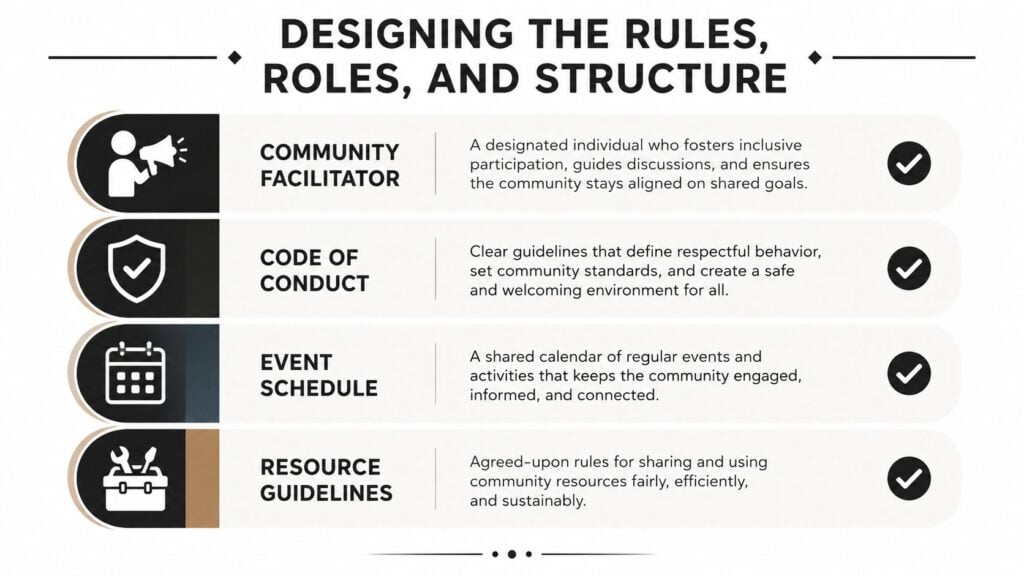
I’d set these pieces before launch:
- Community facilitator. One person keeps the rhythm, nudges stalled threads, and closes loops.
- Code of conduct. Short, readable, and behavior-based, not a legal wall of text.
- Event schedule. A repeatable cadence beats random activity every time.
- Resource guidelines. Show members what good answers look like, so the thread stays useful later.
For a practical reference on the policy side, this community rules guide is worth keeping close while you draft your own version.
One more thing. A dedicated platform usually works better than a general chat app for course-based peer sharing because it gives you better structure around threads, resources, and accountability. If you’re already using LearnStream, its cohort-based setup can work as one option in that category, especially when you want grouped conversations instead of a free-for-all. A good example of the same logic in a different setting is this guide on how to start a virtual Bible study.
Launching in the First 30 Days
The first month decides whether the room feels active or forgotten. I break it into four clear phases, because vague “engagement strategy” language does not help when you are looking at an empty post box on Monday morning.
Week 1 seeding
Run the first conversations yourself. I would start 5 to 10 small group conversations and post 3 starter questions a day so members can see what belongs in the room without guessing. The goal is to make speaking feel normal before you ask members to carry the load.
Week 2 structure
Introduce the small cohorts, assign facilitators, and give the room a weekly ritual. “Friday Wins” works because it is easy to answer. “Tuesday Troubleshooting” works because it gives members a specific moment to ask for help instead of dropping random questions into the void. If you need a reference point for the community side of this setup, our guide on building community in online courses shows how the room, the rhythm, and the expectations fit together.
Week 3 momentum
Recognition matters. Spotlight helpful members, feature strong answers, and make contribution visible without turning the space into a points farm. Small gestures work better than loud gamification when the community is still fragile, because people need to feel that their effort is seen before they start contributing on their own.
Week 4 review
Check which prompts pulled replies, which members showed up more than once, and which threads produced useful follow-up. That review becomes your second-month plan.
A good example of the same logic in a different setting is this guide on how to start a virtual Bible study. The context is different, but the operational lesson is familiar. People need a reason to gather, a rhythm to return to, and a format that makes speaking easy.
A short video walkthrough can also help members picture the flow.

One more practical note. The old P2P architecture study built a network with 156 content repositories, then used a knowledge graph to form temporary collaboration networks. That matters because it shows how distributed content can be turned into useful interaction instead of becoming dead storage. For course creators, the same idea applies when you connect people around a problem instead of just archiving documents.
Measuring What Actually Matters
Most communities count the wrong thing. Total posts can look healthy even when the same five people are talking to each other. Active members can also mislead you if the activity never leads to actual use.
The better way is to measure three buckets, participation, usefulness, and transfer.
| Peer Sharing Metrics That Actually Matter | What to Track | What It Tells You |
|---|---|---|
| Participation | Members who contributed at least once in the month | Whether the room is opening up |
| Usefulness | Helpful reactions, saved answers, pinned replies | Whether the answers are worth keeping |
| Transfer | Short monthly reports of applied peer advice | Whether knowledge moved into real work |
How I’d track it without making it heavy
Pinned answer counts are simple. Reaction totals are simple too. A short monthly pulse survey can ask whether a member used advice from another member, and a quick interview with a few people can tell you whether the language of the room is changing behavior.
That’s the test. If knowledge doesn’t move, you’ve built a chat room, not a learning system.
A systematic review of knowledge-sharing research found that 62.5% of the 40 articles published since 2015 appeared in just the last five years, which tells you the field has gotten a lot more attention recently. For operators, that’s a reminder that the measurement conversation is getting more serious too, especially in digital communities and remote work settings.
Monetization and Engagement Tactics for Course Owners
Peer sharing pays off when it reduces churn, deepens the learning experience, and gives you assets you can reuse. The mistake is treating it like a nice extra instead of part of the product.
Three ways it can support revenue
The first is gating peer access inside a paid membership. That works when the exchange itself is a core benefit, not a bonus lounge. The second is rewarding strong contributors with discounts or certifications, which can make participation feel career-relevant instead of purely social. The third is turning the best peer answers into a guest post, mini-course, or paid download.
What keeps members around
The engagement tactics are usually simpler than people expect.
- Pair new members with veterans. It shortens the awkward first week.
- Feature member wins in the newsletter. People return when they feel seen.
- Run monthly live AMA sessions. Let members answer each other’s questions in real time.
- Use skills-based matching. Put similar problems and complementary strengths together instead of hoping the whole room magically clicks.
That last point matters more in mixed-experience groups. Research on unequal participants points toward personalized, skills-based matching and lightweight exchange formats as a better fit than open-ended communities, especially when trust, reciprocity, and relevance aren’t evenly distributed. That’s the part many creators miss. The format has to fit the gap.
Bottom line: choose the smallest useful format, then support it with enough structure that members can help each other without guessing what to do.
If you’re building this for a course or membership, start with one clear use case, one contributor core, and one measurement loop. Then keep the room small enough to feel human and structured enough to make the knowledge visible. If you want a practical way to organize cohort conversations, peer review, and recurring live sessions, open your calendar this week and map the first four meetings before you invite the next wave of members.