10 Actionable Student Retention Strategies

You launched the course. Sales came in. New students joined fast, and for a minute it felt like the hard part was over.
Then the pattern showed up.
A bunch of students watched the welcome video, a smaller group started module one, and by the time you checked the dashboard a few weeks later, the room had gone quiet. Discussion threads slowed down. Lesson completion stalled. People who sounded excited on day one now looked like abandoned carts with profile photos.
That drop-off is normal. It’s also fixable.
Strong student retention strategies don’t rely on hype, luck, or sending another “just checking in” email that nobody opens. They rely on design. The best course creators shape momentum the same way Netflix shapes binge-watching. They reduce friction, create small wins, and give people a reason to come back before attention drifts somewhere else.
The broader higher education world has learned this the hard way. A widely cited 2024 benchmark reported a 69.5% national retention rate and a 76.5% persistence rate in the United States, with major differences by institution type, which is a useful reminder that retention only improves when the model fits the learner and context you’re serving (Modern Campus on 2024 retention benchmarks).
For online courses, memberships, and cohort programs, the same principle holds. You need systems that keep students moving, noticing progress, and feeling supported.
Here are 10 retention strategies I’d use.
1. Build a Thriving Community
Most courses don’t have a content problem. They have an isolation problem.
A student can love your topic and still disappear if learning feels like eating dinner alone in a huge cafeteria. Community fixes that. It creates accountability, peer momentum, and the low-key social pressure that makes someone log back in because other people will notice if they vanish.
If I were setting this up today, I’d start with Circle. It gives you spaces, events, discussion areas, and a cleaner member experience than trying to duct-tape a course together with email and a generic chat app.
What works in practice
Don’t open ten discussion channels and hope magic happens. That’s how you get digital tumbleweeds.
Start with a tight structure:
- Weekly wins thread: Ask one question every week, like “What did you finish?” not “How’s everyone doing?”
- Start here space: Put intros, expectations, and the first easy action in one place.
- Peer help lane: Create one space where students can ask for feedback without feeling like they’re interrupting you.
- Live touchpoints: Run office hours or short co-working sessions on a predictable cadence.
For online educators, community engagement best practices for learning programs prove practical. You’re not building a social network. You’re building a room where students keep seeing motion.
Practical rule: If a community needs the instructor to start every conversation, it isn’t a community yet.
Tool trade-off
Circle is strong when you want structure and a polished member hub. The trade-off is moderation effort. A dead community feels worse than no community.
A quick example. Instead of saying “join the discussion,” post “share your module one takeaway in one sentence by Friday.” That tiny bit of scaffolding usually gets a better response because students know exactly what “done” looks like.
2. Use Drip Content and Cohorts
Self-paced courses sound great in the sales copy. In real life, unlimited access often turns into unlimited postponing.
Drip content helps because it slows students down in a useful way. They don’t stare at a giant library and wonder where to start. They get the next piece at the right time, which feels more manageable and easier to finish.
A cohort layer makes it even stronger. People move together, compare notes, and share milestones. That shared pace matters more than many creators realize.
Here’s the visual version of the dynamic you want to create:

How to implement it without annoying students
Use a weekly release rhythm for a transformation-based course. If your course teaches a complete system, don’t dump every module at once.
Try this setup:
- Week 0: Orientation, quick win, calendar, community intro
- Week 1: Core concept and one small assignment
- Week 2: Application task with peer feedback
- Week 3: Troubleshooting and live Q&A
- Week 4: Completion push and reflection
The trade-off is obvious. Drip can frustrate advanced students who want to move faster. If your audience includes both beginners and experienced operators, offer “access all after completion of basics” or keep bonus material available on demand.
This fits what retention research has been pointing toward for years. Vincent Tinto’s work put social connectedness, involvement, support, and classroom experience at the center of persistence, and later operational guidance pushed institutions toward early alerts and continued monitoring through the second year rather than waiting for a last-minute rescue (Hanover Research summary of retention strategy development).
That same logic works online. Don’t give students a warehouse. Give them a path.
3. Implement Microlearning and Milestones
Big lessons feel productive to creators. Short lessons feel finishable to students.
That’s the tension.
When a module is a 54-minute video plus a workbook plus a bonus lesson plus “recommended resources,” many students mentally reschedule it for later. Later turns into never. Microlearning breaks that pattern by shrinking the commitment and making progress visible.
This image captures the idea nicely:
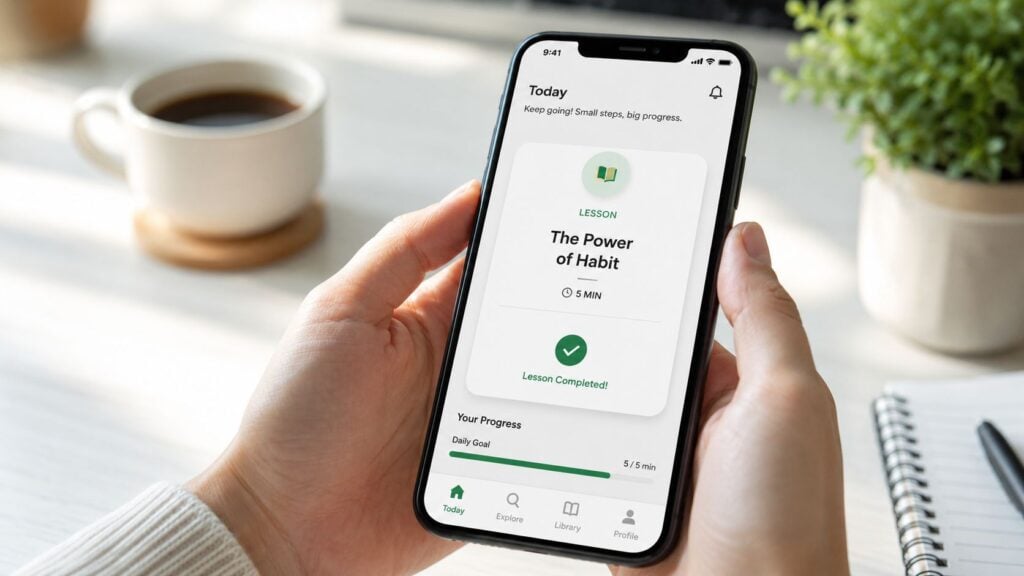
What to change first
Take one long lesson and split it into parts with a clear sequence:
- Concept: One idea
- Demo: One example
- Action: One task
- Checkpoint: One confirmation that they did it
That’s much easier to finish than “Module 2.”
I usually tell course creators to design lessons like YouTube playlists, not conference keynotes. People commit faster when they can see the next small step.
For a solid framework, microlearning best practices for digital learning are worth applying directly to your lesson architecture.
Metrics that matter
Watch completion patterns by lesson, not just by module. If students routinely leave during the same section, the problem is usually one of three things:
- Length creep: The lesson got too long
- Cognitive overload: Too many ideas in one sitting
- Weak payoff: Students can’t tell why this lesson matters
Shorter lessons don’t dumb down a course. They remove excuses.
Tool-wise, almost any decent LMS can support this if it lets you separate lessons cleanly and track progress. The trade-off is production overhead. Breaking content into smaller units takes more planning up front. Still worth it. Students stick with what feels finishable.
4. Send Proactive, Personalized Nudges
Most retention emails arrive too late.
By the time you send “we noticed you haven’t logged in recently,” the student has already drifted, forgotten where they left off, or decided they’re behind. Good nudges land earlier and feel specific enough to matter.
The simplest version is behavior-based messaging. If someone completes lesson one but not lesson two, send a short nudge tied to that exact point in the journey. If someone joins but never starts, send an onboarding rescue message.
A simple nudge sequence
Here’s a lean approach that works better than generic reminders:
- Welcome nudge: Point to one first action only
- Momentum nudge: Celebrate the first completed step and tee up the next one
- Stall nudge: Acknowledge where students usually get stuck and offer one shortcut
- Reactivation nudge: Invite them back with a low-friction task, not guilt
Keep the tone human. “Reply with the part you’re stuck on” works better than “Your engagement is important to us.”
If email deliverability is shaky, your retention strategy can fall apart before the message even reaches the inbox. This guide on how to stop email from going to spam in Gmail is worth checking if your open rates seem suspiciously flat.
Tool trade-off
ConvertKit, ActiveCampaign, and Customer.io style workflows are great for this sort of automation. The trade-off is setup complexity. Personalization sounds simple until your tags, triggers, and segments turn into spaghetti.
A quick template I like:
“You don’t need to catch up on everything. Just finish Lesson 2.3 today. That’s the one that usually unlocks the rest.”
That works because it reduces shame and narrows the target.
5. Show Up with Instructor Presence
Students stay longer when they can feel the instructor in the room.
That doesn’t mean you need to be online all day, replying in under six minutes like a support rep. It means students need visible signs that a real person is guiding the experience. Without that, even a well-built course can feel like a forgotten folder of videos.
What instructor presence actually looks like
Presence is usually built through small, repeated signals:
- Short weekly video updates: One or two minutes is enough
- Timely replies in key threads: Especially in the first weeks
- Lesson framing: Explain why a lesson matters before students begin it
- Common mistake callouts: Save students from the predictable potholes
I’ve seen creators overdo this and burn out fast. They answer every comment, host too many live calls, and become the entire operating system of the course. That isn’t sustainable.
A better model is scheduled visibility. Show up consistently, not constantly.
Real-world example
Say you notice that students often freeze before submitting an assignment. Record a quick video called “Before you submit, watch this.” Walk through one average example, one common mistake, and one reassurance that imperfect work is fine.
That sort of presence lowers anxiety better than another PDF ever will.
The trade-off here is creator time. If you’re solo, batch these touchpoints. Record weekly announcements in one sitting when possible, and create reusable “stuck point” videos for places where students regularly hesitate.
6. Add Strategic Gamification
Gamification gets abused all the time.
If your course hands out random badges for breathing near the login page, students will smell the gimmick immediately. But when gamification reinforces real progress, it works like the progress bar on a streaming series. People want to finish what feels underway.
This is the version worth using:

The useful kind of gamification
Tie rewards to meaningful actions:
- Progress badges: For finishing core milestones
- Streaks: For daily or weekly study habits
- Checkpoint achievements: For completing a sequence, not just showing up
- Public recognition: For effort, contribution, or consistency
A lot of creators need this reminder. Points aren’t the point. Momentum is.
For practical implementation ideas, gamification for e-learning lays out patterns that fit educational products instead of turning them into a cheap mobile game.
The best gamification answers one question for the student. “How close am I to something that matters?”
Trade-offs to watch
Leaderboards can motivate competitive students and discourage everybody else. Use them carefully.
I prefer milestone-based recognition over ranking systems in most memberships and courses. It keeps the focus on personal progress rather than comparison. If you do use public scoring, create multiple ways to “win,” like consistency, contribution, or completion, so the same high-output students don’t dominate the whole room.
7. Design for Clear Outcomes
A surprising number of students quit because they can’t tell what the course is helping them do.
This is a positioning problem inside the product, not just in your sales page. If every lesson feels interesting but disconnected, students lose trust in the path. They need to know what success looks like and how each module gets them there.
Career-aligned retention thinking in higher education has moved in this direction by connecting persistence to outcome signals like role relevance, time-to-employment, employer-demand alignment, internship or co-op participation, mentorship usage, and career-services engagement rather than treating retention as a purely academic metric (Carnegie Higher Ed on data-driven retention and outcomes).
Online learning products can borrow that mindset directly.
How to make outcomes obvious
Start every module with three short answers:
- What students will be able to do
- Why it matters now
- What finished looks like
Then end the module with an artifact. A draft. A checklist. A live asset. A decision made. Something visible.
That’s what keeps motivation from floating away.
A simple template
Instead of naming a lesson “Audience Strategy,” try this:
“By the end of this lesson, you’ll choose one target audience, write a one-sentence positioning statement, and post it for feedback.”
That’s concrete. Students know when they’ve completed it.
The trade-off is that clearer outcomes force you to cut fluff. Some creators resist that because they equate volume with value. Students usually don’t. They value clarity.
8. Offer Personalized Learning Paths
Different students get stuck for different reasons.
A beginner may need more examples. An advanced student may need fewer explanations and faster application. A working parent may need a lighter route through the same material. If everybody gets the exact same path, some people will feel lost and others will feel trapped.
Good personalization without overbuilding
You don’t need a giant adaptive learning engine to do this well. Start with branching choices.
Examples:
- Beginner track: More setup help, vocabulary, guided practice
- Fast-track option: Skip foundations after a short self-check
- Role-based path: Freelancer, manager, educator, founder
- Time-based path: 15-minute version versus deep-dive version
This matters even more for students whose lives aren’t arranged around your ideal study schedule. Guidance around retention increasingly points to flexible delivery as a meaningful lever for commuter, working, and caregiving students, with support designed around where students live, work, and study rather than purely campus-centered participation models (Edvisorly guide to student retention barriers and flexibility).
Tool trade-off
Kajabi, LearnWorlds, and similar platforms can handle some branching, tagging, or segmented experiences. The trade-off is management complexity. Every extra path creates more support, more testing, and more room for content drift.
My advice is simple. Personalize entry points and pacing before you personalize everything else. That gives you most of the benefit without turning your course into an overengineered maze.
9. Provide Content in Multiple Formats
Students don’t all disengage because they’re unmotivated. Sometimes they’re just hitting the wrong format at the wrong moment.
A busy learner might listen while commuting. Another might skim text during a lunch break. Someone else needs captions and a transcript because video alone is a lousy learning interface for them. If the only way to consume your course is “sit down, watch this long video, take notes,” you’re filtering out people who would otherwise stay.
The practical format stack
You don’t need to create a cinematic empire. A smart minimum stack usually looks like this:
- Video for explanation
- Text summary for scanning
- Downloadable checklist for action
- Audio option for mobile listening
- Captions and transcript for accessibility and review
Many retention plans often become too vague. They say “increase engagement” without ranking what to build first. Broader commentary on retention keeps circling back to a smaller group of critical factors like relationship-rich interactions, belonging, collaborative learning, and advisors who listen and care, while also noting the field’s shift toward more targeted, data-driven approaches rather than trying to fix everything at once (PERTS on choosing retention interventions more carefully).
The same prioritization applies here. Don’t create five formats for every asset if none of them are good.
What works best
If resources are tight, start by adding transcripts and concise lesson summaries. Those two upgrades pull a lot of weight.
A quick example. Turn a 20-minute video lesson into a page with key takeaways, one action step, and a download. Students who don’t have time to watch right now can still make progress, and progress is what keeps them around.
10. Create Strong Feedback Loops
A student hits Lesson 4 on a Tuesday night, gets confused, and closes the tab with every intention of coming back. If nobody catches that moment, “I’ll finish later” often turns into a quiet dropout.
Strong feedback loops help you catch friction while the student is still engaged enough to act. That is the difference between a course that feels alive and one that feels like a content vault. In practice, feedback loops are not just surveys. They include quiz results, lesson check-ins, assignment comments, support questions, and behavior signals like stalled progress or repeated rewatches.
For quizzes, lesson checks, and progress markers, Teachable’s student learning and quizzing tools show the kind of lightweight infrastructure that helps instructors gather signals without building a custom system.
What to collect and how to use it
Keep the prompts short and tie them to specific moments where students tend to hesitate.
- After onboarding: What nearly stopped you from getting started?
- After a core lesson: What part needs a clearer example?
- Mid-course: What would make finishing easier this week?
- After an assignment or quiz: Where did you get stuck first?
Then act on what you learn. Fast.
If ten students struggle in the same place, the problem is usually the lesson design, not student motivation. I treat repeated confusion like Netflix viewers dropping off in the same episode. Something in the pacing, clarity, or payoff is off, and fixing it usually improves completion more than sending another reminder email.
Close the loop in public when appropriate. A simple note inside the course works well:
Feedback loop: “Several students said Lesson 4 felt too dense, so I split it into three shorter lessons and added a worked example.”
That kind of response builds trust because students can see their input changed the experience.
The practical playbook
A feedback loop only works if it leads to a concrete response. Use a simple cycle:
- Collect one signal at a friction point.
- Review patterns weekly, not just at the end of the month.
- Fix the smallest useful thing first, such as rewriting instructions, adding an example, or breaking one lesson into smaller parts.
- Tell students what changed.
- Track whether the problem drops in the next cohort or over the next 30 days.
The trade-off is straightforward. More feedback gives you more insight, but too many prompts make the course feel like homework about the homework. Start with three or four checkpoints across the student journey and make sure each one leads to a real decision.
Online courses keep students longer when progress feels responsive. Feedback loops create that feeling. They show students that confusion gets addressed, effort gets acknowledged, and the course gets better while they are still inside it.
Student Retention: 10-Strategy Comparison
| Strategy | complexity | Expected outcomes | Ideal use cases | Key advantages |
|---|---|---|---|---|
| Build a Thriving Community | Moderate, platform setup and ongoing moderation | Increased engagement and retention, peer support | Long-term courses, cohort programs, networking | Belonging, peer accountability, sustained activity |
| Use Drip Content and Cohorts | Moderate–High, scheduling and cohort management | Better pacing, higher completion rates, shared progress | Time-bound courses, instructor-led cohorts | Reduces overwhelm, builds momentum and accountability |
| Implement Microlearning and Milestones | Low–Moderate, chunking content and quizzes | Frequent engagement, higher lesson completion | Busy learners, mobile-first audiences, skill practice | Quick wins, improved accessibility, steady progress |
| Send Proactive, Personalized Nudges | Low–Moderate, triggers and templates | Improved re‑engagement, reduced churn | At‑risk students, re‑engagement campaigns | Scalable personalization, timely reminders |
| Show Up with Instructor Presence | Moderate, live sessions and timely responses | Higher satisfaction, perceived support, retention | High‑touch courses, mentorship, small cohorts | Builds trust, increases motivation and completion |
| Add Strategic Gamification | Low–Moderate, design and reward rules | Increased motivation and short‑term engagement | Community-driven programs, habit formation | Tangible rewards, encourages desired behaviors |
| Design for Clear Outcomes | Moderate, backward design and objectives | Higher completion, clearer learner confidence | Skills-based and professional training | Goal clarity, measurable learning outcomes |
| Offer Personalized Learning Paths | High, branching logic or adaptive flows | Higher relevance, reduced boredom and dropouts | Mixed-skill cohorts, certification tracks | Tailored experiences, efficient progression |
| Provide Content in Multiple Formats | Moderate, repurposing for audio/text/video | Increased accessibility and content consumption | Diverse learners, accessibility requirements | Flexibility, broader reach, barrier reduction |
| Create Strong Feedback Loops | Moderate, surveys, analytics, iterative updates | Continuous course improvement, higher satisfaction | Courses under active refinement, quality-focused offers | Data-driven improvements, learner-informed changes |
Retention Is a Relationship, Not a Statistic
That was a lot, but you don’t need to rebuild your whole learning product this week.
If you take one thing from this, let it be this. Student retention strategies work best when they reduce friction and increase connection at the same time. Students stay when the next step feels clear, progress feels visible, and support feels real.
That’s true whether you run a premium cohort course, a low-ticket membership, or an internal training academy.
The mistake I see most often is trying to solve retention with more content. More bonus lessons. More resources. More recordings. More downloads. That usually creates the same problem as opening Netflix and seeing 400 things to watch. Abundance sounds good until it overwhelms the person who just wants to know what to do next.
Start smaller.
Pick the one drop-off point that keeps showing up. Maybe students never finish onboarding. Maybe they stall in module two. Maybe they join the community and never post. Fix that one point with one strategy from this list.
A few easy starting points:
- If students feel isolated: Build a simple weekly community ritual
- If students feel overwhelmed: Break one module into smaller lessons
- If students forget to return: Add one behavior-based email nudge
- If students lose motivation: Rewrite modules around clearer outcomes
- If students go quiet mid-course: Add a short feedback pulse and respond publicly
Retention also deserves the same seriousness product teams give to churn. The mechanics are different, but the principle is similar. People leave when value feels delayed, confusing, or disconnected from what they need. If you work in memberships or subscription learning, Suby’s guide on churn is a useful companion read for thinking about ongoing value and why people stop showing up.
You do not need all ten strategies live at once.
You do need one thoughtful improvement that students can feel right away.
If I were choosing today, I’d start with either community, microlearning, or proactive nudges. Those three tend to uncover the fastest retention wins because they address the most common reasons students drift. They feel alone, they feel behind, or they forget to come back.
Fix one of those, and your course starts acting less like a revolving door and more like a place people want to stay.